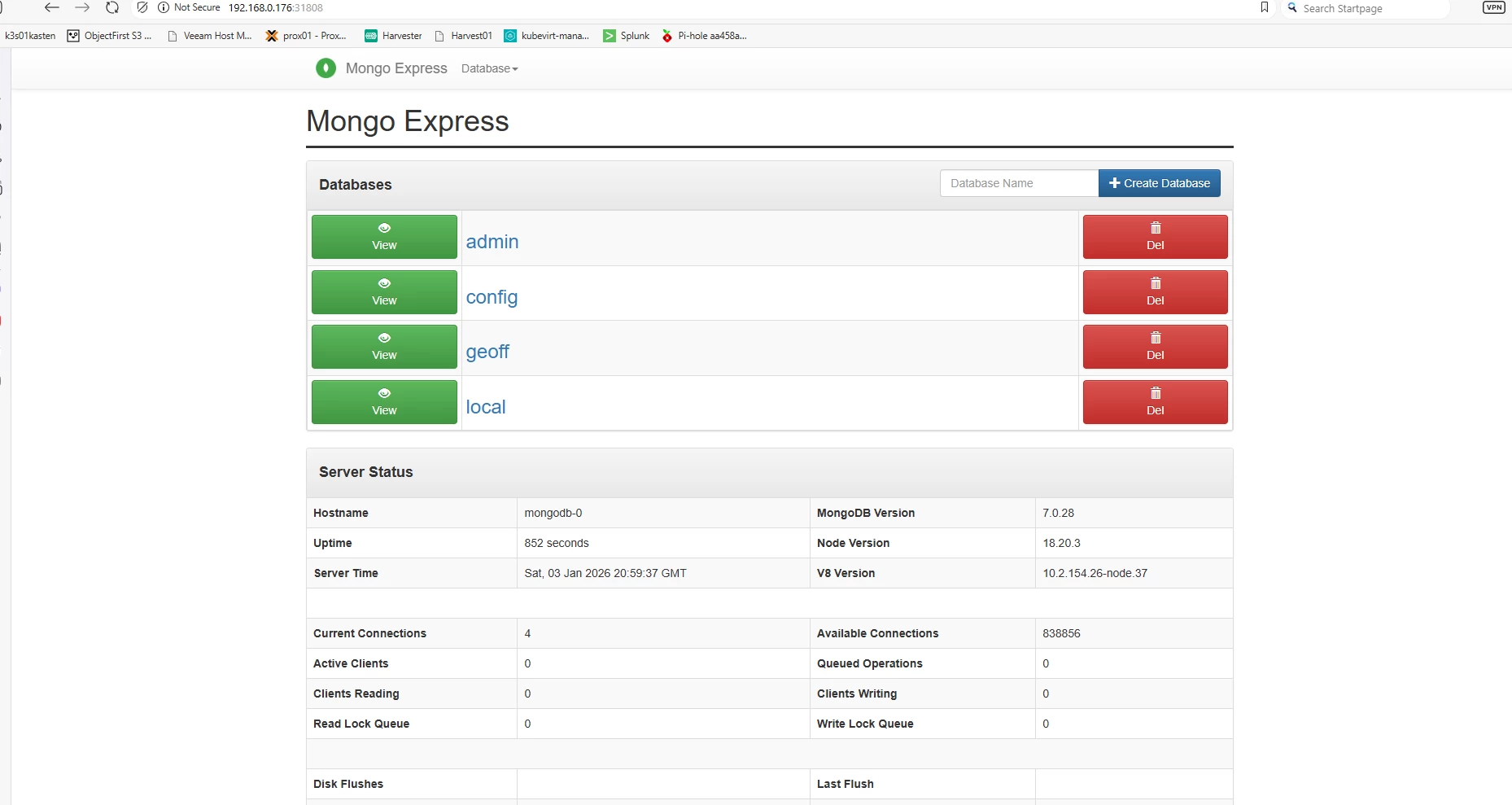

We have already installed Kubevirt and a Kubevirt VM but what about good old Kubernetes workloads like databases in containers and fun deployments! Look no further! Today we will install a Mongodb demo with an frontend Mongo Express.
First create a namespace for the application:
k create ns mongodb-demoNext create the db credentials:
cat <<EOF | kubectl apply -f -
apiVersion: v1
kind: Secret
metadata:
  name: mongodb-secret
  namespace: mongodb-demo
type: Opaque
stringData:
  mongo-root-username: admin
  mongo-root-password: admin123
EOF
Create a Headless Service, (does not load balance traffic, allows direct to pod communication, needed when you have to communicate with specific pods only):
cat <<EOF | kubectl apply -f -
apiVersion: v1
kind: Service
metadata:
  name: mongodb
  namespace: mongodb-demo
spec:
  clusterIP: None
  selector:
    app: mongodb
  ports:
  - name: mongodb
    port: 27017
EOF
Create a MongoDB StatefulSet (these are used instead of deployments when your pods are unique and persistent, often with databases)
cat <<EOF | kubectl apply -f -
apiVersion: apps/v1
kind: StatefulSet
metadata:
  name: mongodb
  namespace: mongodb-demo
spec:
  serviceName: mongodb
  replicas: 1
  selector:
    matchLabels:
      app: mongodb
  template:
    metadata:
      labels:
        app: mongodb
    spec:
      containers:
      - name: mongodb
        image: mongo:7
        ports:
        - containerPort: 27017
        env:
        - name: MONGO_INITDB_ROOT_USERNAME
          valueFrom:
            secretKeyRef:
              name: mongodb-secret
              key: mongo-root-username
        - name: MONGO_INITDB_ROOT_PASSWORD
          valueFrom:
            secretKeyRef:
              name: mongodb-secret
              key: mongo-root-password
        volumeMounts:
        - name: mongo-data
          mountPath: /data/db
  volumeClaimTemplates:
  - metadata:
      name: mongo-data
    spec:
      accessModes: ["ReadWriteOnce"]
      resources:
        requests:
          storage: 5Gi
EOF
Now we will create the Mongo Express Frontend:
cat <<EOF | kubectl apply -f -
apiVersion: apps/v1
kind: Deployment
metadata:
  name: mongo-express
  namespace: mongodb-demo
spec:
  replicas: 1
  selector:
    matchLabels:
      app: mongo-express
  template:
    metadata:
      labels:
        app: mongo-express
    spec:
      containers:
      - name: mongo-express
        image: mongo-express:1.0.2
        ports:
        - containerPort: 8081
        env:
        - name: ME_CONFIG_MONGODB_ADMINUSERNAME
          valueFrom:
            secretKeyRef:
              name: mongodb-secret
              key: mongo-root-username
        - name: ME_CONFIG_MONGODB_ADMINPASSWORD
          valueFrom:
            secretKeyRef:
              name: mongodb-secret
              key: mongo-root-password
        - name: ME_CONFIG_MONGODB_SERVER
          value: mongodb
        - name: ME_CONFIG_MONGODB_PORT
          value: "27017"
        - name: ME_CONFIG_MONGODB_AUTH_DATABASE
          value: "admin"
        - name: ME_CONFIG_MONGODB_ENABLE_ADMIN
          value: "true"
        - name: ME_CONFIG_BASICAUTH
          value: "false"
EOF
We need a service to be able to login to the Mongo Express WebUI and we will make this a Nodeport service for simplicity sake:
cat <<EOF | kubectl apply -f -
apiVersion: v1
kind: Service
metadata:
  name: mongo-express
  namespace: mongodb-demo
spec:
  selector:
    app: mongo-express
  type: NodePort
  ports:
  - port: 80
    targetPort: 8081
    nodePort: 31808
EOF
Finally go to browser and type in the url or ip of your rocky linux vm, login with username admin and password pass: