

Solved

Veeam not seeing seeded data for copy jobs

  • June 9, 2026
  • 4 comments
  • 43 views

Forum|alt.badge.img+1

The case product is Veeam Backup & Replication version 12.1.2.172

We copied data from a main Veeam repository to a secondary offsite Veeam repository for backup copy job seeding.

The previous server that held the copy jobs was replaced after it died.


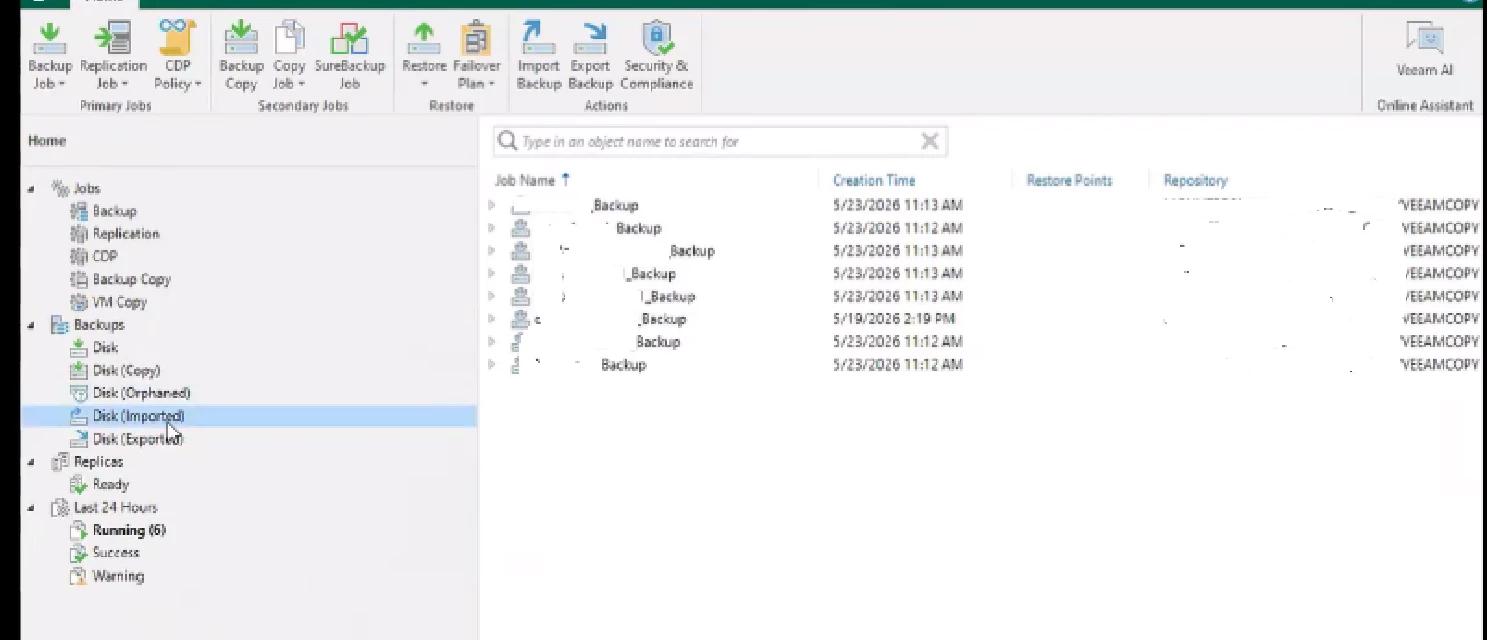
Copied backups are visible under Home > Backups > Disk (Imported) on repository 
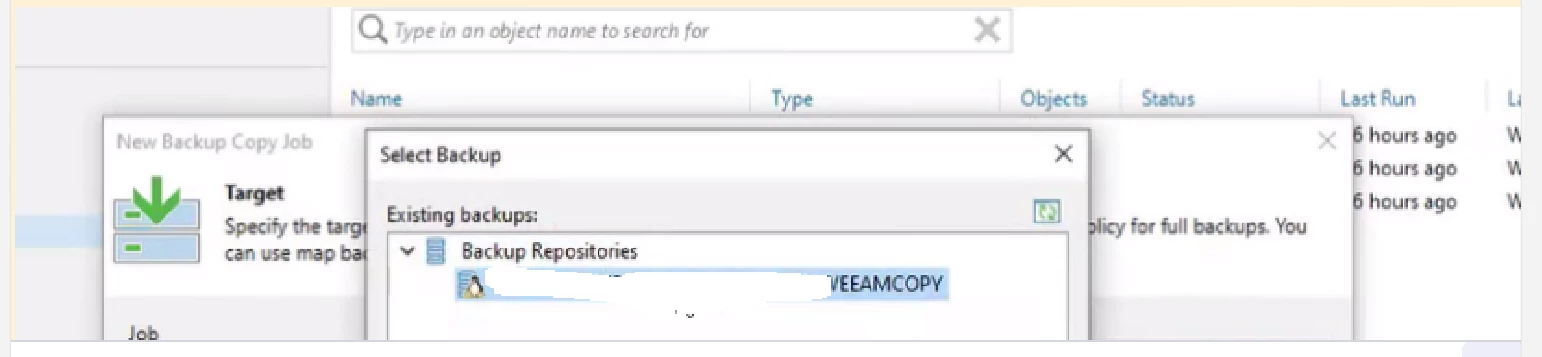
Backup copy job Map Backup dialog shows only the repository node and no selectable imported backup chains beneath it.
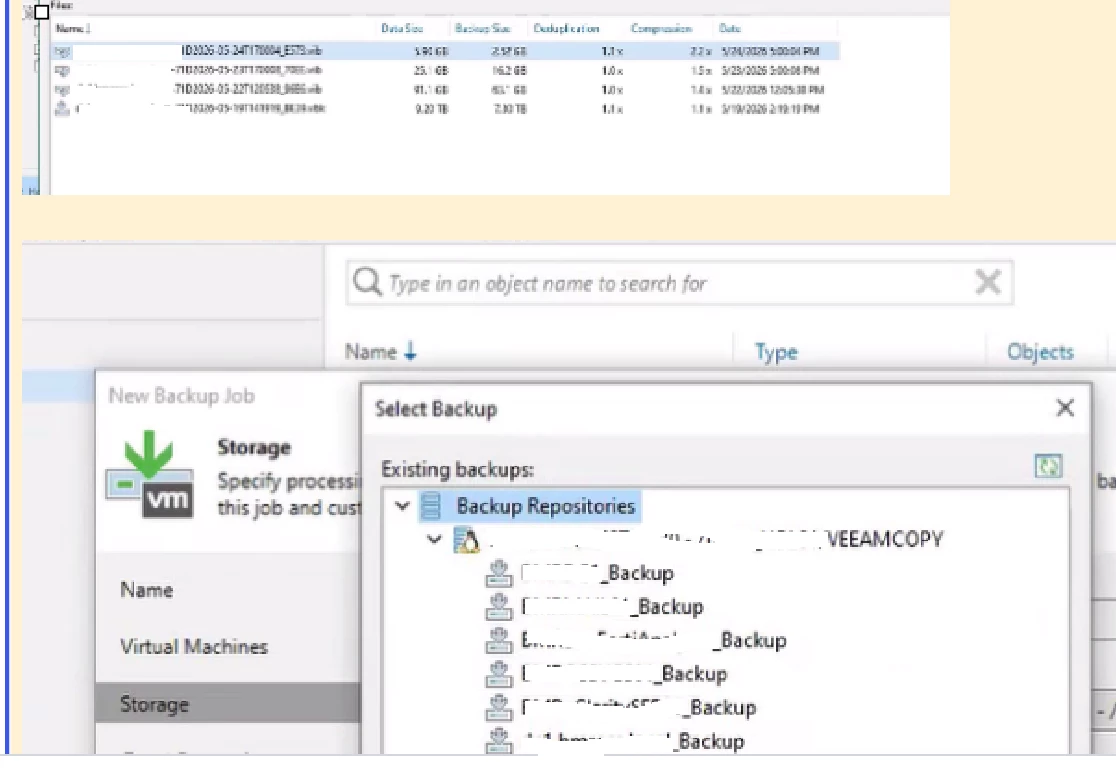
Regular backup job Storage > Map backup dialog shows the imported backup chains are selectable, 
We created the data using the Copy Backup button.

We were not prompted for an encryption password during repository rescan.


we imported the backups but its not showing on the list to map for backup copy.

Is it because the Backup jobs and backup copy jobs use different chain formats and metadata, and a backup copy chain can be mapped only to a backup copy job, not to a regular backup job; conversely, a regular backup-job chain is not a valid seed target for the copy job mapping workflow ?

Please advise

Best answer by Mildur

Backup and backup copy jobs chains are not compatible to each other. You won‘t be able to map them. 
For copy job seeding, please follow this procedure:

https://helpcenter.veeam.com/docs/vbr/userguide/backup_copy_mapping_auxiliary.html?ver=13

And please make sure to update your backup server to the most recent build. Yours is old and affected by multiple security vulnerabilities.

https://www.veeam.com/kb2680


Best,

Fabian


4 comments

Mildur
Forum|alt.badge.img+12
  • Influencer
  • Answer
  • June 9, 2026

Backup and backup copy jobs chains are not compatible to each other. You won‘t be able to map them. 
For copy job seeding, please follow this procedure:

https://helpcenter.veeam.com/docs/vbr/userguide/backup_copy_mapping_auxiliary.html?ver=13

And please make sure to update your backup server to the most recent build. Yours is old and affected by multiple security vulnerabilities.

https://www.veeam.com/kb2680


Best,

Fabian


Tommy O'Shea
Forum|alt.badge.img+5
  • Veeam Legend
  • June 9, 2026

You and ​@Mildur are correct, a backup copy job can only map to a backup copy file, and the same applies for backup jobs.


Forum|alt.badge.img+1
  • Author
  • Influencer
  • June 10, 2026

The case product is Veeam Backup & Replication version 12.1.2.172

We copied data from a main Veeam repository to a secondary offsite Veeam repository for backup copy job seeding.

The previous server that held the copy jobs was replaced after it died.


Copied backups are visible under Home > Backups > Disk (Imported) on repository 

Backup copy job Map Backup dialog shows only the repository node and no selectable imported backup chains beneath it.

Regular backup job Storage > Map backup dialog shows the imported backup chains are selectable, 

We created the data using the Copy Backup button.

We were not prompted for an encryption password during repository rescan.


we imported the backups but its not showing on the list to map for backup copy.

Is it because the Backup jobs and backup copy jobs use different chain formats and metadata, and a backup copy chain can be mapped only to a backup copy job, not to a regular backup job; conversely, a regular backup-job chain is not a valid seed target for the copy job mapping workflow ?

Please advise

Thanks for the answer. however, we have successfully performed seeding in Veeam for several other customers without encountering this issue.

In this case, we created a Veeam backup job for the VM x.local and backed it up to an on-site repository. We then copied the resulting VBK full backup file to a USB drive, transported it to the remote site, and copied it to the target storage location to be used as the seed for a new Backup Copy Job of the same VM.

Given that the seed data was generated from a Veeam backup job of the exact same VM, we expected the VM identifiers within the VMware environment to match. As a result, we're unsure why the seeding process is not being recognized or utilized as expected.


Tommy O'Shea
Forum|alt.badge.img+5
  • Veeam Legend
  • June 10, 2026

Thanks for the answer. however, we have successfully performed seeding in Veeam for several other customers without encountering this issue.

In this case, we created a Veeam backup job for the VM x.local and backed it up to an on-site repository. We then copied the resulting VBK full backup file to a USB drive, transported it to the remote site, and copied it to the target storage location to be used as the seed for a new Backup Copy Job of the same VM.

Given that the seed data was generated from a Veeam backup job of the exact same VM, we expected the VM identifiers within the VMware environment to match. As a result, we're unsure why the seeding process is not being recognized or utilized as expected.

So you manually copied the files created by a Backup Job to an external hard drive, transported it to a remote location, then tried to maps it to a Backup Copy Job, correct? This won’t work., as Veeam can only map Backup to Backup, and Backup Copy to Backup Copy.


What you should have done is create a Backup Copy Job and pointed it to the external drive, moved it to the remote location into a different repository, then mapped the original job to that new repository/Backup Copy Job file.

