Question

Veeam agent creating very large incrementals

  • January 23, 2026
  • 4 comments
  • 27 views

I am running into an issue where very large incrementals are being created even when the device is having little usage. On a 1.8 TB drive (1.56 TB used), an incremental of 980 GB and another incremental of 820 GB occurred a few days later in the past week. What could be causing this?


I am using veeam agent for windows 13.0.1.1009

4 comments

MicoolPaul
Forum|alt.badge.img+23
  • January 23, 2026

Do you have any deduplication role installed? I’ve seen this behaviour when Windows Server was running background dedupe processing.


kristofpoppe
Forum|alt.badge.img+11
  • Veeam Vanguard
  • January 23, 2026

Seems like CBT is messed up and all datablocks are seen as ‘new’


Mohamed Ali
Forum|alt.badge.img+2
  • VUG Leader
  • January 23, 2026

@Nirmal  What is the backup mode that the job? Entire computer or Volume or File level? 

Check if Change Block Tracking is enabled and the Veeam CBT driver is installed on the machine. If CBT is missing or gets reset the incremental can become very large


Link State
Forum|alt.badge.img+11
  • Veeam Legend
  • January 24, 2026

@nimam 

Check that you have installed the Veeam CBT driver.
Check whether your database has loaded data massively.

As a test, create a new job and run a new full backup, then test the incremental backup. Is it possible that there is an anomaly in the CBT calculation?

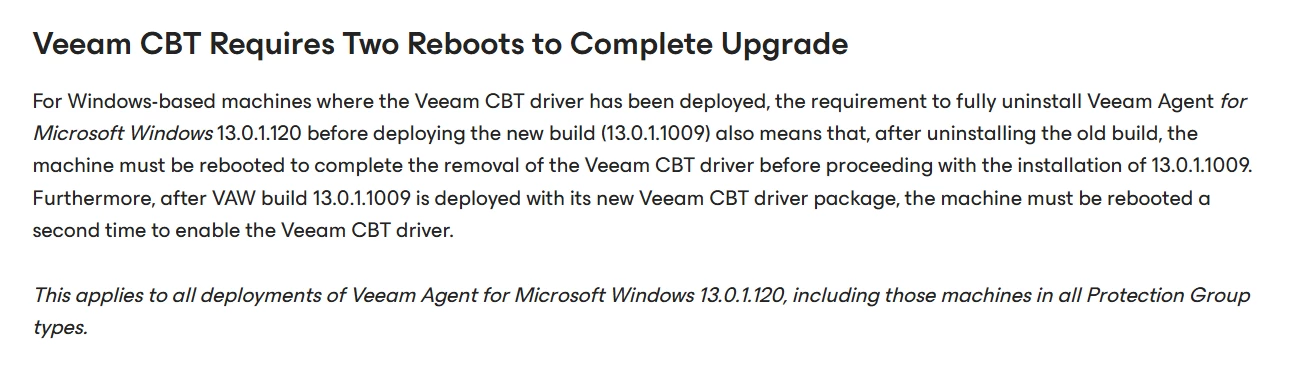
If you have performed an in-place upgrade and installed the cbt driver, you must reboot twice

KB4811: Veeam Agent for Microsoft Windows 13.0.1.120 to 13.0.1.1009 Upgrade Notes

On which repository do you perform the backup from the most specific ones, please?