
Hi everyone,
I am surprised that I could not find anything regarding this topic.
Here is the situation :
I have no issue adding a vCenter server in the console.
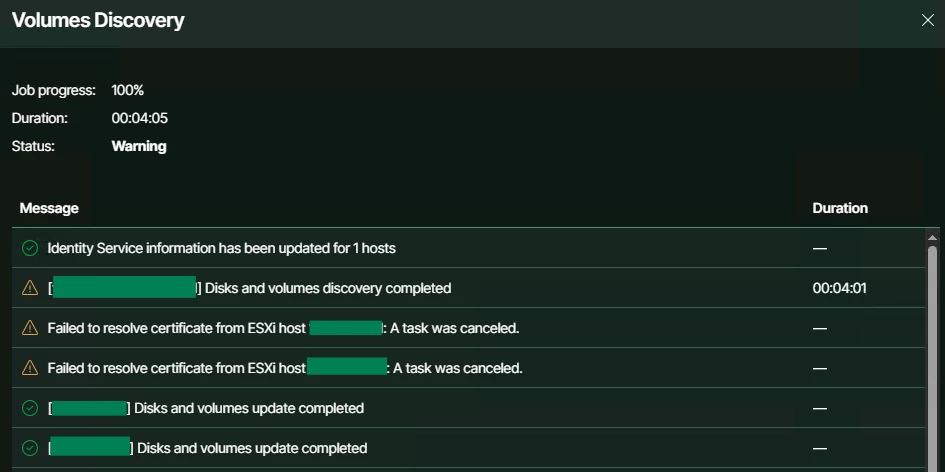
But when Veeam does the volume discovery, I get the warning in the title. In the screenshot it show up for two hosts actually.
The ESXi hosts belong to the same datacenter under that same vCenter.
Weirdly, as you can see in the screenshot, the next steps is successful.
I tried to edit the vCenter object to see if it would prompt me to accept an untrusted certificate, but nothing appears.
Also I tried to edit the properties of the ESXi objects but still no prompt to accept certificates.
Does anyone have an idea about what is happening and how to fix this issue ?
Best regards



