Question

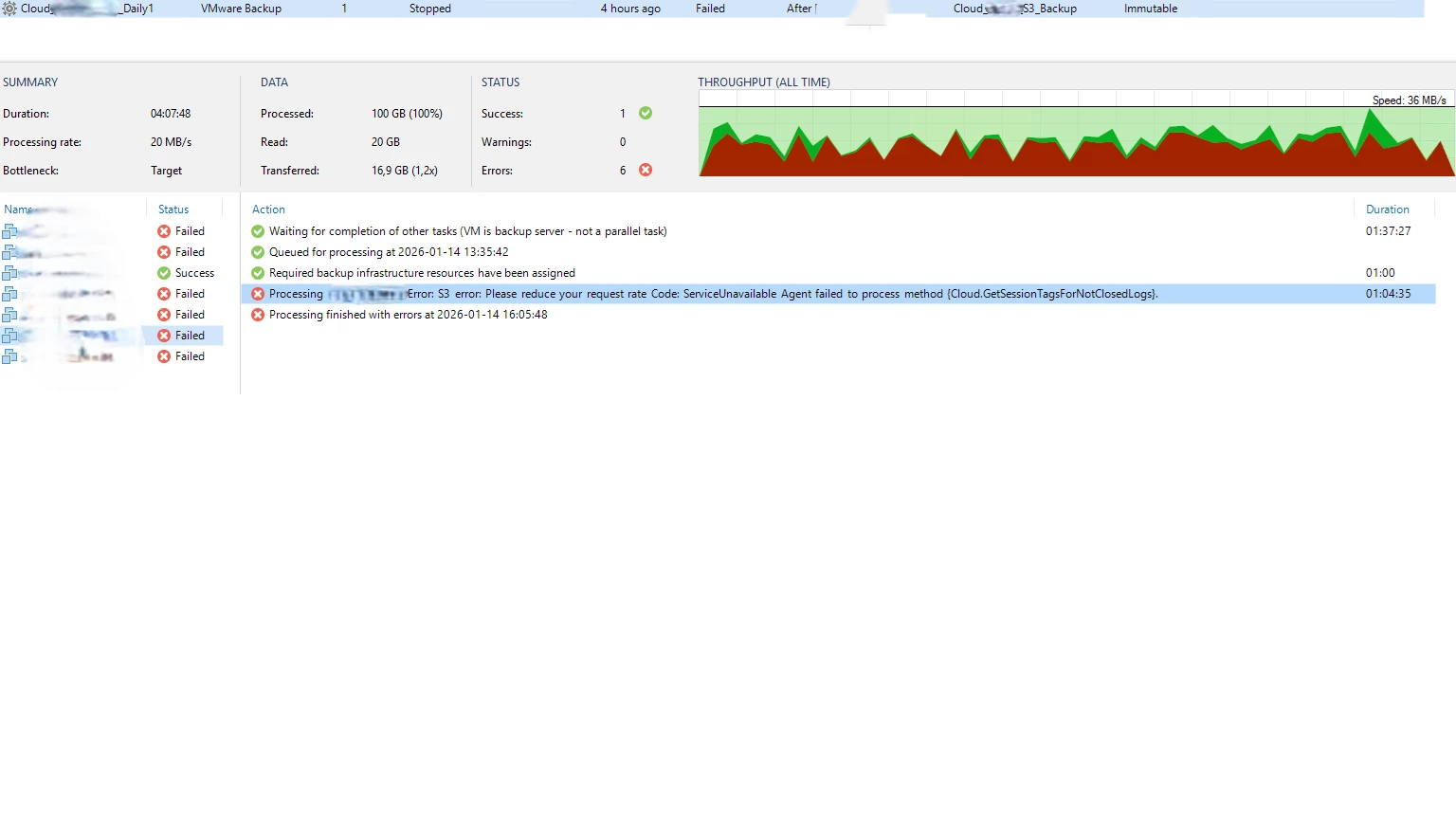
VBR please reduce your request rate (Cloud.getsessiontagsfornotclosedlogs)

  • January 14, 2026
  • 3 comments
  • 28 views

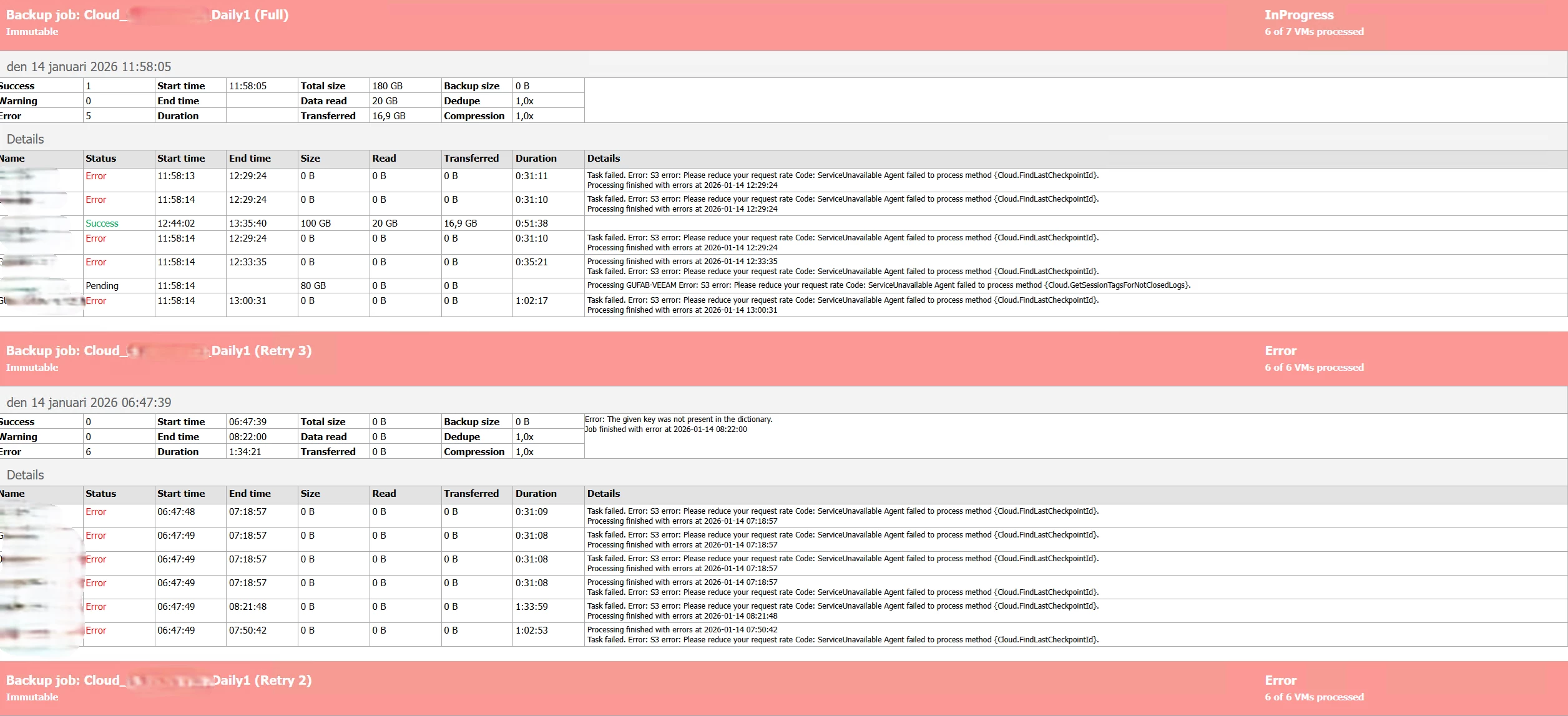
I get this errors on one of my clients VBR. 

Fails when running the copy job to our Qnap NAS running Quts Hero, Immutable setup with Quobjects. When it fails we don’t have several copy jobs running at the same time.

Any ideas of what i can try next to solve this?


3 comments

Tommy O'Shea
Forum|alt.badge.img+5
  • Veeam Legend
  • January 14, 2026

“please reduce your request rate” generally indicates that your object storage cannot handle the amount of data that is being sent to it, or there is a problem with the object storage system. Try throttling the network speed to the QNAP to see if the error goes away, and investigate the hardware health of your QNAP to make sure nothing is wrong there.


lukas.k
Forum|alt.badge.img+13
  • Influencer
  • January 14, 2026

Hi,

This looks like an API call issue. The easiest way would be to reach out to support.

You can check if there is a API queue / limit on the S3 storage and increase that or match it with your VBR server settings (repo settings, to be more specific).


Please feel free to keep us posted in case you get in touch with support.


Best

Lukas


Chris.Childerhose
Forum|alt.badge.img+21
  • Veeam Legend, Veeam Vanguard
  • January 14, 2026

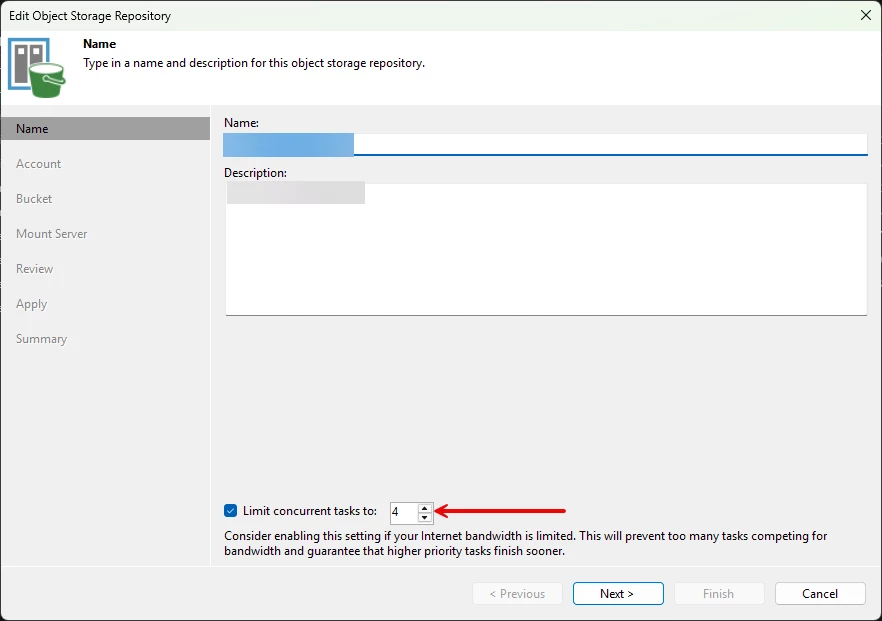
Also try changing this if you have it selected to a limit as some storage devices need this set -