Question

VBR Connection Refused (127.0.0.1)

  • December 4, 2025
  • 37 comments
  • 469 views

Show first post

37 comments

Marcel.K
Forum|alt.badge.img+11
  • Veeam Legend
  • December 7, 2025

@waqasali 

Do you use config generated by veeam for psql db  in postresql.auto.conf?

Normally issue is if psql db is not properly set, it could stuck

Second issue is if SSL communication in pg_hba.conf is not set, then could stuck.

Did you checked postgresql log file?


waqasali
Forum|alt.badge.img+4
  • Author
  • On the path to Greatness
  • December 8, 2025

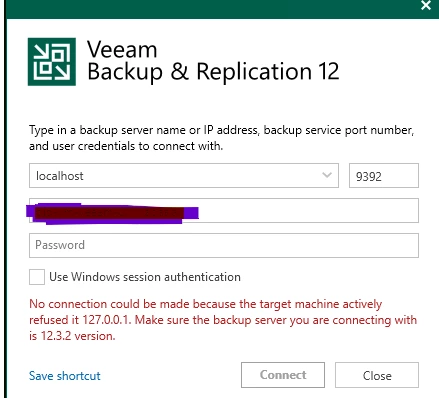
“No connection could be made because the target machine actively refused it 127.0.0.1. Make sure the backup server you are connecting with is 12.3.2 version.”

Now that the services are running as you have confirmed. Have you also fixed the version mismatch issue?


this version is supported build 12.3.2.4168


Mohamed Ali
Forum|alt.badge.img+2
  • VUG Leader
  • December 8, 2025

Hi ​@Mohamed Ali here is the results 


SYN_SENT means the console is trying to connect to port 9392, but nothing is answering.
If the port were open and Veeam Backup Service was listening, you would see a LISTENING or ESTABLISHED line for 9392.


Run connection test and confirm if it’s success 

Test-NetConnection localhost -Port 9392
 

If Tcp Test result is False and no LISTENING line exists, this is 100% service/DB issue


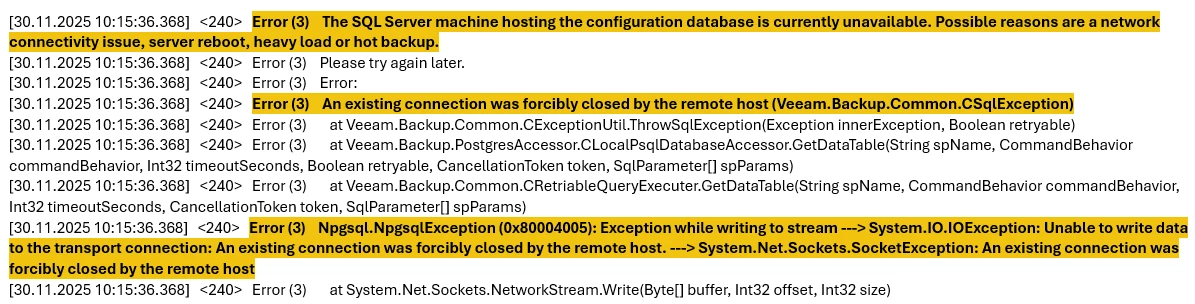
Check the PostgreSQL logs to identify if any DB issues C:\Program Files\PostgreSQL\15\data\log 


lukas.k
Forum|alt.badge.img+13
  • Influencer
  • December 8, 2025

@waqasali Do you already have any feedback from Veeam support that you could share? I’m afraid all we can do right now is make assumptions which may not be helpful at this moment.


waqasali
Forum|alt.badge.img+4
  • Author
  • On the path to Greatness
  • December 9, 2025

“No connection could be made because the target machine actively refused it 127.0.0.1. Make sure the backup server you are connecting with is 12.3.2 version.”

Now that the services are running as you have confirmed. Have you also fixed the version mismatch issue?


you mean VBR application version ? 


waqasali
Forum|alt.badge.img+4
  • Author
  • On the path to Greatness
  • December 9, 2025

@waqasali Do you already have any feedback from Veeam support that you could share? I’m afraid all we can do right now is make assumptions which may not be helpful at this moment.


the below i share answer 


waqasali
Forum|alt.badge.img+4
  • Author
  • On the path to Greatness
  • December 9, 2025

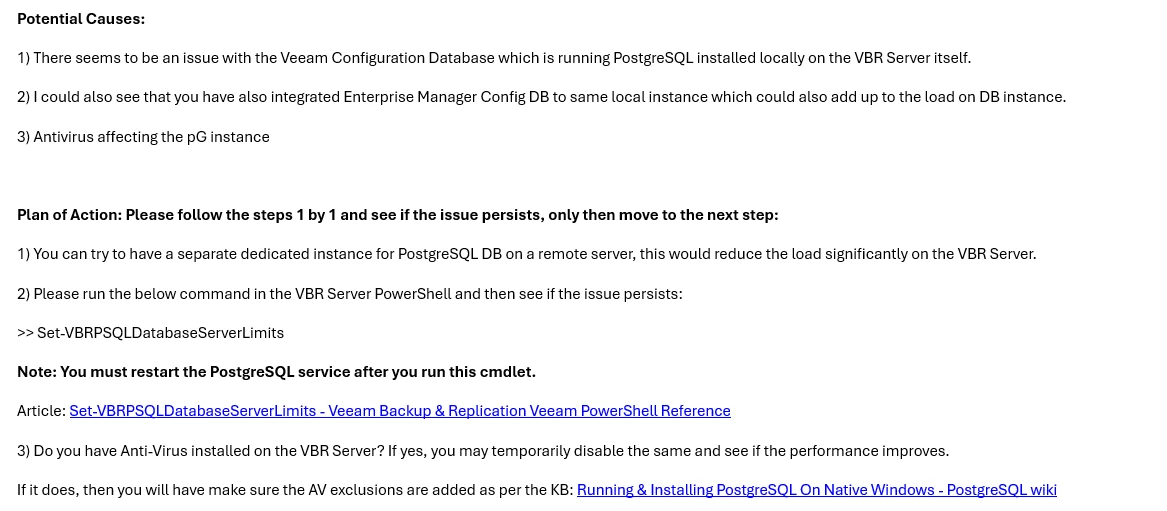
Below are a few thoughts on the same: 


waqasali
Forum|alt.badge.img+4
  • Author
  • On the path to Greatness
  • December 9, 2025
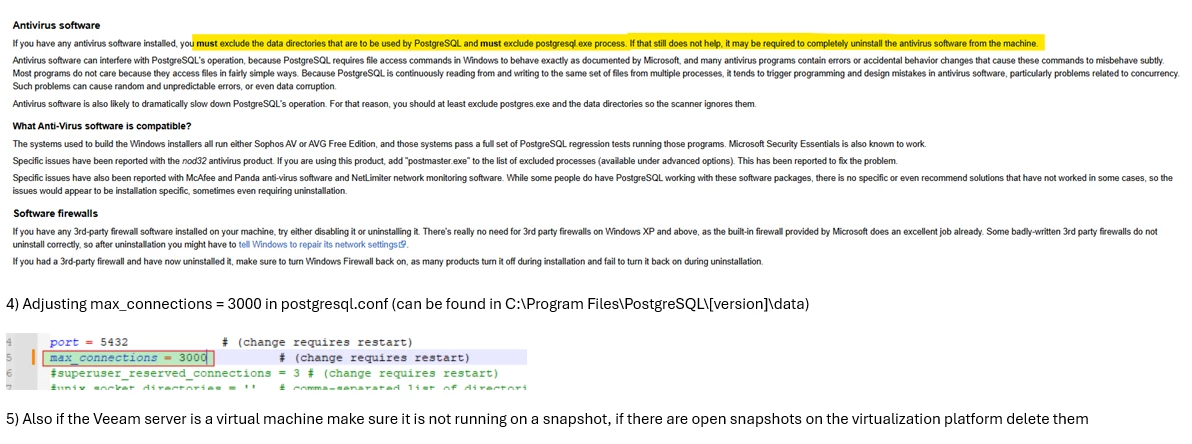
Almost all of my VBR configuration is already aligned with the mentioned points. For the remaining items, I have made adjustments according to the feedback provided after support email.

Marcel.K
Forum|alt.badge.img+11
  • Veeam Legend
  • December 9, 2025

Hi ​@waqasali,

i would suggest to follow this KB article

it will create dump and then postgresql.auto.conf

then please go to the pg_hba.conf and set hostssl for communication with veeam

max_connection and work memory increase is not enough


waqasali
Forum|alt.badge.img+4
  • Author
  • On the path to Greatness
  • December 9, 2025

@waqasali 

Do you use config generated by veeam for psql db  in postresql.auto.conf?

Normally issue is if psql db is not properly set, it could stuck

Second issue is if SSL communication in pg_hba.conf is not set, then could stuck.

Did you checked postgresql log file?


yes i check and i make it 6000 and veeam engineer already verified that 


Marcel.K
Forum|alt.badge.img+11
  • Veeam Legend
  • December 9, 2025

3rd thing what was done from my side was to provide exclude list for antivirus for postgresql

as veeam is using new connection for each request, it happened, that cpu was on 99% and connection on port was unresponsive of database


waqasali
Forum|alt.badge.img+4
  • Author
  • On the path to Greatness
  • December 15, 2025

i informed my security team must exclude the data directories that are to be used by PostgreSQL and must exclude the postgresql.exe process.