Solved

upgrade from v13.0.1.5924 to 13.1.0.7233 veeamone failed

  • August 27, 2026
  • 6 comments
  • 43 views

I want to upgrade my veeam one server and it crashed à stage 3 . every time I need to roll back on backup or snaphot because it uninstalls veeamone services 

Best answer by Iams3le

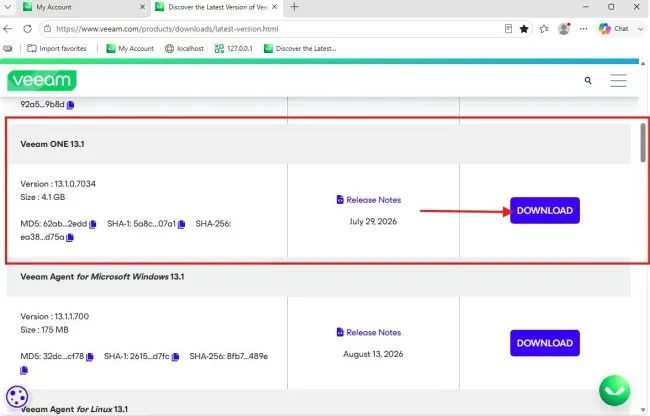
… Could be the image you downloaded to perform this upgrade. Veeam ONE 13.1 Patch 0 is a cumulative patch for Veeam ONE 13.1., as shown here: “https://techdirectarchive.com/2026/08/26/veeam-one-13-1-0-7034-upgrade-complete-pre-flight-and-step-by-step-guide/

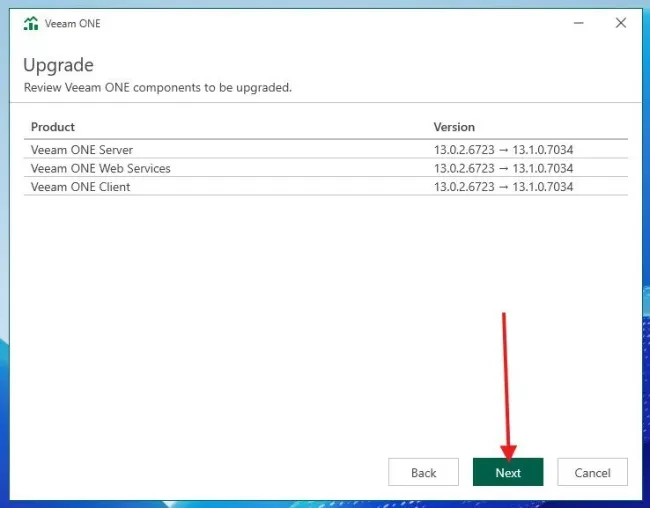
Expected state for Veeam ONE Server, Web Services, and Client will be 13.1.0.7034. From experience with other applications, this can happen when there is an issue with there are version discrepancies. 
 

But you curently want to upgrade from “v13.0.1.5924 to 13.1.0.7233” which is failing as shown below. Please read this: https://www.veeam.com/kb4762 (got you covered), and I quote “Veeam ONE 13.1 Patch 0 is distributed as a ZIP archive containing five .msp patch installers, which update an existing 13.1 deployment in place. The .msp installers can only be applied to build 13.1.0.7034. Deployments on any earlier build cannot be patched and must be upgraded using the Deployment ISO instead.”

6 comments

lukas.k
Forum|alt.badge.img+13
  • Influencer
  • August 27, 2026

Hi ​@ndelamotte,

The Wizard may uninstall the current version to install the new version, that might not be wrong.

Did you already check the logs? https://www.veeam.com/kb1862

Otherweise I can only advise to open a Veeam Support ticket to let the guys investigate.


Best regards

Lukas


  • Author
  • New Here
  • August 27, 2026

I open a case to veeam too. I cannot get the log via the console because during the upgrade process, veeam uninstall veeamone service and does not roll back. I colected some logs on the temp folder and send to them . I wil post any update from the veeam support. 


Chris.Childerhose
Forum|alt.badge.img+22
  • Veeam Legend, Veeam Vanguard
  • August 27, 2026

If it continuously crashes, then I suggest opening a ticket with support.  This will not be something the community can resolve other than giving suggestions to try.


coolsport00
Forum|alt.badge.img+23
  • Veeam Legend
  • August 27, 2026

I assume this is a physical server and not a VM? If VM, I assume you didn’t snapshot it or take a backup right before upgrading? 

If not, as Lukas & Chris shared...Support is the way to go. Let us know what they do to resolve your issue.


  • Author
  • New Here
  • August 27, 2026

I get roll back via snapshot. but I try again and same problem (roll back too). I added my account in the postgre allowed account without any change. 


Iams3le
Forum|alt.badge.img+15
  • Answer
  • August 27, 2026

… Could be the image you downloaded to perform this upgrade. Veeam ONE 13.1 Patch 0 is a cumulative patch for Veeam ONE 13.1., as shown here: “https://techdirectarchive.com/2026/08/26/veeam-one-13-1-0-7034-upgrade-complete-pre-flight-and-step-by-step-guide/

Expected state for Veeam ONE Server, Web Services, and Client will be 13.1.0.7034. From experience with other applications, this can happen when there is an issue with there are version discrepancies. 
 

But you curently want to upgrade from “v13.0.1.5924 to 13.1.0.7233” which is failing as shown below. Please read this: https://www.veeam.com/kb4762 (got you covered), and I quote “Veeam ONE 13.1 Patch 0 is distributed as a ZIP archive containing five .msp patch installers, which update an existing 13.1 deployment in place. The .msp installers can only be applied to build 13.1.0.7034. Deployments on any earlier build cannot be patched and must be upgraded using the Deployment ISO instead.”