
Solved

Unable to exclude files from snapshot: Shadow Copy Optimization Writer is not available

  • May 11, 2026
  • 2 comments
  • 25 views

Hi Veeam Community 


I’m unable to run any backups on Veeam Agent for Windows (6.3.1.1074, free edition). While my setup was working previously, I now get the error “Failed to create VSS snapshot” when attempting to run a backup.

My destination is an SMB share on a local Windows Server (Server 2022 OS). Other devices on my network (In identical configurations, “Entire Computer”) are able to back up to that share successfully, it’s just this one machine that’s failing.

I have tried the following and it only kept the backups successfull without any warnings for 2-3 days and then reoccurs

Ran the following commands:

  • net stop vss
  • net start vss
  • You can also restart these services in services.msc:
  • Volume Shadow Copy
  • Microsoft Software Shadow Copy Provide

When running the vssadmin list writers command I see that this writer times out and others show no errors
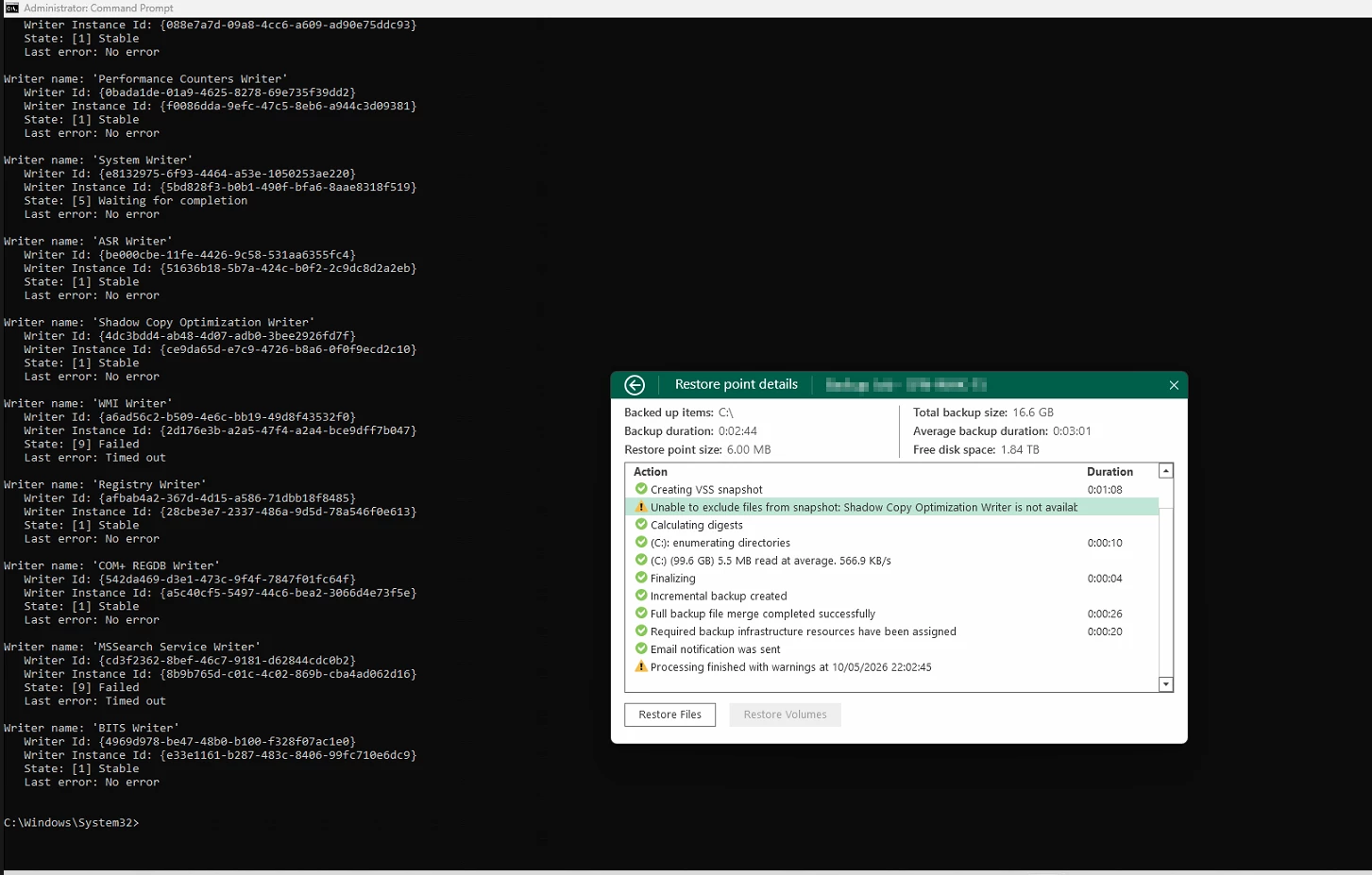
Any assistance with this issue would be greatly appreciated


Best answer by matheusgiovanini

This looks more like a Windows VSS issue on that specific machine than a Veeam problem.

You have some vss with “Timed out”. You could try reboot the machine, run vssadmin list writers again and confirm all writers are Stable / No error, check Event Viewer for VSS-related errors around the backup time.

If you cant reboot right now, try to restart all VSS services. 

Sometimes restarting the VSS services helps temporarily, but if the issue comes back after 2–3 days, there may be a stuck/corrupted writer or an application/service interacting badly with VSS.

2 comments

matheusgiovanini
Forum|alt.badge.img+9

This looks more like a Windows VSS issue on that specific machine than a Veeam problem.

You have some vss with “Timed out”. You could try reboot the machine, run vssadmin list writers again and confirm all writers are Stable / No error, check Event Viewer for VSS-related errors around the backup time.

If you cant reboot right now, try to restart all VSS services. 

Sometimes restarting the VSS services helps temporarily, but if the issue comes back after 2–3 days, there may be a stuck/corrupted writer or an application/service interacting badly with VSS.


Chris.Childerhose
Forum|alt.badge.img+21

Yes, would definitely suggest rebooting to reload the VSS writers again.  As noted, restarting them might resolve the issue this time, but then it might come back, as Matheus mentioned.

