Veeam Data Platform v13 Upgrade Center
Hello,
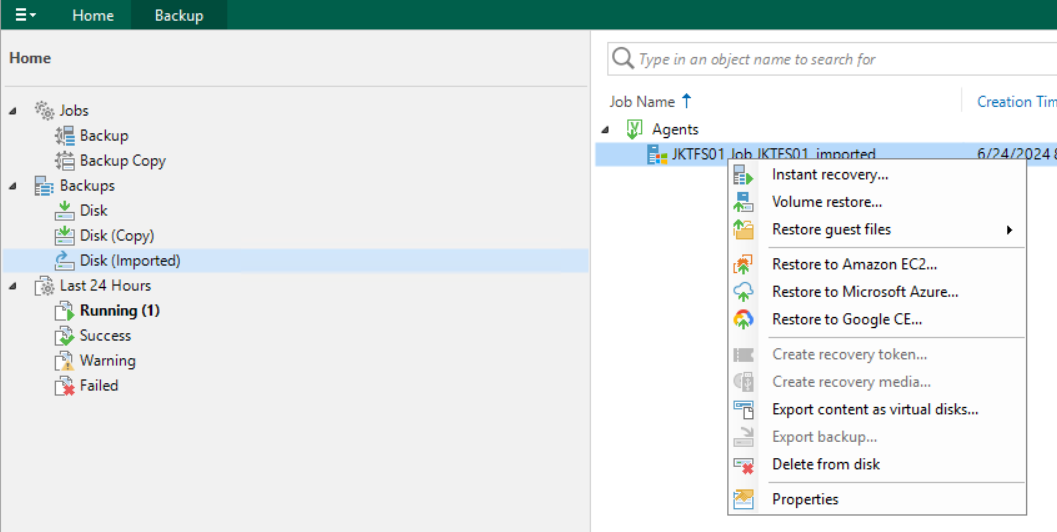
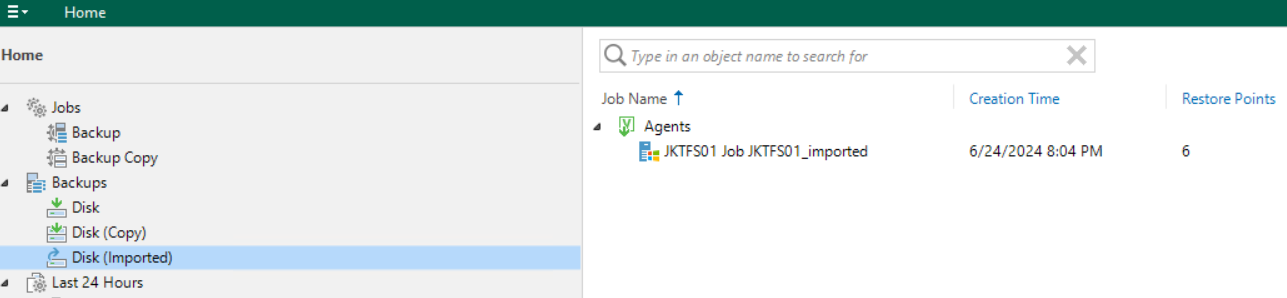
I import agent backup into VBR, now how i can remove this from VBR?
Best answer by hs08
Already try but no remove option, if we CTRL + right click on Disk ‘(Copy)’ yes i can see remove from inventory option.
Just right click on it and select delete.
Hi @haslund
No option to remove from inventory, only ‘delete from disk’ is available.
So you want to keep it on the disk, but remove it from the inventory?
correct only remove from inventory i want.
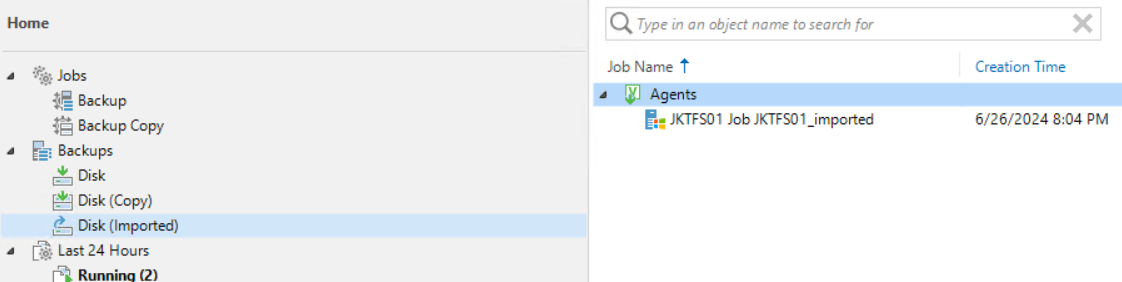
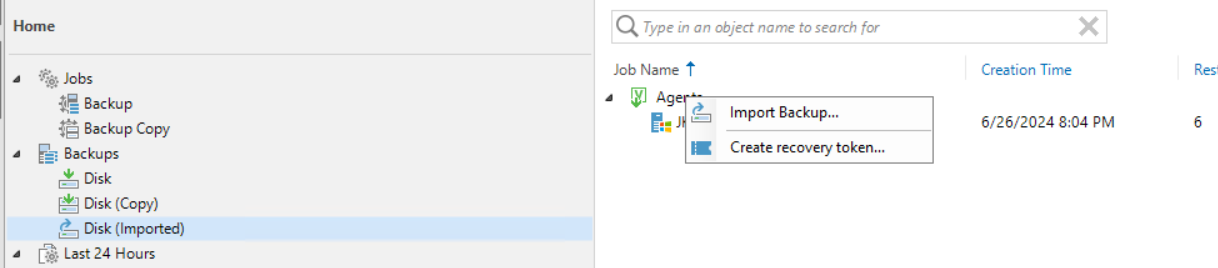
Instead of right-clicking on the backup itself, let’s try right-clicking just above it on ‘Agents’ and post a screenshot here.
no any menu when right click on ‘Agent’
Press STRG + right click. Then you should See remove from inventory
Hi @hs08 someone posted same on the Forums
https://forums.veeam.com/veeam-backup-replication-f2/how-to-remove-imported-backup-in-v12-t86878.html
see the Guide here on how to remove:
https://helpcenter.veeam.com/docs/backup/vsphere/remove_from_backups.html?ver=120
Should just need to press CTL+ right-click on the Agent backup, not Agent heading, then select "Remove from configuration"
Already have an account? Login
Enter your E-mail address. We'll send you an e-mail with instructions to reset your password.

Sorry, we're still checking this file's contents to make sure it's safe to download. Please try again in a few minutes.
Sorry, our virus scanner detected that this file isn't safe to download.