Solved

Possible Bug: Veeam Software Appliance installation error

  • October 22, 2025
  • 12 comments
  • 1118 views

Iams3le
Forum|alt.badge.img+13

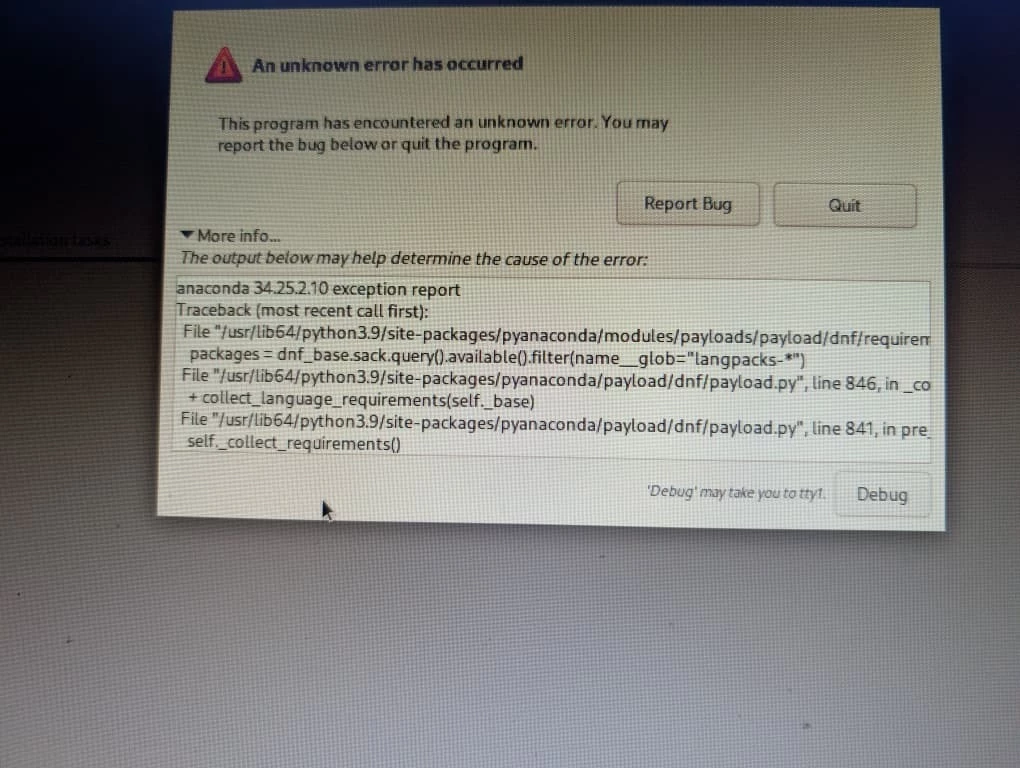
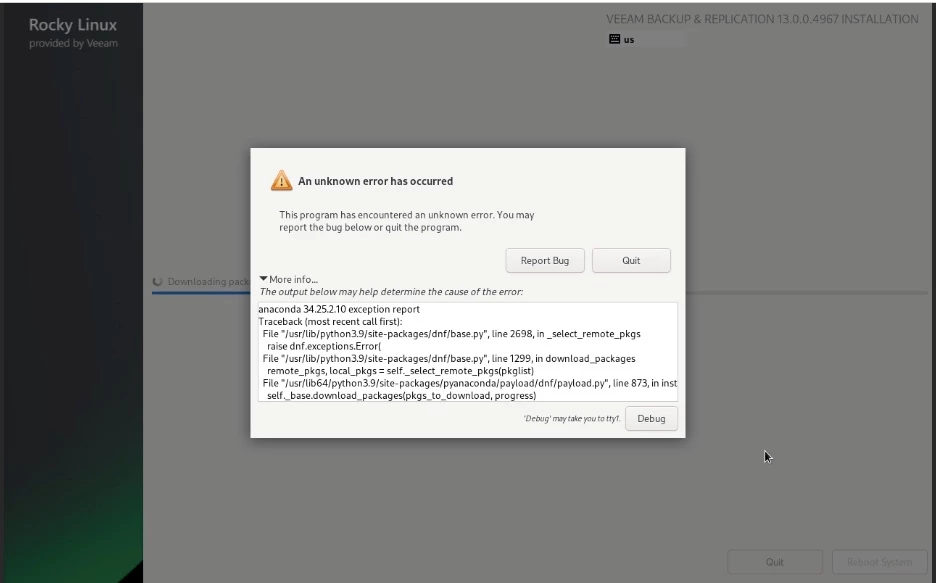
While installing Veeam Backup & Replication v13.0.0.4967 from the ISO (Rocky Linux–based appliance), the installer stops mid-way with an “An unknown error has occurred” message from Anaconda.
The traceback points to dnf/base.py related to remote package selection or repository fetching.

This occurred during the “Downloading packages” stage. Who else has run into this error?
 

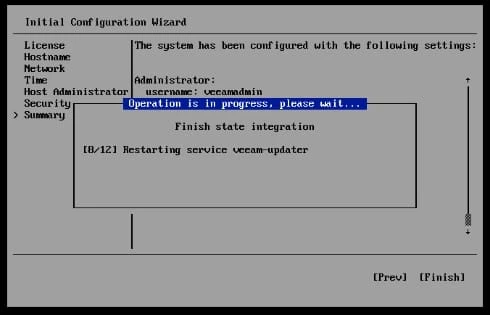
Another error, you could run into is this “Appliance Installation Stuck on "Configuring addons" and the following KB addresses what to do correctly.

Best answer by Iams3le

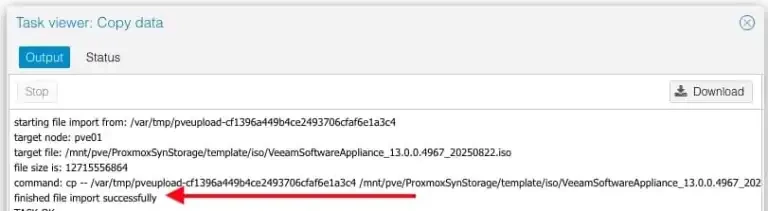
I found the culprit: it had to do with the PVE, and I can attest that the installation was completed successfully. I will discuss this in the blog post.


12 comments

Chris.Childerhose
Forum|alt.badge.img+21
  • Veeam Legend, Veeam Vanguard
  • October 22, 2025

Have not used the ISO other than to deploy VEM which went fine.  Maybe check the Forums to see?


Iams3le
Forum|alt.badge.img+13
  • Author
  • October 22, 2025

Have not used the ISO other than to deploy VEM which went fine.  Maybe check the Forums to see?

I also tried for VBEM, same issue! I am trying to redownload the ISO. Otherwise, I will search the forum tomorrow.


coolsport00
Forum|alt.badge.img+22
  • Veeam Legend
  • October 22, 2025

Agree with Chris here...post in the Forums to let PMs know, or report a bug via Support. Thanks for sharing Christian. 👍🏻


Iams3le
Forum|alt.badge.img+13
  • Author
  • Answer
  • October 23, 2025

I found the culprit: it had to do with the PVE, and I can attest that the installation was completed successfully. I will discuss this in the blog post.


Chris.Childerhose
Forum|alt.badge.img+21
  • Veeam Legend, Veeam Vanguard
  • October 23, 2025

Glad to hear you figured it out and looking forward to the answer.


coolsport00
Forum|alt.badge.img+22
  • Veeam Legend
  • October 23, 2025

Ah ok. Glad you got it sorted Christian 👍🏻


  • New Here
  • October 24, 2025

@Iams3le 

I found the culprit: it had to do with the PVE, and I can attest that the installation was completed successfully. I will discuss this in the blog post.


Dear ​@Iams3le 

Can you provide the solution? We stuck on the same error...


Iams3le
Forum|alt.badge.img+13
  • Author
  • October 24, 2025

@Iams3le 

I found the culprit: it had to do with the PVE, and I can attest that the installation was completed successfully. I will discuss this in the blog post.


Dear ​@Iams3le 

Can you provide the solution? We stuck on the same error...

Kindly ensure that the ISO is correctly copied to Proxmox storage (local, NFS etc as it is in your case). This time, I waited for the upload status to be complete (ok) and it worked eventually. I am not exactly sure what happened in the first upload. Do not forget to verify the checksum for the ISO before upload!


  • New Here
  • December 12, 2025

Bonjour,

je viens d’avoir le même problème lors de l’installation de veeam quelqu’un peu m’aider svp


While installing Veeam software appliance. It stuck on download packages. Till 2 hrs didn't get any error. However ticket were logged with Veeam with high priority, but no one responded for 8 hrs. No solution. Two days gone on Veeam iso. And 1 day to install from Iso.  


Iams3le
Forum|alt.badge.img+13
  • Author
  • May 11, 2026

While installing Veeam software appliance. It stuck on download packages. Till 2 hrs didn't get any error. However ticket were logged with Veeam with high priority, but no one responded for 8 hrs. No solution. Two days gone on Veeam iso. And 1 day to install from Iso.  

From experience, this issue is usually related to the installation media. Please verify the integrity of the installation media and ensure that any copy operation completes successfully without errors. Also, confirm that the system meets the minimum RAM requirements for the installation.


Iams3le
Forum|alt.badge.img+13
  • Author
  • May 11, 2026

Bonjour,

je viens d’avoir le même problème lors de l’installation de veeam quelqu’un peu m’aider svp


Hi ​@YOU224, were you able to resolve this issue?