Solved

MSMQ VSS error


Forum|alt.badge.img+1

Version 13.0.1

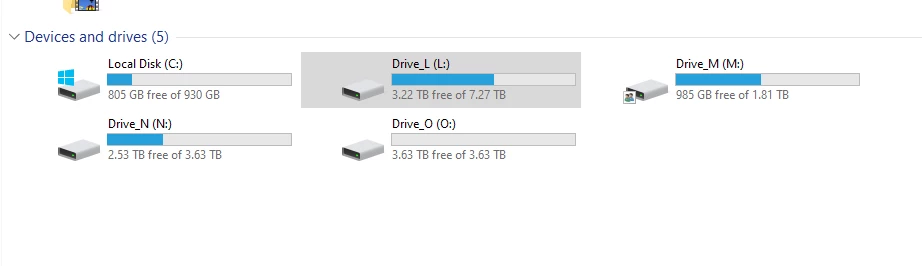
I am backing up to LTO 4 tape drives.   I have one job that backs up drive M: and N: backups.   One backup I get this error on drive M: and the next time on drive N:.   

5/31/2026 7:27:36 AM Warning : Failed to create a VSS snapshot for M: Details: Writer 'MSMQ Writer (MSMQ)' is failed at 'VSS_WS_FAILED_AT_PREPARE_BACKUP'. The writer's timeout expired between the Freeze and Thaw events. --tr:Failed to verify writers state. --tr:Failed to create VSS snapshot. --tr:Failed to perform pre-backup tasks. (0:00:15)

I changed the VSS timeout to 20 minutes
I ran chkdsk and analyze and optimize on both drives.  No errors.   Windows 10 does it weekly.   More than 50% available on both drives.   I have rebooted the tape server.   I restarted the services.   The jobs are not big.  M: is around 50GB.   N: is 350GB.   I never had this issue on 11A. 

Still get these errors.


Best answer by Link State

hi ​@SCSIraidGURU 


  • After job fail check Event Viewer Application ans System logsand post here error.

try this step:

  • Check whether Message Queuing 
dism /online /get-features | findstr MSMQ

Restart MSMQ service

If MSMQ is installed but not used by any application

Remove-WindowsFeature MSMQ
  • Try Restart VSS

check error

vssadmin list writers

net stop vss
net stop swprv
net start swprv
net start vss

  • Verify shadow storage
vssadmin list shadowstorage

Extend shadow storage

vssadmin resize shadowstorage /for=M: /on=M: /maxsize=20%

and try ti start the backup jobs

10 comments

Chris.Childerhose
Forum|alt.badge.img+21

You will need to investigate the VSS writer for SQL based on the error.  If that turns up nothing then support is the next best route.


Marcel.K
Forum|alt.badge.img+12
  • Veeam Legend
  • June 1, 2026

Hi,

looks like the issue is with VSS writers as ​@Chris.Childerhose wrote.

Did you try to reinstall MSMQ?


dips
Forum|alt.badge.img+7
  • On the path to Greatness
  • June 1, 2026

Try running the following to check if any of the writers are in an error state:

vssadmin list writers


Link State
Forum|alt.badge.img+12
  • Veeam Legend
  • Answer
  • June 1, 2026

hi ​@SCSIraidGURU 


  • After job fail check Event Viewer Application ans System logsand post here error.

try this step:

  • Check whether Message Queuing 
dism /online /get-features | findstr MSMQ

Restart MSMQ service

If MSMQ is installed but not used by any application

Remove-WindowsFeature MSMQ
  • Try Restart VSS

check error

vssadmin list writers

net stop vss
net stop swprv
net start swprv
net start vss

  • Verify shadow storage
vssadmin list shadowstorage

Extend shadow storage

vssadmin resize shadowstorage /for=M: /on=M: /maxsize=20%

and try ti start the backup jobs


Forum|alt.badge.img+1
  • Author
  • Comes here often
  • June 1, 2026

M:  Are Ubuntu VMs only one of them has MariaDB on it, my web server.  N: is Family pictures and installation files.  No databases.   I upgraded to 13.0.2 last night.  Will test it again soon.  I will check what you posted.   


Forum|alt.badge.img+1
  • Author
  • Comes here often
  • June 1, 2026

I disabled MSMQ and will see what happens.   From what I read I don’t use it. 


Chris.Childerhose
Forum|alt.badge.img+21

I disabled MSMQ and will see what happens.   From what I read I don’t use it. 

Sounds good, keep us posted.  Hopefully, this addresses the issues.


Forum|alt.badge.img+1
  • Author
  • Comes here often
  • June 2, 2026

No errors.   76 MB/s processing 114 MB/s throughput to LTO tape drive.

403Gb in 1 h 32 min.

Succeeded : Busy: Source 0% > Proxy 18% > Network 1% > Target 97%


Chris.Childerhose
Forum|alt.badge.img+21

Great to hear ​@SCSIraidGURU 👍


Link State
Forum|alt.badge.img+12
  • Veeam Legend
  • June 3, 2026

@SCSIraidGURU 

Please select the answer that was most helpful to you in resolving the issue.
Thank you