Details: Files visible: Central_AD.vbm → metadata/config file
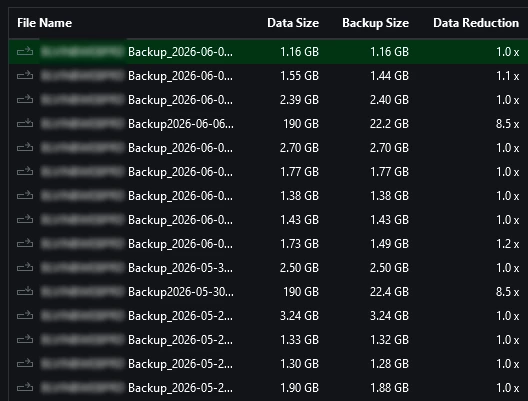
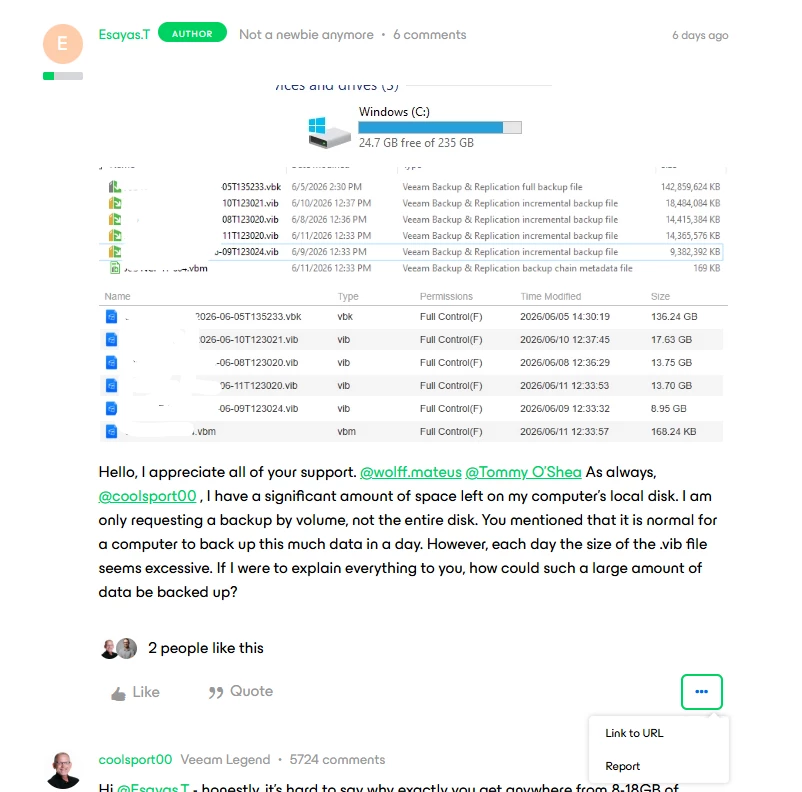
Central_AD2026-06-01...vbk → Full backup (~73 GB ✅ normal)
Central_AD2026-06-02...vib → ~2.4 GB
Central_AD2026-06-03...vib → ~2.6 GB
Central_AD2026-06-04...vib → ~2.1 GB
Central_AD2026-06-05...vib → ~2.5 GB
Central_AD2026-06-06...vib → ~2.5 GB
Central_AD2026-06-07...vib → ~1.5 GB
👉 These .vib files are incremental backups (daily changes only)
Hello Veeam Community,
I am using Veeam Agent for Microsoft Windows free for office use, with no big data exchange, and noticed that the incremental backup (.vib) files for a single machine are relatively large (around 1.5 GB to 5.6 GB per day), while the full backup is about 73 GB. Machine details: - Role: Active Directory server (Central_AD) - Backup type: Incremental (daily) I would like to understand:
1. Is this incremental size normal for this type of workload?
2. What factors could cause such daily change rates?
3. Are there recommended optimizations to reduce incremental backup size?
4. How can I identify which files or processes are contributing most to the changed data?
Attached is a sample of backup file sizes over several days.
Thank you.