Solved

How to exclude offline databases from backup

  • May 31, 2024 10:13 AM UTC
  • 10 comments
  • 546 views

Good morning everyone.
Our company has just installed Veeam version 12.

To save databases we use the MSSQLRecoveryManager.exe executable.

However, we don't understand how to exclude databases that are Offline. Thanks in advance.


Claudio

Best answer by Link State

hi @dalmasoc 

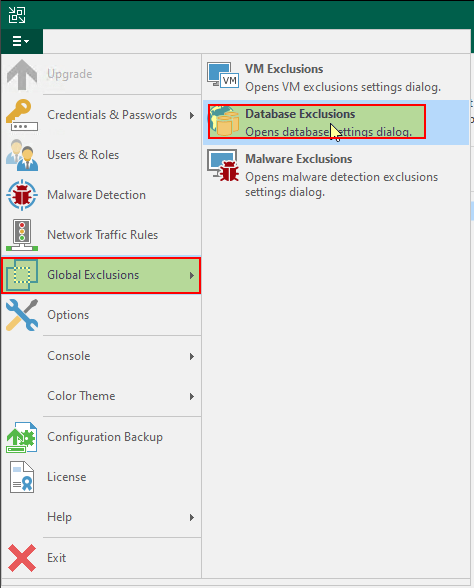
check this KB


KB2110: How to Exclude Databases from Application-Aware Processing (veeam.com)

KB2104: How to exclude MS SQL Databases from SQL Log backup (veeam.com)
 

View original

10 comments

Link State
Forum|alt.badge.img+12
  • Veeam Legend
  • Answer
  • May 31, 2024 10:29 AM UTC

  • Author
  • New Here
  • Jun 3, 2024 11:03 AM UTC

Thanks a lot for the answer.
In the proposed solution you must manually insert the databases to be excluded from the backup, however the databases that are in the "Offline" situation can be so for a limited time perhaps waiting for a next restore. In this case you must remember to remove the DB from the exclusions. I thought a global exclusion for Offline DBs would be simpler.
Thanks again.


coolsport00
Forum|alt.badge.img+23
  • Veeam Legend
  • Jun 19, 2024 9:16 PM UTC

Hi @dalmasoc -

I was just following up here on your post. Did the provided comment answer your question? Do you still have questions? If the provided comment helped you, we ask you mark it (or even your comment) as ‘Best Answer’ so others who have a similar question & come across your post may benefit.

Thank you!


  • Author
  • New Here
  • Jun 20, 2024 7:00 AM UTC

Hi @coolsport00 ,

 @Link State answered my question but I don't think the proposed solution is optimal.
I'm still convinced that an option that excludes offline databases from backup is best.
Thanks for your interest.

Ciao.


coolsport00
Forum|alt.badge.img+23
  • Veeam Legend
  • Jun 20, 2024 11:42 AM UTC

Hi @dalmasoc -

Thank you for the follow up & information. I think since @Link State answered your question, you can mark his answer as ‘Best Answer’. But, as there is no ‘optimal’ resolution for your question, your best bet to have the feature you’re wanting implemented within Veeam would be to post a feature request in the Forums. Would that be agreeable?

Thank you.


  • Author
  • New Here
  • Jun 20, 2024 12:05 PM UTC

Yes, 

thanks, great idea.


Ciao


coolsport00
Forum|alt.badge.img+23
  • Veeam Legend
  • Jun 20, 2024 12:08 PM UTC

Great...thank you.


  • New Here
  • Sep 17, 2026 3:45 PM UTC

Wondering if there’s any product improvement on this?

I have a SQL server with hundreds of DBs - I want to exclude 100 that are not in an Availability Group from the backups - the backups job created by Veeam has this command with every DB to be excluded listed: 

"C:\Program Files\Veeam\Plugins\Microsoft SQL\MSSQLRecoveryManager.exe" --backup  --type=full  --ed="DB1"  ed="DB2" …. etc

Is there not a switch or command that will exclude DBs that are not in Av.Groups from the backup job?


coolsport00
Forum|alt.badge.img+23
  • Veeam Legend
  • Sep 17, 2026 5:17 PM UTC

​@ewanovic - your best bet is to reach out to Veeam Support, or make a feature request on the Forums. 


  • Not a newbie anymore
  • Nov 4, 2026 11:28 AM UTC

Well……    Med den løsning vi har valgt ( VeeamPluginforMSSQL ) er det relativt nemt at løse.

Det script jeg har bygget, kan installere VeeamPluginforMSSQL på een eller flere servere, konfigurere Plugin, oprette og konfigurere SQL backup jobs og sidst men ikke mindst, så indeholder scriptet en “ helper” der detekterer hvilken mode en database er i og ekskluderer “ log, log & diff og eller helt ekskluderer een eller flere databaser automatisk…..

MEN det kræver at du bruger VeeamPlugin og SQL backup jobs..

Regards..

hvis det har interesse, så skriv lige til mig….

Malte C