Question

Formula to calculate CPU usage with encryption defined in transport mode.

  • December 26, 2025
  • 8 comments
  • 29 views

AndrePulia
Forum|alt.badge.img+9

Hi everyone,

When we enable encryption in the proxy's transport mode, the ESXi host will actually perform the encryption before sending to the proxy. I'd like to know if there's a formula to determine how much CPU we should allocate to the host. Does anyone have this information?




8 comments

coolsport00
Forum|alt.badge.img+21
  • Veeam Legend
  • December 27, 2025

Not seen anything on needing to add additional resources, or at least decrease the cpu/task ration with this set Andre’. For the longest time the resource config was 1 task = 1 cpu, but I believe since v12 they up’d this to 2 tasks = 1 cpu. I wanna say all Proxy tasks are considered for this configuration (dedup, compression, encryption, data retrieval, etc).

https://helpcenter.veeam.com/docs/vbr/userguide/backup_proxy.html?ver=13

Of course, you would reach out to Support or ping the PMs on the Forums 😊

Best 


Marcel.K
Forum|alt.badge.img+9
  • Veeam Legend
  • December 28, 2025

I did test  on v10 and it allocate 5-8% of cpu by enabling of encryption on job. So overall, we did not assign more CPU than 8 per proxy. But of course it depends of hardware configuration of esx host, if vCPU is enough, or you need to add 9 on proxy for 8 tasks (since v12 is 16).


AndrePulia
Forum|alt.badge.img+9
  • Author
  • Veeam Vanguard
  • December 28, 2025

Hi Marcel and Shane, actually I want to know from the ESXi side when use set the  “enable host traffic encryption”, so encryption task is made on the ESXi side and sent to the proxy encrypted, on the proxy it decrypt de blocks received from the ESXi before the proxy staring compressing, dedupling and encrypting. I’ve read some people noticed an increase fo 10% to 15% of CPU consumption at the ESXi level, not on the proxy itself.


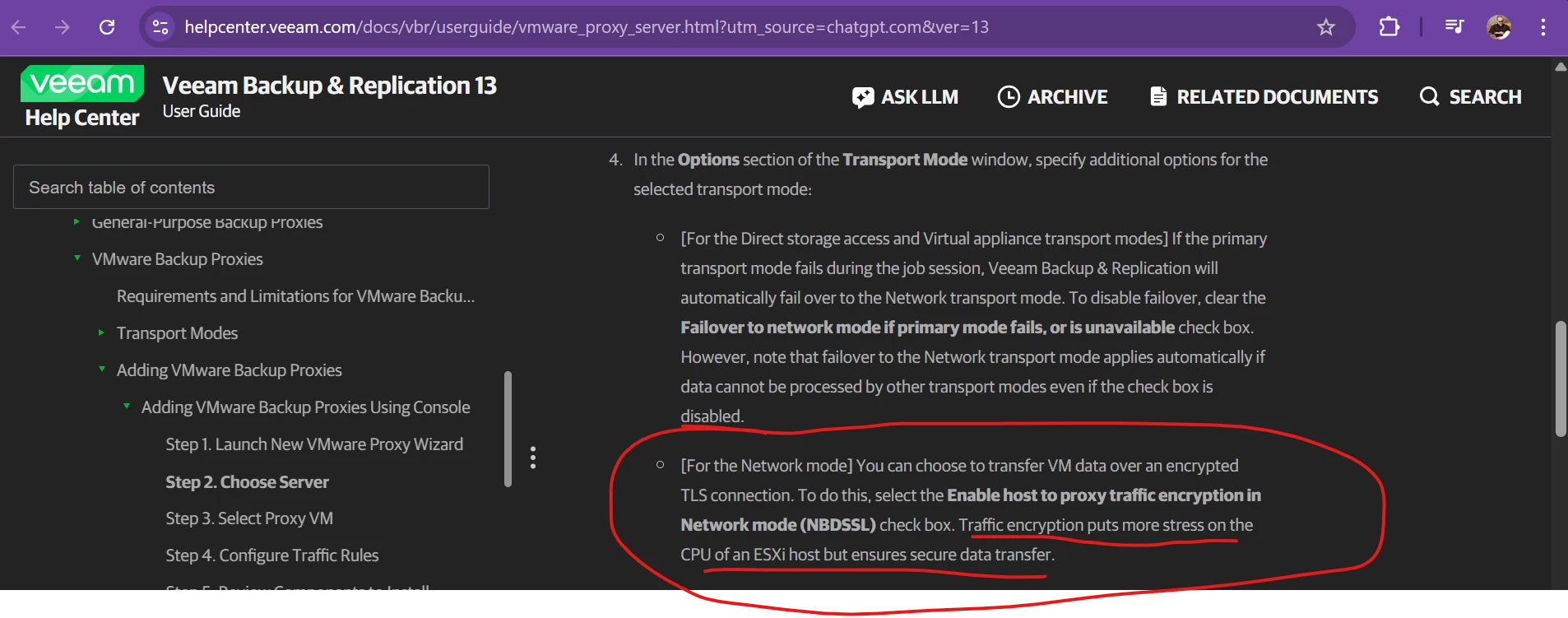
About this:   “Traffic encryption puts more stress on the CPU of an ESXi host but ensures secure data transfer” 

https://helpcenter.veeam.com/docs/vbr/userguide/vmware_proxy_server.html?utm_source=chatgpt.com&ver=13

thank you guys.


coolsport00
Forum|alt.badge.img+21
  • Veeam Legend
  • December 28, 2025

That’s interesting Andre’. It makes sense ESXi would need a little bit extra CPU for encryption tasks, but I’ve not heard people having issues with ESXi consuming up extra CPU for Veeam Jobs. I assume that’s because this behavior is only in the event the Job is specifically configured to, or gets relegated to, using NBSDD, which I think is rare?

I’ve not heard of any formula needed for ESXi, and that also makes sense. For vSphere, you just need enough resources to handle the virtual workload, plus additional for future growth, and now it seems plus additional for other processes such as Veeam encryption 😉 I guess vSphere encryption may put a small extra load on it as well? 

Best.


AndrePulia
Forum|alt.badge.img+9
  • Author
  • Veeam Vanguard
  • December 28, 2025

Hi Shane, I think you are right,  it's not very common to use this option when using  LAN, mainly because if there's an attack on the LAN, I assume the attacker will be interested in "reading" packets from other things and not backups (in my opnion) , but a client asked me about it because the data has to travel over the WAN, so I believe it's interesting to use this option to add an extra layer of security. That might be why you haven't heard much about using this option, since most backups happen on the LAN :-)
Anyway, I'll suggest he do his own tests and measure the results, and as soon as he does, I'll post it here in the community.
:-)

I appriciate your message :-)


coolsport00
Forum|alt.badge.img+21
  • Veeam Legend
  • December 28, 2025

Yeah...agree; I’d certainly be interested to hear how much extra CPU his Host(s) are pulling. I would think not too much extra.

Thanks Andre’ 😊


AndrePulia
Forum|alt.badge.img+9
  • Author
  • Veeam Vanguard
  • December 28, 2025

I’ll let you know. thx.


Marcel.K
Forum|alt.badge.img+9
  • Veeam Legend
  • December 29, 2025

I would suggest to use network encryption in main menu, where you define source and destination network