
Question

Forever Incremental on Immutable


hs08
Forum|alt.badge.img+1
  • Comes here often

Someone can help me to understand how forward forever incremental work on immutable storage?

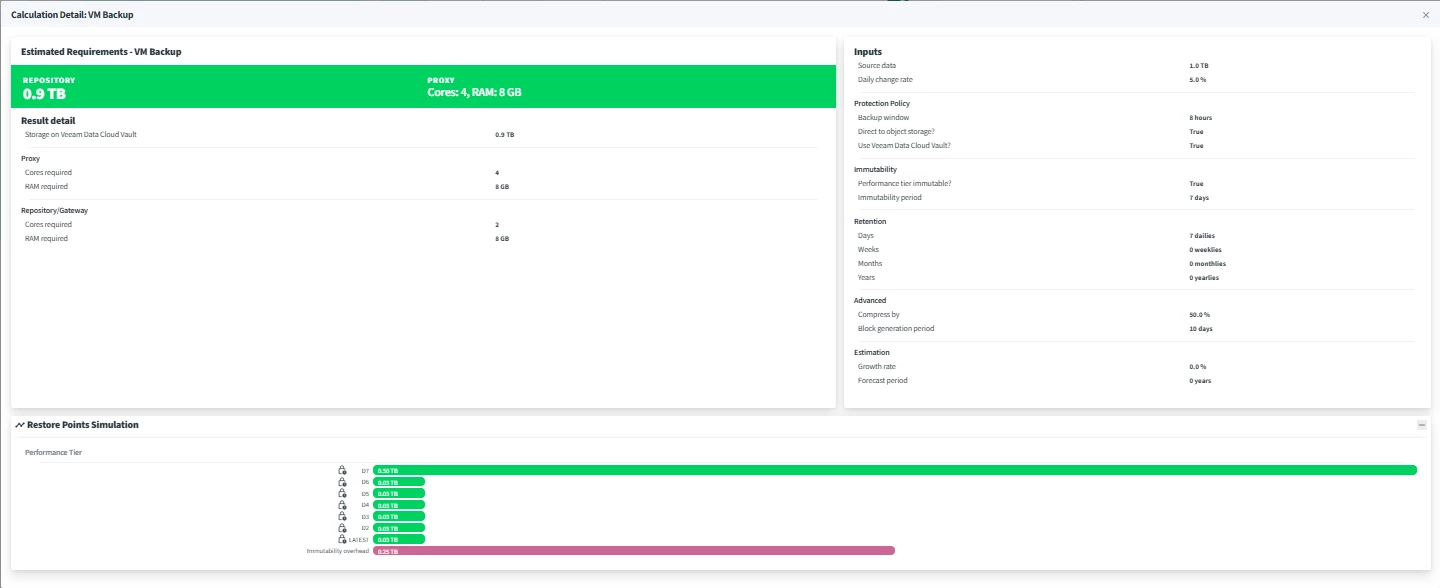
Example the retention set to 7, the immutable period set to 7 days, block generated is 10 days and the source job with ‘no periodic full’ configured

The time line is :

  • Day 1: full backup
  • Day 2 - 16 : incremental
  • Day 17 : Day 1 full backup will be expired and can be deleted. Will veeam delete this point since the retention is over? If yes then how we can restore if there no full backup? Or will full backup merged with 2nd incremental, but 2nd incrementall still in immutable.


15 comments

Chris.Childerhose
Forum|alt.badge.img+21

hs08
Forum|alt.badge.img+1
  • Author
  • Comes here often
  • May 12, 2026

hi ​@Chris.Childerhose 

Thanks, i already read that article but still not understand. If the main job have periodic full configured then i understand, but how if the source job not have periodic full configured?


matheusgiovanini
Forum|alt.badge.img+9

In Forever Forward Incremental mode, the source backup job uses merge operations to maintain the chain instead of simply deleting the only full backup.

For immutable repositories, Veeam create synthetic fulls to start a new chain. The previous chain is only removed after retention and immutability requirements are fully satisfied.


hs08
Forum|alt.badge.img+1
  • Author
  • Comes here often
  • May 12, 2026

hi ​@matheusgiovanini 

When veeam will create the synthetic fulls?


Chris.Childerhose
Forum|alt.badge.img+21

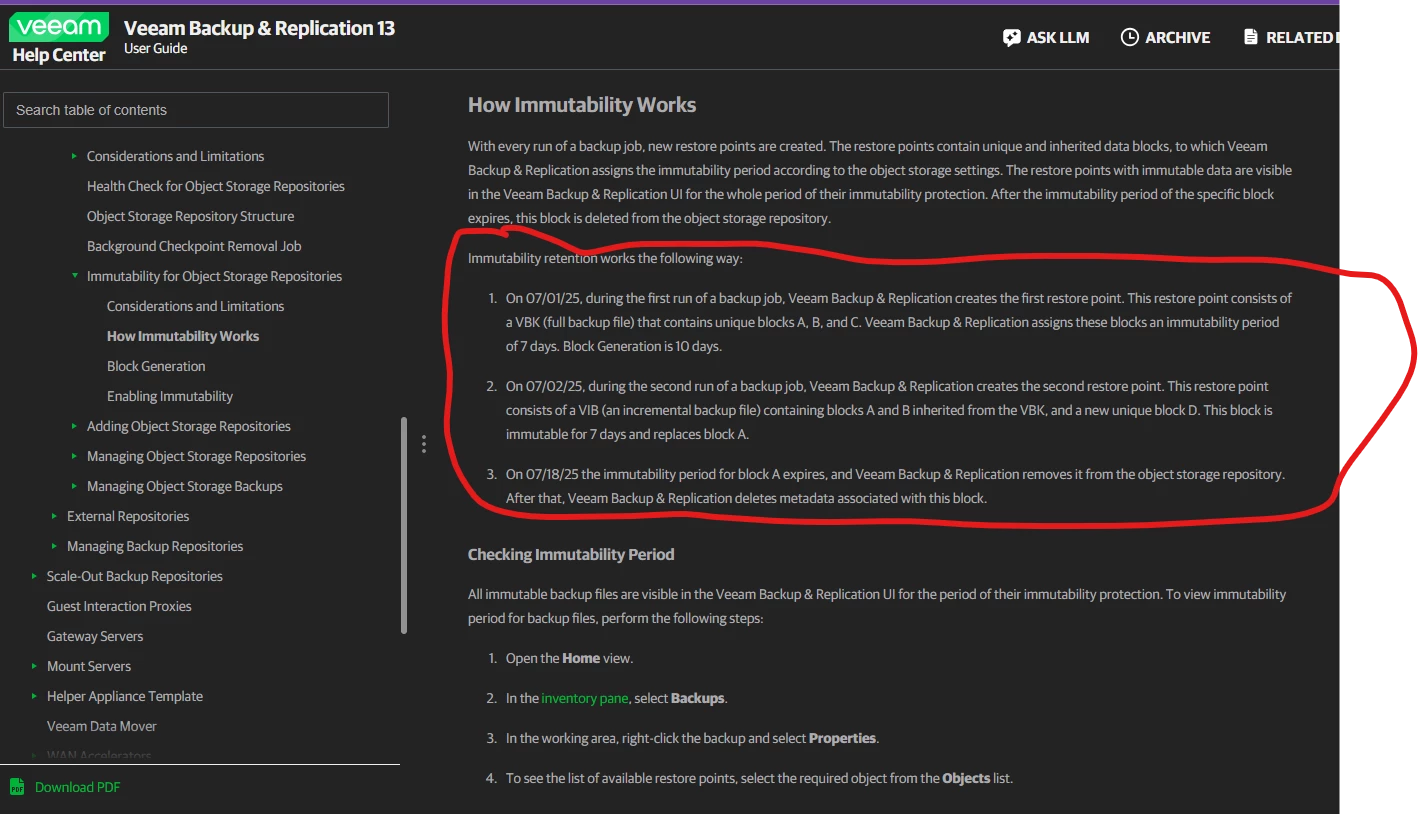
This is from Perplexity -

Veeam immutable retention works by combining three separate time periods that all stack on top of each other, which is the most important concept to grasp.

The Three-Part Retention Formula

For object storage with immutability, the actual retention is calculated as:

[ \text{Actual Retention} = \text{Job Retention} + \text{Immutability Period} + \text{Block Generation} ]

Veeam automatically adds the Block Generation period (typically 10 days) on top of everything else — you don't configure it, it's applied automatically to reduce I/O operations and costs �. This means your data lives on storage considerably longer than your job retention setting alone implies.

Immutability Period Options

When configuring an object storage repository, you pick one of two modes �:

For the entire duration of retention policy — Veeam ties the immutability lock to the job's own retention window. Actual retention = job retention + Block Generation. This is the recommended, simpler approach and the default as of v13.0.1.P1

Minimum immutability period only — You set a fixed immutability duration explicitly. Job retention is ignored for immutability purposes. Actual retention = min immutability period + Block Generation

Three Real Scenarios

How Block-Level Immutability Works

Veeam doesn't lock entire files — it locks individual data blocks. When the VBK (full) is created, all its blocks get an immutability timestamp. Each VIB (incremental) introduces new unique blocks that get their own immutability window �. Inherited/unchanged blocks that appear in a later incremental extend their immutability period. When an old block's lock expires and it's no longer referenced by any restore point, Veeam removes it and cleans up its metadata �.

The Critical Override Rule

Immutability always wins over job retention �. If your job retention says delete after 14 days but the immutability period hasn't expired, Veeam will hold those files on storage until the lock clears. This is why keeping job retention equal to or greater than the immutability period is the best practice — otherwise you'll accumulate unexpected storage consumption with restore points that the UI considers expired but physically cannot be deleted yet �.

GFS Backups — Special Case

GFS-flagged restore points (monthly, yearly) are immutable for their entire GFS retention period, not just the standard immutability window �. For example, a 3-year yearly GFS backup is locked for 3 years. If you later reduce that GFS retention, you're still stuck with the original lock duration — so plan GFS immutability windows carefully before committing �.


Chris.Childerhose
Forum|alt.badge.img+21

matheusgiovanini
Forum|alt.badge.img+9

hi ​@matheusgiovanini 

When veeam will create the synthetic fulls?

Hi ​@hs08.

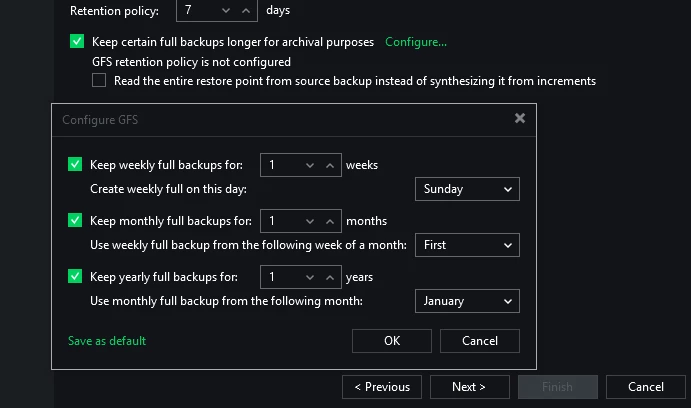
You specify when Veeam creates the synthetic fulls in the GFS settings of the Backup Copy Job:


matheusgiovanini
Forum|alt.badge.img+9

Also, to configure the immutability period, check the repository configuration:


wolff.mateus
Forum|alt.badge.img+12
  • Veeam Vanguard
  • May 12, 2026

hi ​@matheusgiovanini 

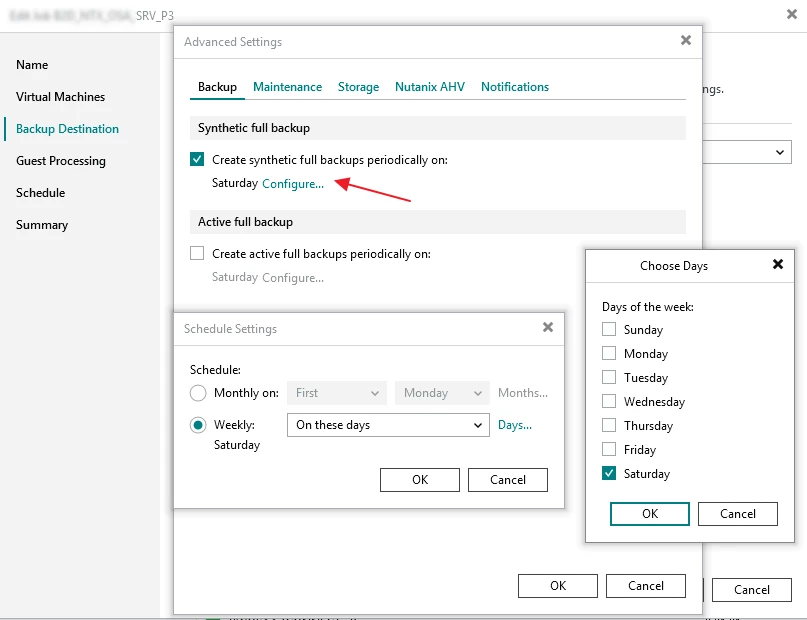
When veeam will create the synthetic fulls?

You can choose the day of synthetic full:


Forum|alt.badge.img+3
  • Experienced User
  • May 12, 2026

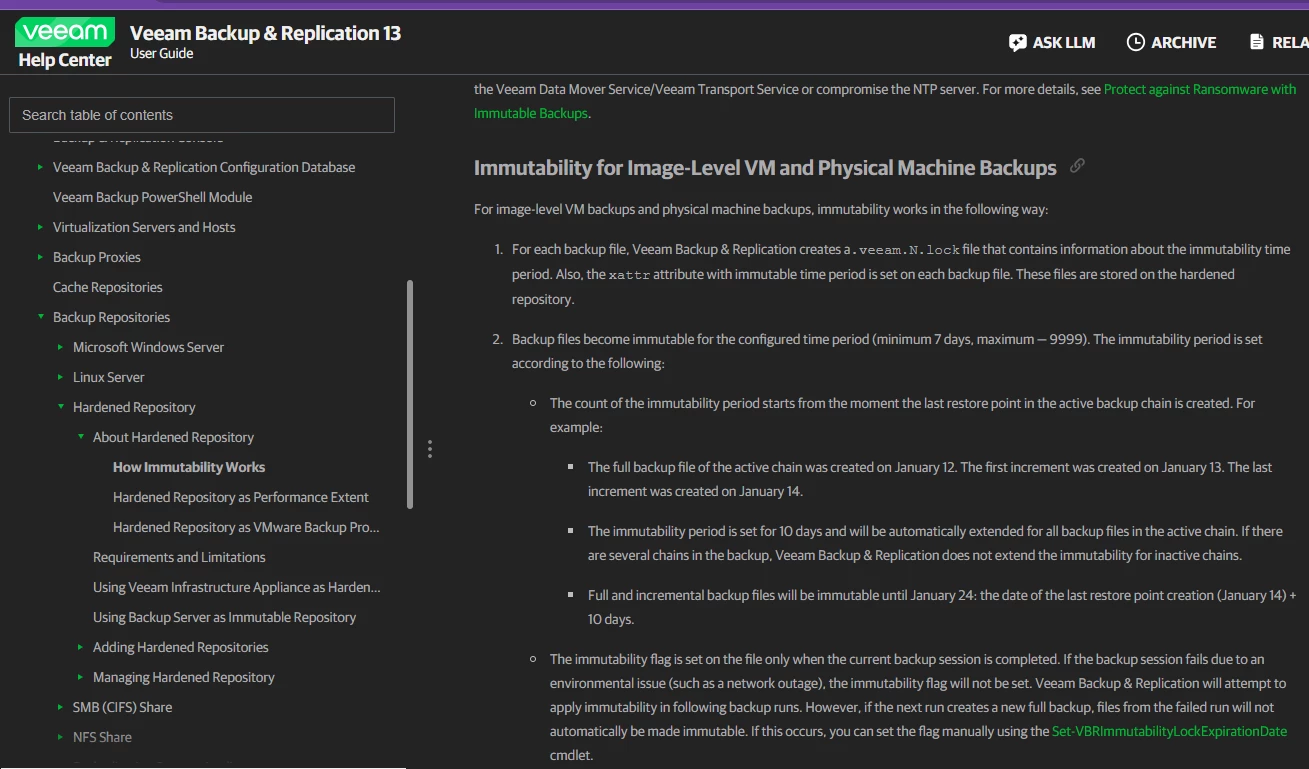
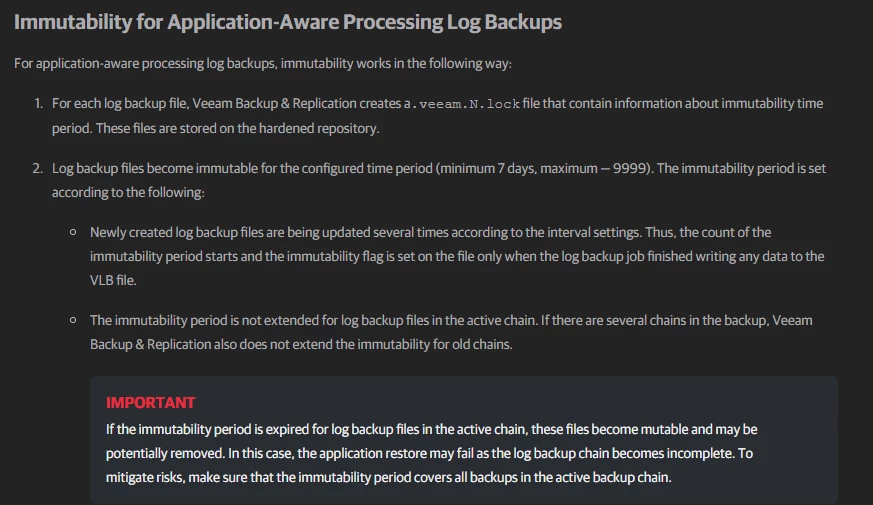
Simple answer is “you cannot use Forever Forward Incremental with immutable repositories”

From the User Guide:

https://helpcenter.veeam.com/docs/vbr/userguide/hardened_repository_limitations.html?ver=13#:~:text=bit%2E-,To,method,-%2E

To store backup files in a repository, use only a forward incremental backup method with enabled active full backup or synthetic full backup. Once a backup file becomes immutable, it can be merged or deleted only when the immutability time period expires. For this reason, you cannot select a reverse or a forever forward incremental backup method.


Configure periodic full backups, either Active or Synthetic Fulls. Synthetic are typically recommended, but you may have your own requirements for Active Fulls.


coolsport00
Forum|alt.badge.img+22
  • Veeam Legend
  • May 12, 2026

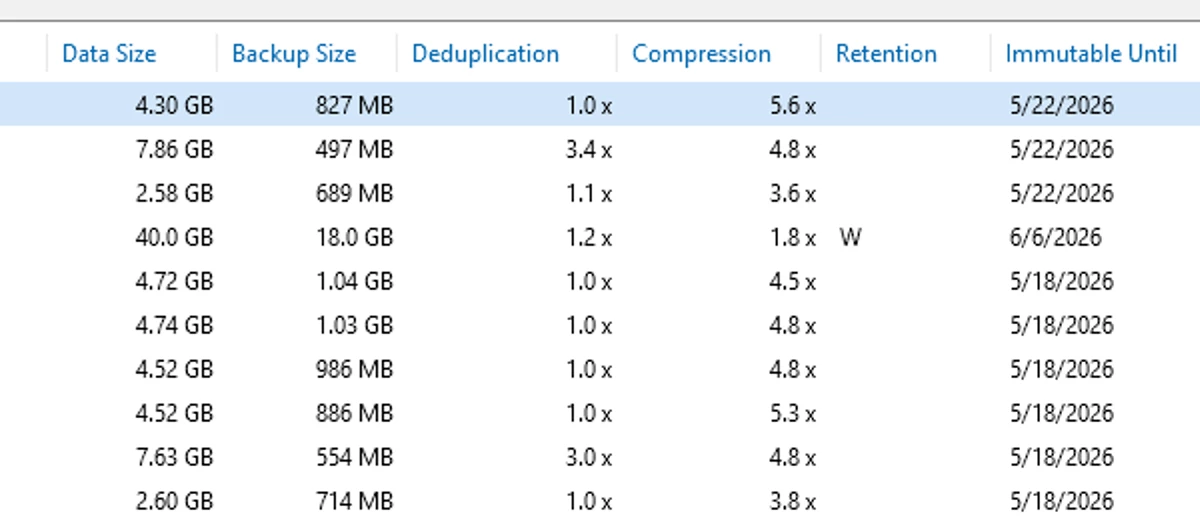
In addtion to ​@ddomask ‘s comment ​@hs08 ...I understand you probably wanna know before configuration of your environment/jobs the data retention, but also be aware that the VBR Console shows an Immutable Until column in the Home node/view > Backups > Disks, then rt-click a given Job and go into its properties. Select a VM in the list at the top, and in the bottom view this far right column shows you this info. Comes in handy for me 😊

Best.


hs08
Forum|alt.badge.img+1
  • Author
  • Comes here often
  • May 12, 2026

hi ​@ddomask 

Your information answered my queris. Currently the  periodic full backups is not enabled and i just want to know what happen for immutable storage with this condition. So in simple word if the  periodic full backups not enabled then every day will be incremental and there no deletion forever, am i right?


Forum|alt.badge.img+3
  • Experienced User
  • May 13, 2026

hi ​@ddomask 

Your information answered my queris. Currently the  periodic full backups is not enabled and i just want to know what happen for immutable storage with this condition. So in simple word if the  periodic full backups not enabled then every day will be incremental and there no deletion forever, am i right?

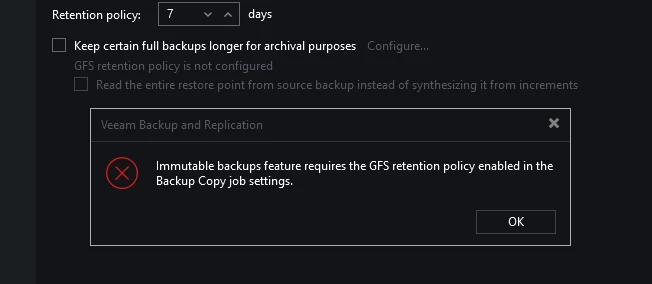
IIRC the job wizard won’t even let you click through the Storage tab if you target an immutable repository and don’t enable periodic fulls. 

So you won’t even be able to create the job through standard means, it will throw a fit until you either pick a non-immutable repository OR enable periodic fulls (active or synthetic)


AndrePulia
Forum|alt.badge.img+9
  • Veeam Vanguard
  • May 13, 2026

@hs08 which repo are you using, DAS or S3 with lock?


hs08
Forum|alt.badge.img+1
  • Author
  • Comes here often
  • May 14, 2026

Hi ​@AndrePulia 

I using azure blob.