Answer

Backup job using agent is not finding the fibre channel volume

  • August 26, 2025
  • 9 comments
  • 52 views

Hello. As part of our Physical Infrastructure in VB&R12, we have a Physical Windows Server that has storage attached by fibre channel. The Veeam agent is installed on this server and the service uses the Local System account. I am attempting a "Managed by agent" backup of this server, but when this runs, I get the error message "Volume G:\ does not exist" for files from the FC-attached storage. Outside of Veeam, I checked that the server's local SYSTEM account has access to G: and it could read the files there just fine. Why can't the backup job see that volume? Thank you.

Best answer by Chris.Childerhose

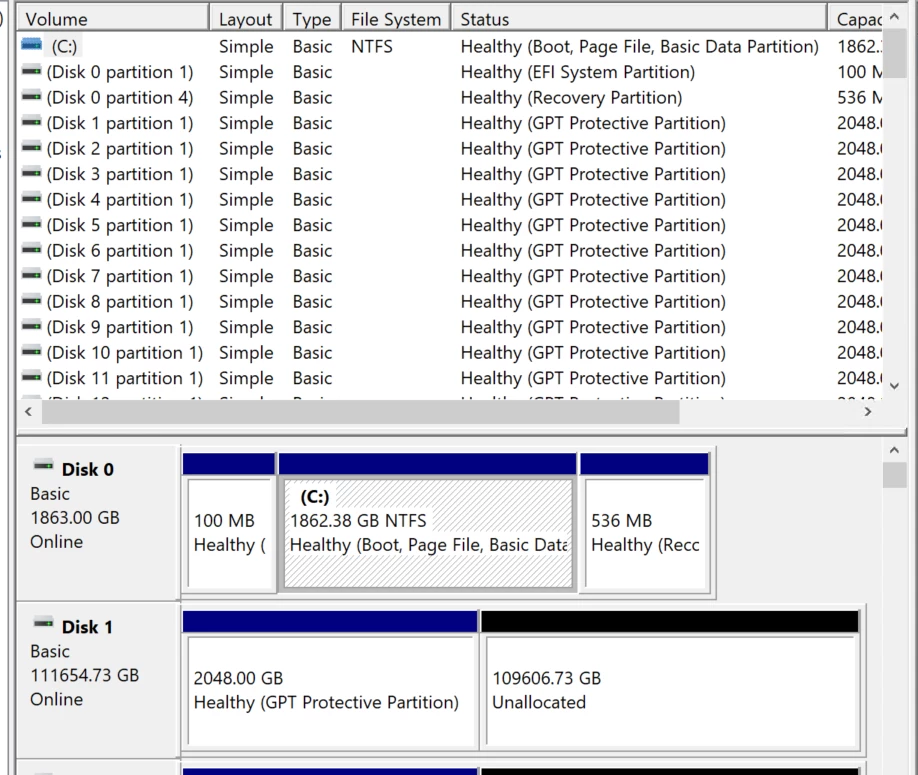
Thanks for your comment. In Computer Mgmt all the LUNs are shown, rather than G: (which is comprised of these LUNs). FTR it’s a StorNext SAN.
 

If that is the case not sure you can back that up.  You might be better at this point to open a ticket with Support to ask them or also check on the Forums - https://forums.veeam.com to see if there is anyone else there that has tried this.  I know there are caveats like Shane mentioned.

9 comments

Chris.Childerhose
Forum|alt.badge.img+21
  • Veeam Legend, Veeam Vanguard
  • August 26, 2025

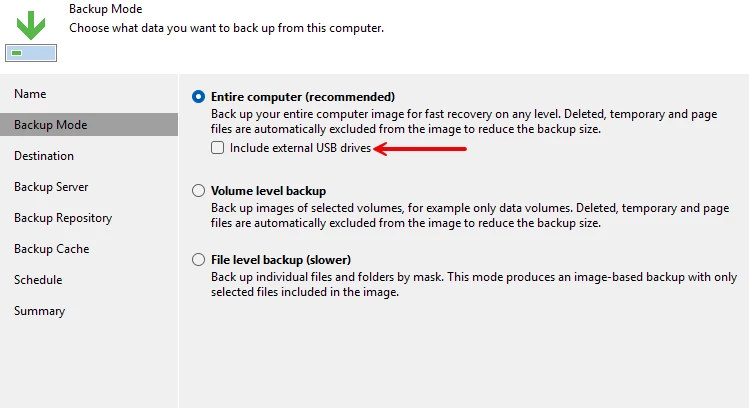
Are you able to see volume G: in Disk Management console?  If so the agent should pick it up as it picks up USB drives fine.  Also try to check the following checkbox for the job to see if that helps -


Chris.Childerhose
Forum|alt.badge.img+21
  • Veeam Legend, Veeam Vanguard
  • August 26, 2025

The FC drive might need to be treated as a “external USB drive” even though it is technically not.


coolsport00
Forum|alt.badge.img+21
  • Veeam Legend
  • August 26, 2025

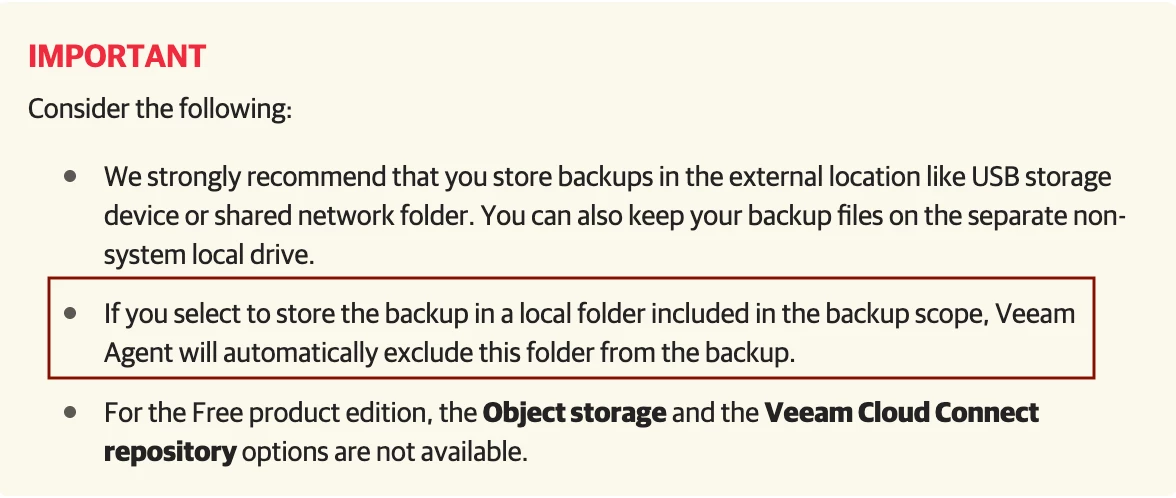
You aren’t using that same FC storage to place your backups in by chance, correct? I assume some Repo on your VBR server? If you are, that is a problem. See below:

VAW Backup Destination Cosniderations

If not using to store your VAW backups...hmm...not sure. 🤔


Thanks for your comment. In Computer Mgmt all the LUNs are shown, rather than G: (which is comprised of these LUNs). FTR it’s a StorNext SAN.


> You aren’t using that same FC storage to place your backups in by chance, correct?

> I assume some Repo on your VBR server?


That’s right, it’s backing up to a repo on the VBR server.

Thanks for your suggestion. Keep ‘em coming!


Chris.Childerhose
Forum|alt.badge.img+21
  • Veeam Legend, Veeam Vanguard
  • Answer
  • August 26, 2025

Thanks for your comment. In Computer Mgmt all the LUNs are shown, rather than G: (which is comprised of these LUNs). FTR it’s a StorNext SAN.


If that is the case not sure you can back that up.  You might be better at this point to open a ticket with Support to ask them or also check on the Forums - https://forums.veeam.com to see if there is anyone else there that has tried this.  I know there are caveats like Shane mentioned.


coolsport00
Forum|alt.badge.img+21
  • Veeam Legend
  • August 26, 2025

Ok ​@ngātaonga_ict - outta ideas myself. Agree with Chris...probably best to open a case with Support.

Best.


Forum|alt.badge.img+3
  • Comes here often
  • August 28, 2025

Maybe i’ve gone blind, but I don’t see the G volume listed in diskmgmt screens there. 


Can you tell a bit more about how you configured G:\ volume? I see the disk online but doesn’t look to have a volume associated with it?


  • August 29, 2025

As I understand, a volume in StorNext SAN is mounted as G: in your Veeam B&R server. As the G: volume is mounted, I am assuming the G: drive connects over FC and that you have established the FC network between the Veeam B&R server and StorNext SAN with the source and target WWPNs.

Have you added the volume in StorNext SAN to Storage Infrastructure in Veeam Backup and Replication software?