



CYBERSECURITY & BACKUP INFRASTRUCTURE • STEP-BY-STEP GUIDE

Hardening Veeam Backup & Replication on Windows: A CIS-Compliant Walkthrough
| Acknowledgments & Project Inspiration This guide and implementation walkthrough are inspired by the open-source hardening framework developed by Lukas Klostermann. A special thanks goes to |
Backup infrastructure is one of the primary targets for modern ransomware attacks. Securing your Veeam Backup & Replication environment against unauthorized access and lateral movement is no longer optional—it is a critical security imperative. In this guide, we dive into automating Windows baseline security and Veeam-specific hardening using CIS (Center for Internet Security) guidelines and community-driven automation.
1. Prerequisites & Execution Order
To achieve maximum security compliance without conflicting policy overrides, follow a tiered deployment workflow. If you plan to apply both official Microsoft Workgroup Security Baselines (via LGPO) and custom hardening scripts, execution order is paramount:
1. Apply Microsoft Baseline / CIS Stand-alone policies first.
2. Execute the specialized Veeam Hardening Script directly afterward.
| PRO TIP: How the Hardening Engine Works The automated hardening script checks registry key states dynamically. Any parameter already compliant from the Microsoft Baseline will report as 'Already compliant'. The script will then focus exclusively on Veeam-specific provisions—such as dedicated user account creation, service isolation, and recovery partition removal. |
2. Step-by-Step Automation Guide
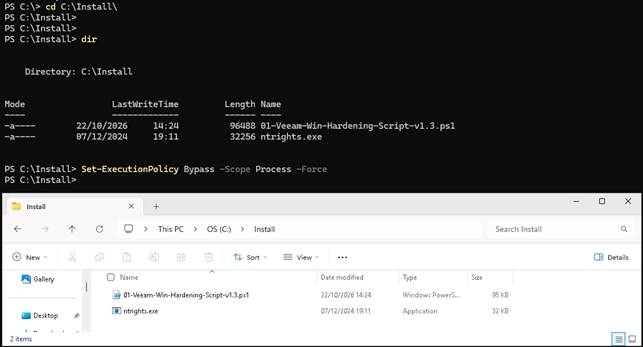
Step A: Environment Setup & Execution Policy
| # Open PowerShell as Administrator cd C:\Install\ Set-ExecutionPolicy Bypass -Scope Process -Force |
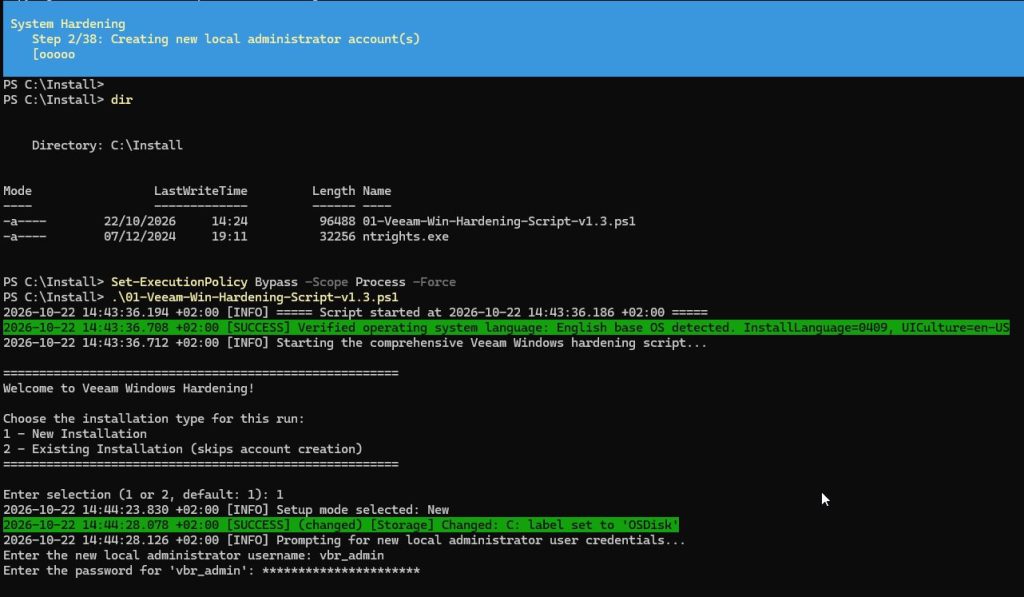
Step B: Interactive Script Execution & Installation Type
| .\01-Veeam-Win-Hardening-Script-v1.3.ps1 # Select Option 1 (New Installation) |

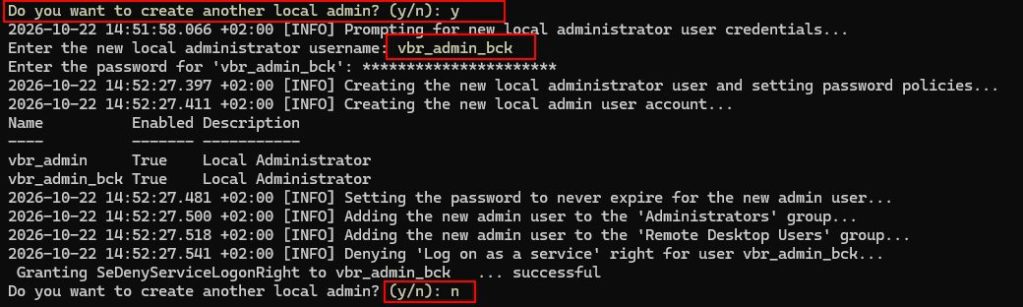
Step C: Dedicated Administrator Accounts Creation
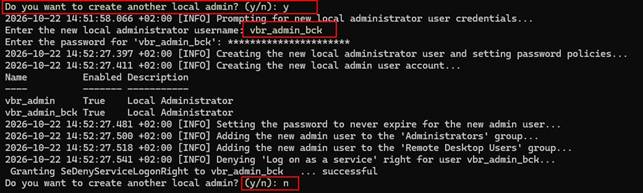
The script prompts for new local administrator credentials (e.g., vbr_admin and vbr_admin_bck). These dedicated accounts isolate backup management privileges from built-in domain or local accounts.
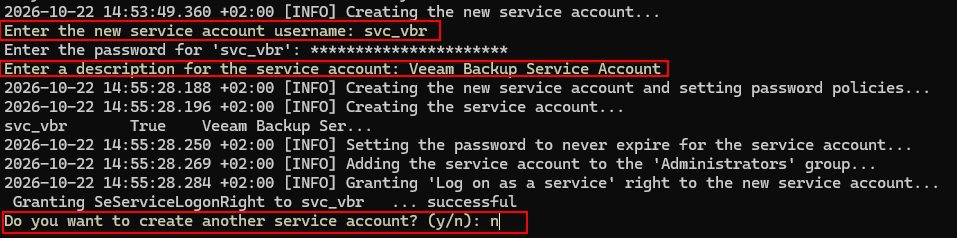
Step D: Service Account Configuration & Administrator Account Deactivation
Next, configure the dedicated service account (svc_vbr) with 'Log on as a service' rights. Once configured, the script prompts for the built-in Administrator password before resetting and completely deactivating it.

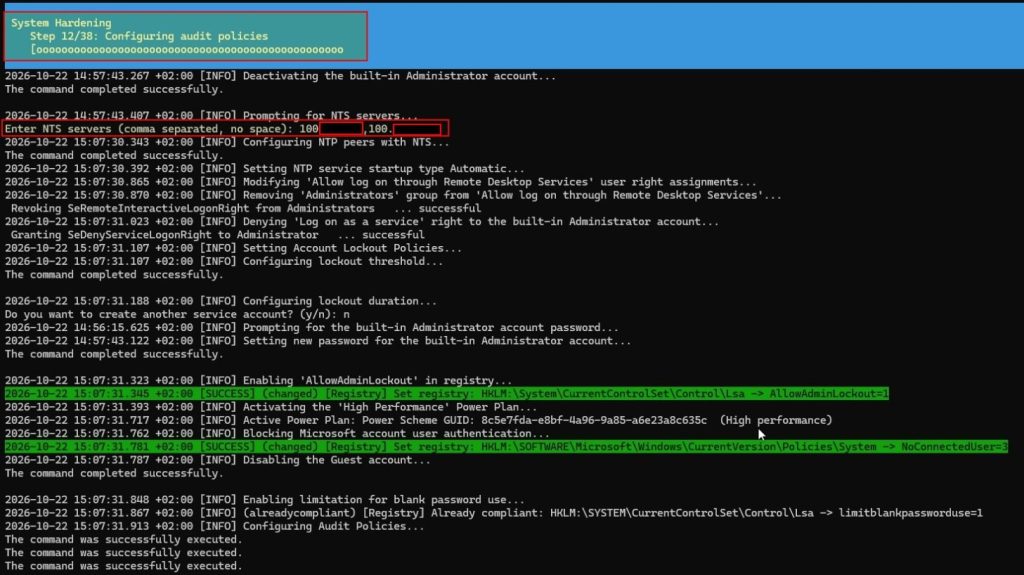
Step E: Audit Policies, NTP Synchronization & CIS Registry Rules
Specify NTS-enabled NTP servers for precise time synchronization. The script will proceed to apply high-performance power plans, lockout policies (`AllowAdminLockout=1`), registry hardening for RDP/WinRM, and legacy protocol disabling.
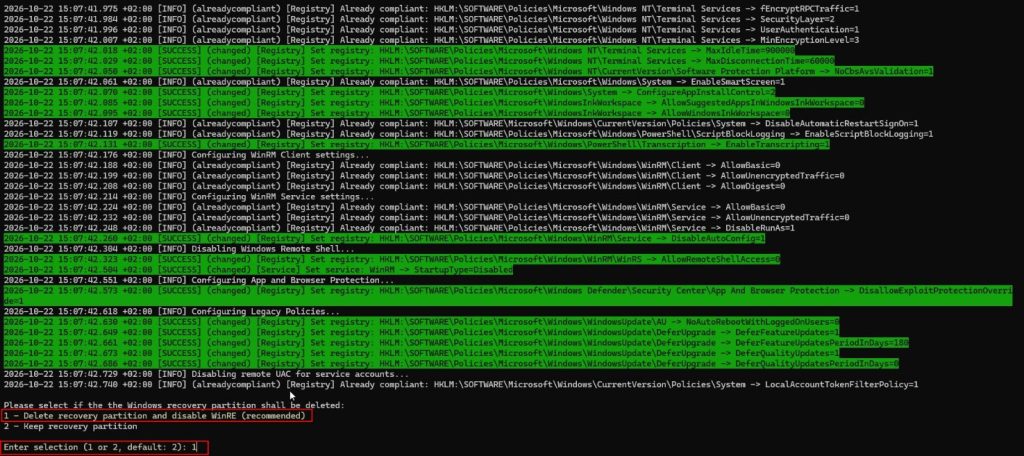
Step F: Disabling WinRE & Automatic Reboot
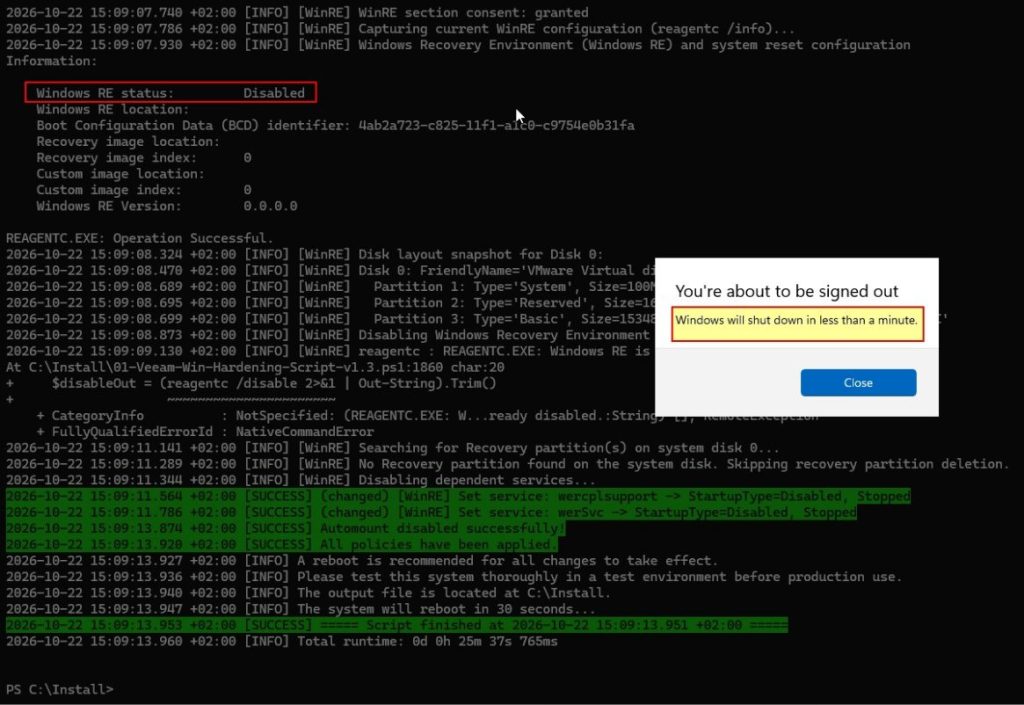
To prevent offline tampering or recovery-based privilege escalation, select Option 1 to delete the Windows Recovery partition and disable WinRE. Upon completion, the system triggers an automated restart in 30 seconds.
Summary of Technical Controls Applied
| Security Category | Hardening Actions & Technical Controls |
| Identity & Account Governance | • Creation of dedicated administrative accounts (vbr_admin, vbr_admin_bck) with non-expiring strong credentials. • Creation of dedicated backup service account (svc_vbr) assigned 'Log on as a service' rights. • Built-in 'Administrator' account password reset and complete deactivation. • Guest account disabled; blank password restrictions enforced. |
| Network & Time Synchronization | • NTS-enabled NTP server integration with automatic service startup. • Complete disabling of NetBIOS across all local network adapters. • Remote Desktop access restricted to authorized groups only. |
| Protocol & Cryptographic Security | • Legacy protocols completely disabled: SSL 2.0/3.0, TLS 1.0, and TLS 1.1. • Hardened transport enforced: Mandatory TLS 1.2 and TLS 1.3 enablement. • SMB server security enforced: EncryptData = True and minimum dialect SMB 3.1.1. • Unnecessary services disabled (Print Spooler, Remote Registry, WinHttp Auto-Proxy). |
| System Hardening & Storage | • OS volume auto-labeled as 'OSDisk'. • Account lockout thresholds configured with AllowAdminLockout enabled. • Execution of Windows Recovery Environment (WinRE) disabled and recovery partition scrubbed. • Virtualization-Based Security (VBS) and PowerShell script block logging/transcription enabled. |
3. Verification & Administrative Checklist
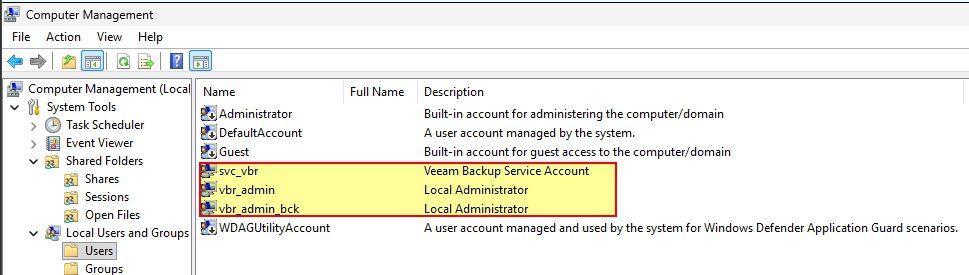
Once script execution completes and the server reboots, perform post-installation verification in Computer Management (lusrmgr.msc):
✔ Account Hierarchy: Ensure that built-in 'Administrator' is marked with a disabled icon, while `svc_vbr`, `vbr_admin`, and `vbr_admin_bck` are active.
✔ WinRE Status: Run `reagentc /info` in PowerShell to confirm Windows RE status is set to 'Disabled'.
✔ Service Rights: Verify in `secpol.msc` under User Rights Assignment that `svc_vbr` is granted 'Log on as a service'.
| Key Takeaway for Tech Leads & SysAdmins Automating CIS hardening for Veeam infrastructure significantly reduces attack surfaces. By enforcing least privilege, disabling legacy protocols, and isolating backup services, your enterprise achieves a robust, ransomware-resilient posture. |
Check this for Hardening you Active Directory 😎
Thank you for reading. I hope this guide helps you successfully implement your solution. If you have any questions or suggestions, feel free to leave a comment below. ;)