



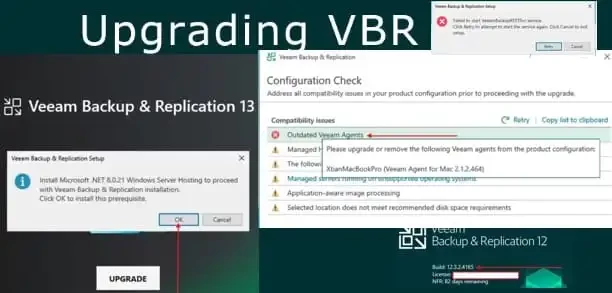
Since a lot of blogposts have been written on this topic and various issues resolved, I will share the link to my blogpost “Upgrade Path and In-Place Upgrade for VBR v13 and Known Fixes”. The article walks through upgrading Veeam Backup & Replication (VBR) to version 13 (13.0.1) with a focus on real‑world experience, known issues, and practical fixes during the process. It’s based on both official guidance and community feedback.
Key Sections & Takeaways
1. Pre‑Upgrade Checks
-
Port Requirement: VBR v13’s REST/Web UI requires port 443; if it’s in use by another app, the VBR services will fail to bind and won’t start.
2. Supported In‑Place Upgrade Path
-
You can only perform an in‑place upgrade to v13.0.1 from v12.3.1 (build 12.3.1.1139) or later. Older versions need to upgrade to an intermediate supported release first.
-
A helpful upgrade path table shows recommended steps from older VBR versions up to v13.0.1.
3. Hardware & OS Requirements
-
64‑bit OS support (Windows Server 2016, 2019, 2022, 2025; Windows 10/11).
-
Minimum CPU, RAM, and disk space are recommended to ensure a smooth upgrade.
4. Deprecated & Removed Features
-
Several legacy features are deprecated and will be removed in v14, such as reversed incremental mode, legacy backup retention, and legacy tape support.
-
PostgreSQL is mandatory (SQL Server is removed for the configuration DB).
5. Common Upgrade Issues & Fixes
-
Service Startup Failures: Veeam services (especially
VeeamBackupRESTSvc) may time out on first start due to heavy initial load after upgrade. The article suggests increasing the Windows service timeout as a workaround. -
Console Connection Errors: If services don’t finish initialising, the console may fail to connect. Stopping the installer prematurely can leave an incomplete setup.
6. Clean Remove & Reinstall Option
-
If upgrade fails badly, you can uninstall and then perform a fresh install of VBR v13 which installs a new PostgreSQL 17.6
7. Restore Configuration
-
Using a prior configuration backup is important, especially if you must reinstall VBR or move it to a new server. The article walks through restoring the entire VBR setup from a
.bcofile.
8. Post‑Upgrade Cleanup
-
After restoring on v13, old components like PostgreSQL 15 can be removed since the new install uses a newer PostgreSQL version.


