During a recent Veeam Agent for Windows deployment project, we found an interesting issue involving VSS, SQL Writer, and old SQL Server references left behind after an incomplete removal or previous intervention.
The scenario looked simple at first: a new backup project using VBR, Windows servers, and workstations protected by Veeam Agent. The agent deployment was successful, the jobs were configured, and everything was going according to plan.
However, two specific servers started failing during the snapshot stage.
At first, it looked like another common VSS issue. But after a deeper investigation, we found that the root cause was related to old SQL Server references pointing to files that no longer existed on the server.
The environment
The environment included:
-
VBR;
-
Veeam Agent for Windows;
-
Windows Server 2025;
-
Servers with SQL-related components;
-
Jobs configured for protection through Veeam Agent.
An important detail in this scenario is that the job was not initially configured with application-aware processing. Even so, during the backup execution, the snapshot process still triggered the VSS freeze, and the SQL Server VSS Writer entered a failed state.
The agent deployment and job configuration went smoothly. The issue only appeared when the jobs started running on two specific servers.
The initial symptom
During the backup job, the failure occurred when Veeam triggered the VSS freeze process.
Before running the job, the SQL Server VSS Writer could appear healthy. After restarting the services or even rebooting the server, the writer would leave the failed state.
But as soon as the Veeam Agent job started again, the SQL Writer failed one more time.
The behavior was basically this:
SQL Writer appears healthy
        ↓
Veeam Agent job starts
        ↓
VSS freeze is triggered
        ↓
SQL Writer enters a failed state
        ↓
Backup job fails
Since the issue happened during the snapshot stage, the first impression was that we were dealing with a traditional VSS problem.
First checks
As with any VSS troubleshooting, we started with the basic checks.
We verified:
-
Windows Firewall;
-
Antivirus or EDR;
-
UAC;
-
Local policies;
-
Credentials used by Veeam;
-
VSS-related services;
-
SQL Writer state;
-
Existing stale snapshots;
-
Possible locks from other processes;
-
Server reboot.
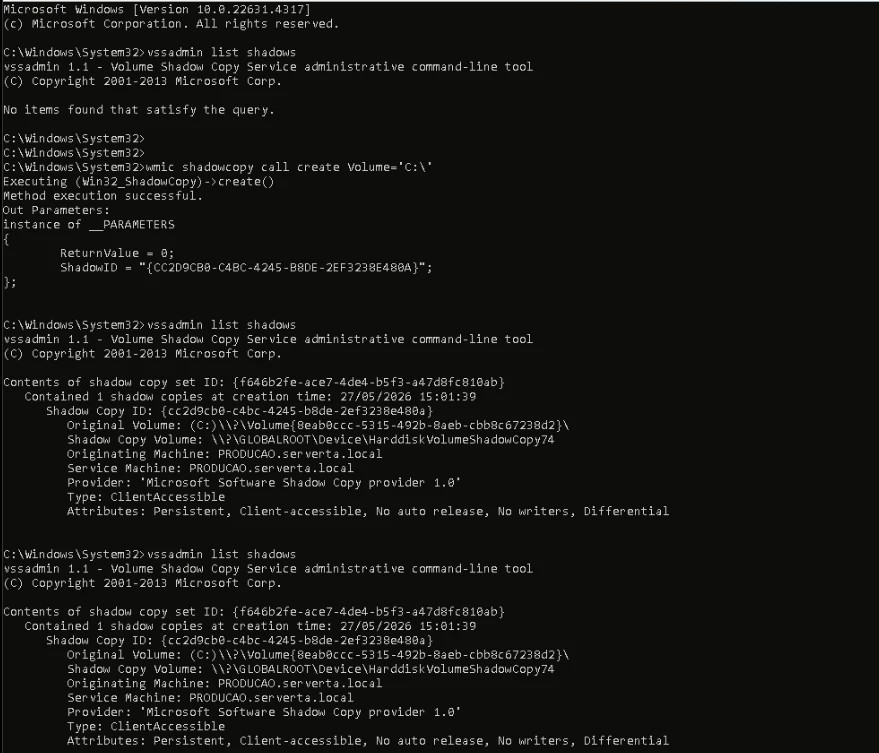
We also checked whether there were existing shadow copies:
vssadmin list shadows
The output showed no existing shadow copies:
No items found that satisfy the query.
Then we manually created a snapshot to validate the basic VSS mechanism outside the Veeam job workflow:
wmic shadowcopy call create Volume='C:\'
The snapshot was created successfully.
After that, we listed the shadow copies again:
vssadmin list shadows
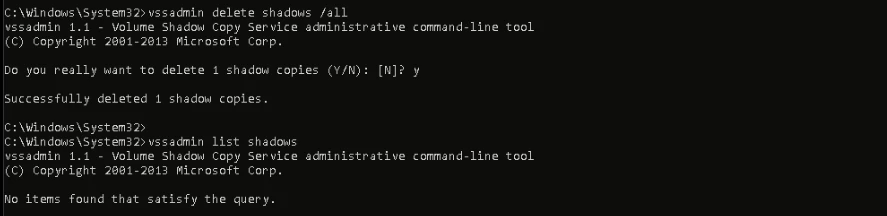
And deleted the snapshot:
vssadmin delete shadows /all
The deletion also completed successfully.
This was an important point because it showed that VSS, by itself, was able to create and remove snapshots. However, a successful manual snapshot does not reproduce the full interaction between VSS and application writers that can happen during a Veeam Agent job.
In other words, the basic Windows shadow copy mechanism was working, but the backup workflow was still failing when the job triggered the VSS freeze process.
Restarting VSS-related services
We also restarted the services related to VSS and SQL Writer:
net stop SQLWriter
net stop VSS
net stop swprv

net start swprv
net start VSS
net start SQLWriter
After that, the SQL Writer could temporarily return to a healthy state. However, as soon as the Veeam Agent job started again, it failed.
This reinforced the suspicion that the issue was not just a stuck service or an old shadow copy.
Investigating Windows events
The next step was to check Windows events, especially those related to volsnap and SQLWRITER.
To check recent volsnap events, we used:
wevtutil qe System /q:"*[System[Provider[@Name='volsnap']]]" /f:text /c:20 /rd:true
To check recent SQL Writer events, we used:
wevtutil qe Application /q:"*[System[Provider[@Name='SQLWRITER']]]" /f:text /c:20 /rd:true
At this point, the investigation started to change direction.
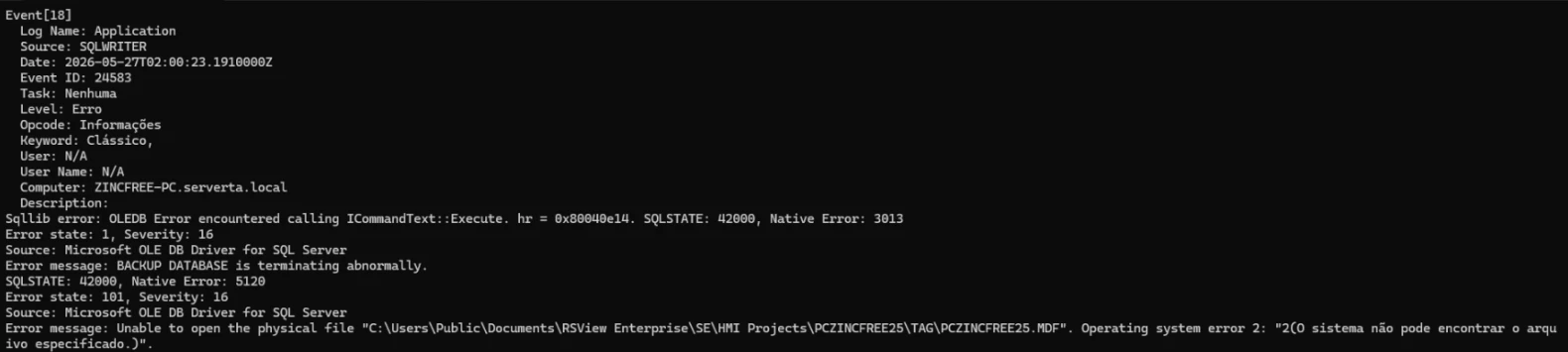
In the SQLWRITER events, we found a message similar to this:
BACKUP DATABASE is terminating abnormally.

Unable to open the physical file:
C:\Users\Public\Documents\RSView Enterprise\SE\HMI Projects\PCZINCFREE25\TAG\PCZINCFREE25.MDF

Operating system error 2:
The system cannot find the file specified.
This message indicated that SQL Writer was trying to access an .MDF file that no longer existed on the server.
At this stage, it became clear that this was not simply a broken VSS issue. SQL Writer was trying to validate an old reference during the freeze process.
Confirming the issue with Process Monitor
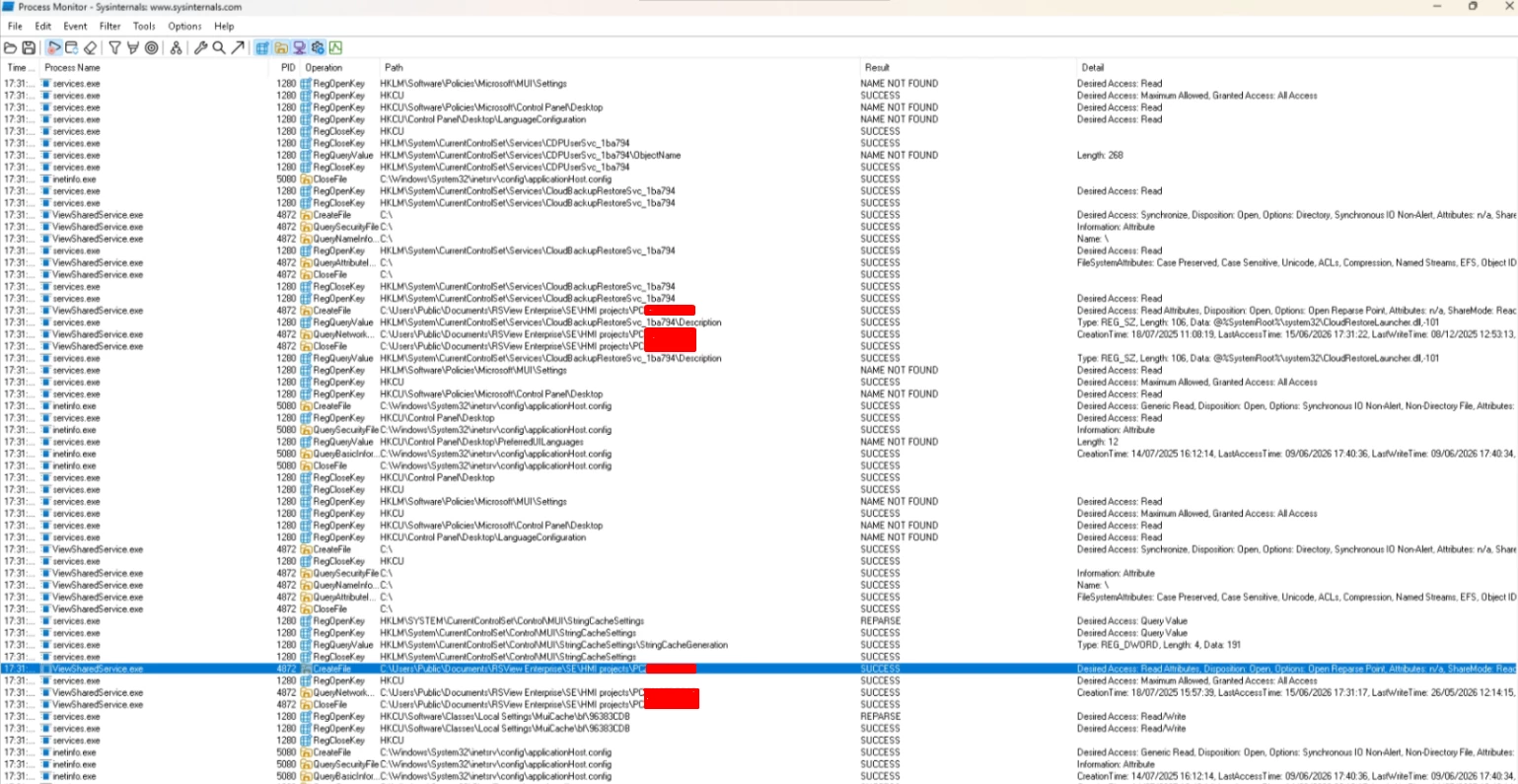
After identifying in the SQL Writer events that there was an attempt to access missing files, we used Process Monitor from Sysinternals to confirm which processes were still trying to access those paths.
The idea was to filter access attempts related to the path shown in the error:
C:\Users\Public\Documents\RSView Enterprise\SE\HMI Projects\PCZINCFREE25
During the capture, we could see access attempts related to that old environment structure.
Process Monitor was essential to confirm that the issue was not directly caused by Veeam Agent. Veeam was only triggering the expected snapshot workflow. The failure occurred because SQL Writer still had old references to files that no longer existed.
Root cause
After analyzing the logs and confirming the behavior with Process Monitor, we discovered that the server had gone through old SQL Server-related interventions before the backup project started.
A SQL/RSView-related installation or component had previously been removed, but the cleanup was incomplete.
As a result, some references remained in the system and were still pointing to .MDF files that were no longer physically present on disk.
In practice, SQL Writer was still trying to validate old database references during the freeze process.
When Veeam Agent started the job and the snapshot process triggered the VSS freeze, the workflow looked like this:
Veeam Agent starts the job
        ↓
VSS freeze is triggered
        ↓
SQL Writer is called
        ↓
SQL Writer tries to validate old database references
        ↓
MDF file no longer exists
        ↓
SQL Writer enters a failed state
        ↓
Backup job fails
Veeam Agent was not the root cause. It only exposed an old inconsistency in the environment by triggering the VSS freeze process.
The fix
After identifying the invalid paths and references, the fix was to remove the old records that still pointed to the missing files.
After cleaning up the invalid references that pointed to missing database files, SQL Writer stopped failing during the freeze process, and the Veeam Agent job started running successfully.
The most important point here is that the fix was not simply restarting services, deleting snapshots, or changing credentials. The real fix was removing an inconsistency left behind by a previous SQL Server or RSView intervention.
Commands used during the troubleshooting
Below are some of the commands used during the troubleshooting process.
List shadow copies
vssadmin list shadows
Manually create a snapshot
wmic shadowcopy call create Volume='C:\'
Delete a specific shadow copy
vssadmin delete shadows /shadow={GUID}
Delete all shadow copies
Use this only in a controlled environment and after validating the impact, especially on production servers.
vssadmin delete shadows /all
This command removes all existing shadow copies from the server. Before using it, make sure there are no dependencies on existing restore points or snapshots.
Restart VSS-related services
net stop SQLWriter
net stop VSS
net stop swprv

net start swprv
net start VSS
net start SQLWriter
Query volsnap events
wevtutil qe System /q:"*[System[Provider[@Name='volsnap']]]" /f:text /c:20 /rd:true
Query SQL Writer events
wevtutil qe Application /q:"*[System[Provider[@Name='SQLWRITER']]]" /f:text /c:20 /rd:true
Conclusion
This incident showed that a Veeam Agent for Windows VSS SQL Writer error is not always directly related to Veeam or the VSS service itself.
In this case, Veeam Agent was working correctly. The failure happened because, during the VSS freeze process, SQL Writer tried to access missing .MDF files left behind by an old SQL/RSView installation or intervention.
After removing the invalid references that pointed to missing database files, SQL Writer worked correctly during the freeze process, and the backups completed successfully.
The main lesson is: before treating every VSS failure as a generic VSS problem, investigate which writer is failing, which files it is trying to access, and whether there are old references that should no longer exist on the system.