



Are you planning to build Veeam 13 environment on appliances only?
Veeam 13 offers backup environment via appliances. VBR and VEM via VSA appliance and proxy with gateway servers via VIA appliance.
Hmm, probably you need to consider windows component in backup environment. Of course if you are planning functionality of backup environment like:
- FLR for Windows Server
- Application backup
- Guest Interaction Proxy (gMSA)
- Item-level Restore
FLR for Windows Server
It is needed to define Windows “Mount Server” for repository for usecases:
- VMware replication job with Re-IP rules
- Instant Recovery of Microsoft Windows workloads
- Instant Disk Recovery for Microsoft Windows workloads
- Application item restore
- Secure restore for workloads with ReFS volumes
- Scan Backup for workloads with ReFS volumes
- SureBackup
- Guest OS file restore for Microsoft Windows workloads with ReFS volumes, or from workloads with data deduplication enabled for some volumes
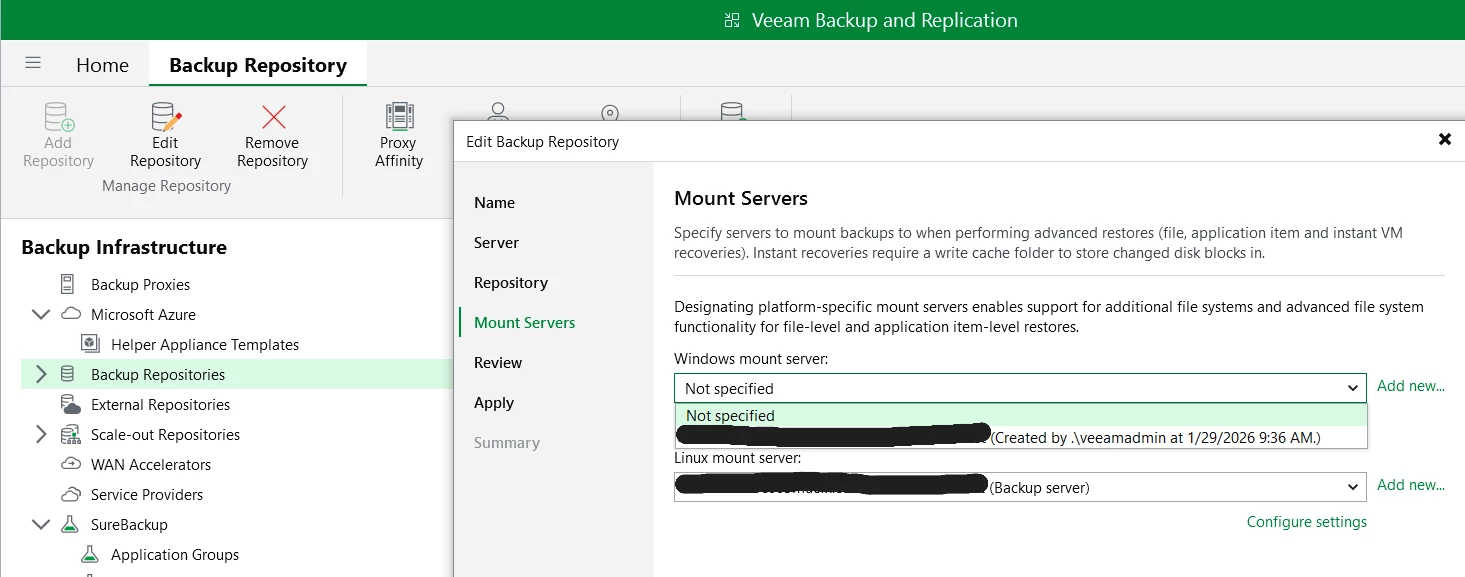
Guest Interaction Proxy
Based on KB you can use:
- appliances - VSA, VIA
- manage linux servers like RHEL/Rocky server with installed: libmsi1, samba-client, and samba-common-tools
- windows to support group Managed Service Accounts (gMSAs)
If you have been used in credentials just username, this will fail, because Veeam uses now gPRC (Kerberos) and you need to define domain with user, otherwise you will get error like i had below :)
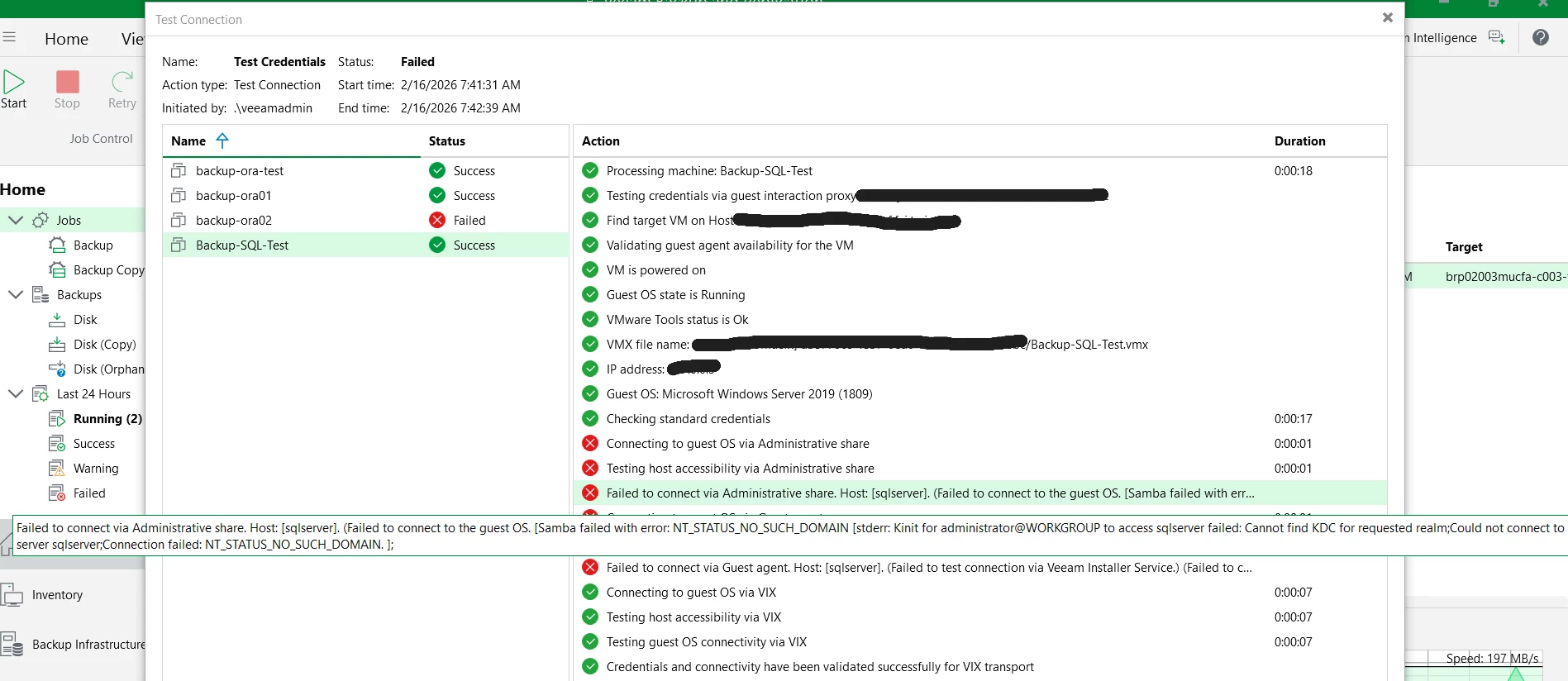
Linux GIP is not available
If you upgrade from v12 to v13, you wil be able to select widnows manage server
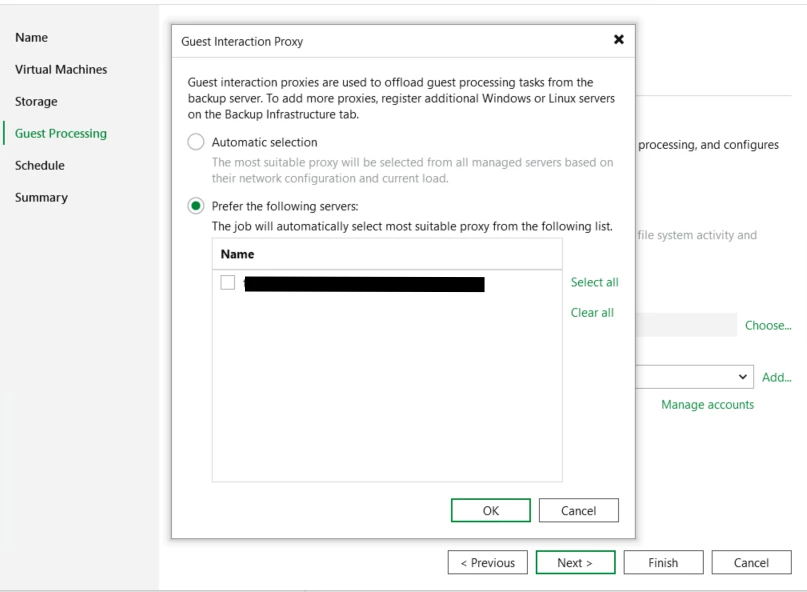
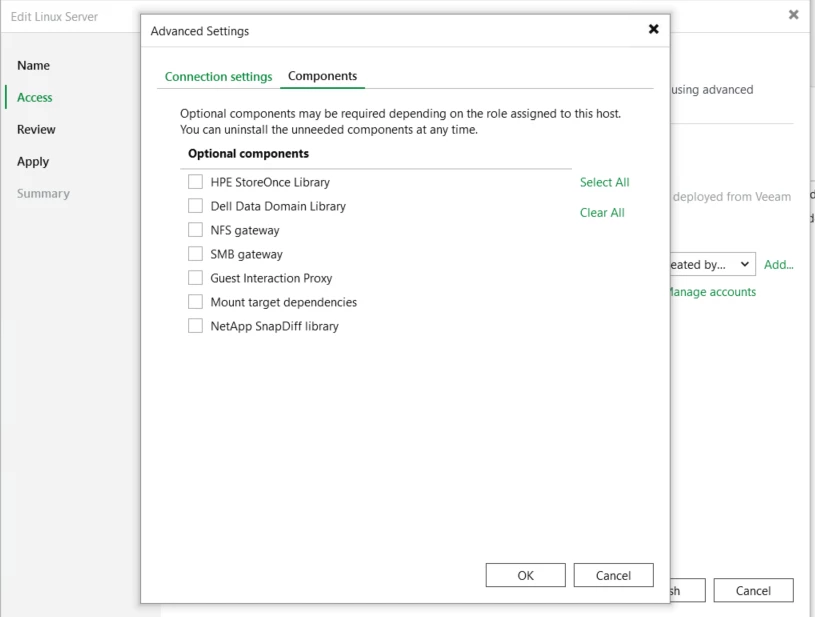
This could be changed by installation of GIP service on linux manage server - rhel/rocky 9.x
Log Shipping Server
This is interesting part
If you upgrade from v12 to v13, you wil be able to select widnows manage server and VSA,VIA appliances.
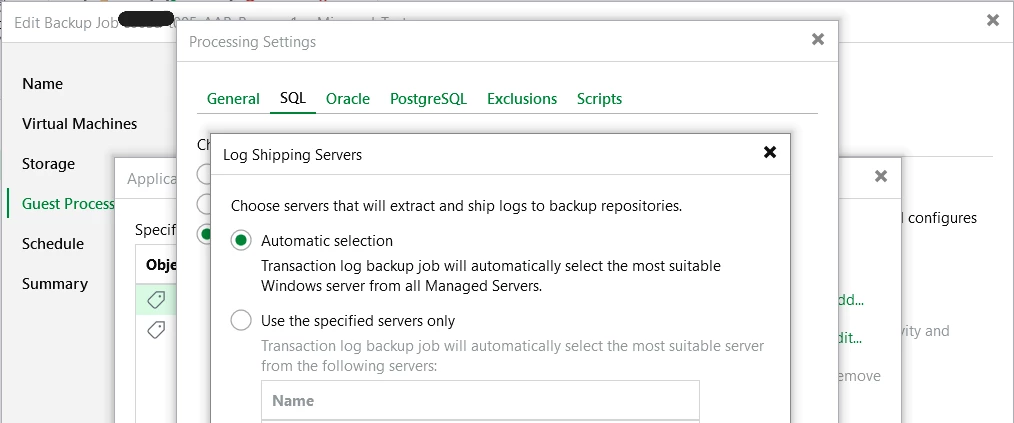
To apply linux log shipping server is needed to install guest interaction proxy role on it, what is described above. After that you can choose manage linux server as log shipping server.
So if you are planning backup environment, it is needed to consider at least one windows server for all these roles.
Of course service account is not required. Communication with appliances could enabled via deployment kit from console, what is described in my blog.



