At the Veeam 100 Summit 2026 in Lisbon, I attended several interesting technical sessions. Some of them were particularly relevant to the challenges we are currently dealing with in our backup infrastructure.
Two topics caught my attention: migrating Windows-based Veeam Backup & Replication servers to Veeam Software Appliance and moving existing Linux repositories to Veeam Infrastructure Appliance.
Both are important for us as a service provider, especially when planning infrastructure modernization without unnecessary disruption or additional storage requirements.
However, one session made me reconsider something much bigger: our customer-facing backup architecture.
The Session That Made the Difference
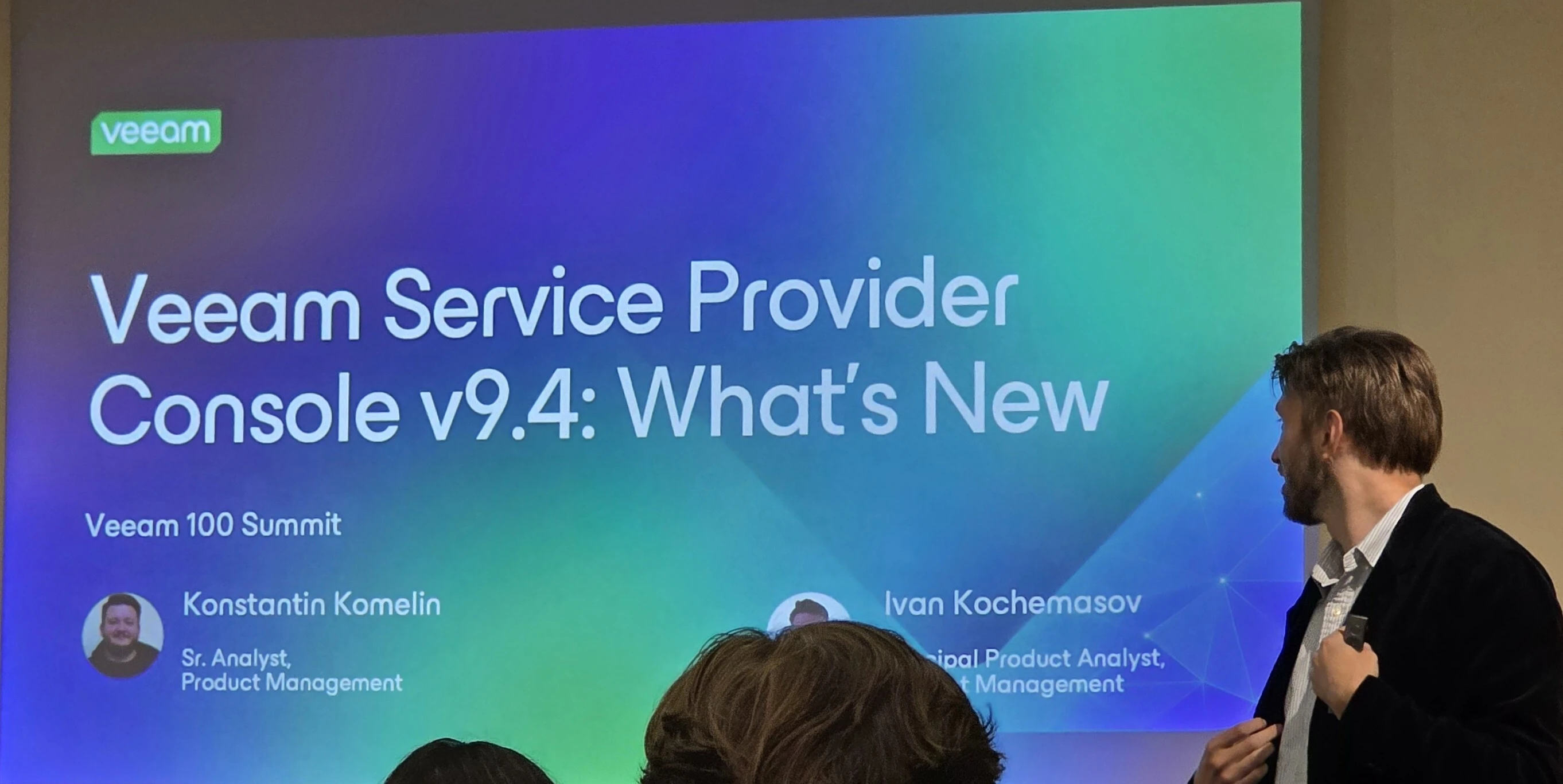
The session "Veeam Service Provider Console v9.4: What's New", presented by Konstantin Komelin and Ivan Kochemasov, was probably the most valuable session for me.
To explain why, I need to describe how our backup service works today.
We operate an automated Veeam-based backup platform built around Veeam Backup & Replication, Enterprise Manager, proxy servers, and repositories.
Enterprise Manager serves as the customer-facing portal, allowing customers to access their backup environment and perform certain recovery operations.
This approach works, but we have been dealing with several limitations, particularly around RBAC, backup job management, and application-level recovery.
Where Our Current Design Falls Short
One of our goals is to provide customers with a backup service they can manage independently.
For example, we would like customers to create and modify their own backup jobs, select virtual machines or VMware tags, and manage access for their users.
We also need more granular permissions.
A customer administrator should be able to delegate access to other users without giving everyone the same level of permissions. Some users might need access to an entire resource pool, while others should only see specific folders or virtual machines.
With our current Enterprise Manager-based design, we cannot provide this level of flexibility.
Recovery is another challenge.
Today, our customer-facing solution supports VM-level, virtual disk-level, and file-level restores.
However, application-level recovery still requires additional involvement from our administrators.
Microsoft Exchange is a good example. Granular recovery through Enterprise Manager has specific requirements related to Active Directory integration, which can complicate things in a multi-tenant service provider environment.
These limitations are not new to us. We have been looking at ways to address them through additional automation and development.
And this is exactly where the VSPC session became interesting.
Why We Decided to Change Direction
Without sharing details of unreleased functionality, the session gave me a much better understanding of where Veeam is heading with Service Provider Console.
More importantly, it made me question whether continuing to develop our existing Enterprise Manager integration was the right decision.
We had been considering additional development to overcome some of the limitations I mentioned earlier.
But after the session, I came back with a different recommendation.
Instead of investing more development effort into Enterprise Manager, we decided to start preparing our automated platform for a future transition to Veeam Service Provider Console.
Of course, this is not something we can implement immediately.
We still need to evaluate the functionality, APIs, and integration possibilities when the relevant capabilities become available.
But knowing the direction now is already valuable.
We can review our provisioning workflows, customer management, RBAC requirements, and existing integrations. We can also avoid introducing additional dependencies on Enterprise Manager that we might need to replace later.
For an automated service provider platform, this can save considerable development effort.
A Few Other Interesting Takeaways
Although VSPC was the main highlight for me, I also found the appliance migration discussions useful.
Migrating an existing Windows-based VBR environment to Veeam Software Appliance is something we need to consider as part of our infrastructure modernization.
The same applies to our Linux repositories.
Repository migration is particularly challenging when you have large amounts of backup data and limited additional storage capacity.
Understanding the possible migration approaches gives us more options when planning these changes.
These topics didn't change our architecture plans as significantly as VSPC, but they were still valuable from an operational perspective.
My Takeaway from Lisbon
For me, the biggest benefit of the Veeam 100 Summit 2026 was not learning about a specific new feature.
It was getting information that helped us make an architectural decision before investing more time in development.
We are not replacing Enterprise Manager tomorrow, and there is still work to do before we can move forward.
But we now have a clearer direction for our customer-facing backup service.
Sometimes, knowing what is coming is just as important as knowing what is available today.
And in our case, it may help us avoid developing something we would eventually need to replace.
#Veeam100Summit2026