



Hey everyone!!😎
I'm really excited about all the new features Veeam is bringing in this latest release, and one of them really caught my attention: the new approach to Active Directory Forest Recovery.
VBR 13.1 brings some important improvements for Active Directory protection, especially when we think about recovery scenarios after a major failure, corruption, or even a security incident.
One of the features I found most interesting is the ability to perform Active Directory Forest Recovery in a more automated and guided way.
Active Directory Forest Recovery
In a traditional recovery scenario, depending on what happened in the environment, the administrator may need to perform several manual steps to rebuild the Active Directory environment.
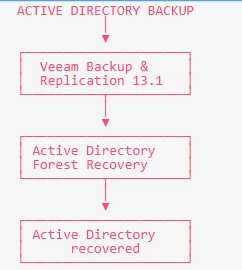
With Veeam 13.1, the idea is to make this process much more structured by using the available backups to help recover the Active Directory forest.
This becomes even more important when we think about Disaster Recovery and Cyber Recovery scenarios, especially when the identity infrastructure has also been compromised.
Simplified scenario
AD object recovery
Another interesting improvement is the ability to work with AD objects directly from the backup through Veeam explorer for Microsoft AD.
This can be very useful for administrators who need to browse, search, restore, or export specific Active Directory objects without having to restore the entire domain controller.
The exported Active Directory data can be saved in LDF format, which can then be used with Active Directory tools when necessary.
But why is this so important?
Anyone working with infrastructure knows that Active Directory is one of the most important components of a corporate environment.
If AD becomes unavailable, several services can be affected, such as:
- User authentication
- Computer access
- Network resource access
- Security policies
- Groups and permissions
- Services that depend on the domain
That's why, when we talk about backup, it's not enough to think only about having backups of our virtual machines.
Having the VM backup is important, but we also need to think about how we are going to recover the identity environment if something more serious happens.
And this is exactly the part that I found interesting about VBR 13.1.
In pratice
Let's imagine a scenario where a company suffers a major incident and its domain controllers are compromised.
At that point, simply restoring a VM and expecting everything to start working normally is not enough.
There is an entire process involving AD and all the services that depend on it.
The ability to perform AD forest recovery from backups can be a big help in this type of scenario and can make the Disaster Recovery process much more organized.
As I mentioned in my previous blog post, being organized during a disaster is extremely important.
Having a recovery plan is one thing. Having the right tools to execute that plan is another.
In summary
VBR 13.1 + AD
Backup → Forest Recovery → Object Recovery → Environment Recovery
In my opinion, one of the most interesting things about this new feature is that it reinforces the idea that Active Directory should not be treated as just another VM in the backup environment.
AD is a critical component of the infrastructure, and it needs its own well-defined recovery strategy.
And finally...
Active Directory protection in VBR 13.1 is definitely one of the features that caught my attention the most in this new release.
The combination of AD forest recovery and the improvements to AD object recovery gives administrators more options when it comes to recovering the identity layer of the environment.
So, has anyone here already tested it?
This is definitely my next step. I believe this is a feature worth knowing and, most importantly, testing before you actually need it in a real-world disaster. 🚀🚀🚀🚀🚀🚀🚀🚀🚀🚀🚀🚀

