
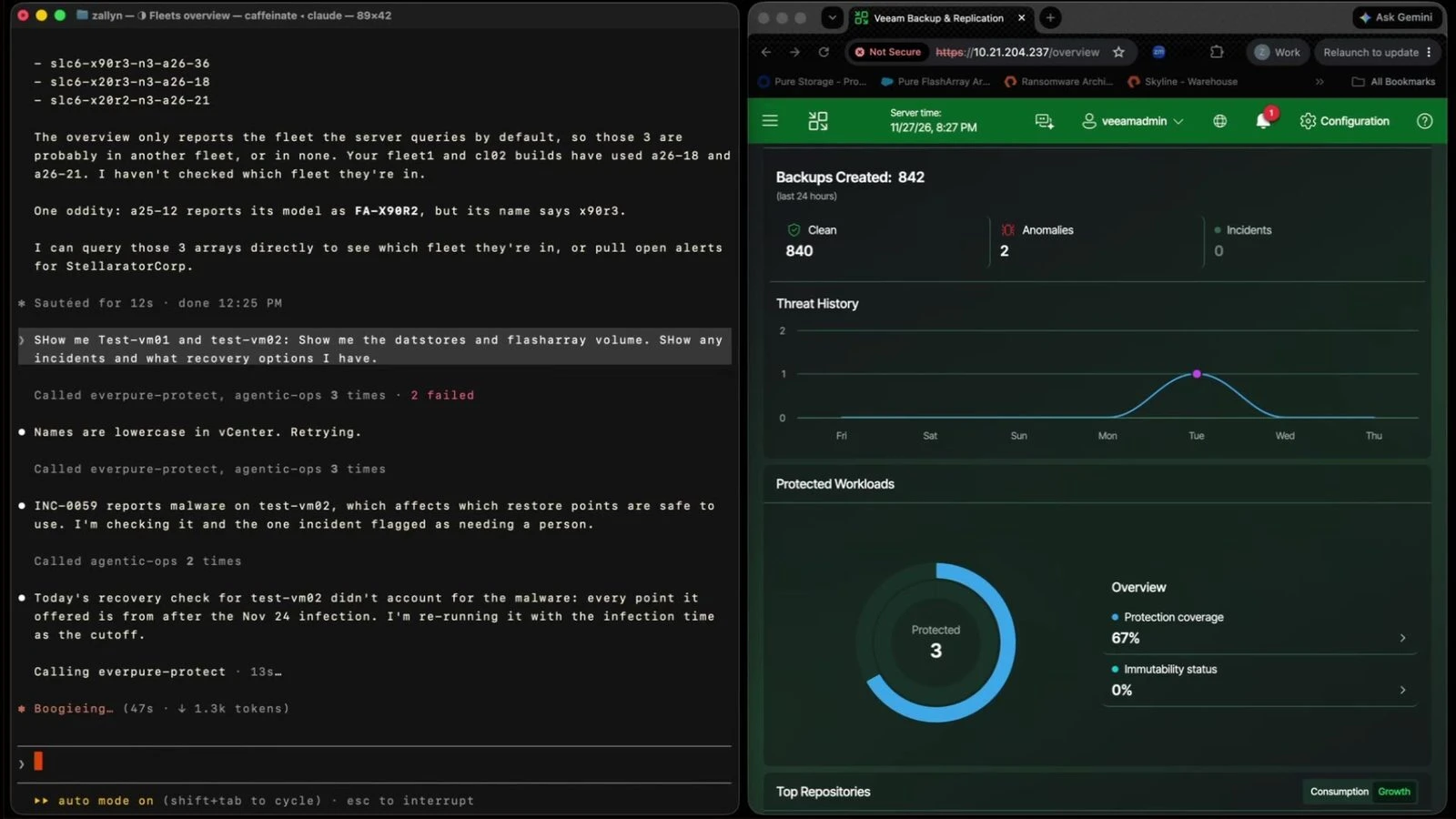
I've been building out a lab where an AI agent (Claude Code) talks to my infrastructure through MCP servers: Everpure Fusion for storage, vCenter, and Veeam Backup & Replication. In this demo I asked one plain-language question: show me test-vm01 and test-vm02, their datastores and FlashArray volumes, any incidents, and what recovery options I have.
How the pieces connect
Veeam's built-in malware detection does the heavy lifting on the backup side. What I added is a second signal source: Pure1 array events get pulled through their own MCP and written into Veeam as malware events. If you look at the event in the console, "Initiated by" shows the MCP account, so you can always tell an injected event from one Veeam raised itself. Now the Malware Events view holds both what Veeam saw in the backup stream and what the array saw underneath it (DRR shifting, snapshots deleted in bulk, failed admin logins).
The agent found INC-0059 on test-vm02. Then it did the part I care most about: it re-ran the recovery check using the infection time as the cutoff. Every point the first pass offered was newer than the Nov 24 detection, so it threw those out.
What came back
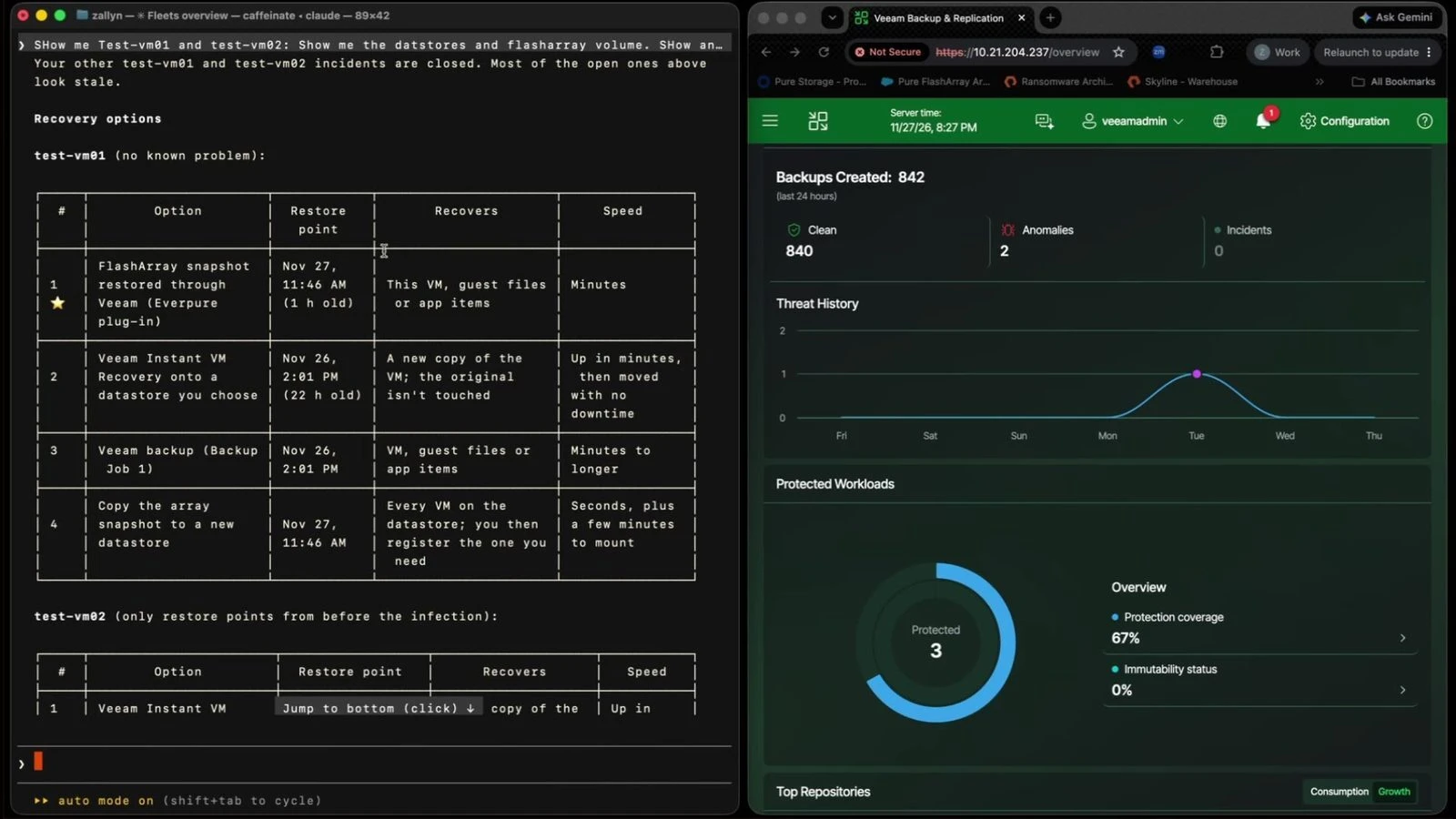
- test-vm01 (clean): four options, from a FlashArray snapshot restored through the Veeam plug-in down to Instant VM Recovery and a full restore.
- test-vm02 (infected): only Instant VM Recovery or a restore from the Nov 23 point, marked clean. 44 newer restore points were dropped as possibly infected.
- It also said plainly that recovering test-vm02 means losing about 94 hours of data.
The gotcha worth arguing about
Both VMs share a datastore. The fastest option for vm01, copying the array snapshot to a new datastore, would also bring back every VM on that datastore, including the infected vm02. The agent flagged that and steered vm02 toward Instant VM Recovery instead. That's exactly the kind of thing a tired human misses at 2 AM during an incident.
What I haven't solved yet
The "marked clean" label is only as good as the scan behind it. I haven't wired in an automatic Secure Restore or SureBackup scan of the chosen point before the agent recommends it. That's the next piece, and I'd rather the agent prove a point is clean than trust a timestamp.
Nothing was restored or changed. The agent laid out the options and waited for my approval. In incident response that's how I want it: the agent does the correlation, I make the call.
Full write-up with screenshots: https://thebetasociety.com/wcith/pure-storage/everpure-mcp-find-malware-clean-restore-points-veeam Video: https://youtu.be/2s4ZsDFhrGs
Question for the group: In your opinion. What’s the best way to decide "last known good" today? Still a manual walk back through restore points?