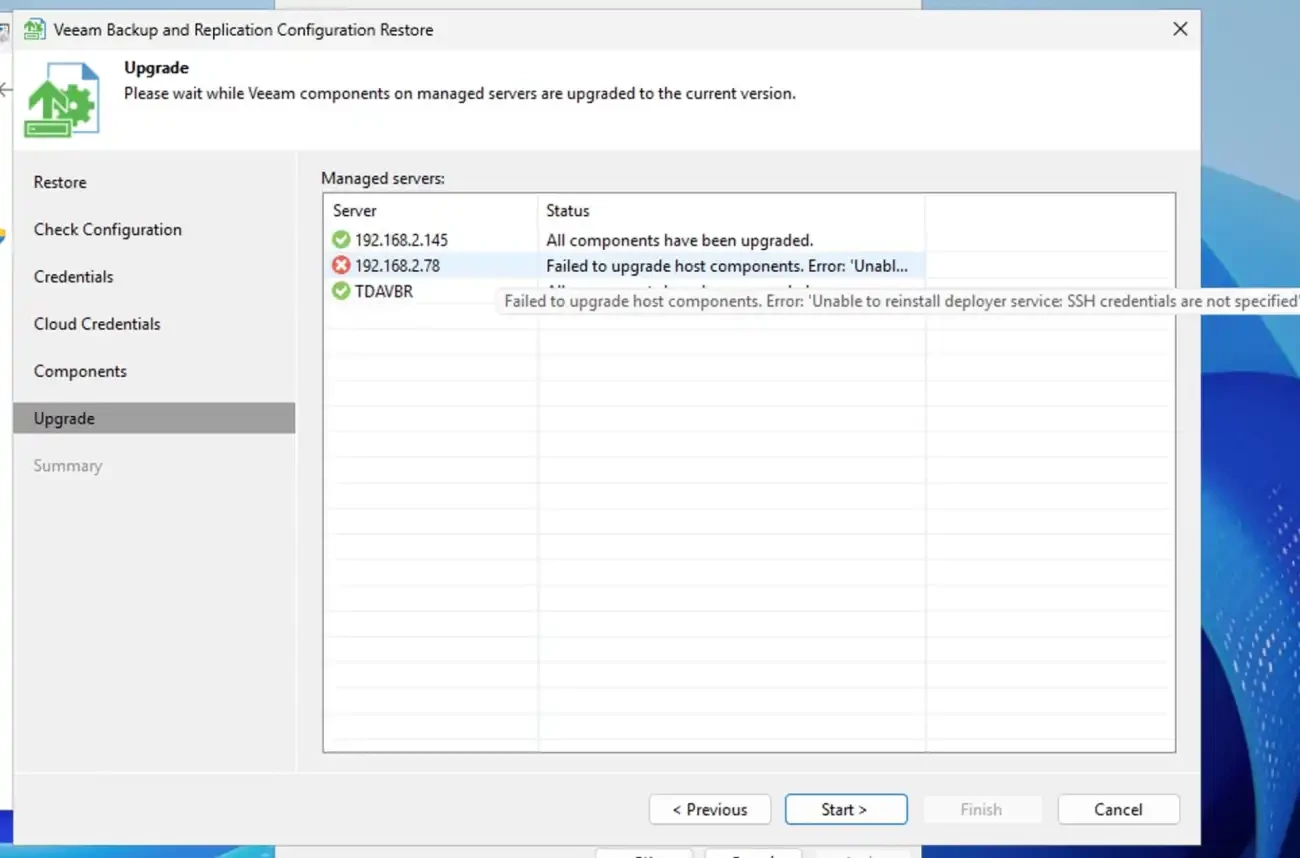
Upgrading Veeam Backup & Replication v13 often fails during the "Component update" phase with the error “unable to deploy the Veeam Deployer service due to SSH credentials not specified”.
Veeam generates Single-Use Credentials as temporary, ephemeral credentials to securely deploy and upgrade VHR components. Veeam requires Single-Use Credentials to meet modern security and compliance expectations.
As mentioned above, this is because of the unavailable Single-Use Credentials (SUCs) at the time of the upgrade as shown below.
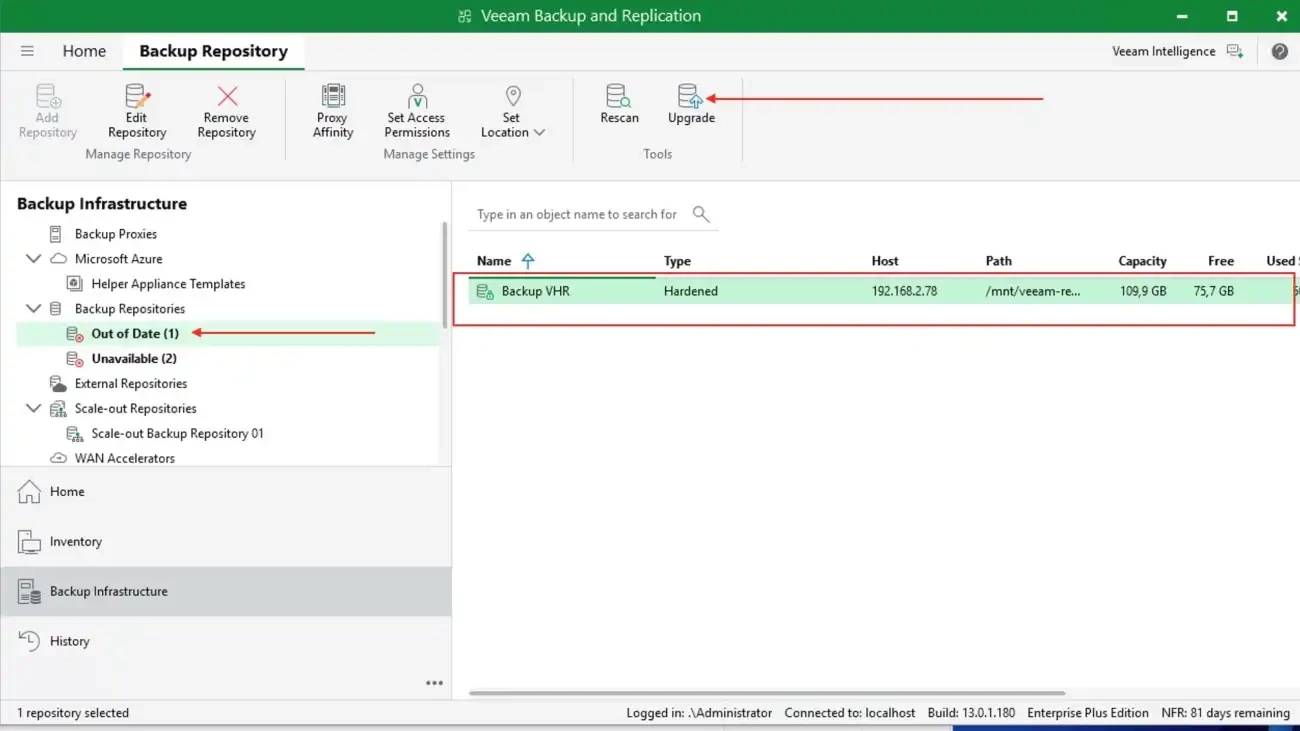
Note: You cannot perform this upgrade over the ribbon or right-clicking on the VHR in the working area of the console. This will not work. This is similar to navigating to the main menu (hamburger menu) and selecting update (update components). This will also not work because we are yet to specify the SH credential.
The Fix
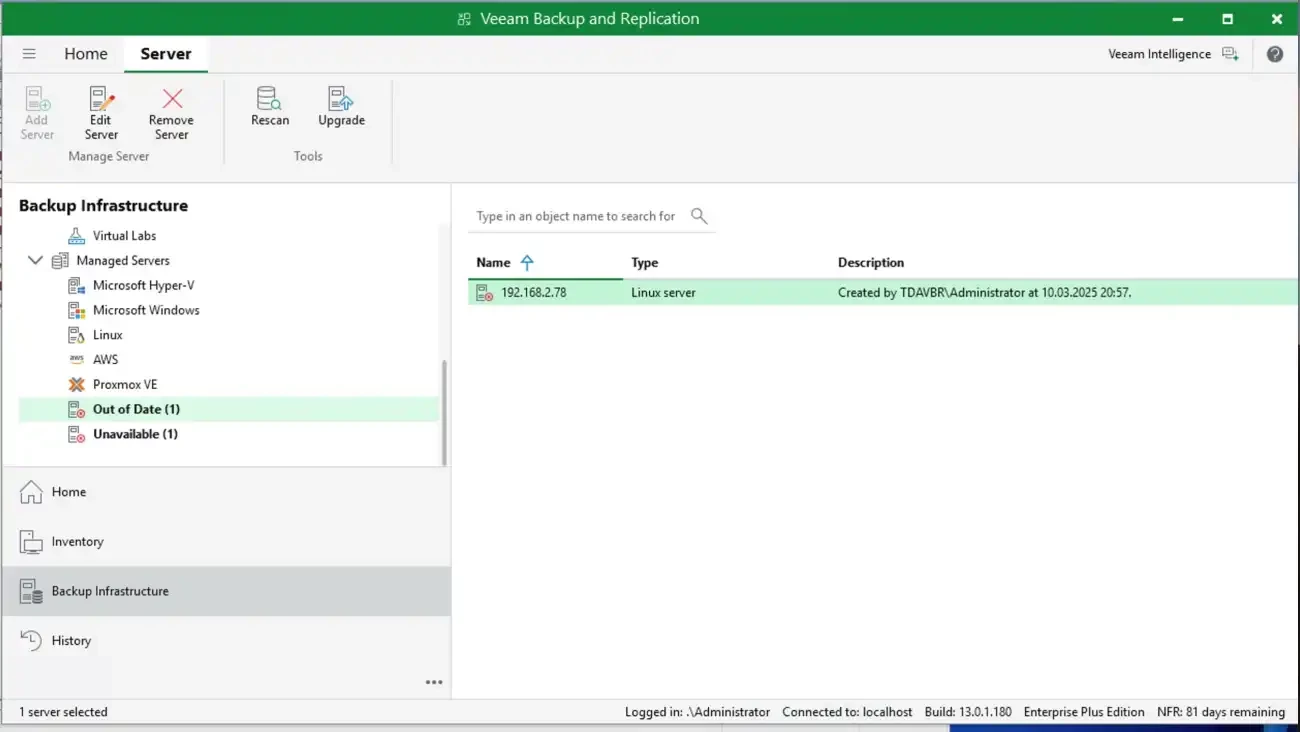
To fix this, we will have to navigate to the Backup Infrastructure, select the server and click on “Edit Server”. Here is a link to the original blogpost “Veeam Host Components: Unable to reinstall Deploy Service SSH”.
Click on Single-use credential for hardened repository as shown below

If you select SSH credential etc., and enter a password. It will fail with the below error “unable to change credential for “REPO”. It has a hardened repository role assigned which requires the usage of single use credentials.
Therefore, ensure you follow my directive above as you do not have this password and can only be generated from the VHR. To d this, launch the Shell and click on Start SSH.
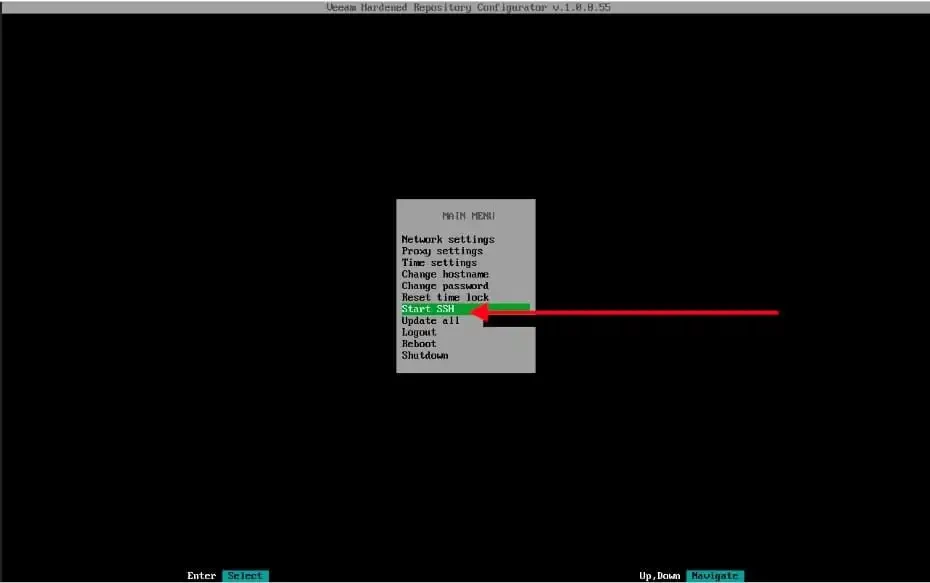
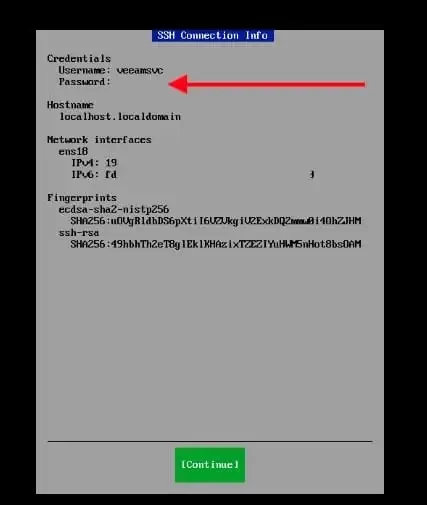
When this process completes, Veeam generates a single-use credential with a username and password.
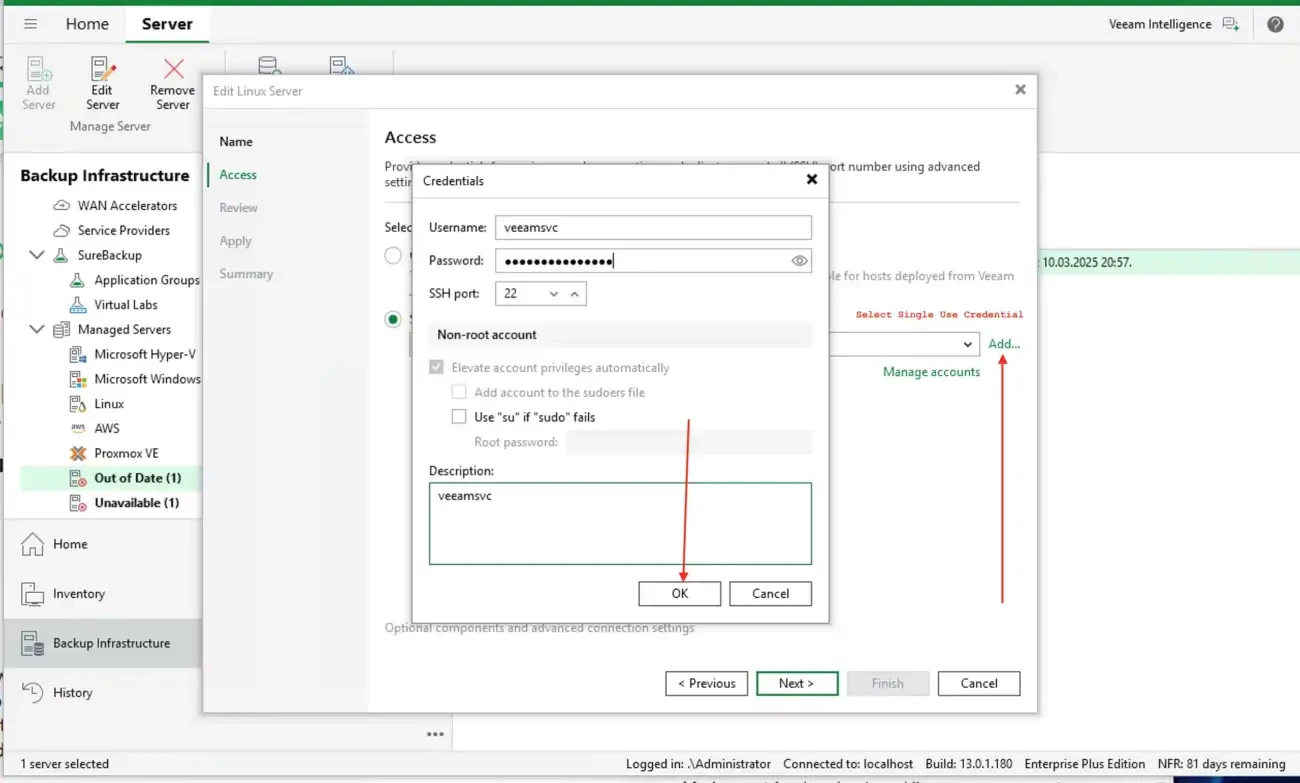
Next, from the VBR console, enter the credentials as shown below and click on OK
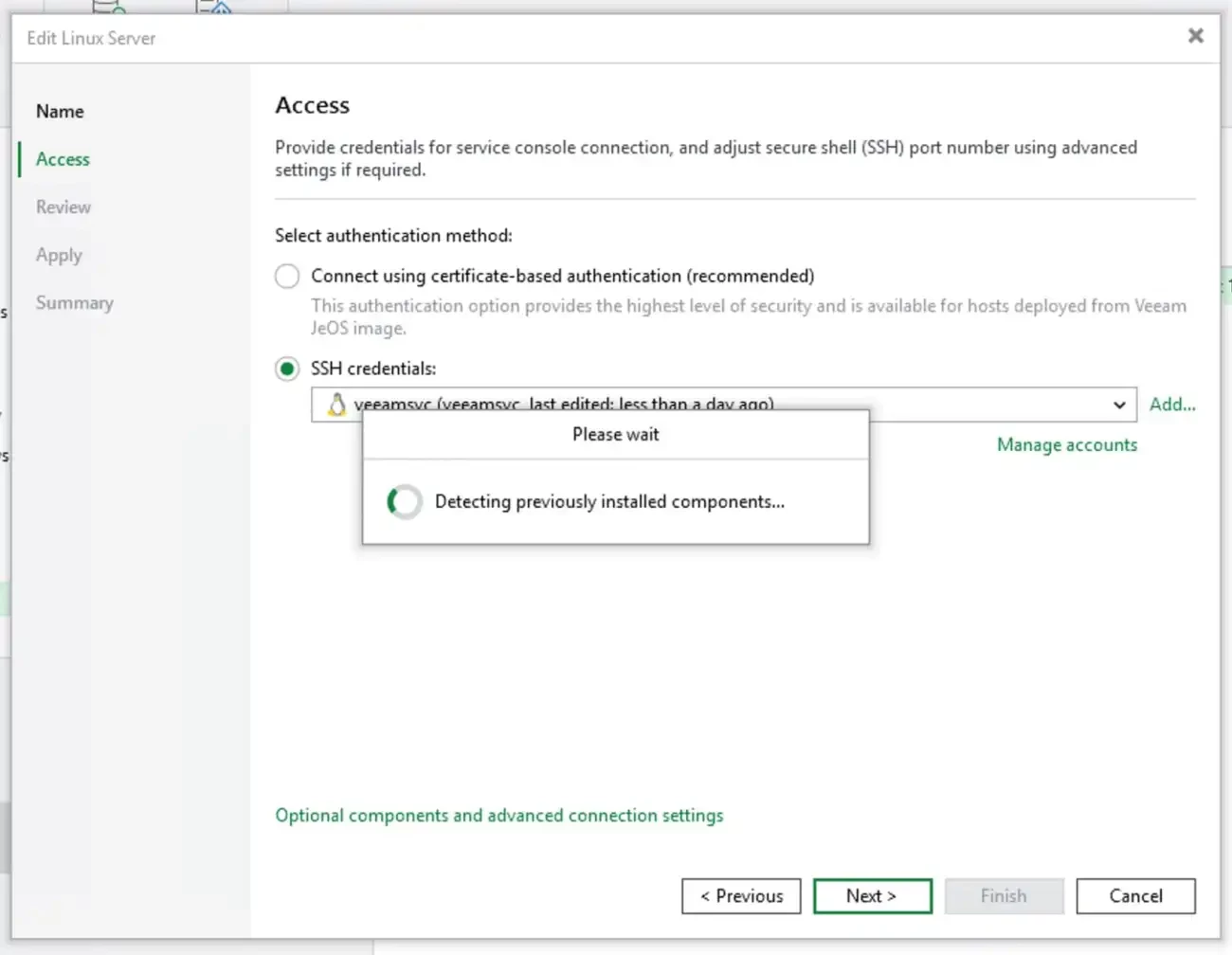
As you can see, it is checking for SSH connection.
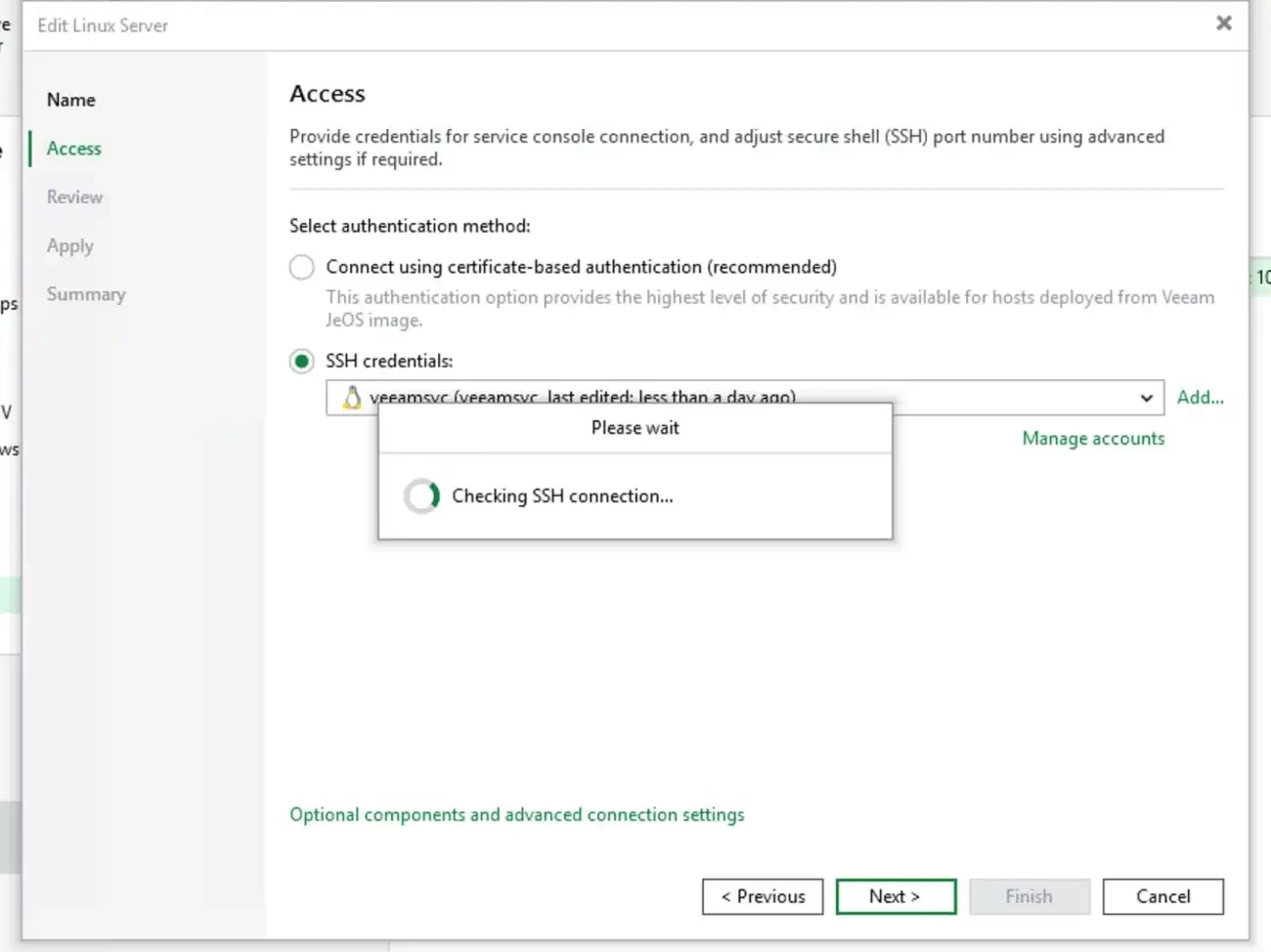
The previous installed components are being detected. I will be showing you how to upgrade to the latest VHR in the next guide. When complete, click on Next.
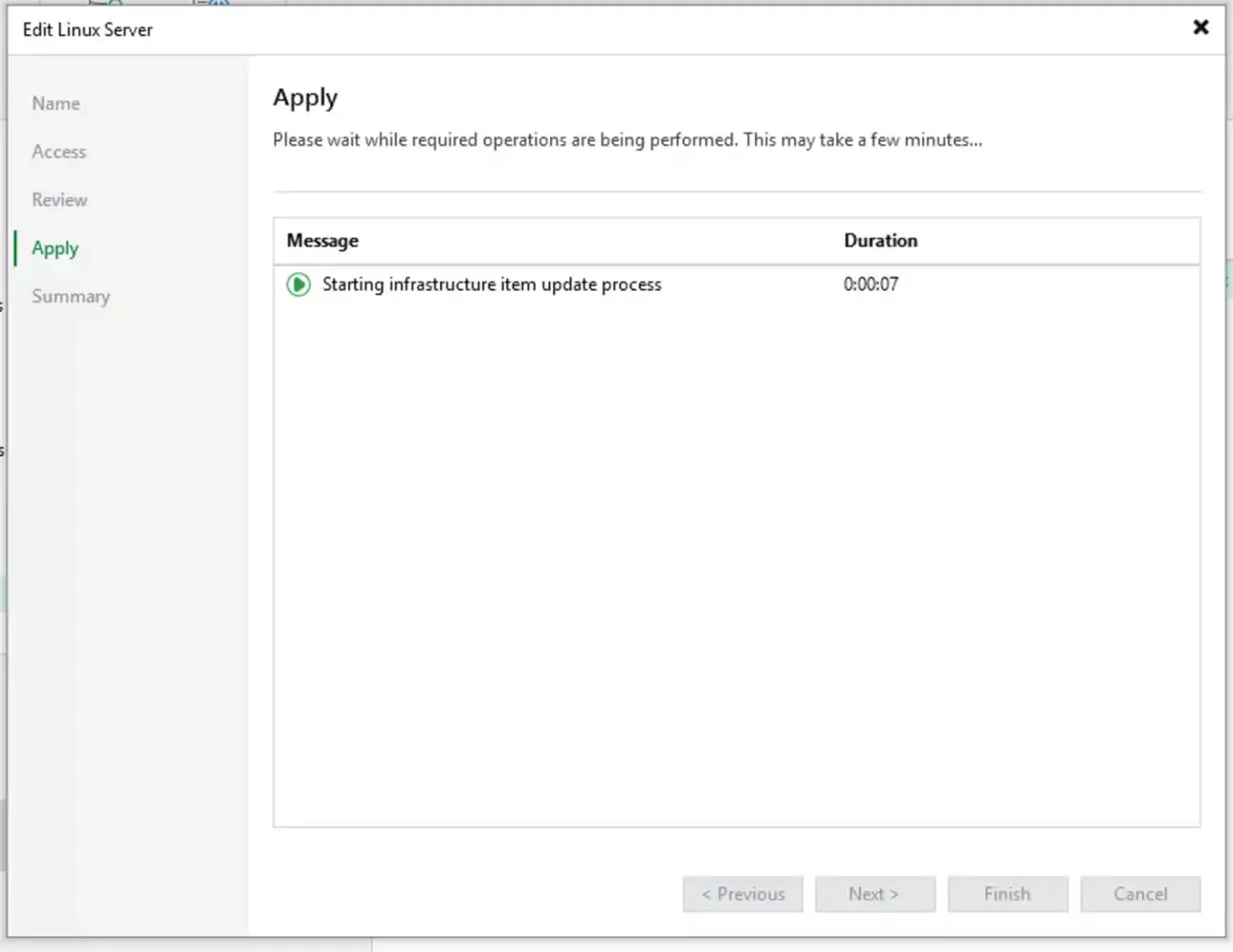
Click Next to continue to summary window or click Finish on the fly here.
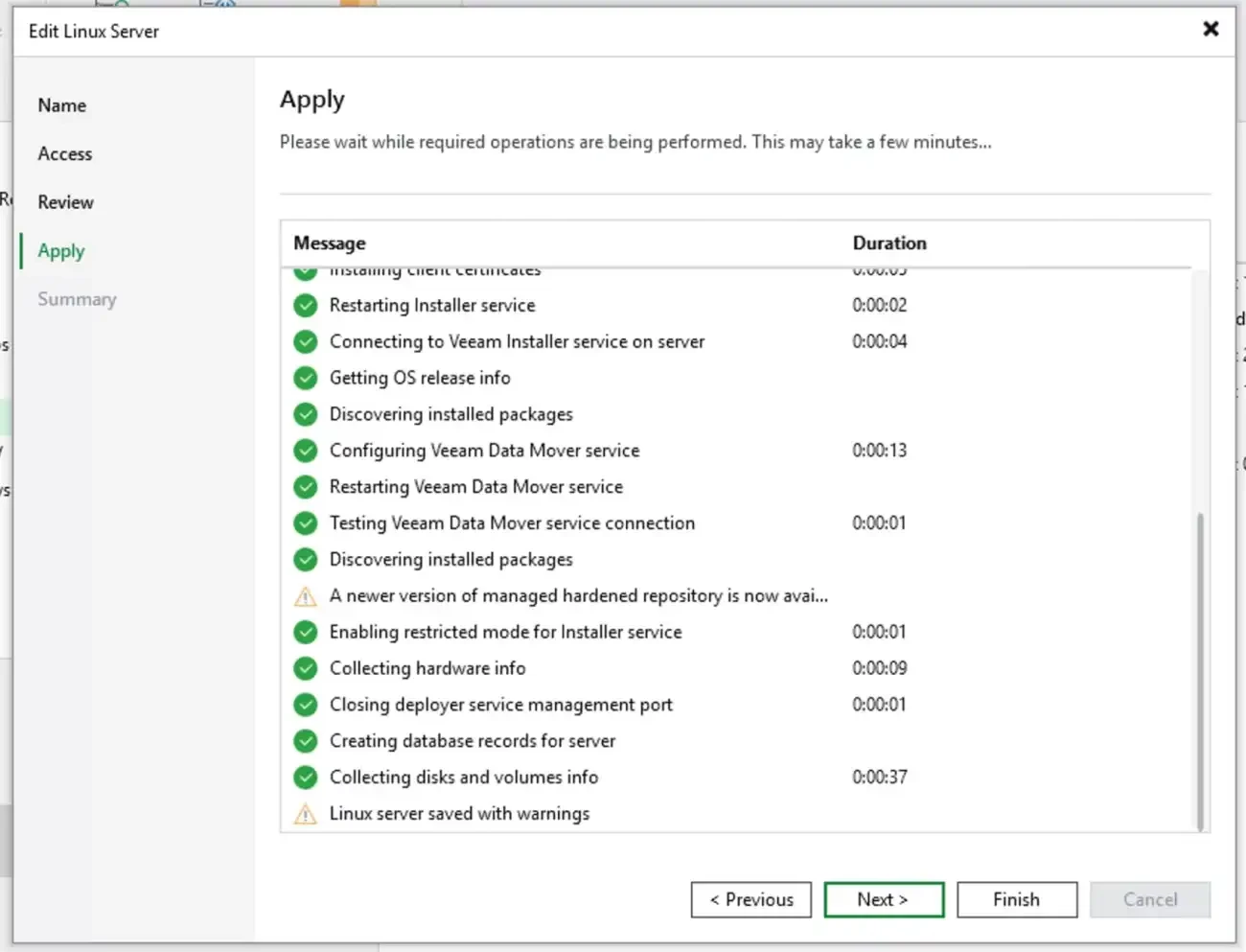
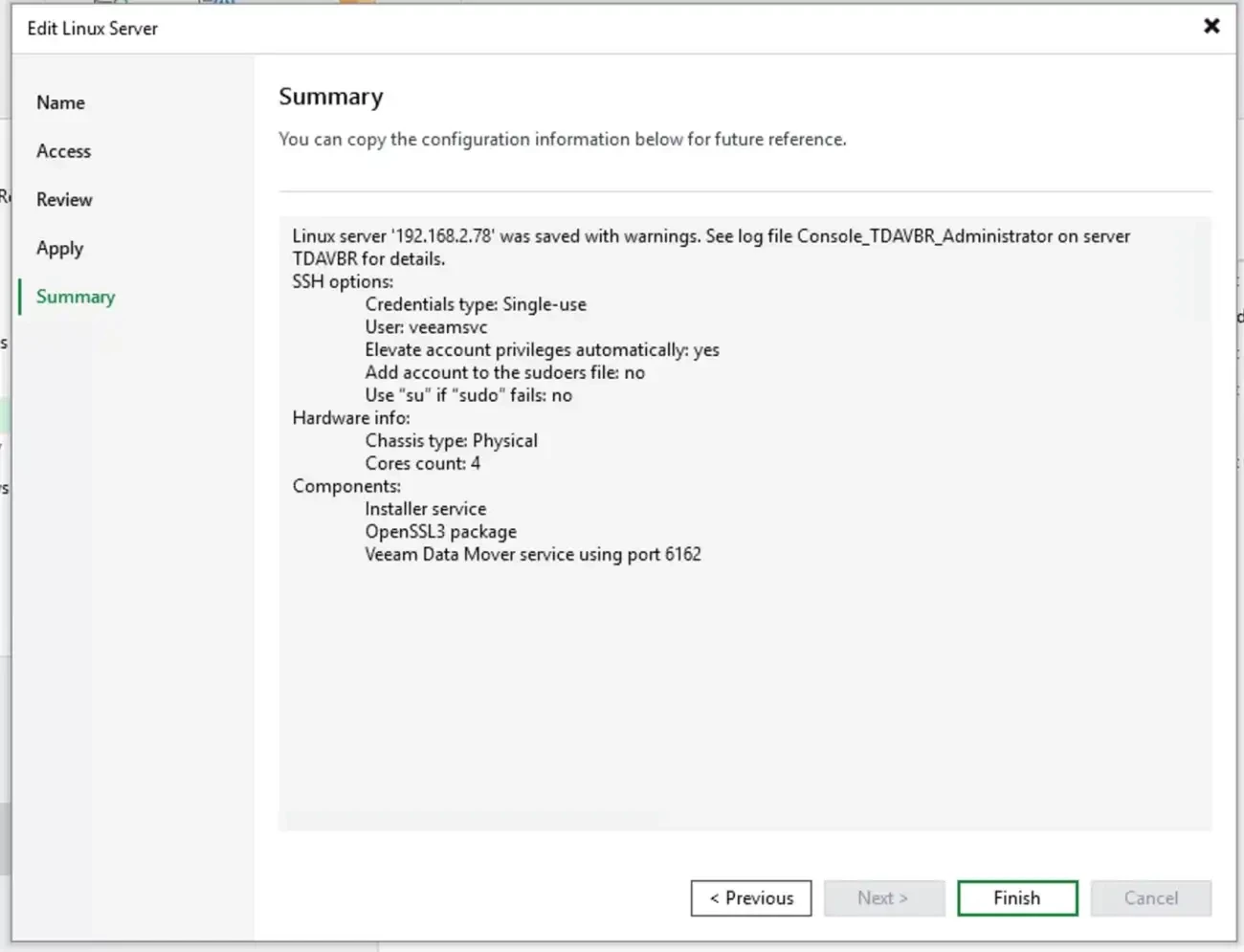
Below is the summary of the operations performed (upgraded). Now, feel free to click the finish button
Stop VHR SSH Service
Lastly and most importantly, do not forget to stop the SSH service on the VHR when complete.
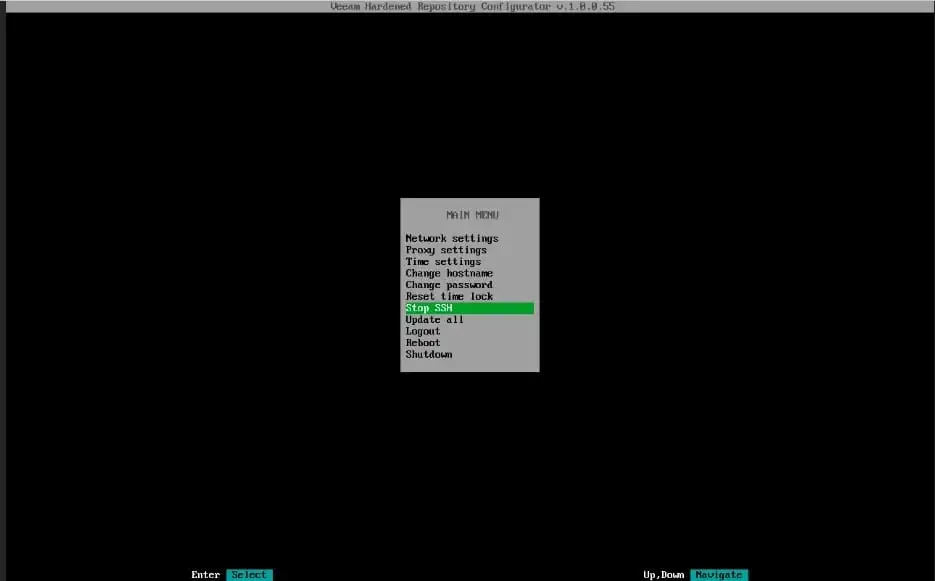
When prompted, click on Yes as shown below.
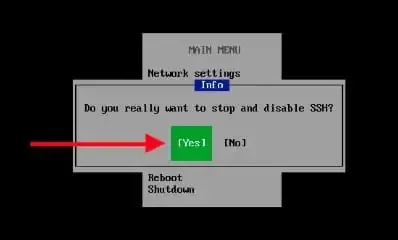
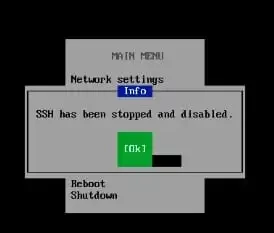
SSH has been stopped and disabled.