



A great session does not start when you walk on stage.
It starts much earlier.
It starts when you see the title and abstract.
It starts when you think about the audience.
It starts when you ask what kind of room you are walking into.
It starts when you check the language, the theme, the format, the time, the technology, and the story you want people to remember.
From the audience side, a strong presentation can look natural. Maybe even effortless. But that is the trick.
It looks effortless because the preparation happened before. The audience sees the performance.
But the performance is protected by preparation.
And for me, preparation is not just checking if the slides are done.
It is preparing the story, the timing, the room, the technology, the opening, the transitions, the possible failures, and yourself.
Because preparation gives you freedom.
The better you prepare, the more natural you can be when the unexpected happens.
Start with the title and abstract
For me, preparation often starts with the title and abstract.
That is the beginning of the journey.
Before I build the deck, I want to understand what story I am promising to tell.
What is the title saying?
What is the abstract promising?
What audience is this for?
What language should I use?
English? or Dutch?
Something else?
What is the theme of the event?
What did the organizers ask me to deliver?
Is this a keynote from a thought leader perspective?
Is it a breakout session?
Is it a technical deep dive?
Is it a panel?
Is it a webinar?
Those questions matter because they change everything.
The same topic can become a completely different session depending on the format and the audience.
A C-level audience needs a different journey than senior technical IT staff.
A room full of people who know the topic needs a different pace than people who are hearing it for the first time.
A keynote is not a breakout.
A panel is not a workshop.
A webinar is not a main stage.
So before I start building, I first try to understand the playground.
Know the start and the end
When I start preparing, I usually create the story in my head first.
Then I begin with the first slide, the opening slide, and I jump to the closing slide.
That helps me build the framework.
I know where the journey starts.
I know where I want it to end.
Now I can plan the road between those two points.
That is important.
If you do not know where you want to land, every slide becomes a possible detour.
And then you do not have a story.
You have a collection of slides.
The start and the end give direction.
The rest of the deck should help you travel from one to the other.
The story leads, everything else supports
The story is the main leader. Everything else is there to make it come alive.
- Slides.
- Videos.
- Sound.
- Lighting.
- Pauses.
- Transitions.
- Demos.
- Interaction.
- Humor.
- Even the technology.
All of it should serve the story.
When I prepare, I think about how to create emotion. Where do I dim the room? Where do I spark the energy back up? Where could a video help? Should that video have sound? Where should I pause? Where should I speed up? Where should I let the audience breathe?
Preparation is not just technical. It is emotional. It is rhythm. It is stagecraft.
Use the Golden Circle
I often build around the Golden Circle thinking:
Why?
How?
What?
Why are we talking about this?
How does it work?
What does it mean in practice?
For a TED style story, I may stay mostly in the why.
For a breakout or technical session, I will probably go deeper into the how and the what.
Sometimes I create the presentation in acts.
Sometimes I do not.
It depends on the story.
Some stories need clear sections, almost like a show with acts. Each act has its own opening, body, and clue at the end.
Other stories flow more naturally and do not need hard breaks.
Again, it depends.
But the structure should always help the audience.
Not just the presenter.
Preparing early, building later
The story often starts building in my head right away. That can happen weeks or even months before the actual session. But often, I start preparing the actual content around two weeks before the deadline. And the deadline is not always the day I go on stage.
Sometimes the deadline is eight weeks before the event because the organizers want to review the deck, make sure it fits the theme, and check that I am not just selling products. Of course, you may still adjust things after that.
But fully overhauling the deck after approval is not always appreciated.
That said, sometimes it happens.
New information appears.
Company direction changes.
A merger happens.
An acquisition happens.
The market shifts.
The story changes.
For new topics where there are no existing materials yet, preparation can start three or four months before. I refine it over time while traveling, moving things around, adding things, removing things, changing things. Fortunately I can often borrow slides from my peers to.
Normally, in the last week, I make the deck pretty.
That is when I clean it up and make it production ready.
Context, time, and format
Preparation always depends on context. Can I reuse another deck as a base? Do I need to create everything from scratch?
- Is it a webinar?
- A presentation?
- A keynote?
- A panel?
- A customer session?
- A technical deep dive?
The format changes the preparation.
The time slot changes the preparation.
The audience changes the preparation.
That is why you cannot prepare every session in exactly the same way.
You need to know what you are walking into.
Rehearsal creates muscle memory
I rehearse. Out loud. Silently. In pieces.
Sometimes the full session.
Sometimes only the difficult parts.
Sometimes only the opening.
Sometimes just a story snippet during a private opportunity, like a dry run or a soft opening, to see if it works.
- I test reactions.
- I test emotion.
- I test timing.
- I test facial expressions.
- I test if the flow feels natural.
That might sound like a lot, but it matters.
Because muscle memory can save you when everything goes off track and down the drain.
It can save your ass. If something breaks and your brain starts shouting, your body and memory can still keep you moving.
That only happens when you prepared.
Rehearse the flow, not only the words
I do not rehearse only sentences.
I rehearse the flow.
Where does one slide lead?
Where is the transition?
What remark belongs here?
Where does the story breathe?
Where do I move?
Where do I pause?
Where do I speed up?
Where do I slow down?
Sometimes I flip slides around because the order looked logical in PowerPoint but does not feel natural when speaking.
That is important.
A deck can look perfect on your laptop and still feel wrong when you present it.
You only discover that by rehearsing.
Prepare multiple openings
The opening is important.
Very important.
So I prepare multiple possible openings.
But I adapt the final opening based on the actual room, the technology, and the audience.
Sometimes I know the opening days before.
Sometimes I change it five seconds before I start.
That comes with experience.
But even then, I have prepared the possibilities.
I know where I can go.
I know which door I can open.
The audience might decide which one fits best.
Timing is key
Timing is one of the biggest differences between a professional session and a messy one.
I like to run on time.
Not over.
That means I prepare for time.
I watch the number of slides.
For a thought leader story, I often use fewer slides. More pictures. More quotes. More space for storytelling.
For a breakout session, especially when educating or explaining, I may use double the number of slides.
That does not mean more is bad.
It means the format is different.
But I always think about how much time each part needs.
And I use one important trick.
Stopper slides
I use stopper slides.
These are slides where I can tell a story for five minutes or keep it to thirty seconds.
I place several of them along the path.
That gives me control.
If I am ahead of time, I can open the story more.
If I am behind, I can shorten it without breaking the flow.
That is very different from panicking at the end and clicking through ten slides in thirty seconds.
Do not do that.
Never show slides you are going to skip.
I see this too often.
A presenter runs out of time and starts clicking through slides quickly, saying:
“We will skip this, skip this, skip this…”
The audience sees those slides.
They wonder what you are not telling them.
They wonder why that slide existed.
They feel the story break.
You lose them right there.
If you need to skip slides, skip them invisibly if possible.
Do not make the audience watch the wreckage.
Use a timer
I use a timer app called Podium Pro. I set the overall time. I set a warning moment, normally around five minutes before the end. Then I set a hard red timer for the last thirty seconds or one minute, depending on the session length.
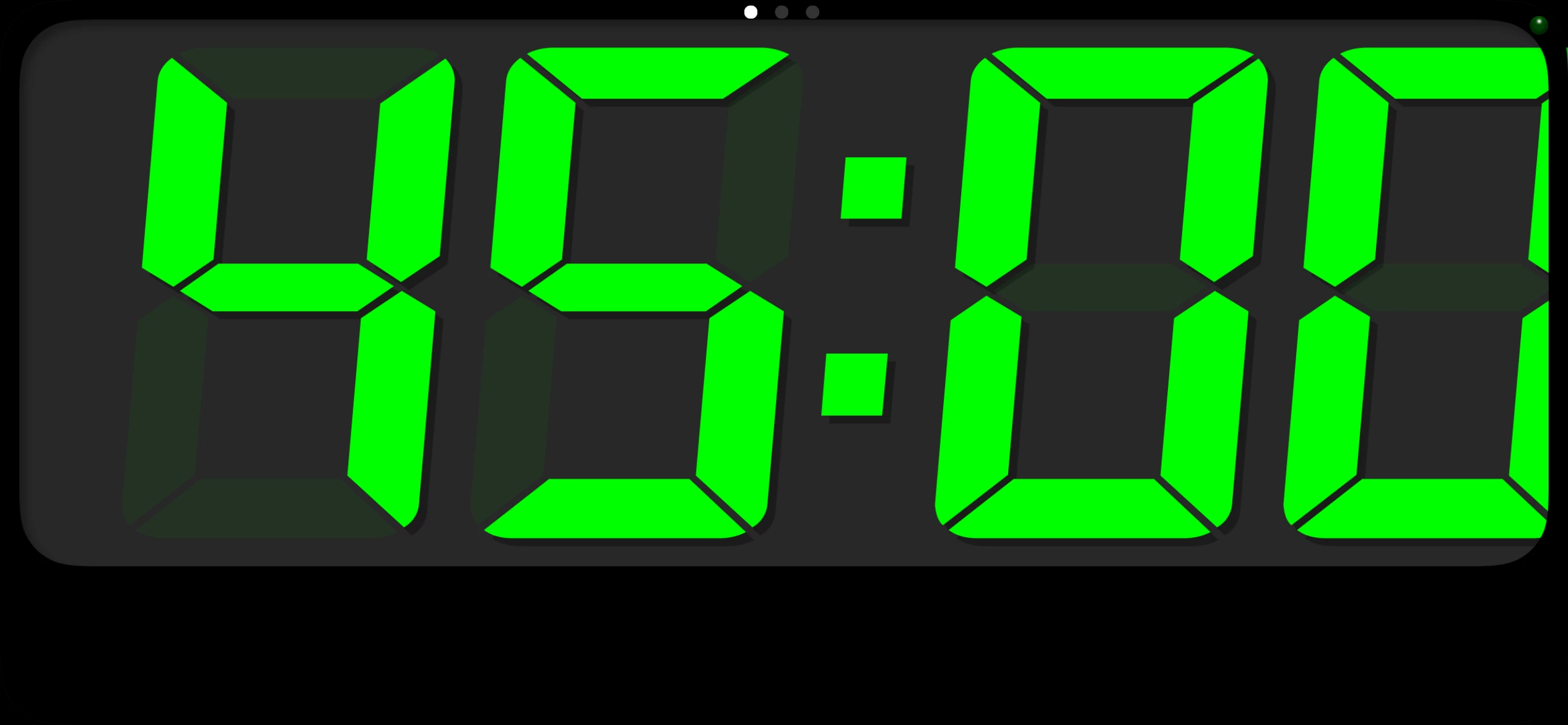
If there is a proper speaker timer in the room, great.
If not, I bring my own.
Sometimes I also use my Apple Watch with a countdown timer. It taps me on the wrist when I reach the two minute mark, so I know I need to stop and wrap up.
You are responsible for landing the plane.
A timer helps you do that.
Check your own gear first
Before I even talk to the event team, I make sure my own gear is ready.
Laptop, charged, charger available, adapter if needed.
Clicker.
Timer app.
Backup deck.
USB key.
Cloud copy.
Demos.
Sound settings.
Video settings.
If a demo has sound, is the sound supposed to be on or off?
If I need internet, do I know where it comes from?
If I need to present from my own Mac, do I have the right dongles?
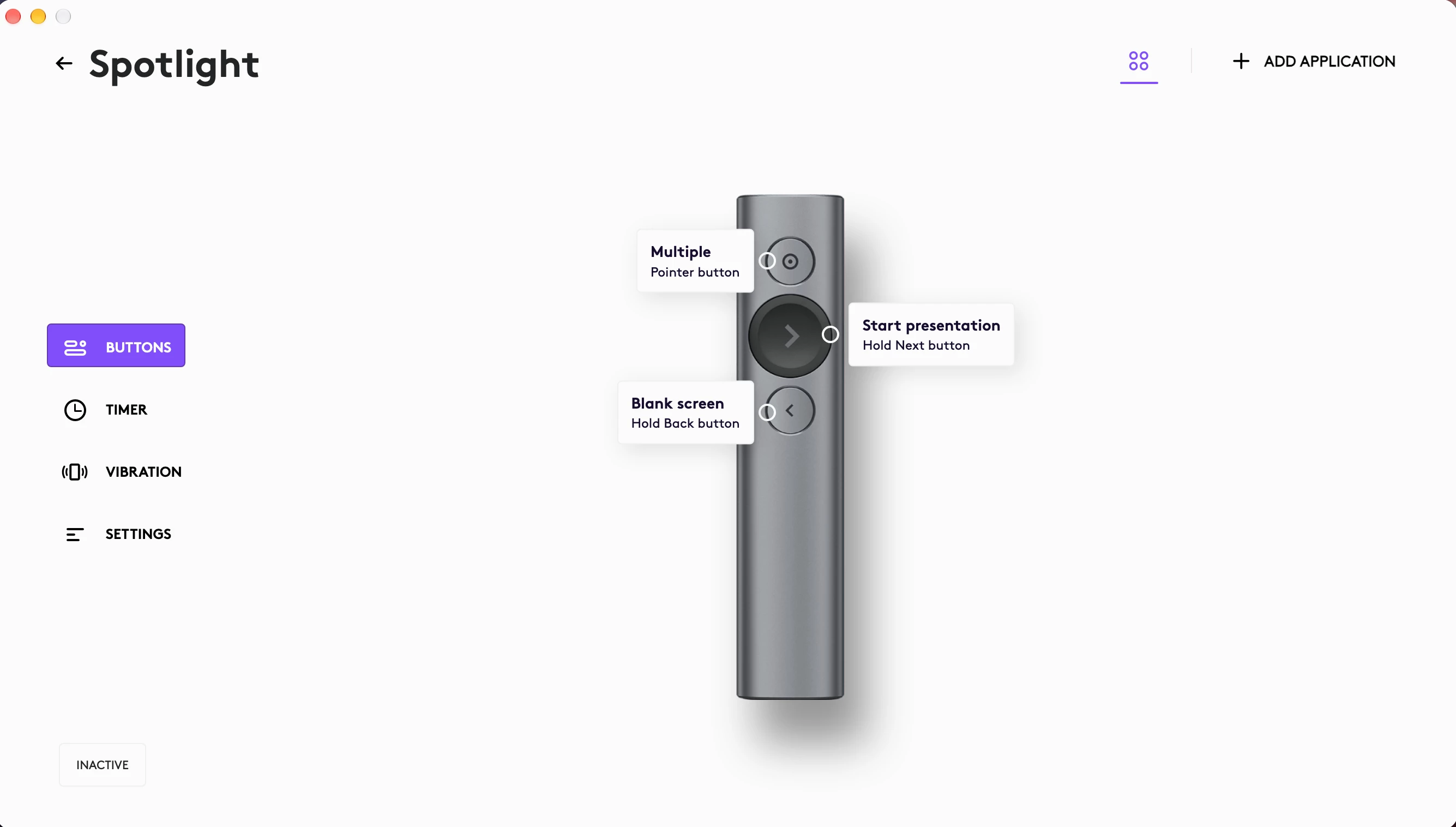
I use a Logitech Spotlight clicker with a zoom function.
I bring my own gear.
If I have a microphone and a beamer or screen to connect to, I can do my gig.
That is the goal.
Control what you can control.
Use the 3-2-1 mindset for your presentation
We all know the 3-2-1 rule from backup thinking.
Use that mindset for your presentation too.
Have the deck on your laptop, have a copy in the cloud and a copy on a USB key for tech support.
If possible, have a PDF export too.
If you have demos, consider recordings or screenshots.
If the event machine does not like your fonts, your animations, your videos, or your operating system, you need options.
Do not walk in with one copy of your deck and a prayer.
That is not preparation. That is gambling.
Check the room and technology
At the location, I check in with the tech team.
I ask what I need to know.
Any special things?
Camera boundaries?
Stage tape?
Lighting?
Timing?
Clicker?
Microphone?
Confidence monitor?
Presenter view?
Internet?
Any earlier challenges in the room?
Any screens that behave strangely?
Any sound issues?
Any limitations?
If I need power on stage, I ask where it is.
If I need an adapter, I check it.
If I need water, I ask if there is water on stage.
Anything I can check before, I check.
Preparation is king.
Work with the tech crew
Always introduce yourself to the tech crew. Do not treat them as background!
They can make or break you. Remember that. Tell them who you are.
Tell them if you are new or experienced.
Ask what they need from you.
Explain what you would love from them.
Set expectations.
I always tell them I move around.
I tell them I talk with my hands.
I tell them I am a drifter on stage, or better said, I move.
That is also why I often ask for a headset microphone instead of a handheld microphone.
If there are cameras, I ask about boundaries.
If there is stage tape, I ask where I can go.
If there are lighting cues, I ask how they work.
If I need to signal something, I agree on that.
By being there, introducing yourself, and working with them, you build trust.
And that trust is invaluable when something happens.
Because one day something will happen.
And when it does, you want the tech crew on your side.
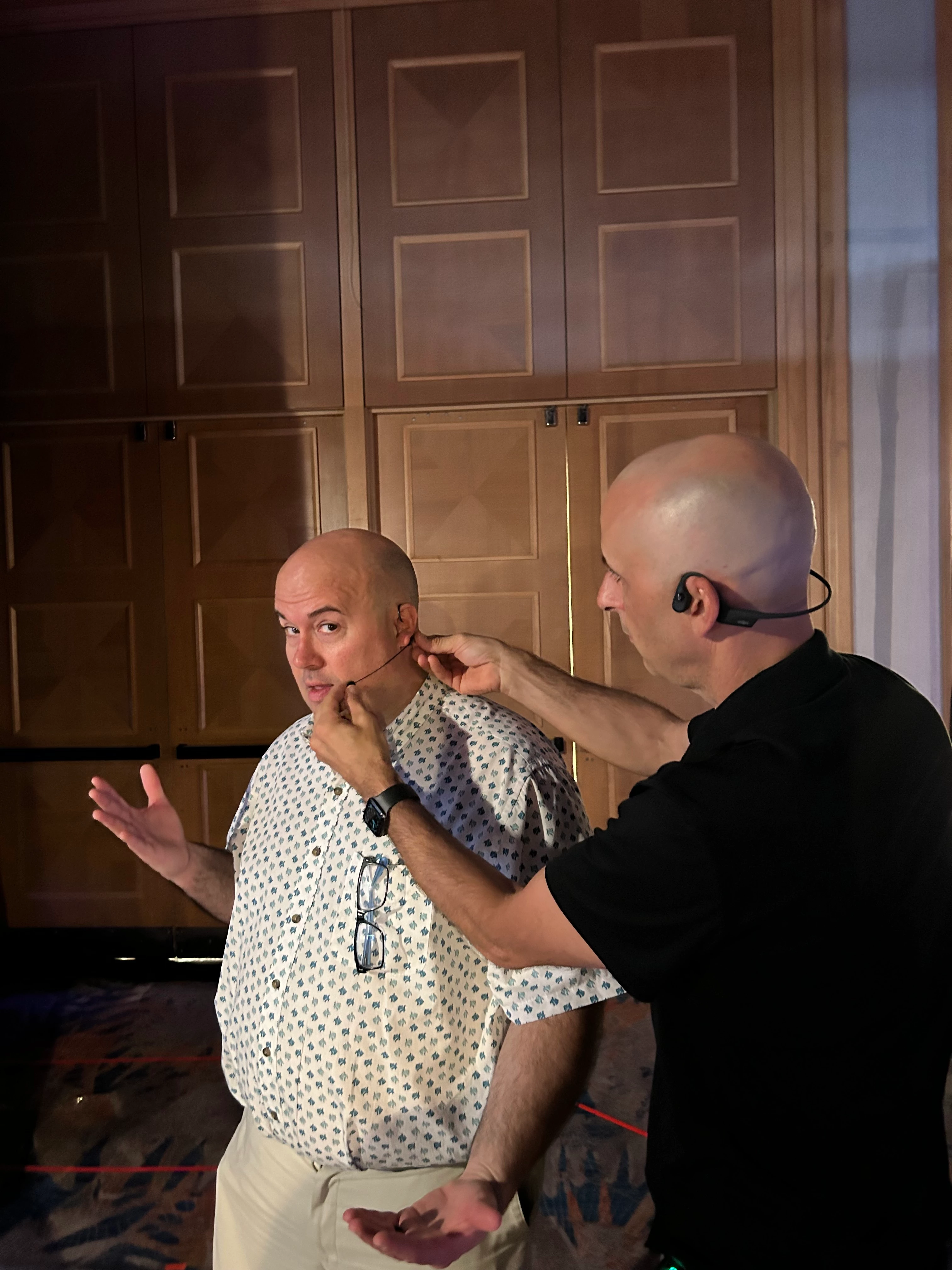
Microphones matter more than people think
Every microphone has pros and cons and every microphone changes how you present.
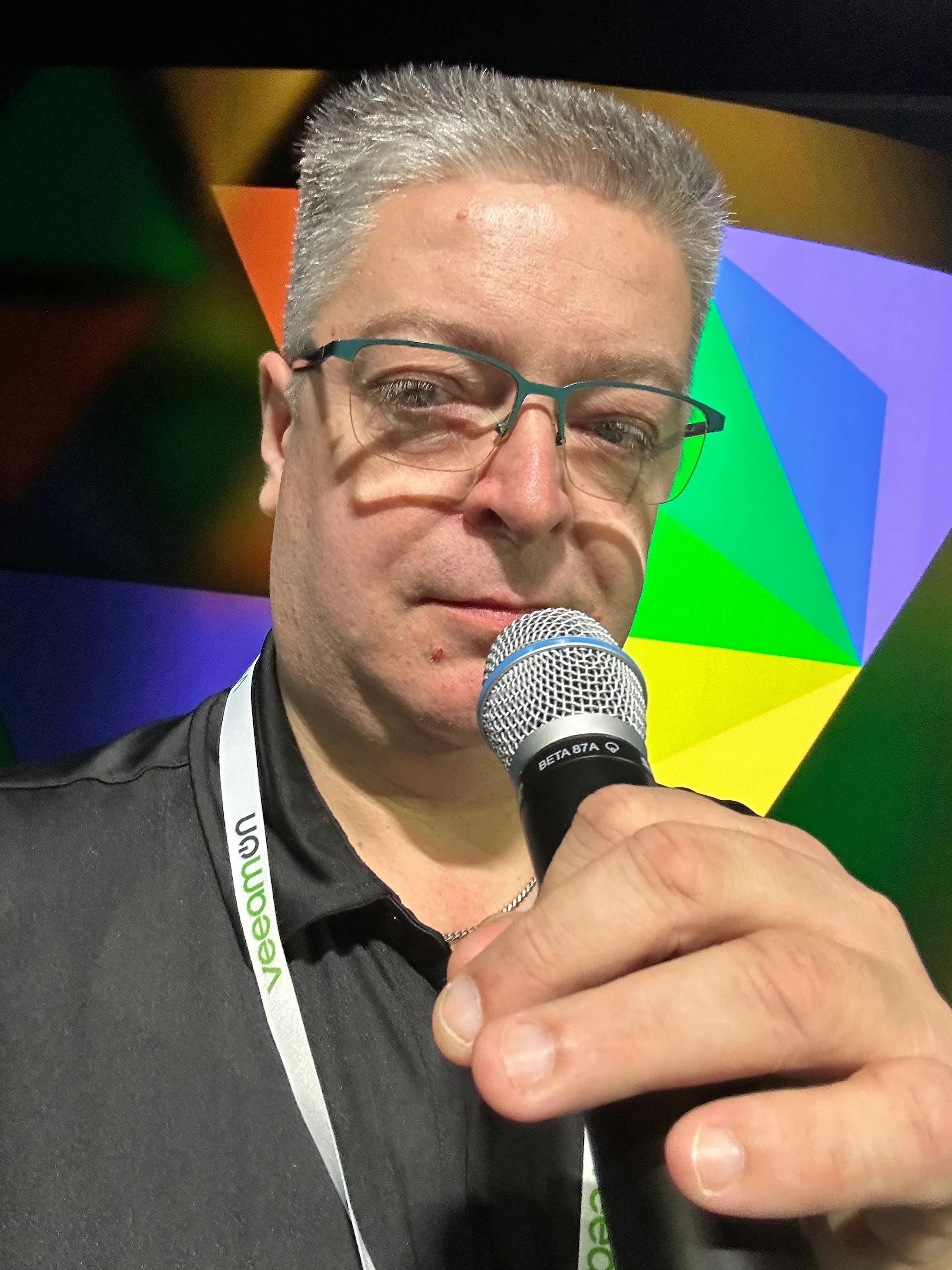
Handheld microphone
A handheld microphone gives you control.
You can move it closer or further away from your mouth.
You can use it almost like a singer.
But it also takes one hand away.
That matters if you use your hands a lot.
If you use a handheld mic, keep it close.
Think of it like eating an ice cream.
Almost lick it.
Do not let it drop to your chest or stomach and then wonder why nobody hears you.
Also remember that when you turn your head away, the microphone may not follow your mouth.
So move the mic with you, that is also easier when you see it as a lovely ice cream it turns with you if you turn your head.
Headset microphone
A headset microphone is often my favorite.
It keeps my hands free.
It supports movement.
It lets me talk with my hands.
But do not touch it constantly.
Do not adjust it every minute.
Let the tech crew place it properly.
Also remove your lanyard before being mic’d up.
A lanyard can interfere with the microphone.
It can create noise.
And visually, it often looks less professional on stage.
Your name is probably already on the slide.
You do not need the lanyard hanging there.
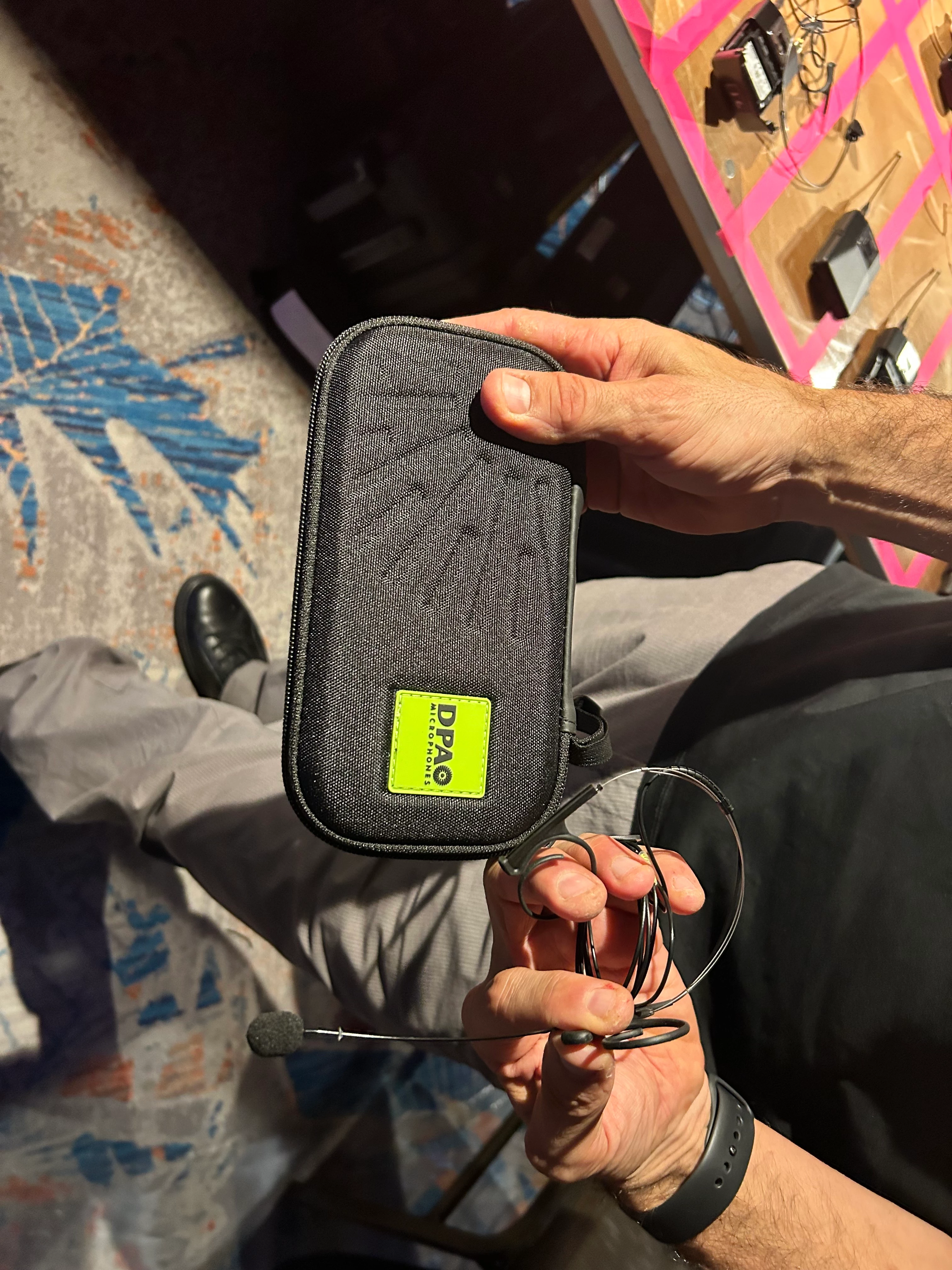
Lavalier microphone
A lavalier can work well, especially in smaller or more formal setups.
But be aware of clothing.
Where is it clipped?
Will it rub against your jacket?
Will your hair, necklace, or lanyard hit it?
Will it still pick up your voice if you turn your head?
A lavalier gives you freedom, but it can also betray you if placed badly.
Panel microphones
Panel microphones can be tricky.
Sometimes they are handheld.
Sometimes they are table microphones.
Sometimes everyone shares.
Know when your mic is live.
Know whether you need to push a button.
Know if there is a mute function.
And remember your body language still matters when you are not speaking.
You are still visible.
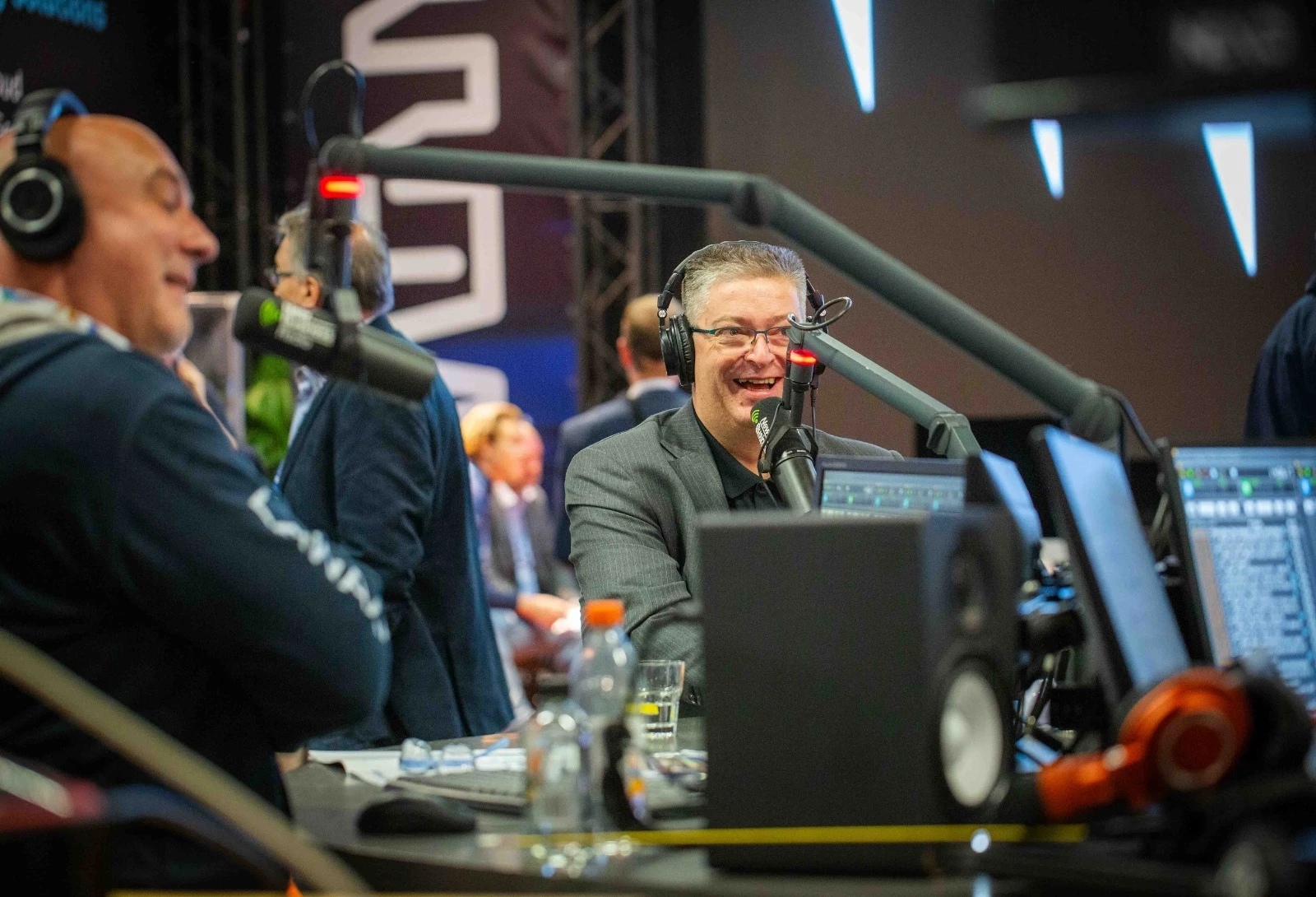
Table microphones
Table microphones are common in panels and boardroom settings.
Do not lean too far away from them.
Do not tap the table.
Do not play with your pen next to them.
Do not whisper side comments if the mic is live.
And always assume the mic might be live until proven otherwise.
No microphone
Sometimes there is no microphone.
Then you need to project.
But do not shout.
Open your posture.
Breathe.
Speak clearly.
Check the back of the room.
Ask if they can hear you, but do it once and then move on.
If the room is too big for no microphone, say so.
That is not being difficult.
That is protecting the audience experience.
Never forget the microphone may be live
One simple rule: Assume the microphone is live. Always.
Do not make jokes backstage with the mic on.
Do not complain about the room.
Do not make comments you do not want the audience to hear.
Do not walk off stage still talking if you do not know whether the microphone is muted.
The microphone has no mercy.
Screens and presenter view
Check what the confidence monitor shows. Do not assume.
Sometimes it shows the current slide.
Sometimes it shows the next slide.
Sometimes it shows presenter view.
Sometimes it shows something completely different.
I have had situations where the confidence screen showed the next slide, not the live slide.
Then your story and the screen can go out of sync.
To the audience, that looks silly.
So check it.
If you use notes, be careful.
Notes look awesome in theory, but I do not like relying on them too much. You start reading them, and people notice.
If you use notes, use big keywords.
Something you can glance at quickly.
Not a full script.
Keywords help you steer.
Scripts can trap you.
If there is no presenter view
If there is no presenter view or confidence monitor, do not panic.
See if you can place your own laptop somewhere facing you.
Maybe on a counter.
Maybe on a desk.
Maybe low on the stage if it does not distract.
That can help you know where you are.
If you need to look at the screen behind you, that is fine.
But do it properly.
- Stop talking.
- Look.
- Turn back.
- Speak to the audience.
Do not talk to the screen. The screen is not your audience!!
Check readability from the stage and the back
If you see from the stage that the screen is not readable, say something.
The tech crew may be able to help.
Sometimes they cannot because there are more presenters or the setup is fixed.
But ask.
Also check your deck from the audience perspective.
Are fonts readable?
Are colors clear?
Are logos not garbled?
Are screenshots visible?
Can the people in the back understand the slide?
Think from the audience perspective.
The slides are for them.
Handle them that way.
Coffee, soda, and water
Here is a practical pro tip I often give people who are new to presenting.
Stop drinking coffee thirty minutes before you go live. Switch to water.
Preferably water without bubbles.
Why?
Coffee can dry your throat and mouth.
Soda with bubbles can make things uncomfortable on stage.
You would not be the first presenter bubbling while speaking.
Water is like grease for your voice.
It makes everything more fluid.
It helps you.
Coffee and bubbles might harm you.
Small details matter.
Your presenter kit
Get your own presenter kit in order.
You will thank me later.
Mine includes the things I need to be ready to roll.
Charged Mac laptop.
Laptop charger.
Adapters and dongles for different screen setups or beamers.
Logitech Spotlight clicker.
Timer on my phone.
iPad.
iPhone.
Backup deck.
Cloud copy.
USB copy.
Power options.
Anything I know I may need.
I also use Podium Pro connected across devices so tech support can reduce my time or sometimes even give me more time.
That kind of setup gives control.
And control gives calm.
Demos are a different beast
Demos are a whole different beast to tame.
I can do them.
But I am not going to pretend I am the absolute superstar of demos.
There are people much more experienced with live demos, and I would love them to add their tips in the comments.
But here is what I do know:
Always have a fallback.
If you do a live demo, have a recorded demo ready.
If the recording fails, have screenshots ready.
If all of that fails, know the story well enough to explain it without the demo.
Keep demos short and fast.
People have a short attention arc.
Recognize that.
A demo should prove or clarify something.
It should not become a slow walk through every menu item on earth.
- Also test credentials.
- Test internet.
- Test sound.
- Test resolution.
- Test browser zoom.
- Test the environment.
And if the demo needs to fail in a specific way to show something, make sure it actually fails in the way you expect.
That sounds funny, but people who do demos know exactly what I mean.
Check the final deck
Always check the final deck.
Not the deck you think will be used.
The actual deck.
The one that will be loaded on the event machine.
The one that may have been copied into a master template.
The one that may have lost fonts, images, animations, or formatting.
- Check the flow.
- Check logos.
- Check text.
- Check colors.
- Check if everything is still readable.
- Check videos.
- Check animations.
- Check slide order.
- Check hidden slides.
- Check notes if needed.
- Check aspect ratio.
- Check if anything looks different.
If something breaks that you could have checked, that is on you.
Not the tech crew. Not the event organizer. You.
Mental preparation
Before going on stage, I try to get into the right state.
Sometimes that means walking the room.
Sometimes talking to people.
Sometimes being quiet.
Sometimes breathing.
Sometimes visualizing the opening.
Sometimes checking the energy.
Sometimes just taking a moment to land.
You do not want to walk on stage while your mind is still in your inbox.
Be there. Be present. Be ready.
I also remind myself that people are not there to see me fail.
They want the session to be good.
They want me to succeed.
That helps.
Physical preparation
Your body is part of the preparation too.
- Voice.
- Posture.
- Energy.
- Clothing.
- Shoes.
- Microphone placement.
- Pockets.
- Water.
Where your phone goes.
Where your clicker goes.
Can you move comfortably?
Will your jacket interfere with the mic?
Will your shoes make too much noise?
Can you stand for the full session?
Can you breathe properly?
Did you drink water?
Did you avoid too much coffee?
This may sound small, but on stage, small things become big fast.
Different rooms, same foundation
Every room has the same basic preparation.
But the nuances change.
- A large keynote room means more attention to cameras, lights, stage boundaries, confidence monitors, and timing.
- A small breakout room means more intimacy and probably more direct interaction.
- A flat room means you need to think carefully about visibility and connection.
- A theater setup gives you more freedom to use the full stage.
- A roundtable needs less performance and more listening.
- A panel requires awareness of the moderator, other panelists, microphones, and timing.
- A webinar needs chat, polls, camera framing, audio, and energy through a screen.
- A hybrid session means you need to think about both the people in the room and the people online.
- A room with live recording or streaming adds another layer.
Are you being recorded?
Are you being streamed?
Are you shown on big screens?
Are there cameras following you?
Where can you move?
Think about VeeamON 2019 type setups, where the room, cameras, and screens add extra production elements. Those things change how you prepare.
The foundation is the same.
The details change.
And the details matter.
Preparing for things going wrong
I do not actively think about every possible failure anymore. Experience changes that. I think I have experienced almost every possible failure in the book.
- No internet.
- Demo fails.
- Deck fails.
- Screen fails.
- Microphone issues.
- Clicker issues.
- Timing changes.
- Audience changes.
- Session before me runs late.
- Room too empty.
- Room too full.
- Slides broken.
- Presenter view wrong.
- Lights in my eyes.
You name it. But you cannot lead your session from fear.
Do not prepare by being afraid of everything that can go wrong.
Prepare so you are ready if something does.
Then see problems as opportunities and handle them if they appear.
That is a very different mindset.
Beginner advice
If you are new, start with the basics.
- Create a checklist.
- Know your opening.
- Practice out loud.
- Rehearse timing.
- Check the room.
- Check the final deck.
- Practice without slides.
- Know what you can skip.
- Prepare a backup of your deck.
- Talk to the tech crew.
- Get your own presenter kit.
And please, do not arrive two minutes before your session and expect magic.
Magic on stage often starts with boring preparation backstage.
Do the boring work. It will save you later.
What presenters should avoid
Do not only check slides on your laptop.
Do not arrive too late.
Do not assume the technology will work.
Do not assume the final deck is fine.
Do not depend fully on internet.
Do not depend only on speaker notes.
Do not over rehearse until you become robotic.
Do not forget what you can skip.
Do not ignore the tech crew.
Do not forget to prepare for questions.
Do not show slides you are skipping.
Do not blame others for things you could have checked yourself.
And never assume. Always verify.
The key lesson
If there is one thing I want you to remember from this part, it is this:
Preparation gives you freedom. The better you prepare, the more natural you can be when the unexpected happens, because preparation is not about becoming stiff or robotic. It is not about scripting every breath. It is not about killing spontaneity. It is the opposite. Preparation gives you room to play.
It gives you confidence to adapt. It gives you control over the story, the timing, the technology, and yourself.
- You know where you start.
- You know where you want to land.
- You know which slides can breathe for five minutes and which ones can become thirty seconds.
- You know what to do if the screen fails.
- You know how to continue if presenter view disappears.
- You know where your backup deck is.
- You know the tech crew.
- You know the room.
- You know your story.
And then, when something goes wrong, you do not collapse.
- You breathe.
- You read the room.
- You adjust.
- You continue.
The audience does not see all the preparation behind the curtain.
But they certainly feel it.
- They feel it in your calm.
- They feel it in your timing.
- They feel it in your confidence.
- They feel it when something breaks and you do not panic.
That is the difference between someone who shows up and talks, and someone who owns the stage.

