



Throughout this tape series, I explored installation, troubleshooting, tape cleaning procedures, advanced diagnostics, and real-world operational scenarios involving Veeam tape environments.
But there is another side of tape infrastructure that usually only receives attention when something starts going wrong: tape library administration.
And many times, the problem is not directly related to the backup job itself.
Issues often appear around:
-
media movement
-
firmware inconsistencies
-
robotics communication
-
tape-out operations
-
media rotation
-
hardware lifecycle
-
operational mistakes
In enterprise environments, tape infrastructure eventually becomes much more than just a backup target.
It becomes an operational platform that requires maintenance, organization, validation, and process consistency.
Understanding Control Path and Data Path
One of the first important concepts in enterprise tape environments is understanding the difference between control path and data path.
The control path is responsible for communication with the library robotics.
This includes:
-
media movement
-
inventory operations
-
slot management
-
import/export operations
-
load and unload actions
The data path is used by the tape drives to actually perform read and write operations.
In practice:
-
the library manages media movement
-
the drives handle the data itself
Although this sounds simple, control path issues can generate very confusing behavior during tape operations.
I have seen situations where:
-
tapes failed to move correctly
-
inventory operations became inconsistent
-
drives did not receive media properly
-
export procedures failed intermittently
And many times, the issue was not related to Veeam itself.
Understanding this separation helps a lot during operational analysis and troubleshooting.
Operational Validation Is Also Important
One thing I learned working with tape environments is that operational validation matters just as much as backup validation.
Many problems do not initially appear as failed jobs.
Sometimes the environment appears healthy while inconsistencies already exist involving:
-
robotics communication
-
media recognition
-
tape movement
-
export/import behavior
-
firmware mismatches
Because of that, periodically validating operational behavior becomes part of maintaining a healthy tape infrastructure.
Simple procedures like:
-
validating inventory operations
-
testing tape movement
-
checking export/import functionality
-
reviewing library alerts
-
validating drive recognition
can help identify problems before they impact backup or restore operations.
In many cases, operational consistency becomes just as important as the backup configuration itself.
Firmware Management in Tape Environments
Firmware is another area that deserves attention in tape environments.
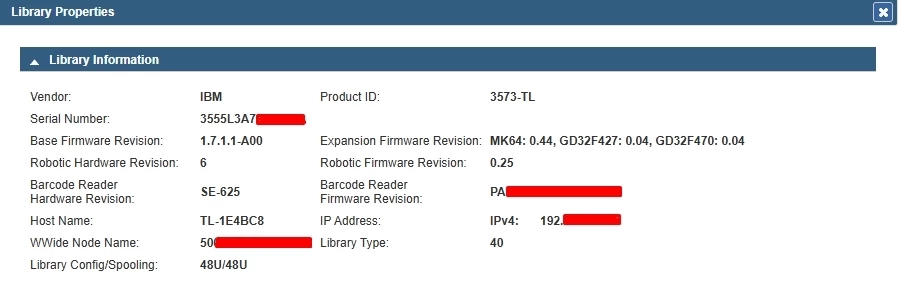
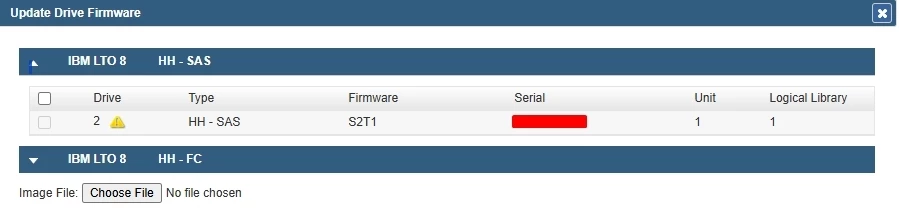
Drives, robotics, HBAs, and SAS expansions all have their own firmware and microcode versions.
And in some environments, inconsistencies between versions can generate:
-
intermittent failures
-
instability
-
communication problems
-
unexpected operational behavior
I have seen cases where the hardware initially appeared healthy, but behavior changed completely after firmware updates or compatibility adjustments.
This is one of the reasons why validating firmware versions became part of my operational checks in tape environments.
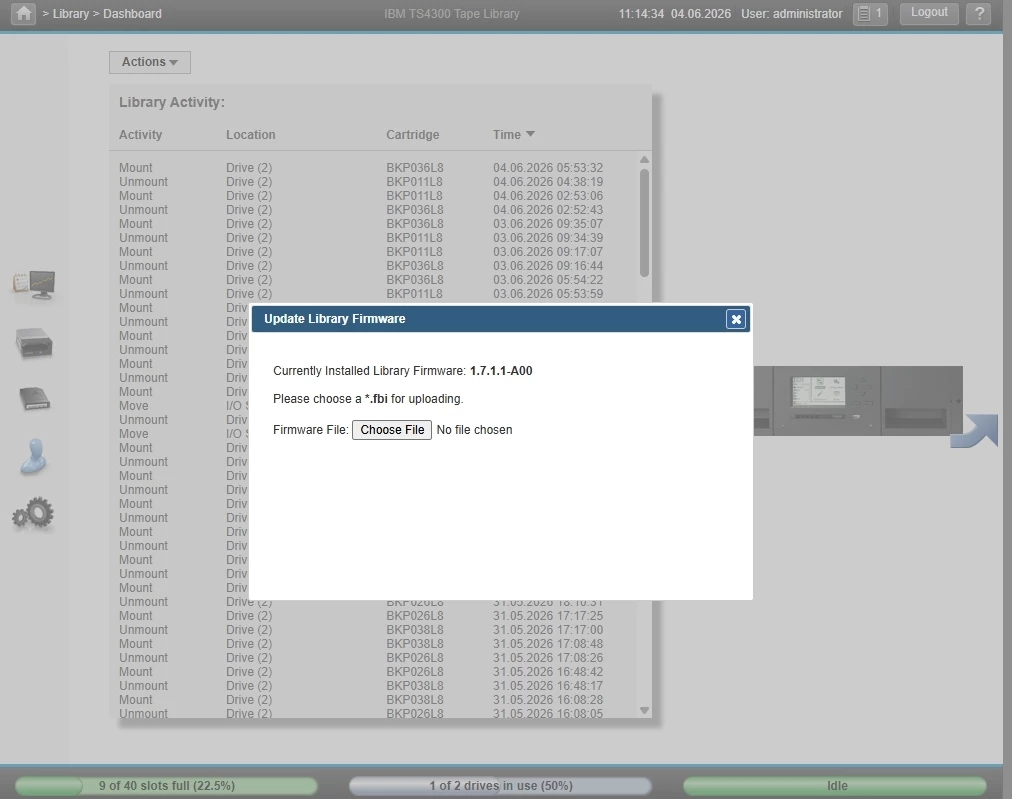
But firmware changes should always be performed carefully.
Updating firmware simply as a generic troubleshooting attempt is not a good practice.
Ideally, any firmware-related procedure should follow official vendor recommendations and compatibility documentation.
These procedures do not replace vendor support.
Tape-Out Operations and Media Rotation
One of the biggest advantages of tape backup is physical isolation.
And this is exactly where tape-out operations become extremely important.
In many enterprise environments, tapes are regularly exported from the library for:
-
offsite storage
-
long-term retention
-
vaulting
-
compliance
-
ransomware isolation
But tape-out operations involve much more than simply removing media from the library.
Without proper operational control, this may generate:
-
incomplete backup chains
-
lost media
-
restore difficulties
-
overwritten tapes
-
retention inconsistencies
Especially in environments using GFS retention or long-term archives, understanding which tapes belong to specific backup chains becomes extremely important before exporting any media.
Many times, the problem is not technical.
It is operational.
In several environments I manage, tape-out operations are part of the regular retention strategy. Weekly, monthly, and yearly tapes are exported from the tape library and transferred to secure storage locations.
This process not only improves security through offline storage, but also helps address a common challenge in tape environments: physical library capacity. Many organizations simply do not have enough slots available to permanently store every long-term retention tape inside the library.
An important aspect of Veeam Tape Backup is that exporting a tape does not remove its information from Veeam Backup & Replication.
Media records, retention information, tape inventories, and catalog metadata remain stored in the Veeam configuration database. Once exported, the media simply appears as offline until it is reintroduced into the environment.
For organizations managing large numbers of tapes, Vault locations provide an additional layer of operational control. Vaults allow administrators to track the physical location of exported media, making it easier to identify where specific tapes are stored during audits, compliance reviews, or restore operations.
As tape environments grow, proper tape vault management becomes just as important as the backup process itself.
Media Tracking and Operational Consistency
Another important aspect in tape environments is maintaining proper media tracking.
Especially in environments involving:
-
multiple media rotations
-
offsite storage
-
large tape quantities
-
long retention periods
Without operational consistency, the environment quickly becomes difficult to manage.
I have seen situations involving:
-
incorrect media exports
-
inconsistent barcodes
-
tapes reused accidentally
-
incomplete backup chains
-
misplaced media
And all of this directly impacts recovery operations later.
Tape remains one of the most reliable technologies for long-term retention and offline protection.
But process consistency plays a huge role in maintaining a healthy environment.
Why Veeam Configuration Backup Matters in Tape Environments
Another operational aspect that is often overlooked is the importance of protecting the Veeam Configuration Backup.
In tape backup environments, Veeam stores critical metadata about media inventories, tape locations, retention records, catalog information, and backup history within its configuration database.
Losing the Veeam server does not mean the backup data stored on tape is lost.
The backup data remains safely recorded on the physical media and can still be recovered.
However, without a valid Veeam Configuration Backup, rebuilding the tape environment can require significantly more operational effort.
When existing tapes are introduced into a fresh Veeam Backup & Replication installation, the software has no previous knowledge of those media. As a safety mechanism, imported tapes are initially placed into the Unrecognized media pool.
Administrators must then perform inventory and catalog operations so Veeam can analyze the contents of each tape and rebuild its understanding of the available backup data.
After the cataloging process is completed, the backup data becomes available for restore operations again through the Imported media pool.
Recovery is absolutely possible, even without the original Veeam server. However, maintaining regular Veeam Configuration Backups dramatically simplifies disaster recovery procedures and reduces the time required to regain visibility into large tape environments.
For organizations managing hundreds or even thousands of tapes, configuration backups become a critical component of the overall tape protection strategy.
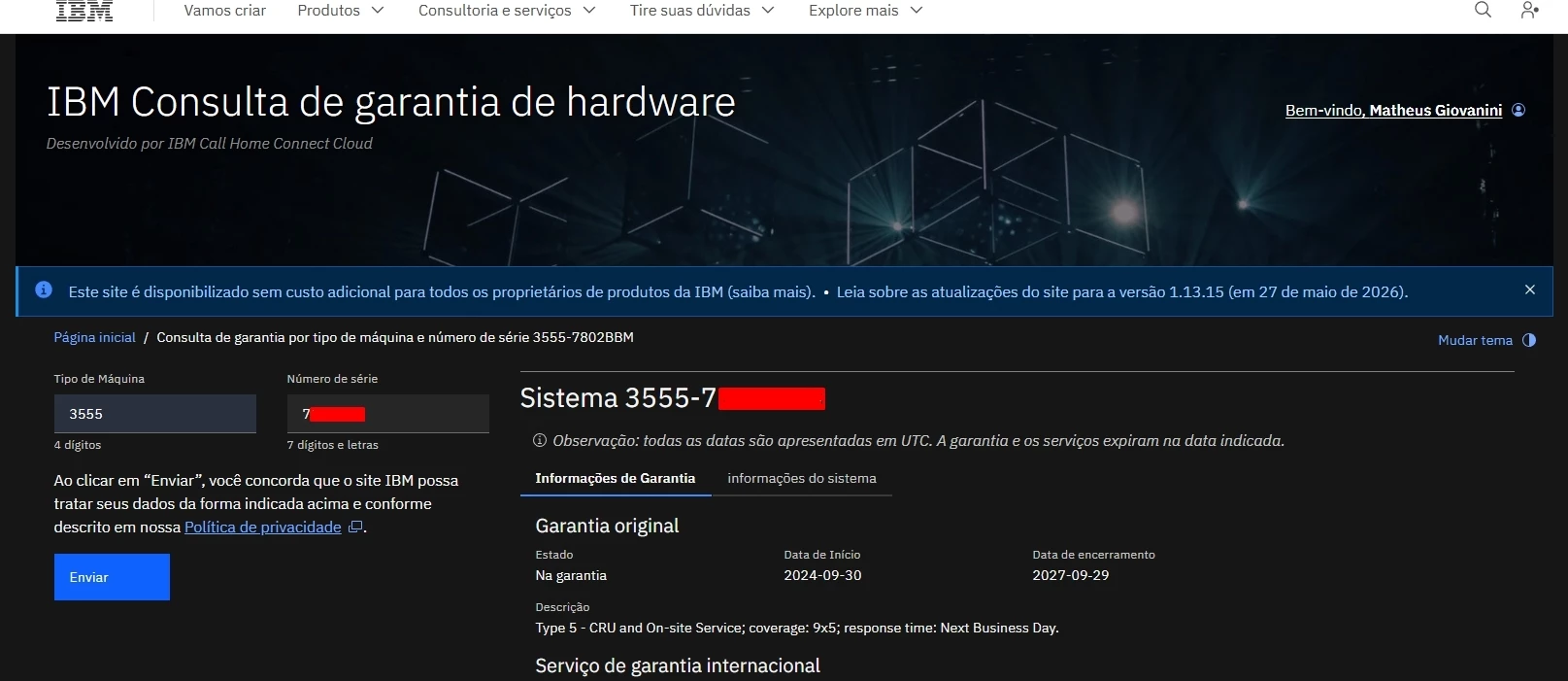
Warranty Lookup and Hardware Lifecycle
Another operational practice that I consider important in tape environments is validating hardware lifecycle and warranty status.
Especially in older infrastructures.
Sometimes environments start presenting:
-
recurring failures
-
instability
-
slow behavior
-
compatibility issues
And during analysis, it turns out that:
-
the hardware is already out of support
-
firmware versions are outdated
-
specific components reached end-of-life
Today, most major vendors provide warranty lookup tools using serial numbers.
And this type of validation helps a lot during troubleshooting and maintenance planning.
Final Thoughts
Tape environments require much more than simply configuring backup jobs and waiting for them to complete successfully.
Behind every successful tape backup strategy, there is an entire operational layer involving:
-
tape library administration
-
firmware management
-
robotics communication
-
media movement
-
tape-out operations
-
vault management
-
retention planning
-
media tracking
-
lifecycle validation
-
configuration protection
Many tape-related issues are not caused by backup software failures.
They originate from operational processes, media handling, hardware management, or missing documentation.
As tape infrastructures grow, maintaining visibility into media locations, retention policies, exported tapes, and configuration data becomes just as important as protecting the backup data itself.
Tape remains one of the most reliable technologies for long-term retention, offline protection, ransomware resilience, and regulatory compliance.
However, achieving those benefits requires more than simply writing data to tape.
It requires consistent administration, operational discipline, and a well-defined management process.
Especially in enterprise environments, tape administration becomes much more than backup management.
It becomes infrastructure management.

