



Snapshots and Veeam
I have been a long time fan of storage snapshots. With the hot topic of immutability, having immutability on the source of the data means that even Veeam and Veeam Service accounts can’t modify the snapshots. If you follow storage and security best practices, you will be in a great spot for your production storage , and have additional immutable storage elsewhere for Veeam backups on a repository.
But wait, storage snapshots are not just a feature that can be accessed from the SAN itself. When integrated with Veeam Backup & Replication, they become fast, flexible recovery points directly visible in the Veeam console. Using IBM FlashSystem as an example, here’s how snapshot-based workflows add real value without adding complexity.
Backup and Recovery from Storage Snapshots
With Storage Snapshot integration, Veeam can trigger application-aware storage snapshots and use them as the backup source. Instead of reading from production disks, Veeam mounts the snapshot to a proxy and performs the backup from there.
-
Significantly reduced backup impact on production
-
Faster snapshot creation than traditional VM snapshots
-
Shorter backup windows in high-I/O environments
Snapshots appear in Veeam right alongside traditional restore points, so restores follow the same familiar workflows.
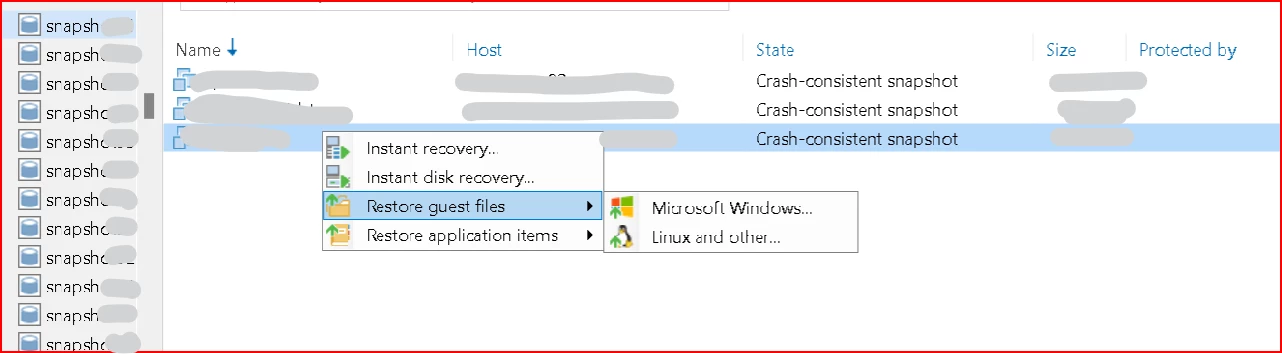
As you can see below, Instant recovery from storage snapshot, or restoring guest or application items are all there. It will take a second to mount the snapshot, but it’s blazing fast once it’s mounted if you have fast production storage.
Snapshot-Only Jobs and Flexible Retention
Veeam allows multiple snapshot strategies:
-
Snapshot-only jobs for ultra-fast, short-term local protection
-
Jobs that back up from snapshots and leave them behind on the storage.
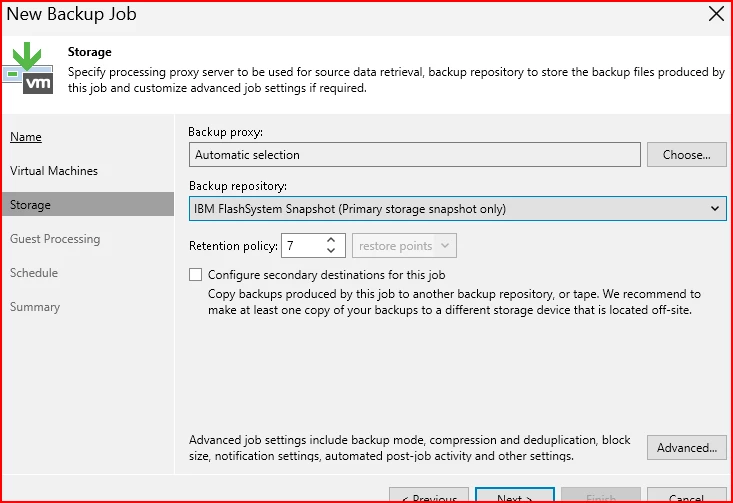
When creating the job, chose the IBM FlashSystem Snapshot on the Primary as the repository options. I recommend choosing a proxy that has Fiber zoned into the storage.
This provides two layers of recovery:
-
Near-instant restores from the Production Storage
-
Longer-term retention in Veeam repositories and SOBR’s.
-
The option to have both immutable storage on production storage, and Veeam Repositories.
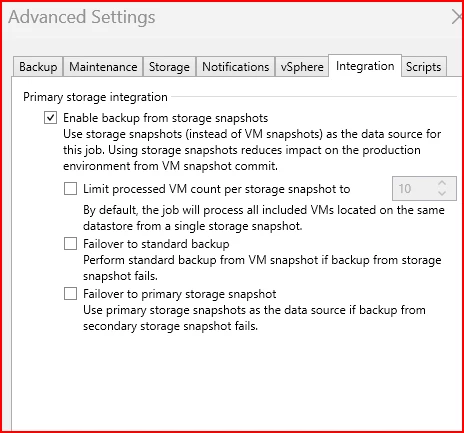
Remember, Make sure you have enabled snapshots in the job settings, and make decision if you would like to, or have the ability to fail over to a regular VM snapshot. (This will use networking and may require a different setup than the storage snapshots over fiber)
SureBackup, Labs, and Testing from Snapshots
Veeam can use FS7200 snapshots as the source for SureBackup jobs and Veeam Labs. VMs are powered on directly from snapshots, allowing:
-
Automated backup verification
-
Patch and upgrade testing
-
Incident response and forensics
All without touching production workloads or restoring full VMs first.
File and VM Restores Made Simple
Because snapshots are indexed in Veeam:
-
Individual files can be restored directly from snapshots
-
Entire VMs can be quickly recovered from FS7200 snapshots
From an admin perspective, there’s no difference in the restore experience. Veeam handles both repository-based backups and storage snapshots through the same UI. From personal experience, restores from storage snapshots are significantly faster. Running these every hour on production doesn’t add much overhead either allowing frequent immutable points in time for quick restores.
SAN-Managed Snapshots and Immutability
FS7200 can also create snapshots independently using SAN-side policies, including immutable snapshots. Even when the array creates and manages them:
-
Veeam discovers and displays the snapshots
-
They can be used for restores, SureBackup, and labs
This adds a strong defense-in-depth model: immutability at both the storage and backup layers, with centralized recovery through Veeam.
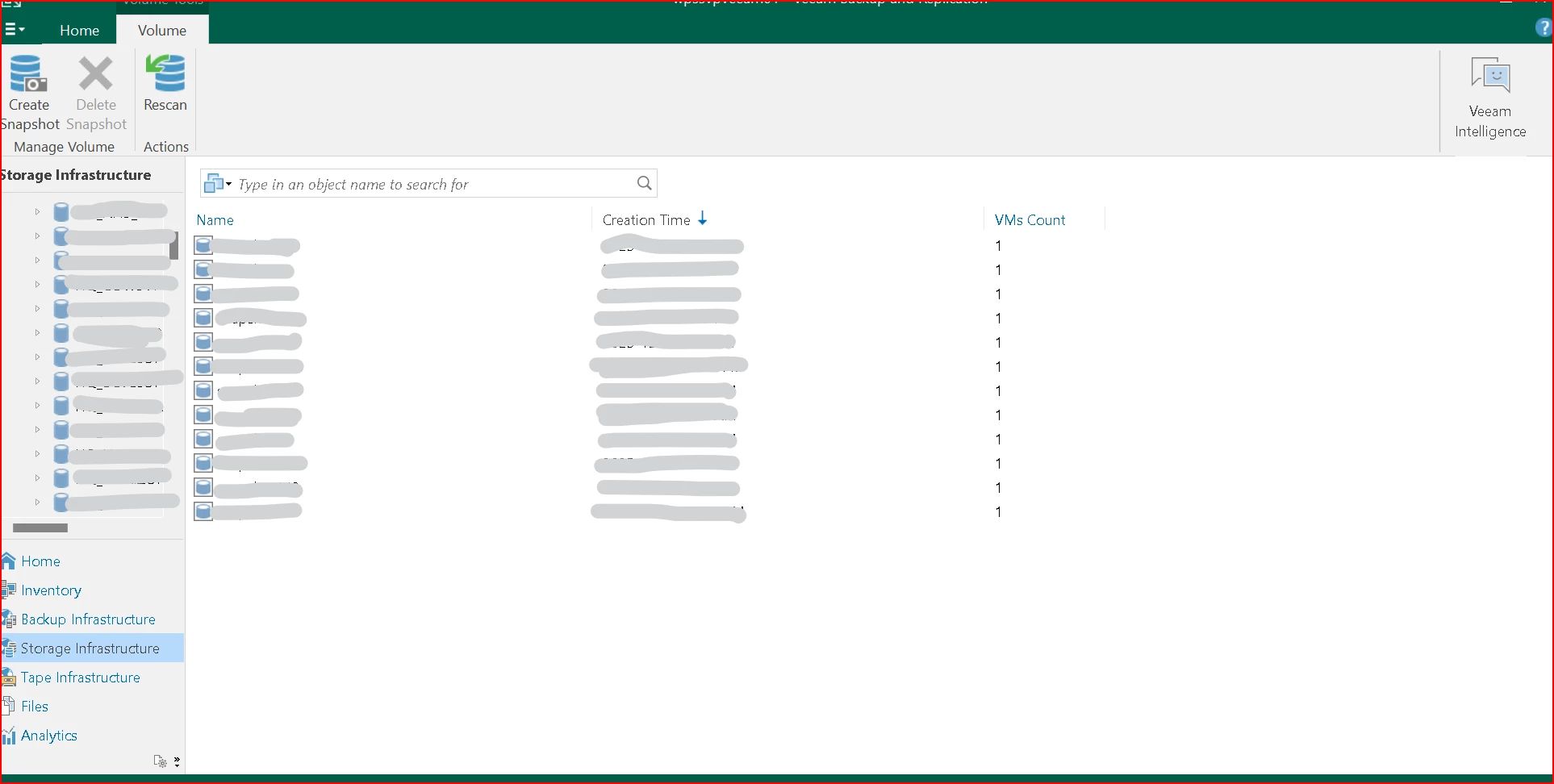
These were created on a policy set at the storage level, and restores can be done with all of the usual options.
Takeaway
By combining Veeam with IBM FlashSystem , storage snapshots become more than just fast local copies, they become fully orchestrated recovery points. The result is faster backups, simple restores, built-in testing, and stronger ransomware resilience, all managed from a single Veeam console.





