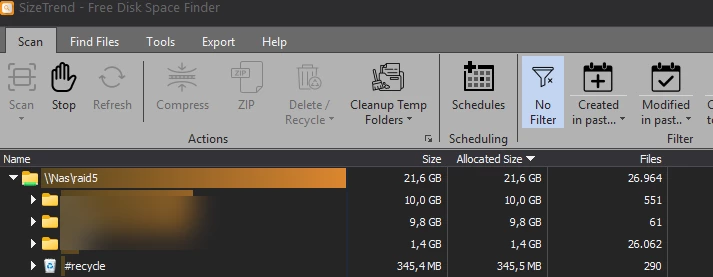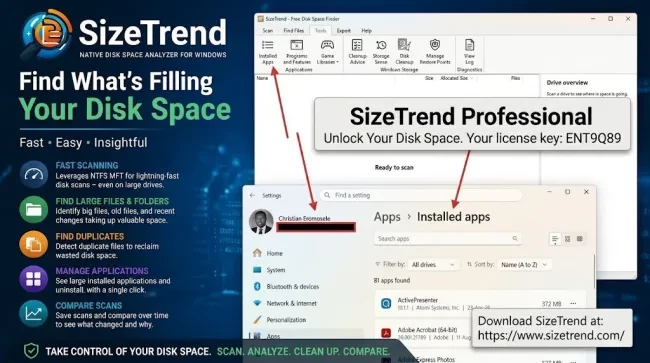
When a Windows server or workstation suddenly consumes system storage, system administrators immediately face the challenge of isolating the cause. Standard built-in Windows diagnostic utilities show high-level storage categories, but they often fail to pinpoint the exact directories, application logs, or recent file system changes responsible for rapid disk growth.
Disclosure: SizeTrend provided a complimentary 10-machine Professional license to support this technical evaluation. The analysis below reflects an independent evaluation of the utility’s setup, feature set, and operational value for enterprise environments.
Traditional utilities like TreeSize, WinDirStat, and WizTree solve part of this problem by enumerating current file sizes. However, SizeTrend Professional introduces historical disk scan comparison to address a more critical administrative question: “What changed on the file system?
SizeTrend vs. Traditional Disk Space Tools
Many Windows administrators already have their preferred disk analysis tool. The most familiar names include the below and each has its own strengths:
While tools like WinDirStat and WizTree etc., provide quick file system snapshots, SizeTrend Professional delivers deeper forensic tracking through saved scan comparisons. The table below provides a technical comparison between SizeTrend and other alternatives.
| Feature | SizeTrend | WinDirStat | WizTree | TreeSize |
|---|---|---|---|---|
| Windows disk analysis | ✓ | ✓ | ✓ | ✓ |
| Fast NTFS scanning | ✓ | — | ✓ | ✓ |
| Large file detection | ✓ | ✓ | ✓ | ✓ |
| File search | ✓ | Limited | ✓ | ✓ |
| Duplicate detection | ✓ | — | — | Professional |
| Scan comparison | ✓ | — | — | Professional |
| Recent file analysis | ✓ | — | ✓ | ✓ |
| File-content search | ✓ | — | — | Professional |
| Cleanup guidance | ✓ | Limited | Limited | ✓ |
| Windows application links | ✓ | — | — | — |
Feature availability can vary by product edition and version, so this table should be treated as a high-level comparison rather than a licensing matrix.
For the complete guide, installation and license activation, please see “SizeTrend: A Fast Windows Disk Space Analyzer for Storage Analysis”