



Now we move on to blog #5 and this time I am discussing the 3-2-1-1-0 rule using Veeam & Wasabi.
Blog post - Building a 3-2-1-1-0 Backup Strategy with Veeam 13.1 and Wasabi
Building a 3-2-1-1-0 Backup Strategy with Veeam 13.1 and Wasabi
The classic 3-2-1 backup rule has been the gold standard in data protection for years: 3 copies of data, on 2 different media types, with 1 offsite copy. It is solid advice, but the ransomware landscape has pushed the industry toward a stronger version: 3-2-1-1-0.
Let’s break down what that means and how to implement it practically with Veeam 13.1 and Wasabi.
The 3-2-1-1-0 Rule Explained
-
3 — Maintain at least three copies of your data
-
2 — Store copies on at least two different types of media
-
1 — Keep at least one copy offsite
-
1 — Keep at least one copy offline, air-gapped, or immutable
-
0 — Zero errors after automated backup verification
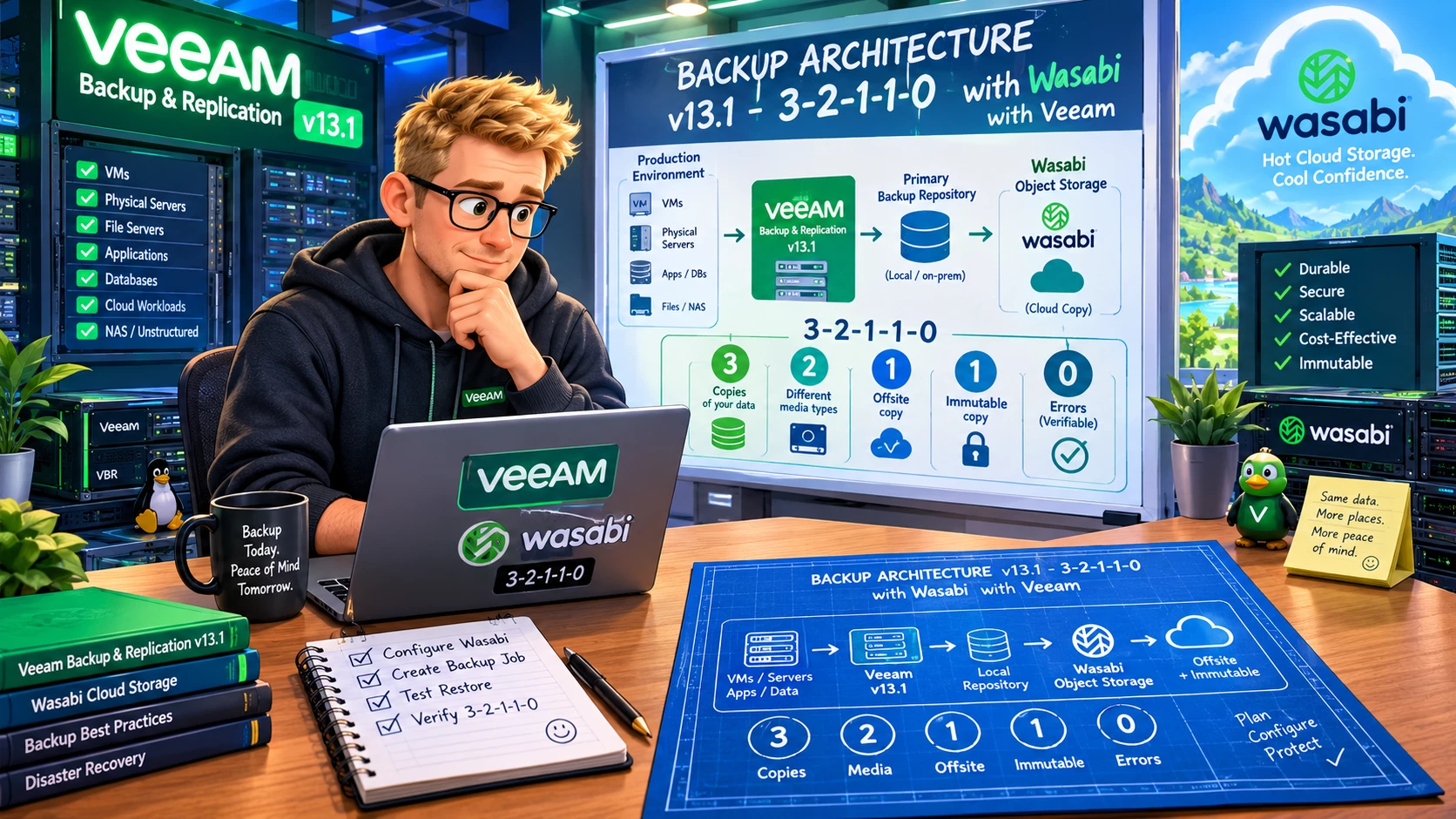
The additions to the classic rule — the second “1” and the “0” — reflect the reality of modern threats. Ransomware specifically targets backup infrastructure, and attackers increasingly have the time and sophistication to find and destroy connected backup copies before triggering their payload. An immutable or air-gapped copy breaks that attack chain.
The “0 errors” element is about verification — you should not just assume your backups are good. Veeam’s SureBackup and automated restore testing handle this.
How Veeam 13.1 and Wasabi Cover Each Layer
Here is how to map the 3-2-1-1-0 requirements to a Veeam + Wasabi architecture:
Copy 1: Local Backup (Performance Tier)
Your primary backup lands on a local backup repository — ideally a Linux-based hardened repository (or the new Veeam Software Appliance) with immutability enabled. This is your fast-access copy for immediate restores.
In Veeam, this is typically part of a Scale-Out Backup Repository (SOBR) performance tier, backed by local storage with XFS formatting for immutability.
Copy 2: Secondary Local or Tape
The second copy lives on different media — either a secondary local storage system or tape. Tape is not dead; for longer-term retention and true offline storage, it remains one of the most cost-effective options. If tape is not in your environment, a secondary storage system in the same site works too.
Copy 3: Wasabi (Offsite, Capacity Tier)
This is where Wasabi shines. Configure Wasabi as the SOBR capacity tier, and Veeam automatically offloads backups to Wasabi based on your policy (typically by age). This gives you:
-
Offsite copy (check)
-
Different storage medium — cloud object storage (check)
-
Predictable cost with no egress surprises (bonus)
The Immutable Copy: Wasabi with Object Lock
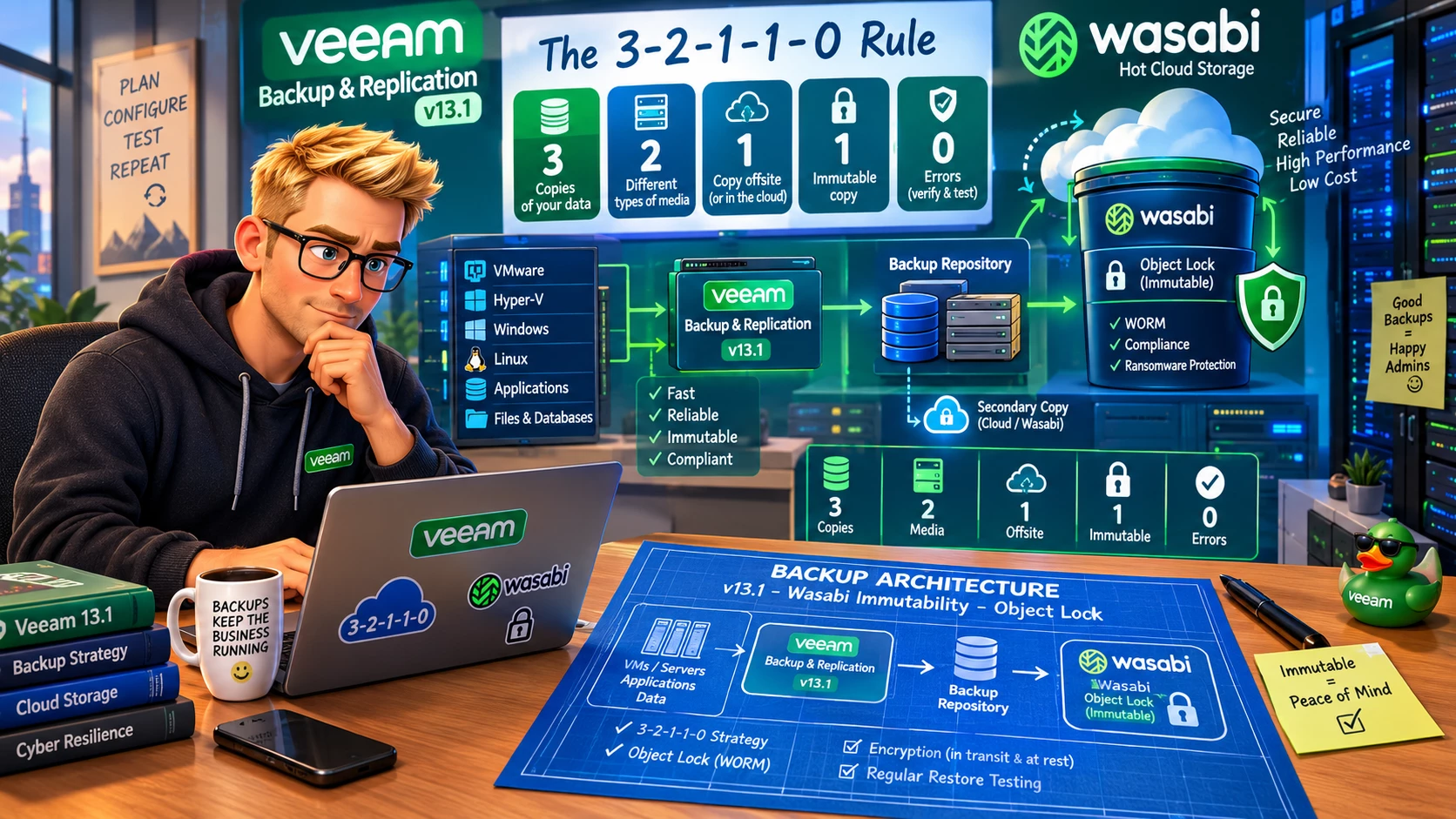
Enable Object Lock on your Wasabi bucket, and your offsite copy becomes immutable. Ransomware cannot delete or encrypt Object Lock-protected data — the S3 API enforces retention periods at the storage layer, independent of any credentials that might be compromised.
With Veeam 13.1, configure the object storage repository with the immutability setting enabled and set your retention period. Veeam will write backup data with Object Lock WORM (Write Once Read Many) protection.
This covers the second “1” — an immutable copy.
The “0”: SureBackup Automated Verification
Enable SureBackup jobs to automatically test your backups. SureBackup spins up VMs from backup in an isolated sandbox and runs tests — verifying that the VM boots, that applications start, and that you have a known-good restore point.
Zero unverified backups is the goal. SureBackup gets you there without manual effort.
Adding Wasabi Covert Copy for the Strongest Protection
If you want to go beyond the 3-2-1-1-0 baseline, Wasabi’s Covert Copy feature adds an additional layer on top of your Wasabi bucket. This creates a hidden, immutable copy of your Wasabi bucket that is invisible to anyone — including attackers who have compromised your Wasabi credentials.
Think of it as a 3-2-1-1-1-0 strategy, where you have:
-
Your regular Wasabi bucket (immutable via Object Lock)
-
A Covert Copy of that bucket (invisible and additionally protected by multi-user authorization)
For environments where backup data is business-critical and recovery must be guaranteed, this extra layer is worth the additional storage cost.
Practical Configuration Summary
| Layer | Technology | Veeam Component |
|---|---|---|
| Primary backup | Local hardened repo / VSA | SOBR Performance Tier |
| Secondary copy | Tape or secondary storage | Backup Copy Job |
| Offsite + Immutable | Wasabi + Object Lock | SOBR Capacity Tier |
| Verified recovery | SureBackup | Automated job |
| Hidden air gap (optional) | Wasabi Covert Copy | External to Veeam |
Common Mistakes to Avoid
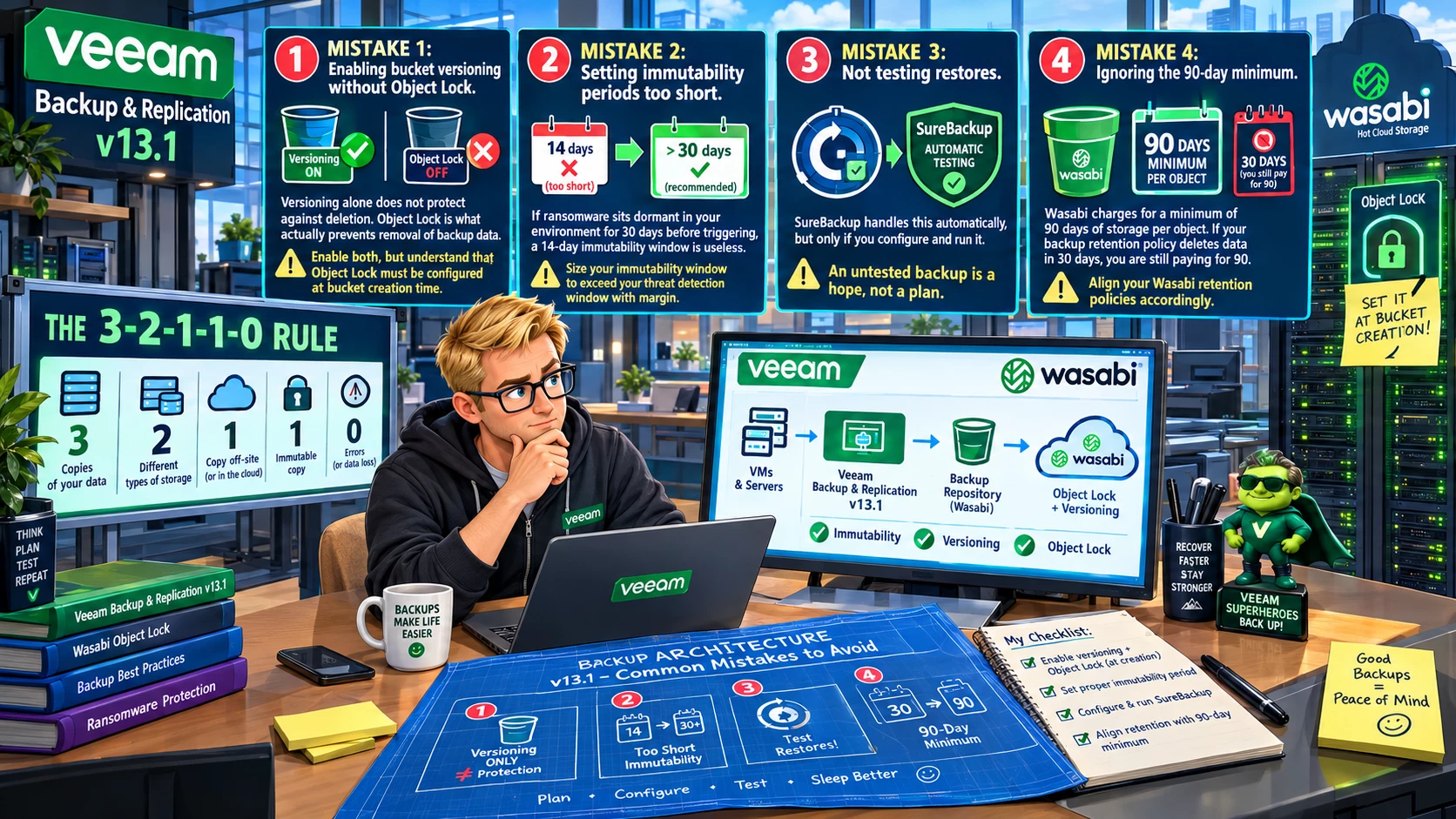
A few things I see come up repeatedly when organizations try to implement this:
Mistake 1: Enabling bucket versioning without Object Lock. Versioning alone does not protect against deletion. Object Lock is what actually prevents removal of backup data. Enable both, but understand that Object Lock must be configured at bucket creation time.
Mistake 2: Setting immutability periods too short. If ransomware sits dormant in your environment for 30 days before triggering, a 14-day immutability window is useless. Size your immutability window to exceed your threat detection window with margin.
Mistake 3: Not testing restores. SureBackup handles this automatically, but only if you configure and run it. An untested backup is a hope, not a plan.
Mistake 4: Ignoring the 90-day minimum. Wasabi charges for a minimum of 90 days of storage per object. If your backup retention policy deletes data in 30 days, you are still paying for 90. Align your Wasabi retention policies accordingly.
Bottom Line
Veeam 13.1 and Wasabi together give you all the building blocks for a genuine 3-2-1-1-0 strategy. The architecture is cost-effective, well-supported, and increasingly the standard for organizations that take data protection seriously. Add Covert Copy for an extra layer of protection, and you have a defense-in-depth backup strategy that holds up against even sophisticated ransomware attacks.
You can reference my Covert Copy article here - https://just-virtualization.tech/posts/wasabi-covert-copy--the-invisible-air-gap-your-backups-need/
Build the strategy, test the restores, and sleep better at night.



