

Going from I have a problem, to asking my infrastructure what I could do about this problem, to asking my infrastructure to execute on that recovery.
I've been building a series of demos tying MCP servers across the infrastructure. This one puts Veeam Instant Recovery at the center: Claude Code with three MCP servers working together. The Veeam MCP for the data protection side, the vCenter MCP, and the Everpure Fusion MCP for fleet and preset management. All by using natural language.
Video: https://youtu.be/llkCg3cT_o8 Full write-up with the Fusion side step by step: https://thebetasociety.com/wcith/pure-storage/everpure-fusion-veeam-instant-vm-recovery-preset-datastore-mcp
The scenario
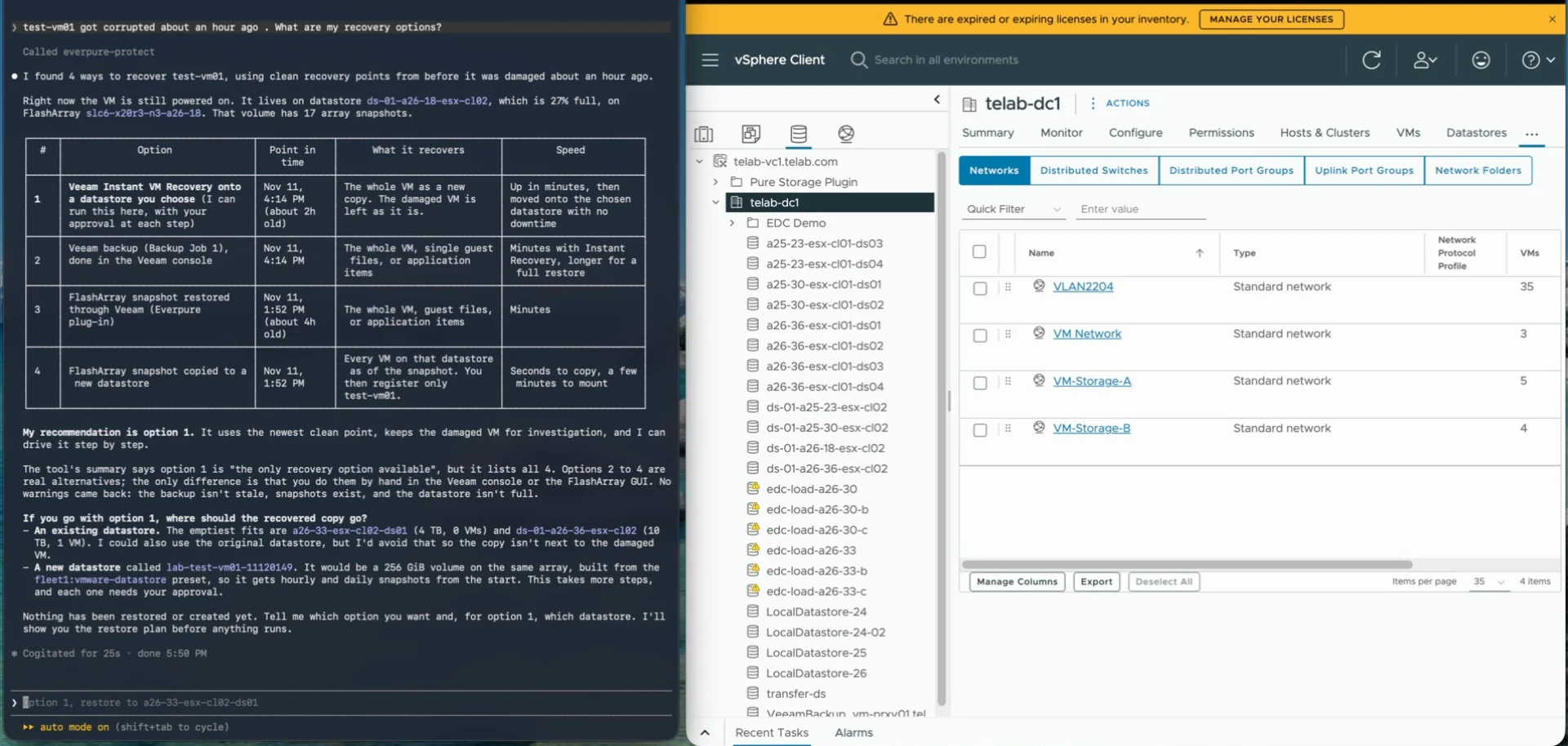
Let's say I'm responsible for the environment, and that includes recovery or just root cause of what's going on. I get a message that this VM got corrupted, and it was about an hour ago. So what can I do about it? What are my recovery options?
I didn't tell it where to look. It went to vCenter, found the VM, figured out what datastore it's on, figured out what it's tied to. It sees the snapshots in the datastore. It sees the Veeam backups. And it came back with four ways to recover that VM:
- Veeam Instant VM Recovery onto a datastore I choose
- A full restore from the Veeam backup job
- A FlashArray snapshot restored through Veeam with the Everpure plugin
- A FlashArray snapshot copied to a new datastore
Picking the restore point
This is where you can measure it. Notice I said about an hour ago. Where do I have the best recovery scenario? Anything in the last hour might already be corrupted. I got a Veeam restore point about two hours old, and that's my best bet. The array snapshots are older than that. So the backup actually wins on recovery point here, and Instant VM Recovery wins on recovery time. Let's go with that.
Where should the VM land?
Instant VM Recovery requires that I pick a datastore. I could go back to the original, or pick an existing one. But maybe I don't want to drop it next to the damaged VM. Maybe I want to save that for investigation.
So I asked for a new datastore, protected up front. Fusion built a preset in plain language: make me one for SQL, snapshots every 15 minutes, keep a day, daily, keep two weeks. It deployed that as a workload, connected the volume to the cluster's host group, and vCenter rescanned and mounted it. The full walkthrough of that part is in the blog.
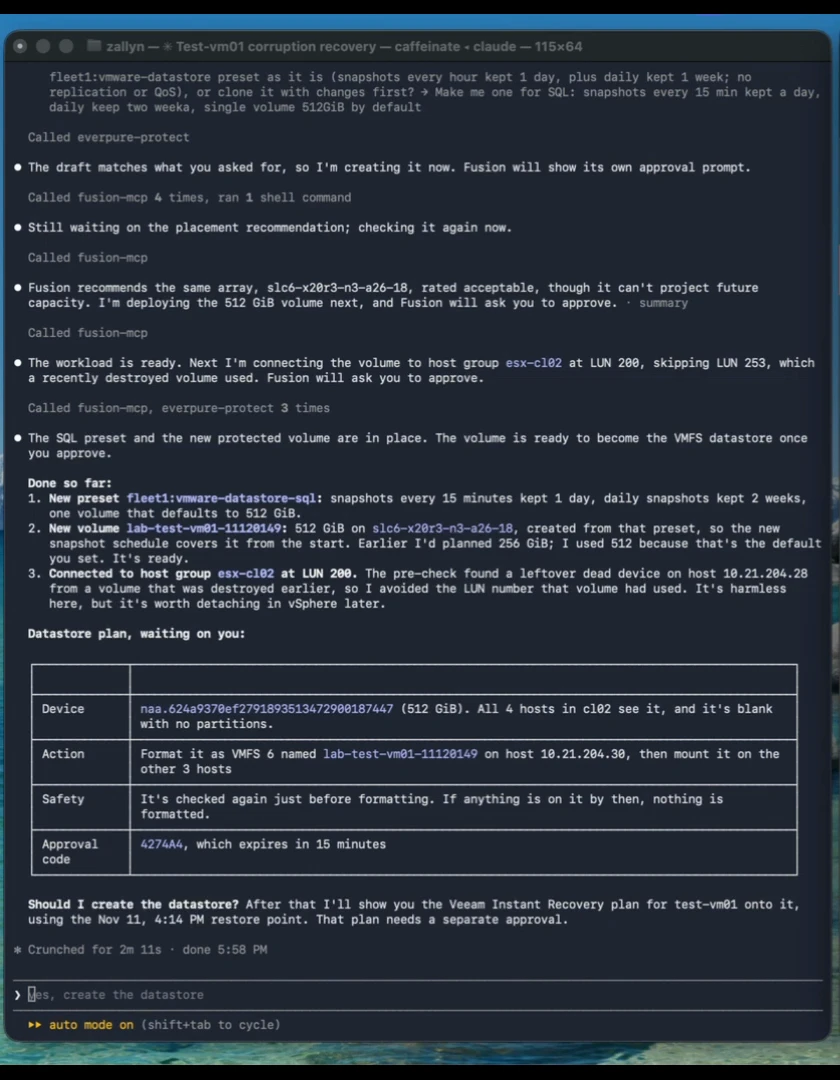
Before every change, I still get to approve it. And those approval codes have a time limit. If I don't accept right away, it goes away. It doesn't just sit out there and accidentally get done later just 'cause I haven't closed the session.
Running the restore
Here's the restore plan before I push the button. Not touching the original VM. In fact, we're not even in the original datastore. The new VM comes up powered on with its network disconnected, so it can't clash with the original's IP or hostname. Then Veeam moves it onto the new datastore with vMotion.
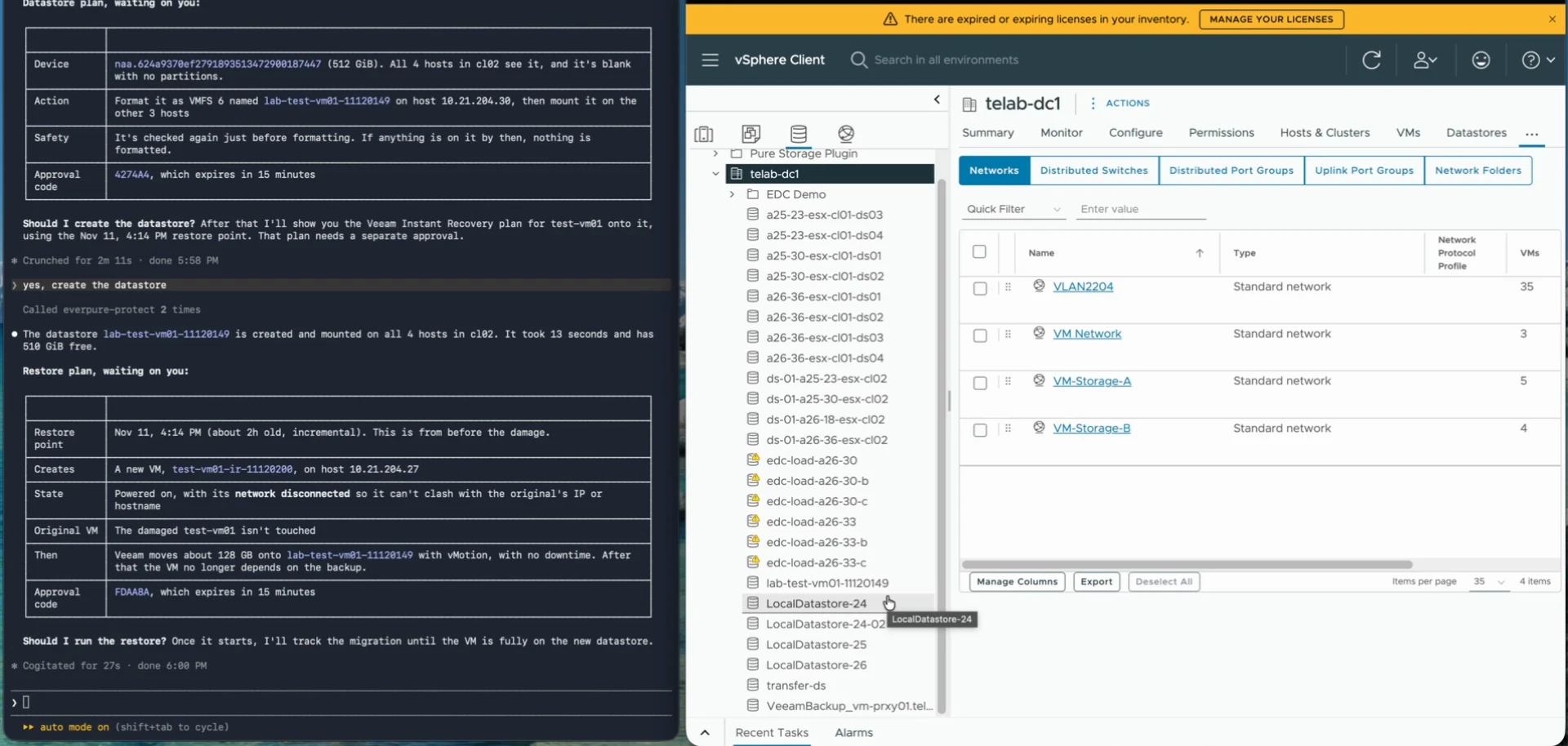
I said yes, run the restore. Could probably just say yes, but I like to be a little bit deliberate about what I'm saying yes to.
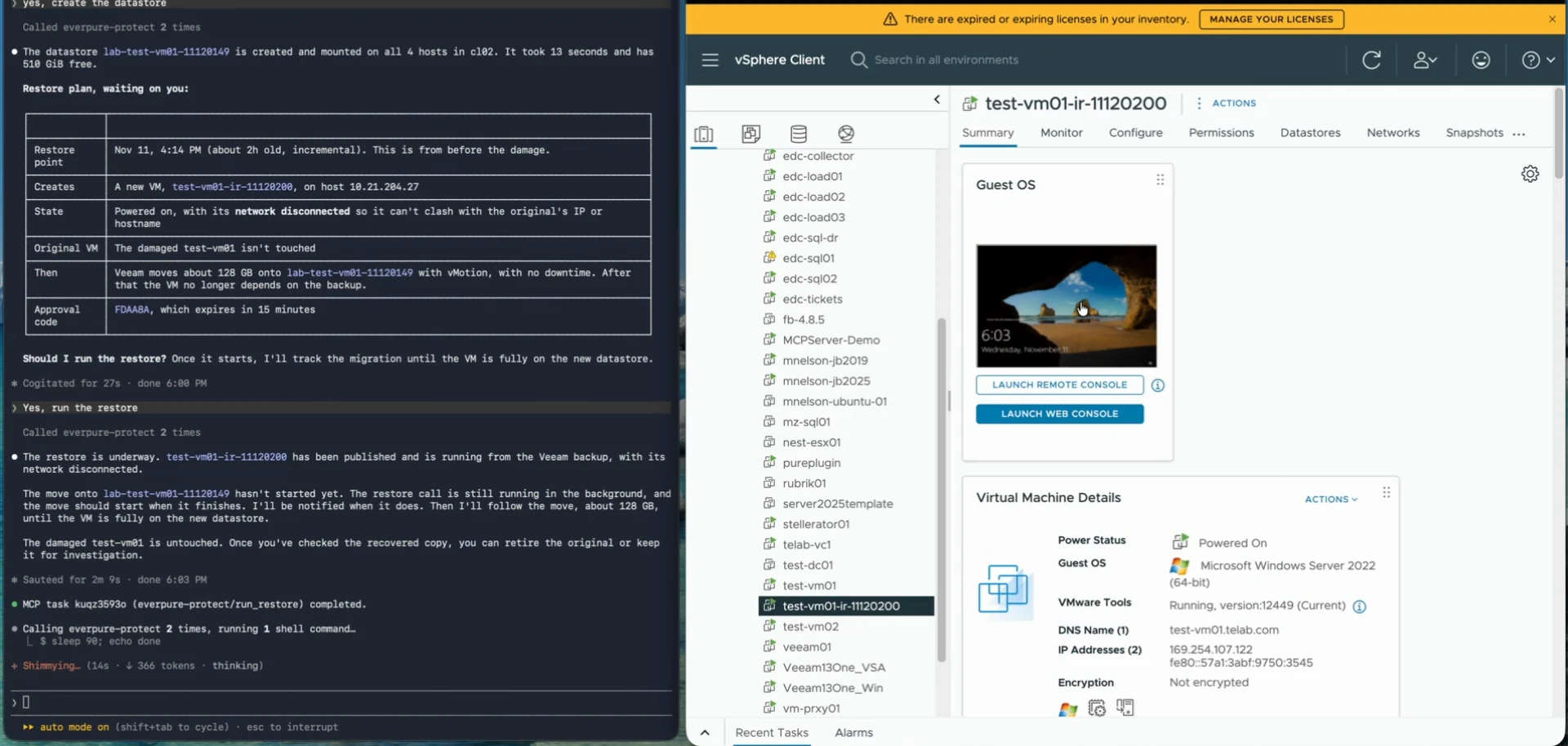
If you've run Instant VM Recovery, you know the mechanics. It's mounting the backup through an NFS mount on the Veeam side, connecting it to those hosts, and the VM is up and running from the backup. Without the migration or finalization, it's really a snapshot running from the backup appliance through to the datastore. That's a nice call, because you can get it going without leaving it that way for a long period of time. Here the migration kicks off on its own, and the vMotion moves it to the new datastore in the background.
And there we go. Published, on and running.
Why the new datastore matters
Now the recovered VM is in its own volume. We can choose to keep it, clone it, or delete it. We're not gonna damage anything original, because it's in its own container. And because it was deployed as a Fusion workload, it's easy to go back and ask, what's related to that restore I did? Easy to find, easy to clean up, easy to utilize.
What I'd love to hear from the community
Veeam already has the API for all of this. MCP just lets you get at it by asking for what you want, with the guardrails in front of every change. How are you thinking about agents in your recovery runbooks? Where would you want the approval step, and where/when would you let it run?
Hopefully this shows you some of the art of the possible when you start connecting Veeam and the rest of your infrastructure with MCP servers. Thanks for checking this out.