


🤖Disclosure: this post was created in conjunction with GrokBot; everything has been tested and verified.
I wanted to find an alternative to StarWind and Quadstore for lab testing of VTL and found Holo VTL (https://github.com/Holo-VTL/Holo), an open-source virtual tape library that runs on a Linux VM.
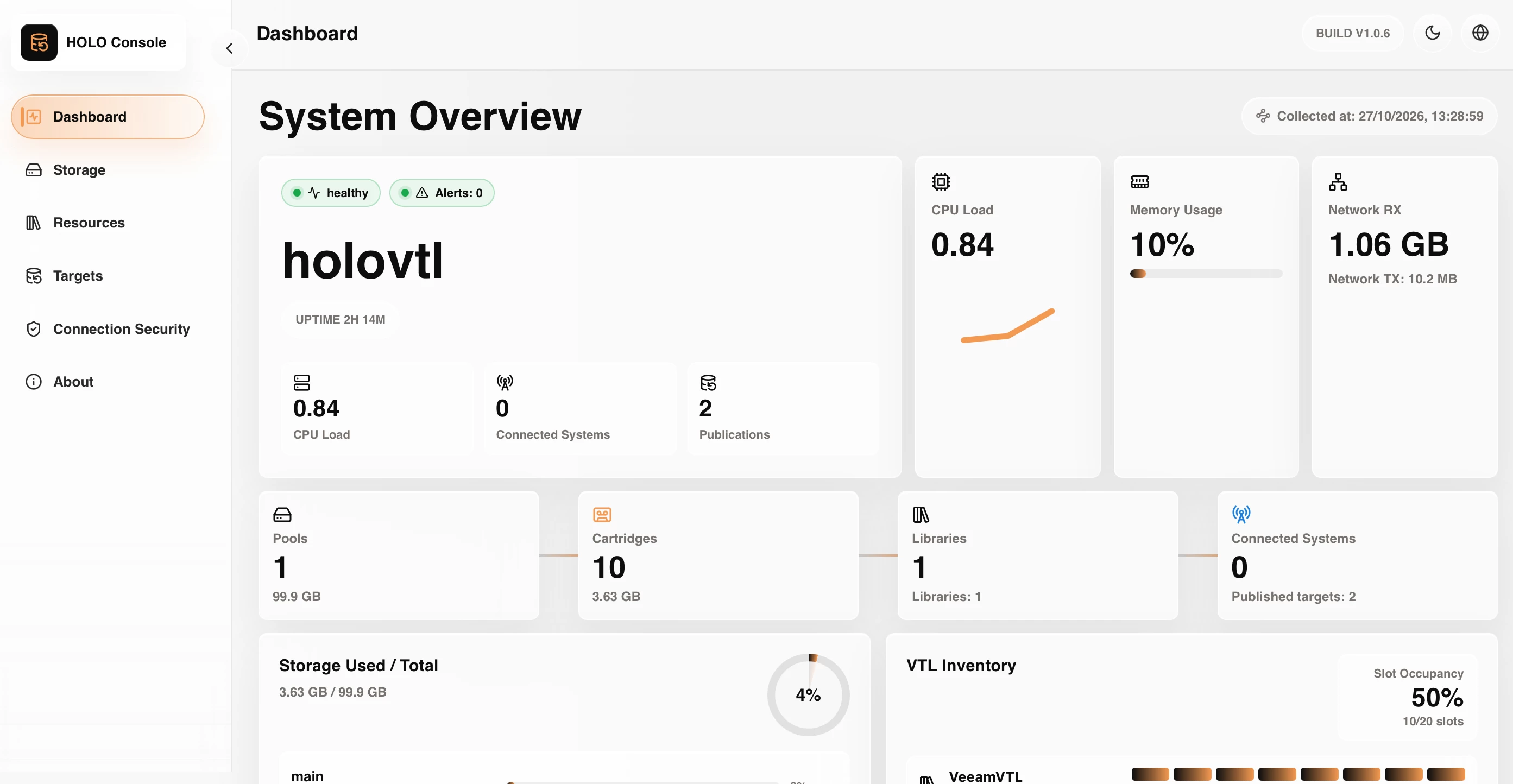
Here's how I got it working with VBR in my lab (note that there are some issues with the current main branch, which I have fixed in a fork and raised an MR on, see below for the fixed fork).
What you need
- A Linux VM running Holo, with a second blank disk for the storage pool. Holo only lists whole disks that have no partitions and no mounted filesystem, so if the pool wizard shows no disks, add a raw disk to the VM and refresh the page (or reboot).
- VBR v12 or later (the Linux tape server needs it). I used the Veeam Software Appliance.
- Network access from VBR to the Holo VM on TCP 22, 6162 and 2500-3300
Create the storage pool
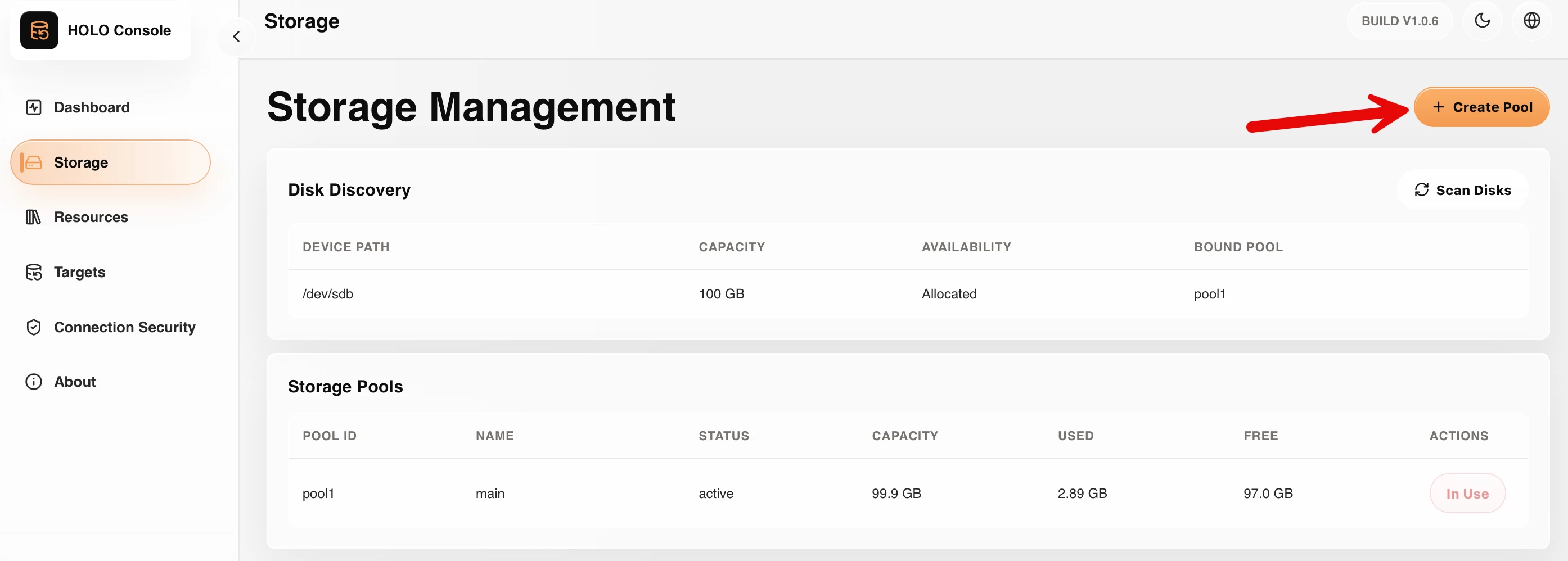
In the Holo UI, create a pool on the blank disk.
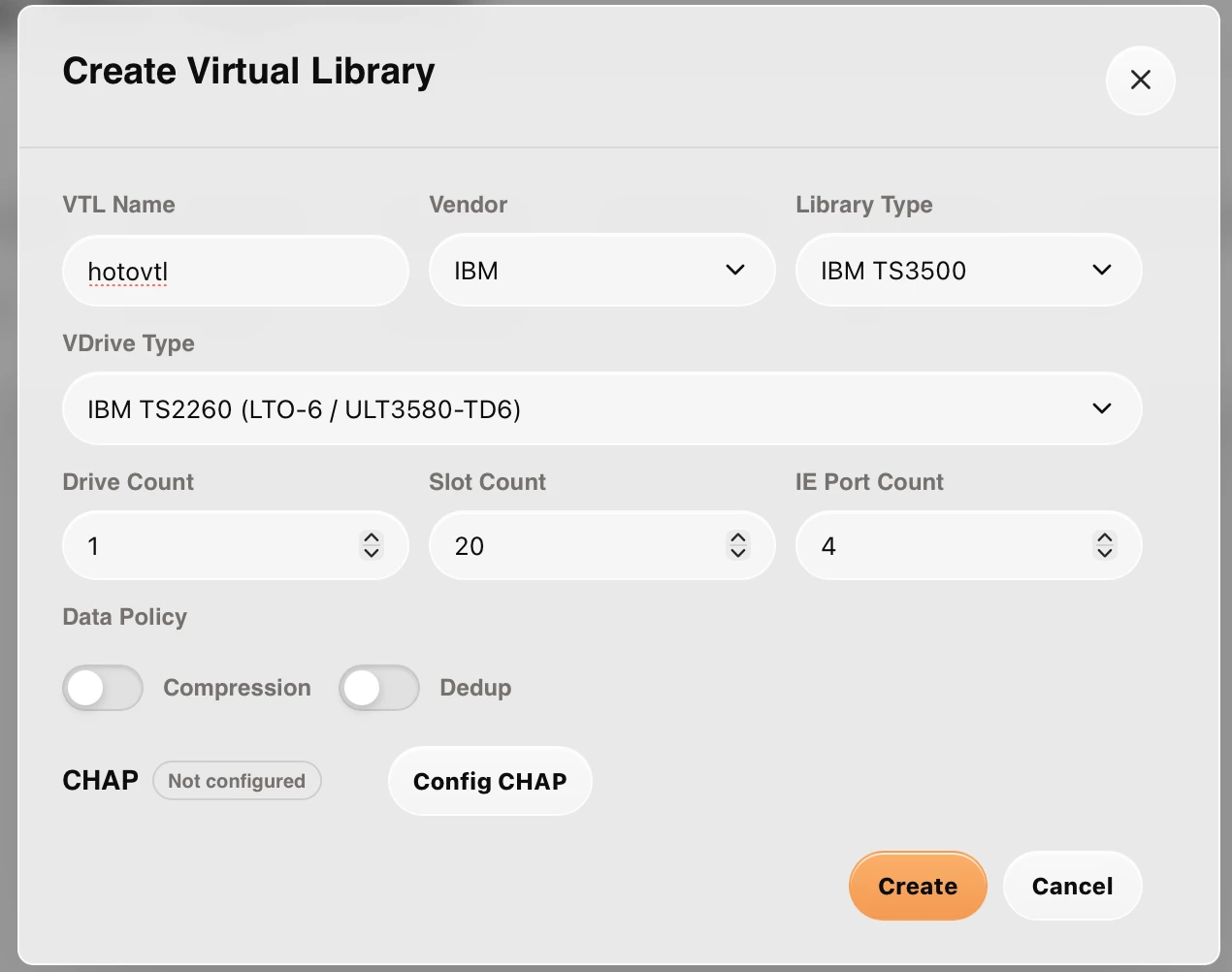
Create the virtual library
- Library: IBM TS3500 (03584L32)
- Drives: IBM LTO-6 (ULT3580-TD6), 1-2 drives
- Slots: 20, IE ports: 4
- Compression and dedup: off. Veeam already compresses tape jobs.
- CHAP: off for a lab
Add cartridges and present the library
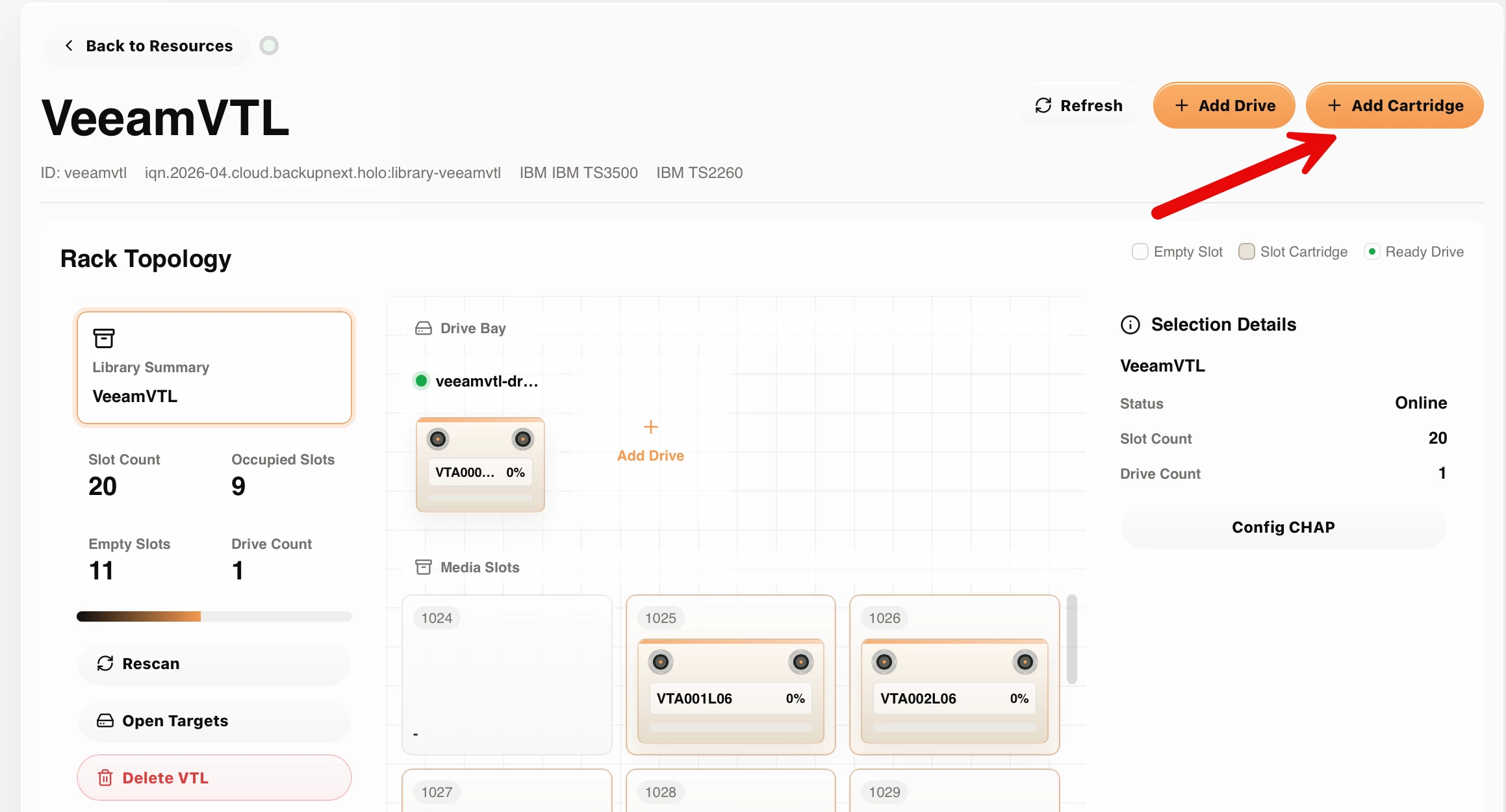
- Add around 10 LTO-6 cartridges.
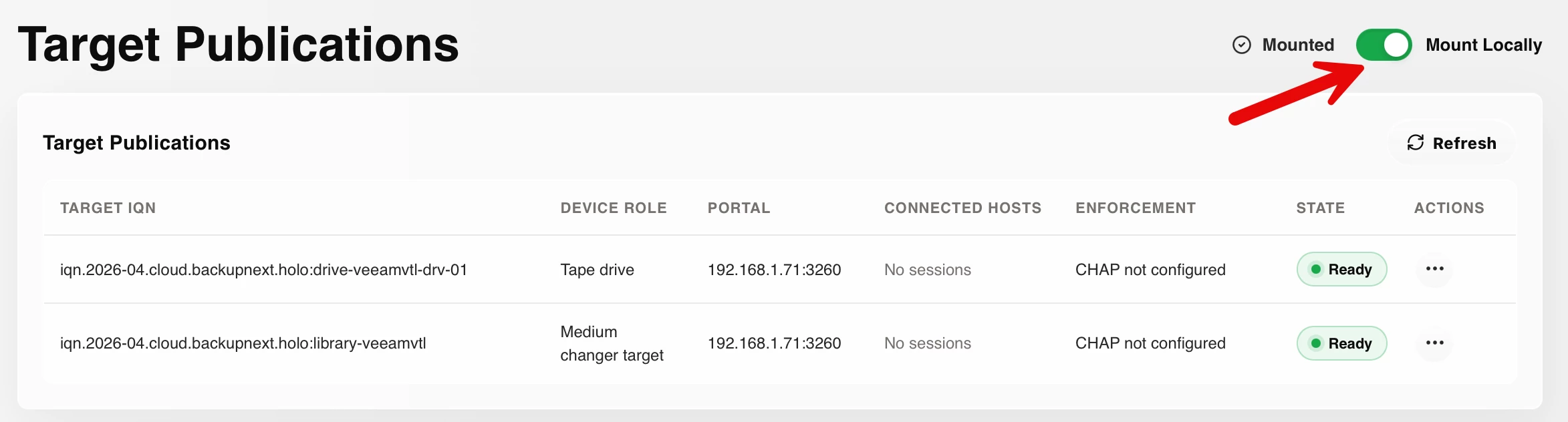
- Turn on Mount Locally. Holo then presents the changer and drives on its own host as /dev/sch* and /dev/st*, so the Holo VM can act as the Veeam tape server. Check with lsscsi -g.
Add it to VBR
- Add the Holo VM as a managed Linux server.
- Go to Tape Infrastructure > Add Tape Server and select the Holo VM.
- The TS3500 library and its drive should appear. Run an Inventory.
- Create a media pool and add the cartridges.
- Create a backup-to-tape job from an existing backup job.
Results
Before the fix, the first write to a fresh tape worked, but every append to a tape that already held data failed with "Tape has wrong MTF format".
After the fix (VBR 13.1.1.18 appliance, Holo on Ubuntu acting as the Linux tape server via Mount Locally, IBM TS3500 / ULT3580-TD6 LTO-6 emulation):
- A two-VM backup-to-tape job appended both sessions to a single cartridge (VTA000L06).
- A second, separate job was then appended to the same cartridge again: 7.4 GB, no errors, 40-52 MB/s.
The append bug and the fix
What Veeam does: before appending, Veeam goes to the end of data (EOD), spaces back two filemarks and reads a 262,144-byte block to find the end of the previous data set.
What went wrong: Holo had two problems here.
- A reverse space over filemarks stopped on the wrong block.
- A READ that landed on a filemark returned BLANK CHECK (which Linux st reports as EIO). SSC-3 says it should return NO SENSE with the FILEMARK bit set and ASC/ASCQ 00h/01h.
Veeam read that as a badly formatted tape, hence the MTF error.
The fix
The reverse space now stops on the BOT side of the filemark crossed, and a READ on a filemark returns NO SENSE + FILEMARK, 00h/01h, then moves past the mark, as SSC-3 requires. All 320 data-plane tests pass, including a new test that mimics Veeam's append probe.
- Issue: https://github.com/Holo-VTL/Holo/issues/45
- Pull request: https://github.com/Holo-VTL/Holo/pull/46
Interim: install the fix from my fork
Until PR #46 is merged, you can build the fixed tape handler from my fork: https://github.com/shapedthought/Holo, branch fix/filemark-read-after-reverse-space. Run these on the Holo box.
Build (static musl binary, the same way Holo's release script builds it):
sudo apt-get install -y git build-essential curl
curl -sSf https://sh.rustup.rs | sh -s -- -y --profile minimal && . ~/.cargo/env
rustup target add x86_64-unknown-linux-musl
git clone https://github.com/shapedthought/Holo ~/Holo && cd ~/Holo
git checkout fix/filemark-read-after-reverse-space
cd data-plane && cargo test --lib space_mode
cargo build --release --bin tcmu_handler --target x86_64-unknown-linux-musl
Deploy (keeps a copy of the original for rollback):
sudo cp -a /opt/holo/bin/holo-tcmu-handler /opt/holo/bin/holo-tcmu-handler.orig
sudo systemctl stop holo-control-plane
pgrep -af holo-tcmu-handler        # should be empty
sudo install -m 0755 -o root -g root target/x86_64-unknown-linux-musl/release/tcmu_handler /opt/holo/bin/holo-tcmu-handler
sudo systemctl start holo-control-plane
systemctl status holo-control-plane --no-pager
Verify:
sha256sum target/x86_64-unknown-linux-musl/release/tcmu_handler /opt/holo/bin/holo-tcmu-handler   # the two should match
pgrep -af holo-tcmu-handler        # respawns once the library is published/mounted
lsscsi -g                          # tape drive and changer are back
Roll back:
sudo systemctl stop holo-control-plane
sudo install -m 0755 -o root -g root /opt/holo/bin/holo-tcmu-handler.orig /opt/holo/bin/holo-tcmu-handler
sudo systemctl start holo-control-plane
Once PR #46 is merged, switch back to upstream main (https://github.com/Holo-VTL/Holo) or the next official release, and stop using the fork.
Known limitations
- If a multi-block fixed-mode READ meets a filemark partway through, the blocks already read in that command are dropped (the residue is correct). Veeam reads one block at a time, so it isn't affected.
- In variable-block mode the residue is reported as 0.
- LOG SENSE page 0x11 is still unsupported (Veeam only logs a warning), and the LTO-6 medium type is still reported as 0x68.
Tips
- If the library or drives don't appear, run lsscsi -g on the Holo box first.This is for labs and testing. It isn't a supported production target.
I think Holo as some great potential as a new VTL and so far I’ve really enjoyed using it other than the few bugs.
Thanks for reading! I’ll post an update if my PR gets merged.

