

Part 3 of 6 | A Veeam Journey Through Technology, History, and Resilience
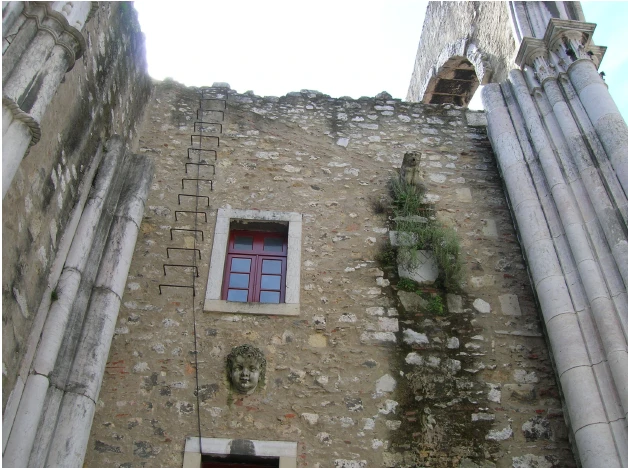
The stone arches of Lisbon’s Convento do Carmo frame open sky. The church was badly damaged in the earthquake of 1755, and a fire followed. Reconstruction began the next year, but work eventually stopped, leaving much of the church roofless. Today, the surviving structure houses the Carmo Archaeological Museum. Carmo Archaeological Museum
There’s a question I keep asking myself when I looked at Carmo that comes up often with customers. What can you recover with what survives?
It’s a question I’ve asked in plenty of backup design conversations, usually while looking at an architecture drawing and taking components out of the picture one by one.
What happens if the primary storage is gone?
What if the backup server is gone too?
Which copy would we actually use?
In Part 2, v9 and v9.5 gave us better ways to scale a repository and make synthetic fulls more efficient.
With v10 and v11, more of the conversation turned to which copies could survive a bad day and how quickly we could put them to work.
2020 — Veeam v10 and the second copy
Capacity Tier Copy Policy and object immutability
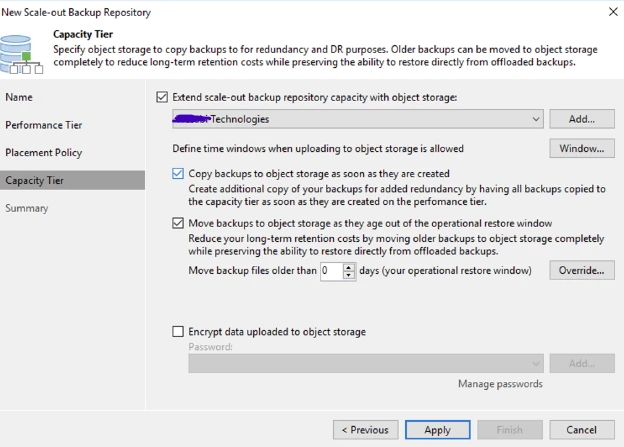
Capacity Tier arrived in v9.5 Update 4. V10 added a copy policy that could send backup data to object storage as new restore points became available on the performance tier. You could keep a local copy for everyday restores and get a second copy onto object storage without waiting for older backups to age out. On supported S3 storage, Object Lock could protect that data from modification or deletion for a defined period.
File shares and application recovery
Native NAS backup
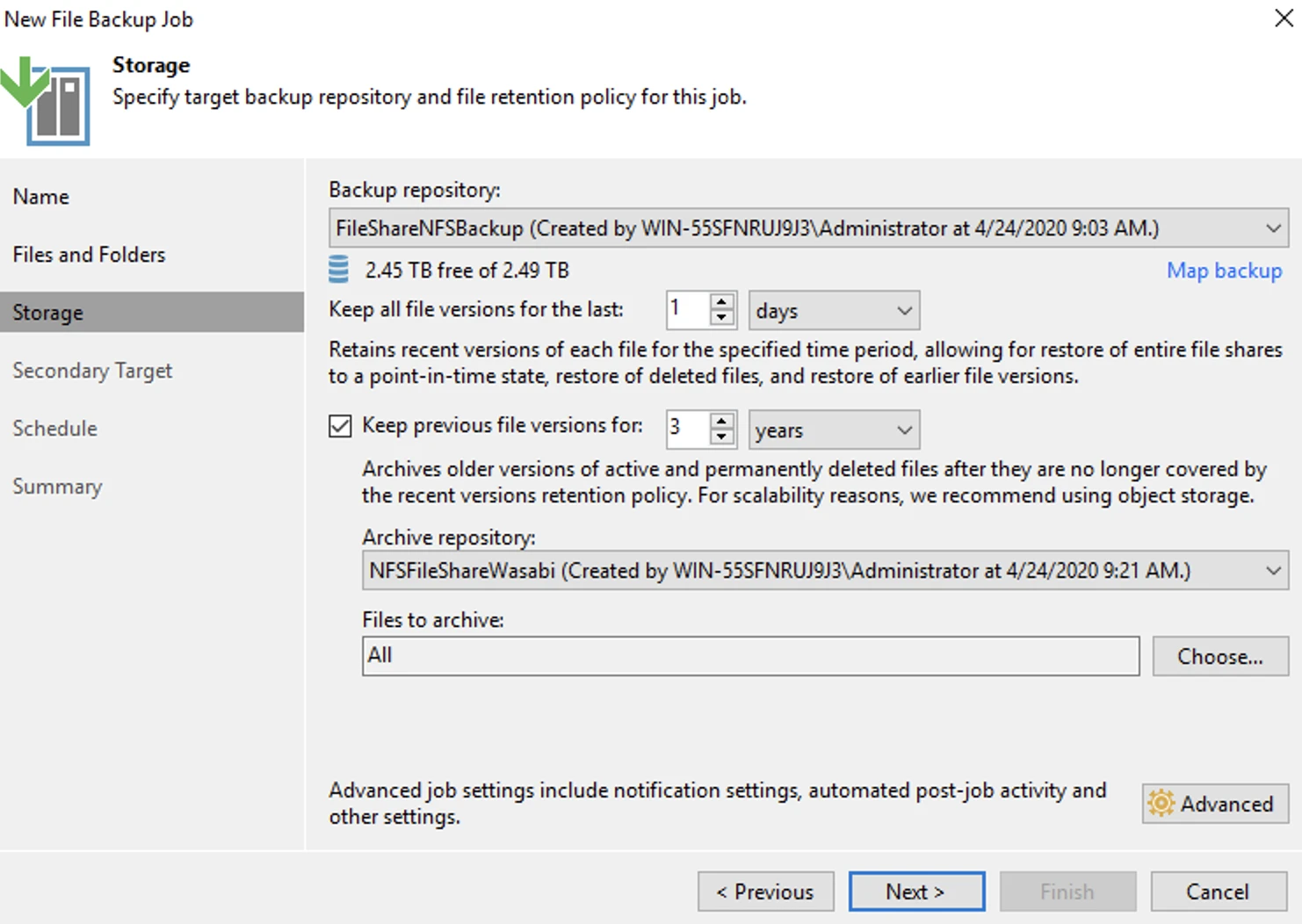
V10 also brought SMB and NFS file shares into Veeam Backup & Replication. That
mattered in environments where applications ran on virtual machines or physical servers, but years of business data lived on a separate filer. A VM recovery plan could bring the application server back while leaving its file shares out of the picture. Native NAS backup gave teams a way to handle both the everyday deleted-file request and the much bigger job of recovering an entire share in an event.
Multi-VM Instant Recovery
V10 expanded Instant Recovery so teams could start multiple VMs directly from
backups. Bringing up one VM is a useful test. Bringing up the database and application servers together, then checking whether a user can complete a transaction, tells you much more about what the business would get back.
Official Veeam v10 launch announcement, February 18, 2020
2021 — Veeam v11 and a recovery plan you could test
Picture a Friday afternoon design review. Someone asks, “How many backup copies do we have?” Three. “Great. How many can I delete with this account?” Suddenly everyone has time for one more whiteboard drawing. That second question is why the hardened repository caught my attention in v11 and why its still such a key feature in versions released today.
Hardened Linux Repository
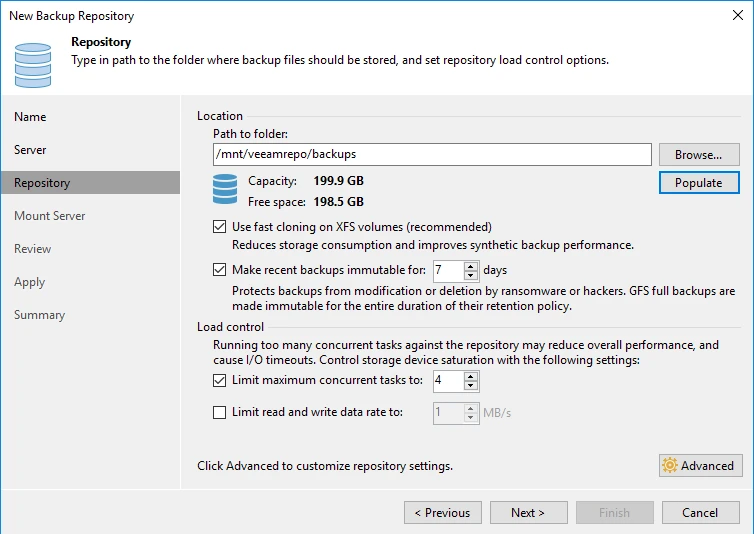
V11 brought immutability to a Linux-based backup repository. For teams that wanted a protected local copy close to their recovery infrastructure, this was a huge addition. It also changed what I wanted to see on an architecture drawing. For every repository labeled immutable, I want to know which jobs land there, how long those backups stay locked, and which restore point we’d reach for if the primary environment were compromised.
What is immutability?
An immutable backup can still be read for a restore, but the repository blocks changes
and deletion while the lock is in effect. Take the seven-day setting shown below. If someone takes over the Veeam console on Friday and tries to delete Thursday’s locked backup, the repository refuses the request. Retention tells Veeam how long to keep a restore point. Immutability gives the repository a way to enforce a minimum protection window.
Long-term retention in v11
Archive Tier
V11 added an Archive Tier for eligible long-term backups on Amazon S3 Glacier and Microsoft Azure Archive Storage. It gave older restore points another home and introduced a question worth settling before an incident. If someone asks for a backup from six months ago, how long will it take to retrieve it? That time belongs in the recovery plan, with a defined RTO/RPO.
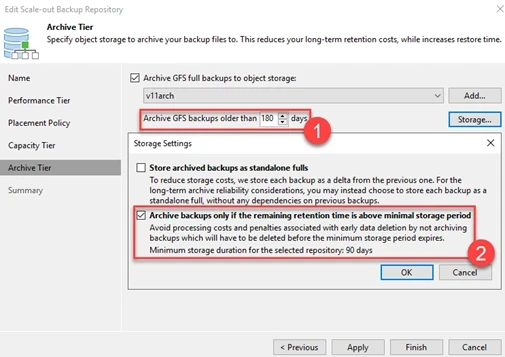
Official Veeam v11 GA release notes, February 24, 2021
Looking back
What stands out to me about v10 and v11 is how much more specific the recovery questions became vs do we have backups?
Where is the last good copy?
How far back can we go?
How long would it take to bring the application back?
Those are questions a backup team can answer in a design meeting, then go prove in a recovery test with simulated failures.
This is where we can still start today. Pick an application, take the primary environment out of the recovery exercise, and see what the team can bring back using the backup copies that remain. Then ask someone who uses the application to try it.
Is the data intact?
Are all features available?
Their answer is the one I’d want before calling the test a success. VEEAM v10 and v11 helps answer some of those questions.
Looking ahead
In the v11 diagram above, the first backup lands on local disk. With v12, we could send it straight to object storage. In Part 4, I’ll look at when I’d choose that design and how I’d get a VM running again from that first copy.