


Hey everyone,
I’m Klaus, a Technical Account Manager at Veeam in Germany.
A big part of my role is working strategically with customers around data protection, resilience, and recovery. Disaster recovery concepts are an important part of that work – especially when it comes to understanding which workloads really matter, how they depend on each other, and what needs to come back first when things go wrong.
Over time, I noticed that many of these discussions and workshops tend to start in a very similar way: the customer provides an RVTools export, we open a spreadsheet, and sooner or later we end up discussing which VM is actually “critical”.
That sounds simple at first, but it rarely is.
The final result often lives in that spreadsheet, while a lot of the context behind it does not. Dependencies are difficult to represent properly, assumptions remain in people’s heads, and six months later it can be surprisingly hard to understand why a system ended up in “Gold”, which workloads it depends on, or whether the original classification still makes sense.
That recurring challenge is what eventually led me to build a tool for it – and today I’d like to introduce it to you:
DR Workload Classification
In one (long) sentence: import an inventory, assess each workload using three criteria, derive protection tiers with RPO/RTO targets, document dependencies, and turn that information into candidates for Veeam Recovery Orchestrator runbook groups – all in a single HTML file that runs completely offline in your browser.
I have been using and improving it in customer workshops over the past few months, and I’m now sharing it as an open-source community project.
1 · Start with the inventory
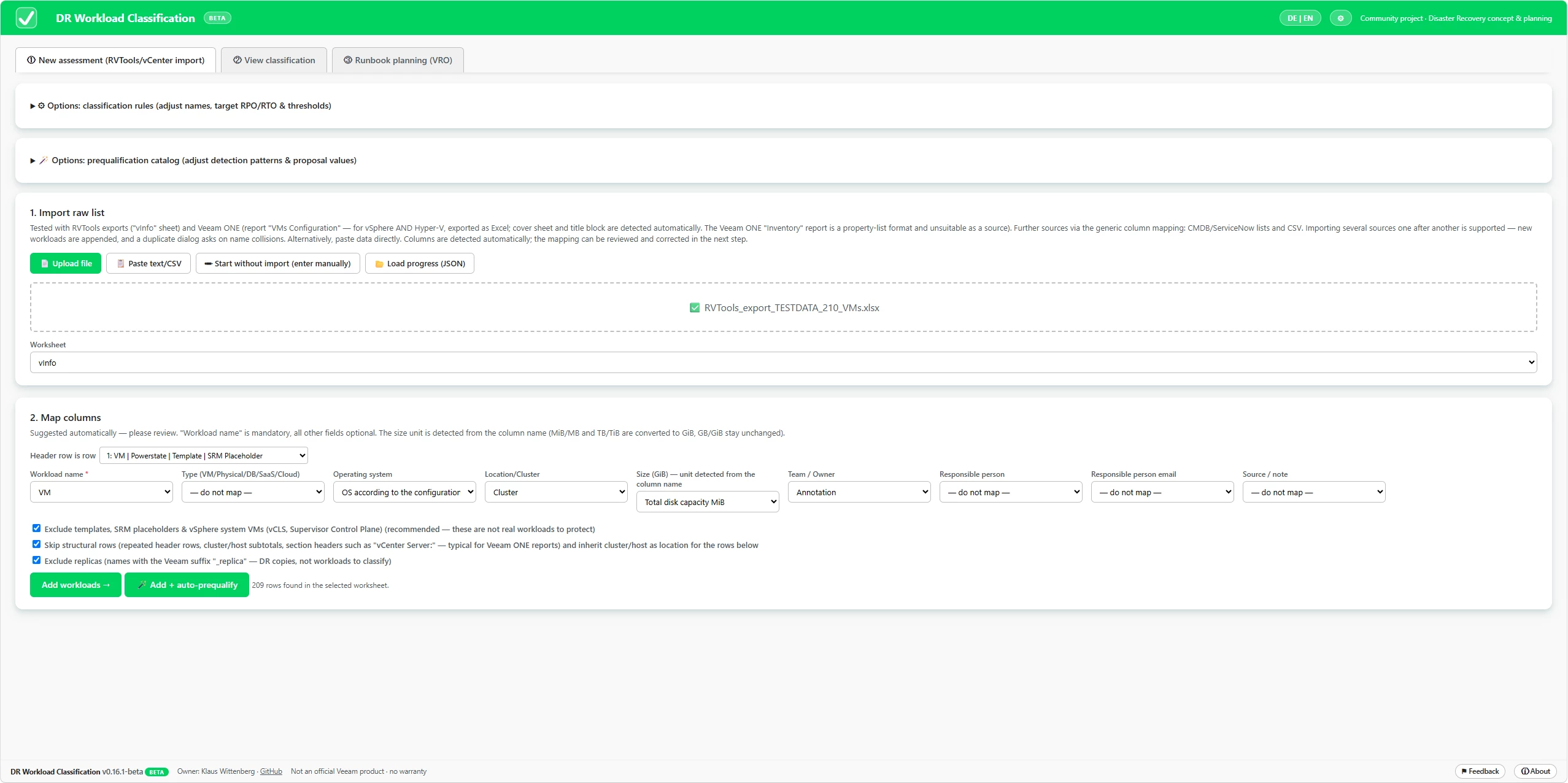
The starting point is usually something we already have: an inventory.
Drop an RVTools export onto the page and the relevant columns are mapped automatically. The Veeam ONE VMs Configuration report is supported as well, for both vSphere and Hyper-V. Generic CSV exports – for example from ServiceNow – can be imported through manual column mapping.
The importer also tries to remove some of the usual noise. Templates, SRM placeholders, vSphere system VMs such as vCLS, Veeam replicas, subtotal rows and hierarchical report sections can be excluded instead of becoming workloads that someone later has to clean up manually.
Multiple inventory sources can be added to the same assessment. If duplicate names are detected, the tool asks how the collision should be handled.
And before handing the result over, the classified inventory can be validated against the original source files again.
2 · Rate the workloads – but keep the discussion with the customer
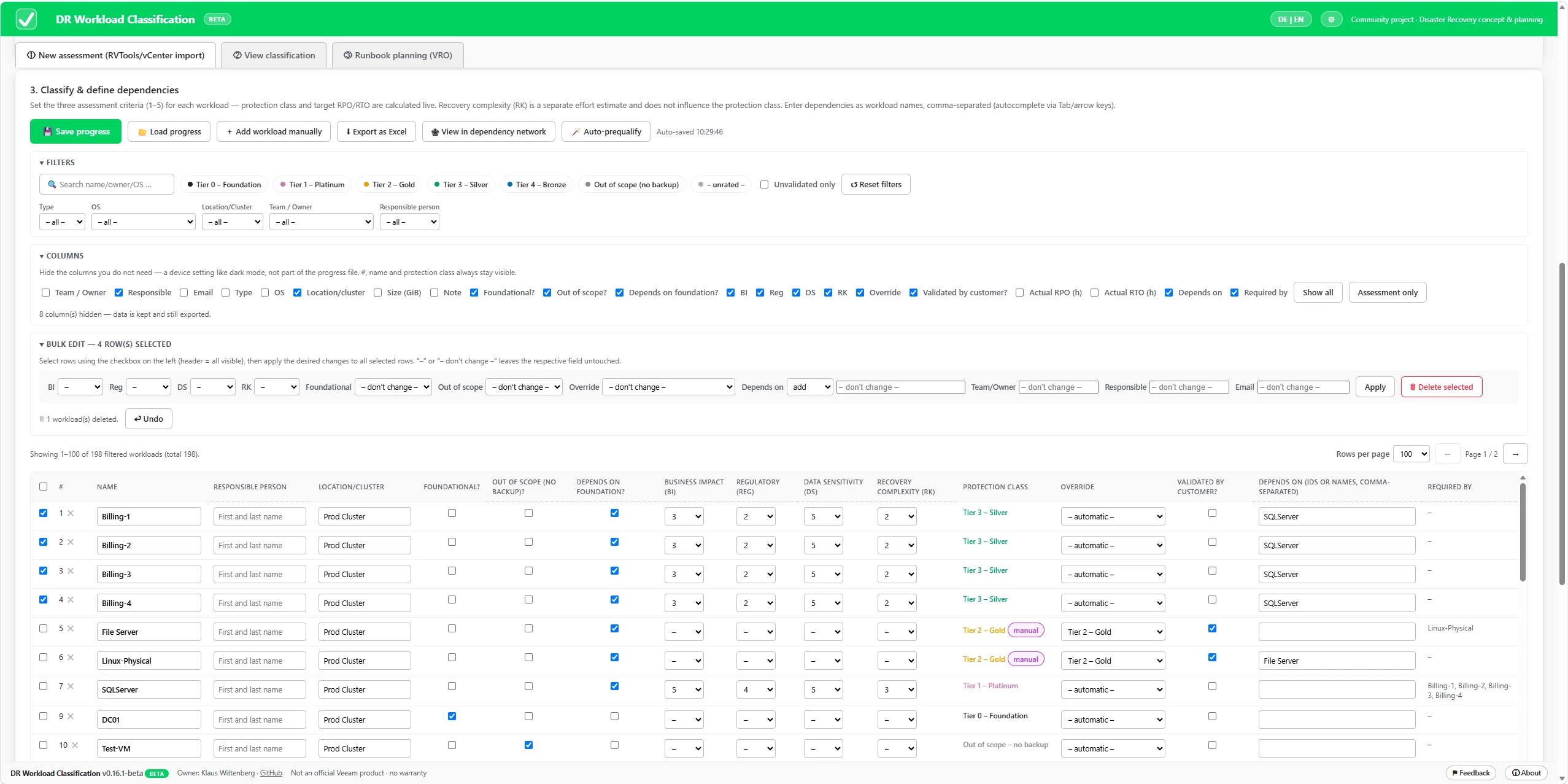
Each workload is rated from 1–5 in three areas:
- Business Impact – 45 %
- Regulatory Impact – 35 %
- Data Sensitivity – 20 %
The resulting score maps the workload to a protection tier from Tier 0 to Tier 4, including target RPO and RTO values.
Recovery complexity is captured separately – deliberately. A system being difficult to recover does not automatically make it business-critical.
The default weights are fixed, while tier thresholds, names and RPO/RTO targets can be adapted. The idea is not that the tool tells the customer what Gold, Platinum or Tier 1 means. That calibration belongs in the workshop. Foundational services such as Active Directory, DNS or PKI can also be handled separately as infrastructure that other recovery groups depend on.
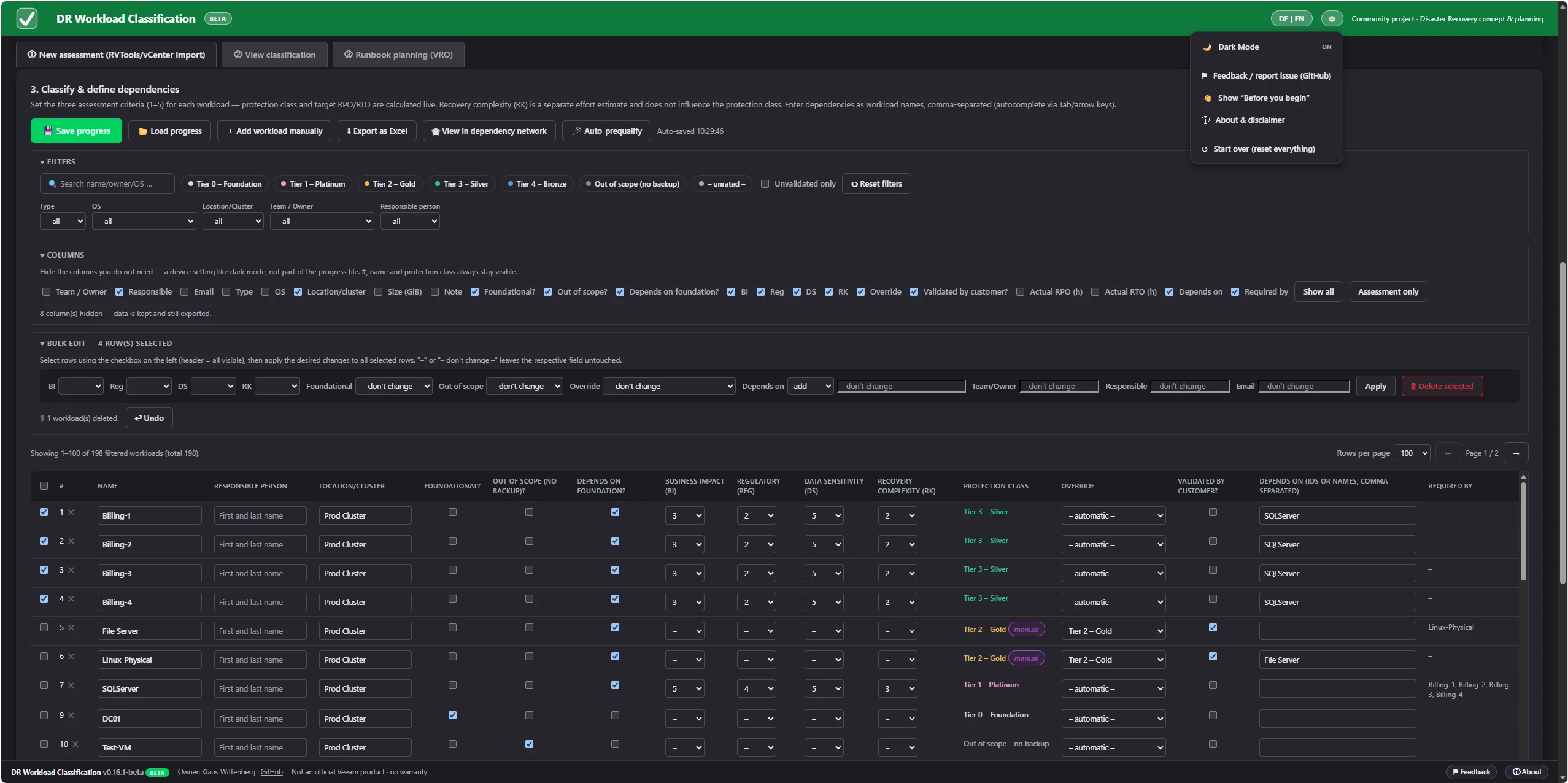
For larger environments, ratings, owners and dependencies can be edited in bulk. There is also an optional rule-based classification wizard. It recognises common naming patterns for workloads such as SQL, Oracle, SAP, Exchange, domain controllers and file servers and proposes possible ratings.
The important part: they are proposals, not decisions. Nothing is applied without confirmation, and accepted proposals remain marked until someone has actually validated them.
3 · Dependencies – because a tier alone does not tell the whole story
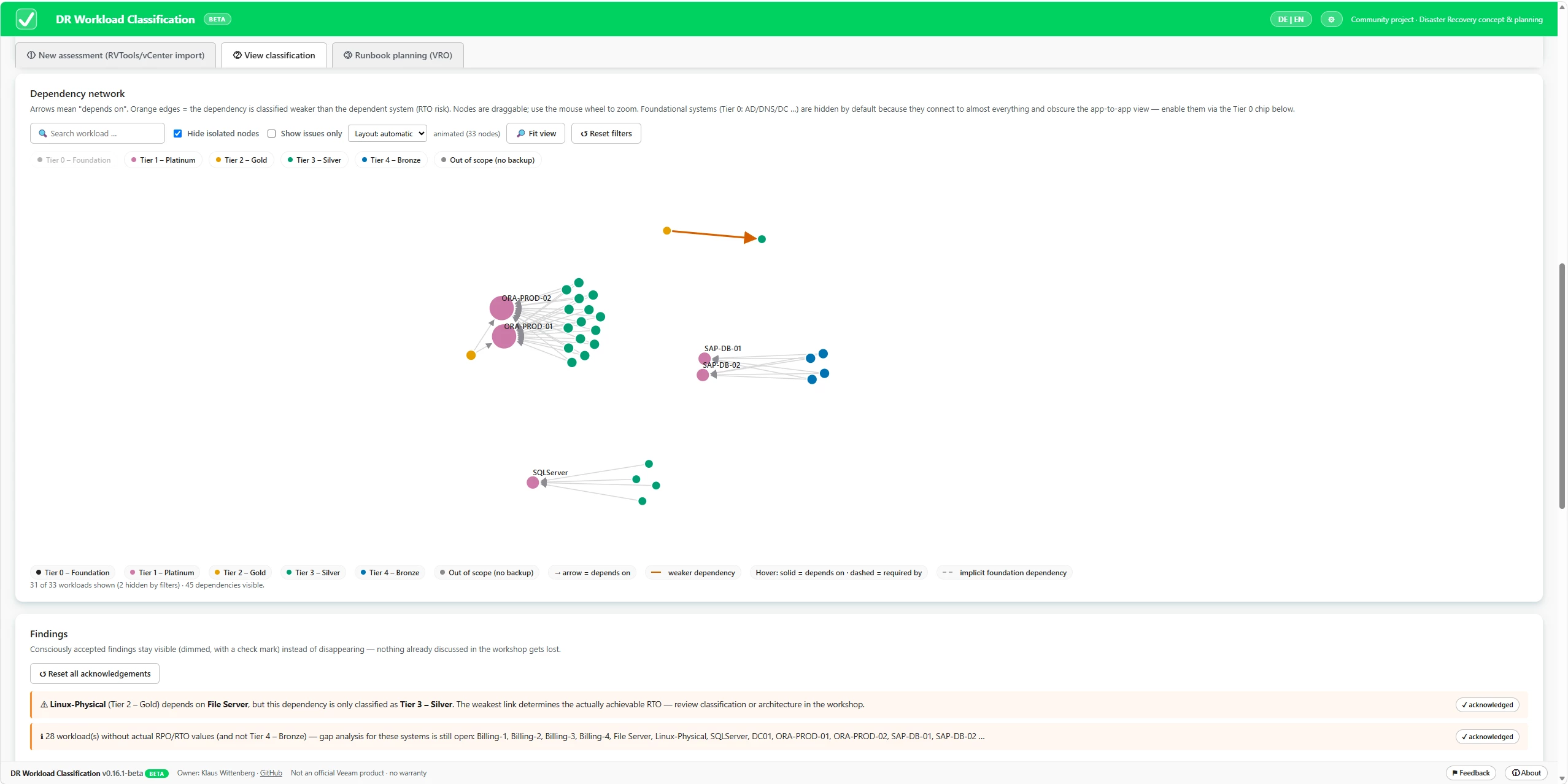
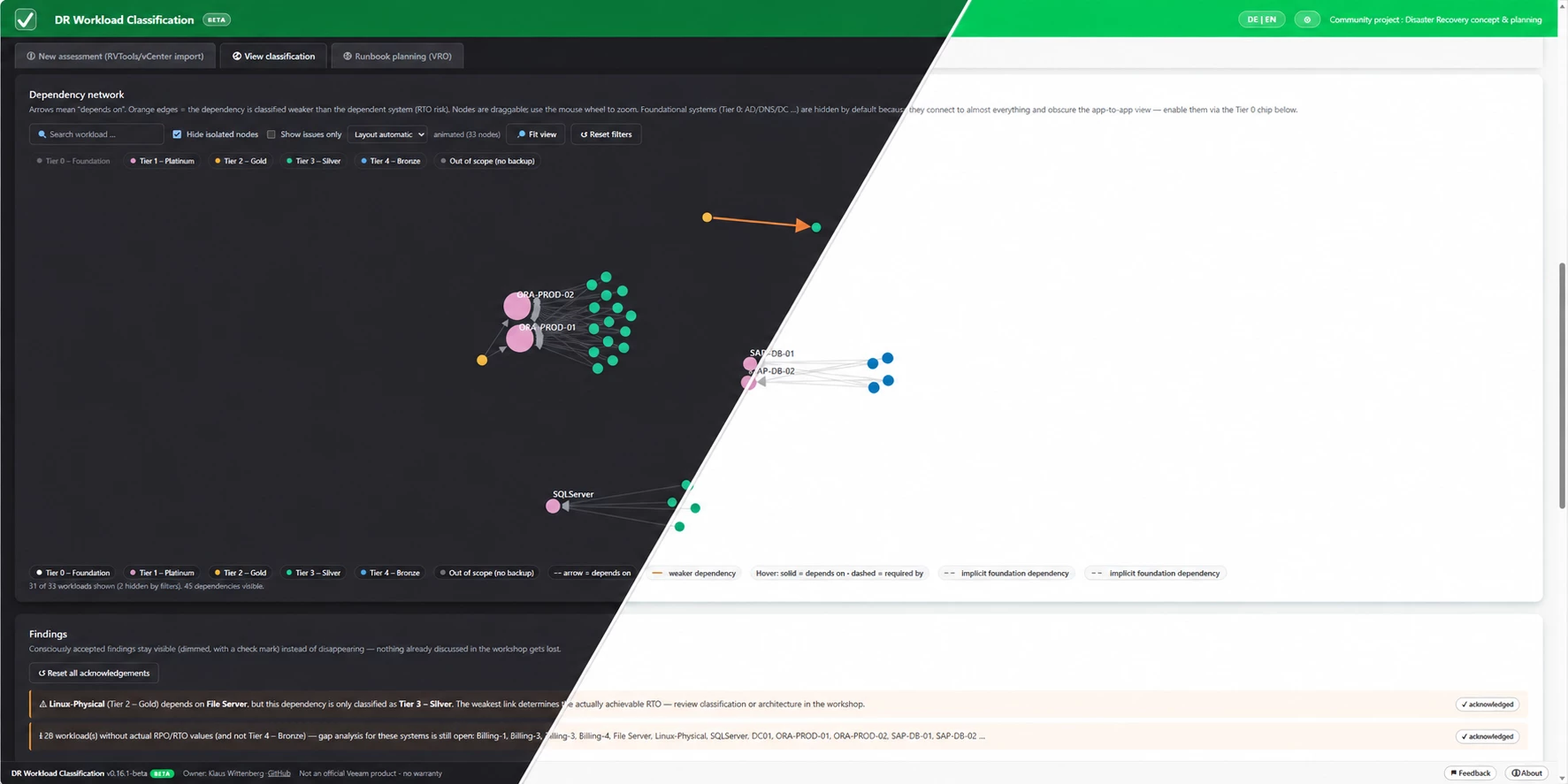
This was one of the main reasons I started building the tool. A workload rarely exists on its own. An application might be classified as Platinum, but if it relies on a database, DNS service or authentication system sitting in a much lower protection class, the classification does not tell the full story.
Dependencies can therefore be recorded directly between workloads, while reverse relationships (“required by”) are generated automatically. A network view makes those relationships visible and helps identify protection gaps such as:
Platinum Application → Bronze Database
Hovering over a workload highlights both what it depends on and which other systems depend on it. The same analysis also flags circular dependencies and situations where defined RPO/RTO targets do not match the actual protection values.
4 · From dependencies to VRO runbook groups
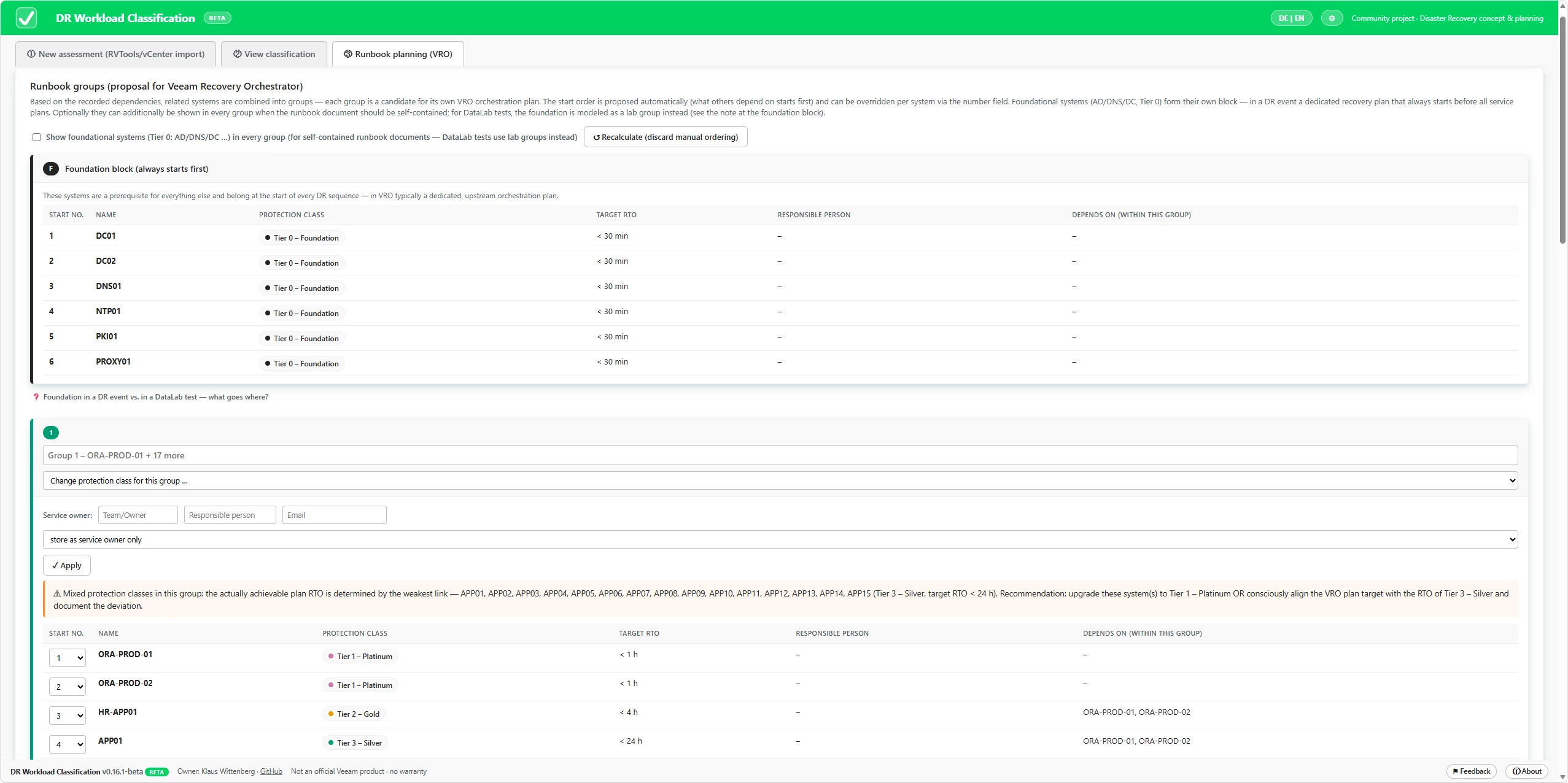
This is where the information collected during the workshop becomes useful beyond the classification itself. Workloads connected through dependencies can be grouped into candidates for Veeam Recovery Orchestrator plans.
The tool derives a dependency-aware recovery order, separates foundational services that need to be available first, assigns service owners and warns when workloads with very different protection requirements end up in the same group.
The generated plan is not supposed to replace VRO design. It is meant to provide a structured starting point for it.
5 · Hand-over – because the workshop should not end with my browser tab
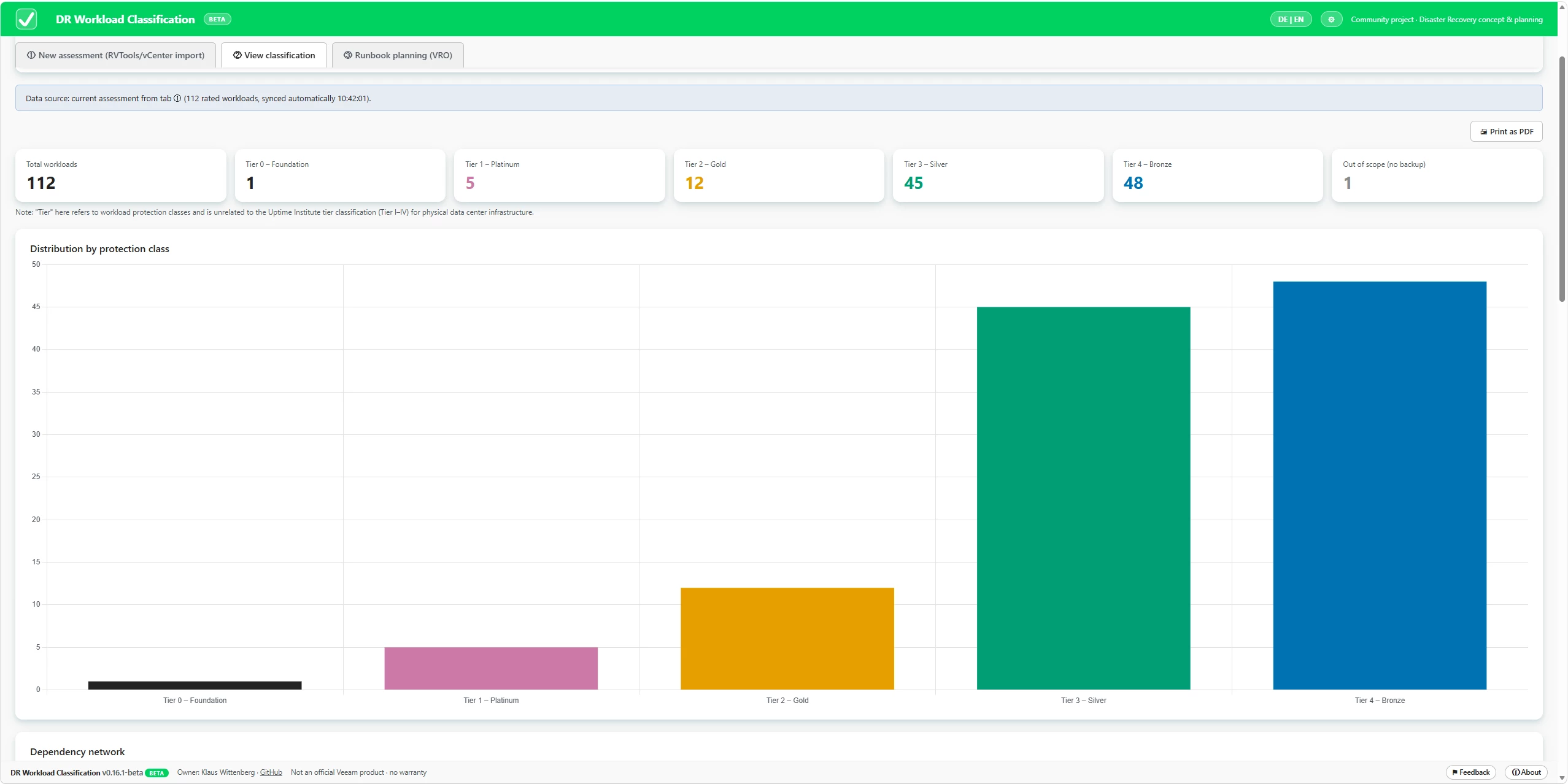
At the end of the assessment, the overview shows the protection-tier distribution, workload register and remaining actions from the workshop.
The result can be exported as a formatted Excel workbook containing:
- Classification matrix
- Workload register
- Dashboard
- Runbook plan
That workbook can also be loaded back into the tool for review. Alternatively, the complete state can be saved as a progress file and continued later. A dedicated print view can be used to create a PDF hand-out.
And yes – of course there is a dark mode. Some workshops run long. 😄
What it deliberately is not
This is intentionally not a platform or another service that needs to be deployed.
It is one HTML file.
No server.
No telemetry.
No internet connection.
No AI at runtime.
Customer inventory data stays on the machine running the browser.
It is also not a standard and not a replacement for a proper Business Impact Analysis.
The methodology is inspired by common BIA principles and by the practical questions that repeatedly come up during customer workshops. Standards and frameworks such as ISO 22301/22317, BSI 200-4 and NIST SP 800-34 – as well as regulatory requirements such as DORA and NIS2 – provide important context around resilience and criticality, but they do not prescribe this scoring formula. The default model should therefore be treated as a starting point for the discussion, not as the answer.
Where to get it
VeeamHub: https://github.com/VeeamHub/veeam-orchestrator/tree/main/DR-Workload-Classification
Source code, latest releases and issues: https://github.com/WittKlaus/dr-workload-classification
Download the HTML file, open it in a browser and drop an RVTools export onto it.
The source repository also contains synthetic test data, including RVTools datasets with 210, 2,000 and 5,000 VMs, anonymised Veeam ONE reports, generic CSV inventories and pre-classified datasets for exploring the dependency and runbook functionality without importing your own environment.
Status – and where I could use your help
The project is currently in beta (v0.16.1).
It is a community project and not an official Veeam product. It was not created by Veeam R&D, has not gone through Veeam QA, is not covered by Veeam Support and comes without warranty.
Claude was used extensively during development as an AI-assisted coding partner, while the methodology and workflow have been shaped and refined through my customer work and workshop experience.
What I’m looking for now is field feedback.
Does the methodology reflect the discussions you are having with customers?
Are there inventory sources you regularly encounter that the importer does not support yet?
Are there situations where the dependency or tiering model breaks down in practice?
Issues and pull requests on GitHub are very welcome – but honestly, I am just as interested in the methodology discussion as I am in code contributions.
A big thank you to
I’m curious to hear what you think. 😊



