
Connection to Veeam Software Appliance Fails With: "Authentication failed: invalid credentials"

  • Oct 28, 2025 3:07 PM UTC
  • 7 comments
  • 2046 views

Iams3le
Forum|alt.badge.img+15

If you’ve ever had to deal with the pain that comes after deploying the Veeam Virtual Appliance (VSA) v13 with the following error message as discussed in the KB4648. Then I have got you covered.

As you can see, below is the error message (Authentication failed). You will get when you use the “veeamso” or the “veeamadmin” account to login
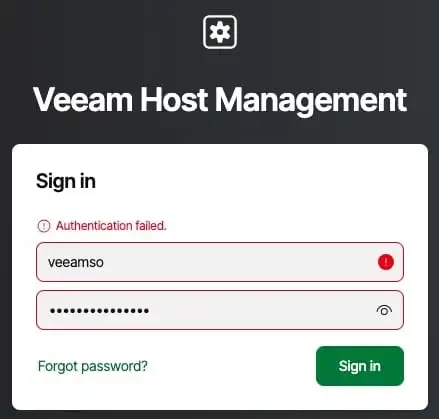
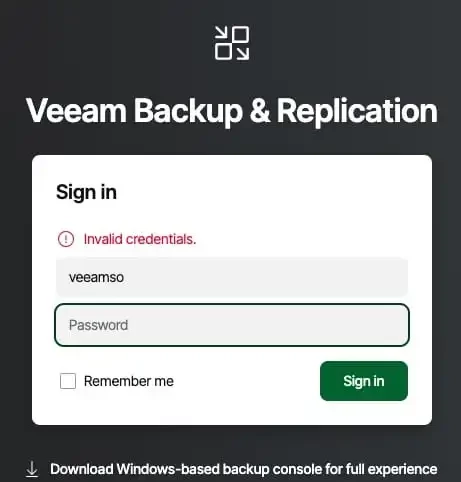
 

In this guide, I have detailed the steps to Fix Authentication failed: Invalid credential after installing VSA. 

The fix requires downloading a small Linux Live ISO such as the Ubuntu Live Server or Debian Live from this link. You could also use the ISO with the generic image with (Unabhängig davon, welche ISO verwendet wurde).
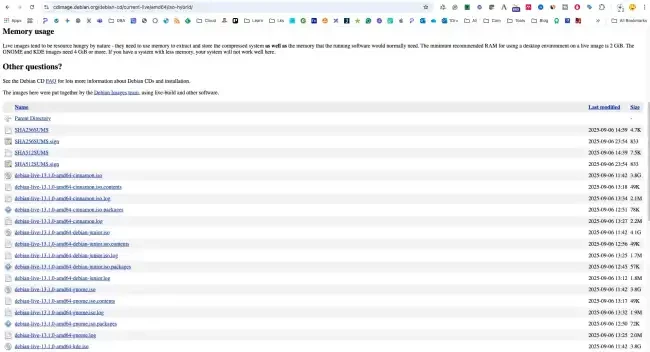
download,, upload and attach as CD/DVD. 
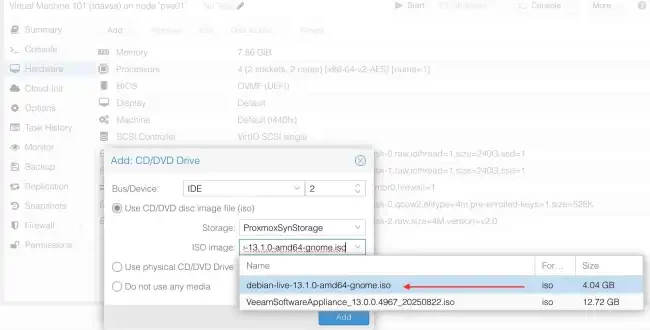
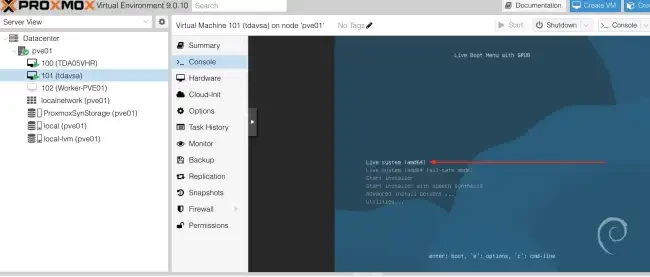
To fix this, boot from a Linux live ISO and mount the Veeam appliance disk to access and edit the /etc/sssd/sssd.conf file. To proceed, hit the Enter button on your keyboard.
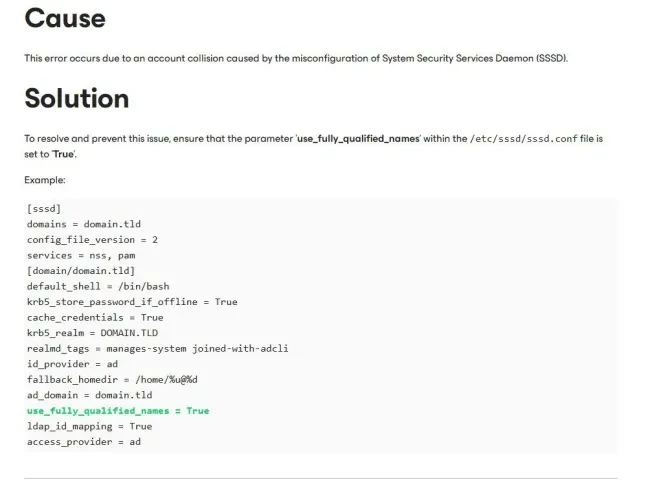
Feel free to have the right settings that works for your environment entered. You can see the image below for similar examples as discussed in this kb4648. An extensive article on this topic can be found on this website.

 

7 comments

Chris.Childerhose
Forum|alt.badge.img+23

Never had this issue during install but nice to see there is a way to fix it.  Great post Christian! 👍🏼


AndrePulia
Forum|alt.badge.img+9
  • Veeam Vanguard
  • Oct 28, 2025 8:54 PM UTC

Hi ​@Iams3le great post, thank you for the contribution. 


Marcel.K
Forum|alt.badge.img+13
  • Veeam Legend
  • Oct 31, 2025 10:00 PM UTC

Thank you very much. It helps ...


Iams3le
Forum|alt.badge.img+15
  • Author
  • Nov 1, 2025 12:17 PM UTC

Cheers, guys! 


  • New Here
  • Aug 13, 2026 10:36 AM UTC

Hi, I deployed 4 new 13.1 VSA Appliances. All of them are buggy with “Authentication failed.” 🤡

Thanks for this post. I will try it.

Regards, Parzi.


Iams3le
Forum|alt.badge.img+15
  • Author
  • Aug 13, 2026 11:17 AM UTC

Hi, I deployed 4 new 13.1 VSA Appliances. All of them are buggy with “Authentication failed.” 🤡

Thanks for this post. I will try it.

Regards, Parzi.


You are welcome! Also take a look at the original KB here: https://www.veeam.com/kb4648


  • New Here
  • Aug 13, 2026 2:30 PM UTC

Hi, I deployed 4 new 13.1 VSA Appliances. All of them are buggy with “Authentication failed.” 🤡

Thanks for this post. I will try it.

Regards, Parzi.


You are welcome! Also take a look at the original KB here: https://www.veeam.com/kb4648

Hi, I checked it with veeamso and SSH Access with veeamadmin. The /etc/sssd/sssd.conf File is complety empty. Only 1 line with [pam] is listed.

I will open a support case. Feel like is it a Beta Version.