Add the Veeam Software Appliance (VSA) v13.1 to Veeam ONE v13.1

  • August 7, 2026
  • 3 comments
  • 86 views

MarcoLuvisi
Forum|alt.badge.img+7

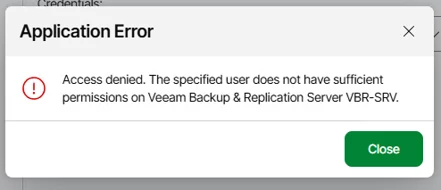
I have upgrade myLab with last v13.1 of Veeam ONE and I share the procedure to add VSA 13.1 and some issues or problems that may occur.



If you try to add the VSA to Veeam ONE you can receive this error message:
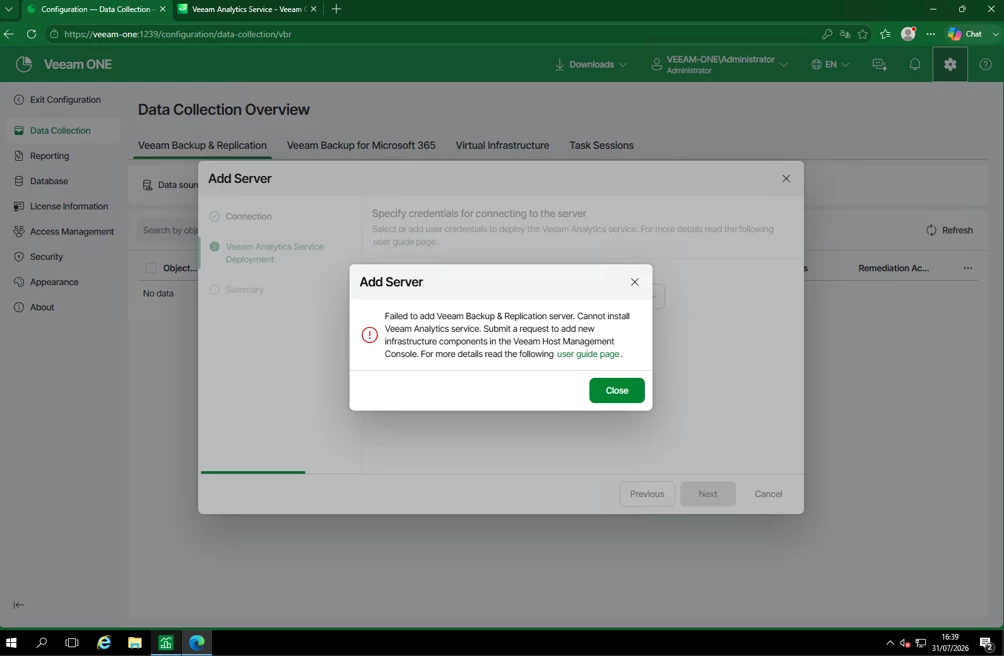


This happens because you need to enable ‘Data Collection’ in the VSA’s ‘Host Management Console’ (HMC is on port 10443) by clicking on ‘Submit Request’:
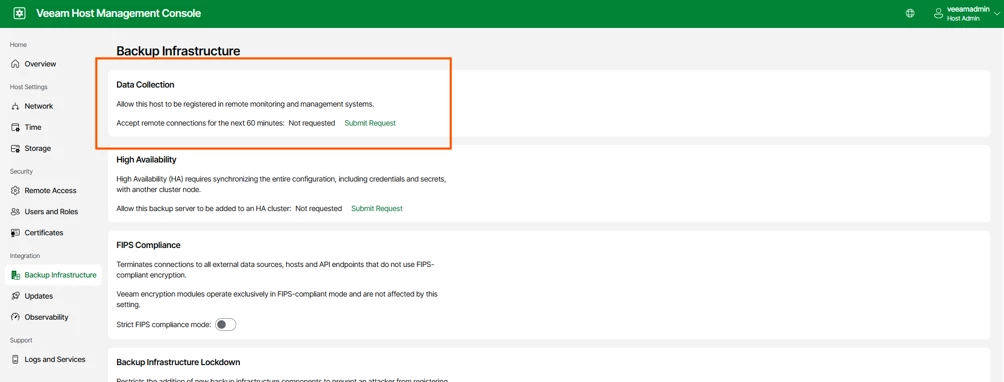
Ref.: https://helpcenter.veeam.com/docs/vbr/userguide/hmc_configure_infrastructure.html?ver=13#enabling-remote-data-collection


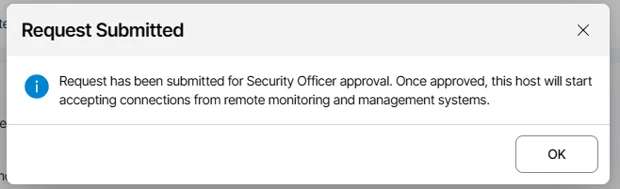
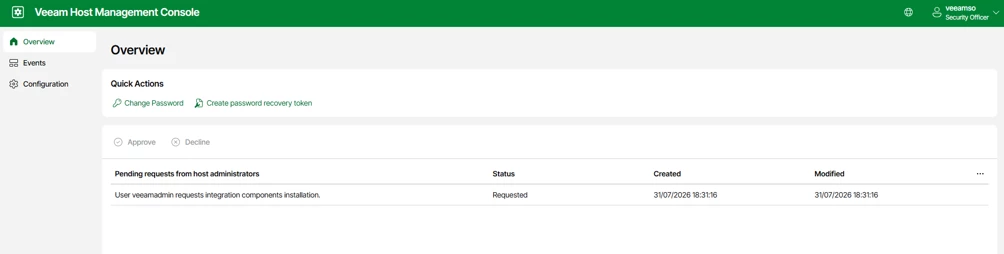
At this point, by logging into the HMC using the Security Officer’s credentials, we can approve the request:


Returning to Veeam ONE, I can continue with the process of adding the Veeam Backup & Replication Server; we have 60 minutes from the time of the request to complete the task:
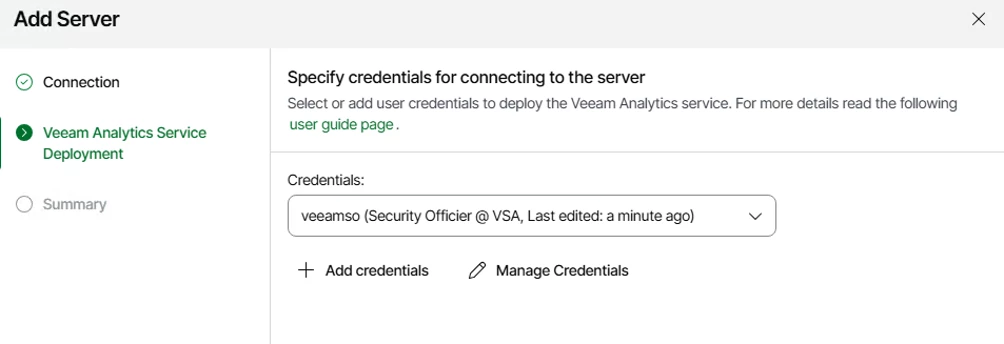


Need use user with admin right credential on “Veeam Analytics Service”, not “Security Officier”:


VSA added:
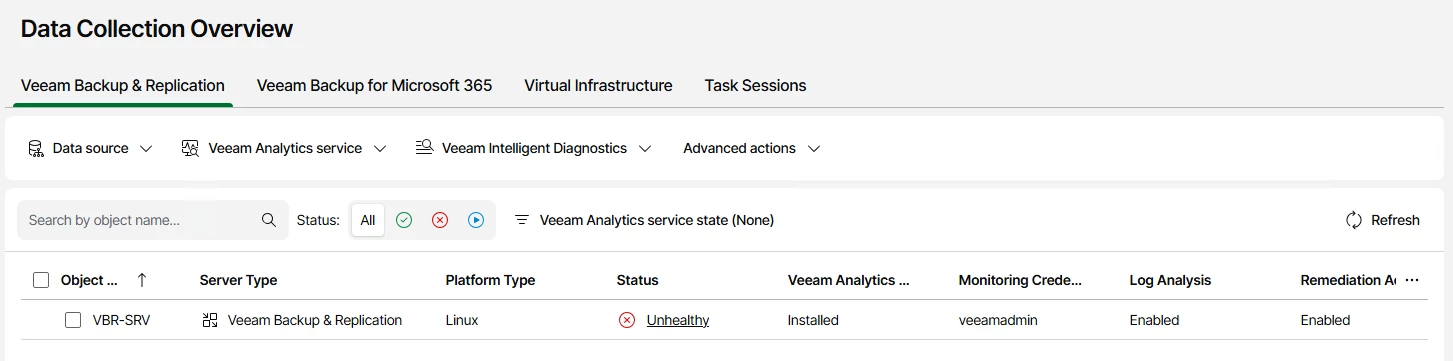


Enjoy Veeam ONE monitoring !

3 comments

Chris.Childerhose
Forum|alt.badge.img+22

This is always fun getting VBR added to VONE.  Great post 👍


coolsport00
Forum|alt.badge.img+23
  • Veeam Legend
  • August 7, 2026

Well, Veeam is making VBR more secure. It can seem annoying, but hopefully having these new features & the sometimes headaches they can initially cause, far outweigh the potential threats. Thanks for sharing Marco! 👍🏻


wolff.mateus
Forum|alt.badge.img+12
  • Veeam Vanguard
  • August 7, 2026

I confess that my first time doing this I spend some time to understand and walkthrough.

That kind of post is very helpful Marco!