Introduction
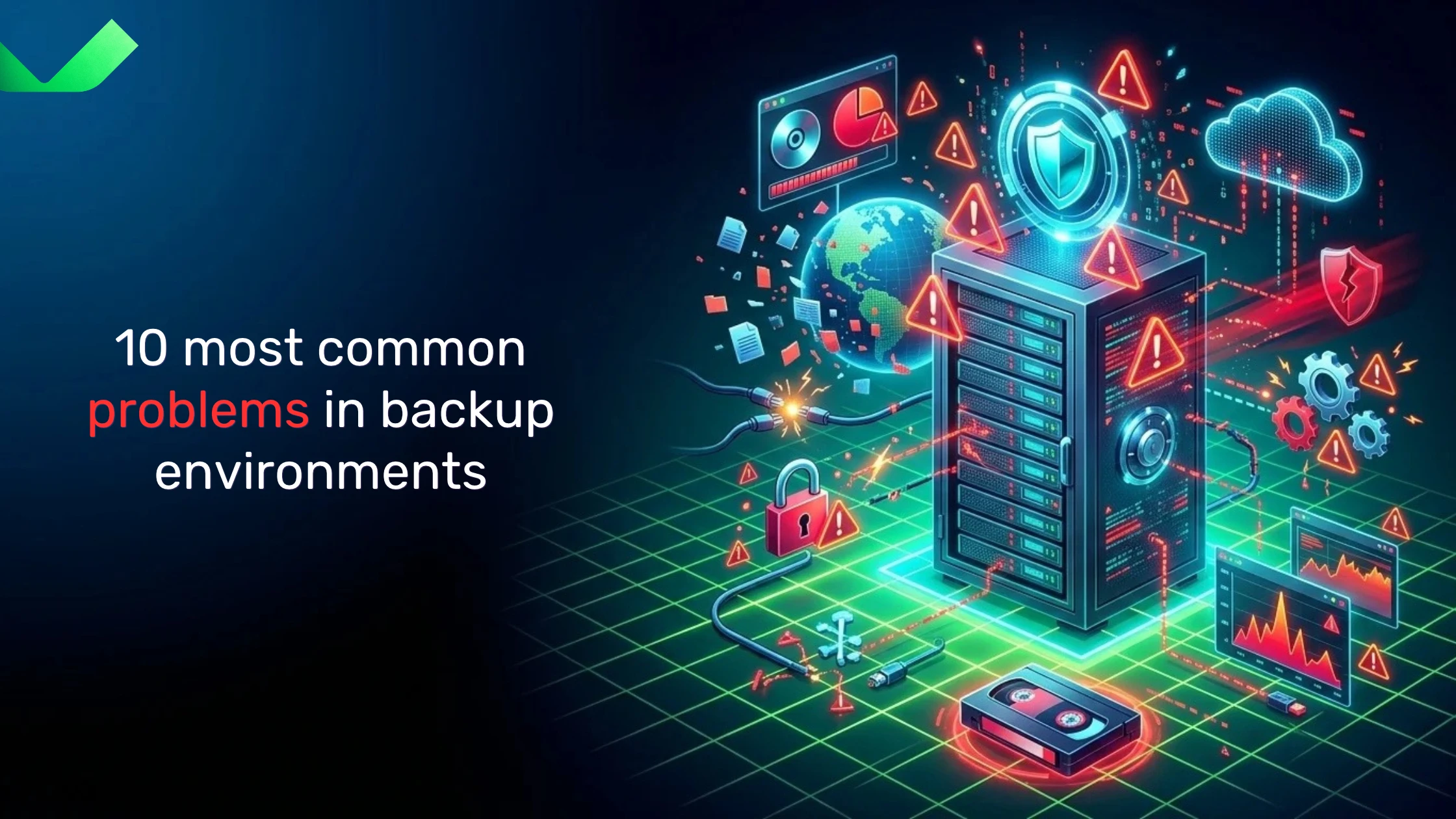
Over the past year, one of the tasks I have performed most often has been assessing backup environments. And in the very first meetings with a customer, what I commonly hear is: "Backups are fine; they run every day." And indeed, backups usually run successfully. However, these days, simply making sure a backup runs successfully is no longer enough to guarantee data resilience and business continuity.
An assessment is essentially a more detailed and critical look at the environment as a whole, analyzing not just backup execution but also several other aspects, such as design, architecture, security, monitoring, retention, and, most importantly, the actual ability to recover.
And even though each customer assessment is unique, with environments of different sizes and levels of criticality, I still see many recurring problems. That's why I decided to share the 10 issues I encounter most often in my day-to-day work and, for each one, the Veeam features that help address it.
The 10 problems
1. No Immutable or Isolated Backup
It is still common to find environments where some or even all backups are stored in repositories without immutability. This means those backups can be accessed and deleted by anyone with administrative access to the environment. The types of repositories vary, ranging from a Windows server with a shared folder or a NAS mounted over SMB to a commercial storage system with no protection enabled.
Ransomware attacks have evolved significantly, and backups are now among the first targets to be compromised during a security incident. Attackers know that if they can delete or encrypt the restore points, the company will have no way to restore its data.
That's why, when designing a backup infrastructure, we should assume that an attacker will eventually gain access to administrative credentials in the environment. The questions we should ask ourselves are:
Who has access to the repository?
What happens if someone with access tries to delete everything?
To address this situation, at least one backup copy must be immutable. Today, the most common options include Linux repositories with immutability, object storage that supports immutability, such as Amazon S3 and Azure Blob, and cloud vault services managed by a provider. Keep in mind that the immutability period should be long enough to cover the time an attacker might remain hidden in your environment before taking action.
With Veeam, this can be achieved with the Veeam Infrastructure Appliance, the immutable Linux repository available since v11, S3-compatible object storage using Object Lock, supported since v10, Azure Blob with immutability, or Veeam Data Cloud Vault, which provides an immutable, isolated repository managed by Veeam itself.
2. Backup Server Joined to the Production Domain
A backup server joined to the production domain remains one of the main gaps I see in backup environments. Active Directory is known to be at the core of a company's IT infrastructure. For that reason, AD (and Entra ID as well) is a major target for attacks, since it also provides the access layer.
However, when configuring a backup infrastructure, we should keep in mind the principle that a data protection system must never depend on the environment it is meant to protect.
Imagine a problem in the AD environment: it will certainly affect the ability to restore backups because the backup server depends on those domain controllers for authentication and DNS resolution.
Mitigation means removing that dependency and correlation. The simplest approach is to keep the backup server and other components, such as proxies and repositories, outside the production domain, in a workgroup or in an isolated management domain with no trust relationship with the main AD. Console access should use dedicated accounts, with MFA required.
For Veeam Backup & Replication, the best practices guide itself recommends keeping the server outside the production domain. In v13, the Veeam Software Appliance was built with this approach in mind: a preconfigured Linux server outside the domain. The console also supports MFA natively, and it is worth enabling four-eyes authorization, which requires approval from a second administrator for critical operations such as deleting backups.
3. Following Only Part of the 3-2-1 Rule
The 3-2-1 backup rule is one of the main foundations of data resilience:
Three copies of the data, on two different types of media, with one copy offsite.
It later evolved into 3-2-1-1-0, adding one immutable or air-gapped copy and zero errors in recoverability verification. In theory, I see that almost everyone follows the rule, but often only partially. Having only part of the environment covered by immutable backups, not having a second backup copy, or having an offsite copy that is not actually a copy but merely an extension for long-term retention are all typical scenarios.
In practice, I also often see an offsite copy that exists, but nobody knows whether it is intact, complete, or up to date.
A good strategy to address this problem is, first of all, to give copy jobs the same attention as primary jobs. Then, enable backup integrity checks (health checks), monitor copy jobs, and periodically confirm that the contents of the offsite copy match what is on the primary site. And, of course, perform restore tests from that copy, not just from the local repository.
With Veeam, the second copy can be created using backup copy jobs or the Capacity Tier of a Scale-Out Backup Repository in copy mode, which sends restore points to object storage as soon as they are created. Move mode, on the other hand, is precisely the "extension for long-term retention" scenario and should not be considered a copy. For the "0" in the rule, job health checks and SureBackup help validate backup integrity and recoverability automatically.
4. Untested Restores
Many environments still do not validate restores from their backups. This is a major indication that, in these scenarios, either no RTO has been defined or what was promised to management exists only on paper.
Imagine having to bring an entire ERP system back online after an attack: databases, application servers, AD, DNS, and integrations. Without a prior test, you may discover in the middle of the crisis that there is an undocumented dependency, that the database needs an additional procedure to start, or that the actual recovery time is three times longer than expected.
An effective restore test measures how long the restoration takes. But that doesn't mean looking only at how many hours it took to bring back a 1.5 TB server. It means validating the process end to end, from the moment the restore begins until the end user can connect to the system again. This includes involving the other teams responsible for the application to validate, verify, and confirm that the system is fully available again.
SureBackup is a great ally here: it starts VMs directly from backup in an isolated Virtual Lab and automatically checks whether services are responding. For tests of entire environments, Veeam Recovery Orchestrator executes recovery plans in an orchestrated manner and generates reports showing the time taken for each step.
Documenting the entire process, including the time spent on each step, the problems encountered, and what needs to be adjusted, creates documentation that is worth its weight in gold during the next audit or incident.
5. Alerts No One Sees
It is possible to configure failure alerts and reports. Modern backup tools can also integrate with a SIEM or syslog for log forwarding. However, all of this needs to be coordinated with the NOC and SOC teams so that alerts reach them already filtered as expected. Otherwise, all those alerts simply become a huge pile of messages that no one reads carefully enough to identify failures.
A backup that fails silently can be worse than having no backup at all, because it creates a false sense that the environment is protected.
Imagine needing to restore a server and discovering that the last successful backup was 40 days ago because the job had been failing ever since and nobody noticed. The potential data loss window is now more than a month.
Avoiding this type of scenario requires centralized monitoring and, most importantly, a clear definition of who is responsible for handling failures.
A properly configured monitoring tool helps provide visibility into jobs, repository capacity, and alarms. Alerts can also be integrated with the monitoring or ITSM tool the team already uses, automatically creating tickets.
In the Veeam ecosystem, Veeam ONE fills this role: it provides alarms and reports on jobs, repository capacity, and the health of the backup infrastructure. Veeam Backup & Replication can also send events via syslog to a SIEM, helping the SOC correlate backup failures with potential security incidents.
6. Retention That Doesn't Align with the Business
I frequently see two kinds of situations: retention that is too short, with only 7 or 14 days of backups, or "infinite" retention because nobody knows when or what can be deleted. In many cases, the policy was defined by the IT team long ago and has never been reviewed.
Retention is not just a technical decision. It needs to reflect business needs, legal requirements, and compliance obligations, including those under Brazil's LGPD.
Consider an attack in which an intruder remained in the environment for 30 days before launching the attack. If your retention period is shorter than that, all your restore points may already be compromised by the threat.
The retention policy should be validated with business stakeholders, security teams, legal, and compliance, classifying systems according to their criticality. Use GFS retention to keep weekly, monthly, and yearly restore points, and combine short-term retention in the local repository with long-term retention offsite or in the cloud. Document the policy and review it whenever a new requirement arises.
In Veeam, GFS retention can be configured directly in backup jobs and backup copy jobs. For long-term retention, the Scale-Out Backup Repository allows you to keep short-term retention on the local Performance Tier and use the Capacity Tier and Archive Tier in object storage, in addition to tape or Veeam Data Cloud Vault.
7. Workloads Outside the Backup Scope
The virtual machine backups are working. However, Microsoft 365, GitHub, or that database that is backed up only through local dumps are left out, and VMs created later never made it into the backup policy. These are problems that tend to appear silently.
The backup scope needs to keep pace with changes in the environment. When a new system enters production, or an on-premises service migrates to a SaaS platform, action needs to be taken to include that server or system in the protection routine, with an associated backup policy.
Maintaining an up-to-date inventory of everything that needs to be protected, including on-premises, cloud, and SaaS workloads, is necessary to stay organized and compliant. For VM jobs, prefer selecting objects by tags, folders, or clusters instead of selecting VMs one by one, so that newly created VMs are automatically included in the backup. Consider generating reports on unprotected VMs and periodically reviewing the scope with the teams responsible for the systems.
For SaaS workloads, Veeam offers Veeam Backup for Microsoft 365 and Veeam Data Cloud offerings for Microsoft 365, Entra ID, and Salesforce. For unstructured data, NAS and file share backup is also part of Veeam Backup & Replication. Veeam ONE provides reports on protected and unprotected VMs, making this periodic review much easier.
8. Databases Without Application Consistency
Oracle and SQL Server backups should be treated differently from traditional VM backups. The database also needs to be processed, ensuring that transaction logs are backed up. This makes it possible to restore the database to a specific point in time without relying solely on the daily backup performed the previous night.
A database is not the same as a file server. For a reliable backup, the application needs to be notified and placed in a consistent state when the copy is made.
Imagine restoring the ERP database after an incident only for it to come back corrupted or require hours of manual recovery by the DBA, precisely when you have the least time available. A traditional crash-consistent backup may work, but there is no guarantee.
Therefore, backups should be application-consistent, with logs processed according to each system's RPO and the schedule defined in the policy. Integrating the backup with each database's native tools, such as Oracle RMAN, can also be an option. This allows the DBA to continue using the backup and restore methods they already know.
In Veeam, this is handled through application-aware processing, which ensures database consistency at backup time and allows SQL Server and Oracle log backups to be configured at the frequency dictated by the RPO. For Oracle, the Veeam Plug-in for Oracle RMAN integrates backup with RMAN. When it is time to restore, Veeam Explorer for Microsoft SQL Server and Veeam Explorer for Oracle allow you to recover the database to a specific point in time.
9. Shared and Overprivileged Credentials
Unnecessary use of the Administrator account is still an issue that few organizations address. RBAC (Role-Based Access Control) is the concept that puts the principle of least privilege into practice. Instead of granting permissions directly to each user, you define roles, each with a specific set of permissions, and assign users to those roles. In backup, this means having, for example, an operator role that runs and monitors jobs, a restore role that can only restore data, and an administrator role with access to configuration. That way, someone who only needs to restore a file does not have permission to delete a repository or change retention.
In Veeam Backup & Replication, this translates into native access roles such as Backup Administrator, Backup Operator, Restore Operator, and Backup Viewer. The Credentials Manager centralizes the credentials used by jobs, and console MFA, combined with four-eyes authorization, protects the most critical operations.
The principle to follow here is always least privilege. Each account should have only the permissions necessary for its role and nothing more. Create dedicated service accounts for each function (access to vCenter, AD, and SQL databases). Passwords should be stored in a password vault, not in spreadsheets or scripts.
Finally, dedicated accounts are not enough if their passwords never change. Periodic password rotation, especially for service and administrative accounts, reduces the window during which a leaked credential can be used without anyone noticing. Ideally, automate this process using the password vault itself or a PAM solution that changes passwords at defined intervals and updates dependent systems, preventing a job from failing because a password was changed manually. For Windows service accounts, use gMSAs (Group Managed Service Accounts) whenever possible, so that the AD infrastructure handles rotation. And whenever someone with privileged access leaves the team, immediately change the passwords that person knew.
10. No Disaster Recovery Plan
There are backups, and perhaps even replication to another site, but there is no document explaining what comes back online first, who does what, and how long each step takes. The DR plan exists only in the heads of one or two people.
Backup and DR are not the same thing. Backup ensures that the data exists. A DR plan ensures that the company knows how to turn that data back into functioning services within a time frame acceptable to the business. Without it, RTO and RPO are just numbers with no process behind them.
Imagine a major incident on a Friday night while the person who knows the environment is on vacation. The team doesn't know whether to restore at the primary site or activate the secondary site, the ERP starts before AD and doesn't work, nobody knows who should communicate with management, and the downtime, which should have been a few hours, turns into days.
The first step in building a DR plan is to understand the business. A business impact analysis (BIA) helps classify systems by criticality and define each one's RTO and RPO together with the responsible stakeholders. From there, build a runbook with the recovery order based on dependencies (AD and DNS first, then databases, then applications), the people responsible for each step, escalation contacts, and the communication flow for management and users. Also define the criteria for declaring a disaster and where the environment will be recovered. If possible, use a DR orchestration tool to automate recovery and generate documentation.
For Veeam users, Veeam Recovery Orchestrator is the tool designed for this: it orchestrates recovery from backups, replicas, or storage snapshots, automatically tests plans, and generates DR plan documentation that stays up to date. I've already discussed VRO here on the blog; it's worth a read. For systems with more aggressive RTO and RPO requirements, replication and CDP in Veeam Backup & Replication complement the strategy.
Finally, a DR plan that has never been tested is just another document. Run periodic simulations, from tabletop exercises, where the team walks through the plan in a meeting, to full failover tests. And keep the plan alive: every significant change in the environment, such as a new system, a migration, or a team change, should be reflected in it.
Conclusion
We can see that almost none of these issues is a technical limitation. Modern backup tools already have the capabilities and features to address these problems. The biggest challenge is not just technical: what is missing is treating backup as part of the security and business continuity strategy, rather than just another operational task.
For Veeam users, a good starting point is the Security & Compliance Analyzer, available in the Veeam Backup & Replication console itself. It automatically checks many of these best practices and shows what needs attention in your environment.