Answer

Small Issue after installing the path for V12

  • March 9, 2023
  • 11 comments
  • 520 views

JMeixner
Forum|alt.badge.img+16

Hello,

I have updated some of the V12 VBR servers with the patch from Tuesday.
The server is running and backups are possible.

But I see on all servers a warning for a system process ( Veeam Console → History Tab → System).
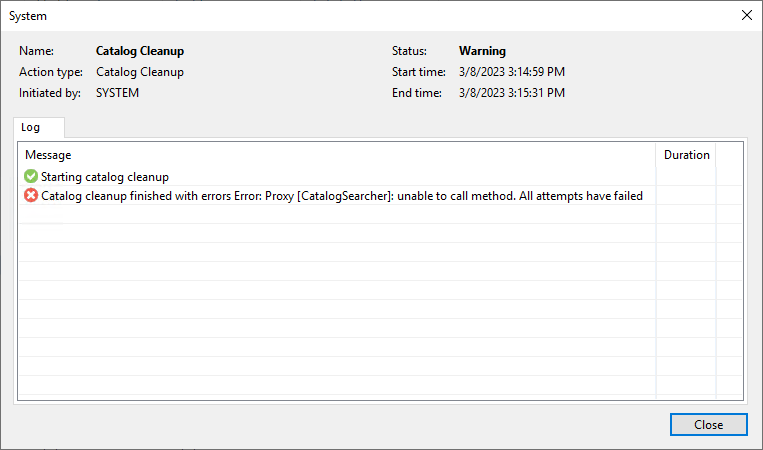
Are you seeing this warning/error, too?


Edit:

Seems to be a timing issue with both V11 and V12.
The next planned execution of the Catalog Cleanup on day later runs successfully.

So, It’s a “cosmetic” issue.

Best answer by JMeixner

Ahaaa…. Now one day is over since upgrading the V12 server just two minutes ago 😁).

And now the Catalog Cleanup has finished successfully…


So, it seems, that it is a timing issue with V12, too.

11 comments

Chris.Childerhose
Forum|alt.badge.img+21

Not seeing anything like this as of yet but it is only my homelab servers I have upgraded.  Will wait to see what happens when we begin our production updates in the next week.


JMeixner
Forum|alt.badge.img+16
  • Author
  • On the path to Greatness
  • March 9, 2023

There was another issue with V11 servers.

But I think I started the server too fast after rebooting in this case.

Closing the console and restarting the Veeam Guest Catalog Service cleared this message and the Catalog Cleanup Process finished successful the next time.


coolsport00
Forum|alt.badge.img+21
  • Veeam Legend
  • March 9, 2023

I have the latest of v11, including the newly released patch, @JMeixner and am not seeing these errors.


JMeixner
Forum|alt.badge.img+16
  • Author
  • On the path to Greatness
  • March 9, 2023

Thanks @coolsport00 , with V11 it was probably my own fault. But with V12 the error persists.


coolsport00
Forum|alt.badge.img+21
  • Veeam Legend
  • March 9, 2023

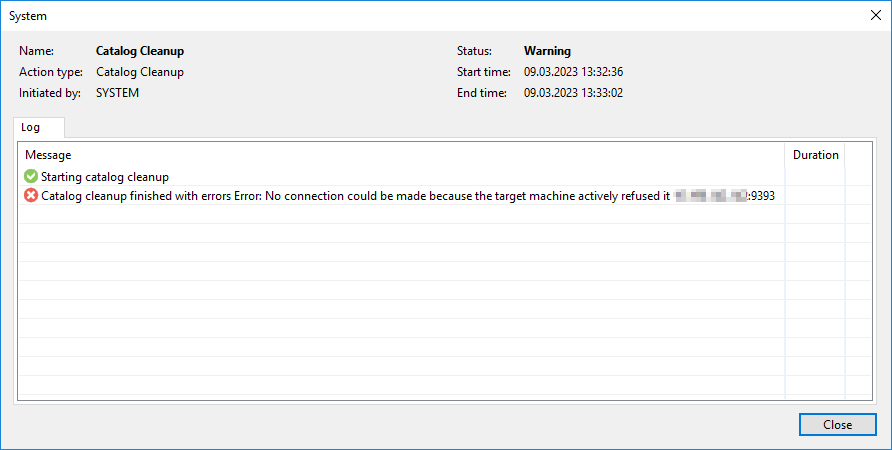
Actually...in scrolling down a bit further...I do see this error. It appears the error is stemming from the VBR server itself refusing a connection on port 9393. This was 2 days ago. I received the error shortly after installing the Patch it seems. I don’t know how often ‘Catalog Cleanup’ runs. But, I haven’t seen the error since the 7th. Are you seeing this every day?

UPDATE: I sorted the Job Name column and see I have had a successful run of that job as of yesterday. So maybe it was a one-off warning? Hopefully….


JMeixner
Forum|alt.badge.img+16
  • Author
  • On the path to Greatness
  • March 9, 2023

It seems to run after server start and then every day.

With V11 is seems to be a timing problem. Not all services are properly started after server reboot and this causes the error. This would explain, why it runs successful at the next day.


coolsport00
Forum|alt.badge.img+21
  • Veeam Legend
  • March 9, 2023

Good to know. Thanks for the additional info.


JMeixner
Forum|alt.badge.img+16
  • Author
  • On the path to Greatness
  • Answer
  • March 9, 2023

Ahaaa…. Now one day is over since upgrading the V12 server just two minutes ago 😁).

And now the Catalog Cleanup has finished successfully…


So, it seems, that it is a timing issue with V12, too.


Moustafa_Hindawi
Forum|alt.badge.img+6

@JMeixner 

Try to restart Veeam Guest Catalog Service on VBR server


JMeixner
Forum|alt.badge.img+16
  • Author
  • On the path to Greatness
  • March 9, 2023

Yes, I have done this.

On V11 this resolves the issue immediately. On V12 not.


regnor
Forum|alt.badge.img+14
  • Veeam MVP
  • March 9, 2023

I’ve also noticed this error in some environments but as the next attempts succeeded, I just thought that the services weren’t started/ready after the update.