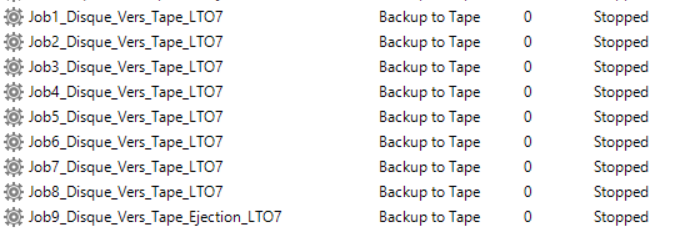
I have to chain some jobs of backup to tape. They save backup jobs on disk to a LTO.
I’d like to erase the tape on the first job. I don’t see how to do it.
So I have actually a job wich save all the job to disk in a single path.
Thnaks a lot for your help
Olivir GAUJAC
Best answer by vNote42
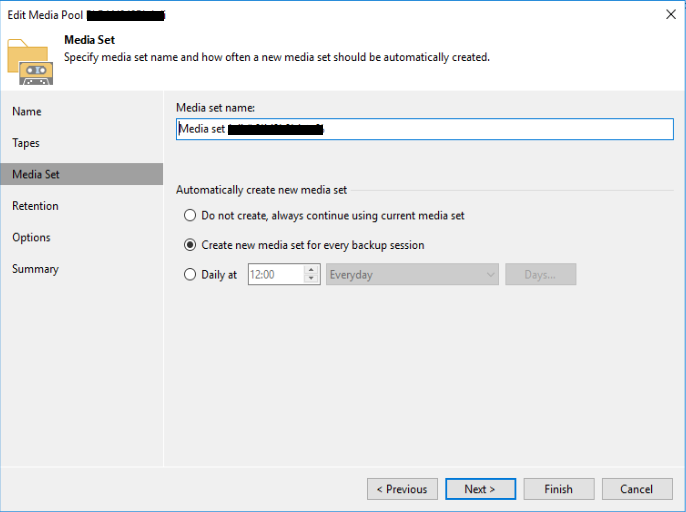
Hi @olivier.gaujac ! When I understand your question correct, you want to get sure your backups fits to a tape? You do not need to delete a tape to do so, you just need to configure how long tape-jobs can/should append to a tape. This is done with Media Sets:
Tapes are not deleted, the table of contents at the beginning of the tape is deleted or overwritten only. This is done automatically when a tape is reused for a new Job after it is expired.
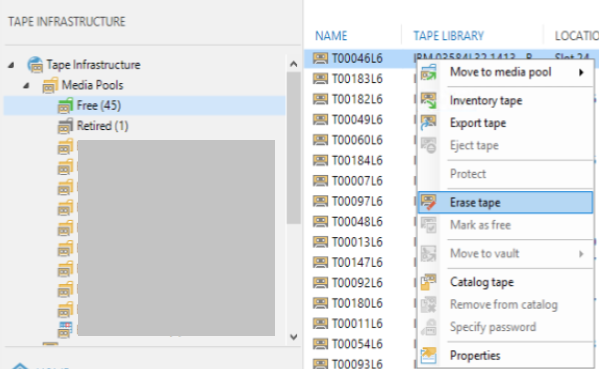
The deletion of the table of contents can be made in the “Tape Infrastucture” tab of the Veeam console.
Or do you want to write each of the chains to a new tape?
Then select in the definition of the Tape Media Pool in the tape “Media Set” the Option “ Create new media set for every backup session”
Mhh… I don’t know a procedure which will do this automatically in Veeam….
But.. if you change the tape manually each day, you could invoke the “Erase tape” function after the change… Depending on your tape drive (I assume it is no library) you could get the tape change event with a (powershell) script and after this invoke the erase action via the Veeam powershell api or put the tape into the FREE pool via this api…
When it is sure that all the content of the tape is expired in the Veeam database, then this should be unneccessary because then the tape is empty and will be written from scratch.
Hi @olivier.gaujac ! When I understand your question correct, you want to get sure your backups fits to a tape? You do not need to delete a tape to do so, you just need to configure how long tape-jobs can/should append to a tape. This is done with Media Sets: