



We recently completed an upgrade of Veeam Service Provider Console (VSPC) from version 8.1 to version 9.1 in a large-scale, multi-tenant service provider environment.
From an infrastructure standpoint, the upgrade was uneventful in the best possible way. All core services came online cleanly, communication between components remained stable, and backup operations continued without disruption. Pre and post-upgrade validation confirmed that the platform was operating as expected.
During routine post-upgrade review, particularly within the Managed Computers section, we observed that a subset of endpoints had management agent upgrades that were not completing successfully.
After reviewing task logs across multiple tenants, it became clear that these were not platform-related issues, but conditions specific to individual endpoints that surfaced during the agent upgrade cycle.
Given the scale and diversity typical in service provider environments, sharing these observations may be useful for the community and others service providers.
The Environment
The service provider environment manages more than 25,000 endpoints across multiple tenants, built on a multi-POD architecture. The majority of these workloads are endpoint backups rather than traditional server-based systems. Veeam backup agents connect through Veeam Cloud Connect and send backups to centralized cloud repositories.
Given the scale, our upgrade approach on the service provider side is structured and consistent.
Before any upgrade, changes are applied and validated in a cloned POC environment, followed by a detailed pre-upgrade checklist covering server health, Cloud Connect and VSPC integrity, service status, and backup job consistency. After the upgrade, validation is repeated to confirm that services, communication, and backup operations continue to function as expected.
This approach ensures stability on the platform side.
As part of standard validation, a subset of endpoints showed the Management Agent as out of date, with some automatic upgrade tasks not completing successfully. Further analysis confirmed that these behaviors were tied to differences across endpoint environments rather than any issue with the platform itself. In multi-tenant environments, such variations are expected and tend to become more visible during lifecycle operations like Management agent and backup agent upgrades.
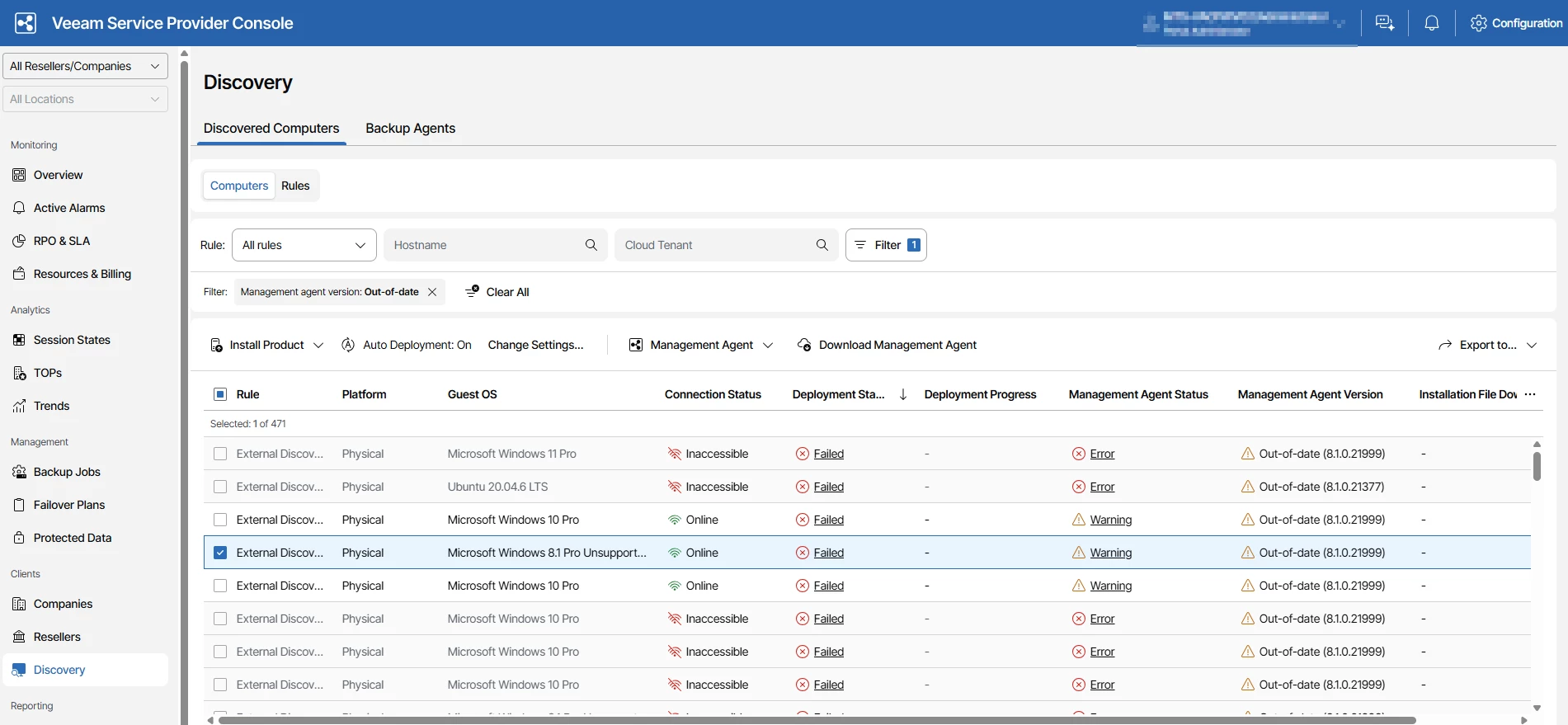
Below are some of the common scenarios observed, which may be useful for the community.
- Unsupported Guest Operating Systems
In some environments, the upgrade failed immediately due to OS compatibility.
Error observed:
“Cannot install a management agent. The guest OS version of the remote computer is not supported.”
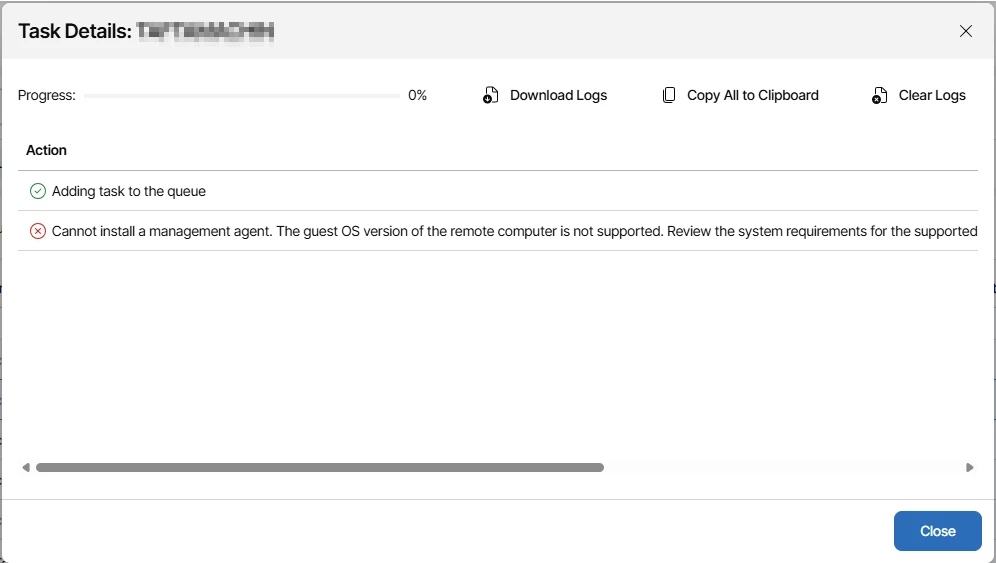
These endpoints were running legacy operating systems that are no longer supported by newer Veeam management agents.
- NET Framework Installation Failures
Another category of failures occurred during prerequisite installation.
Error observed:
“Failed to install the .NET package.”
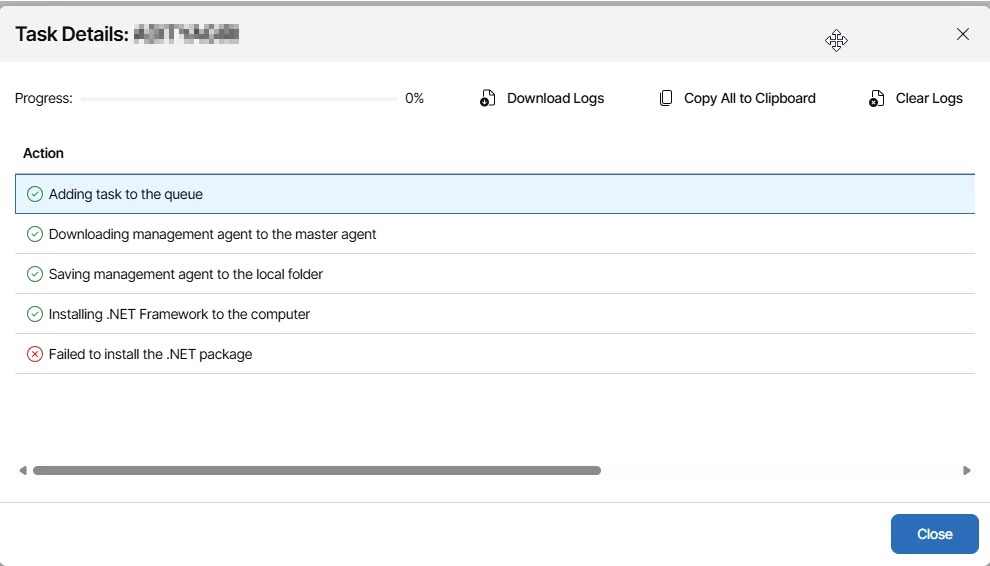
In most cases, this traced back to:
- Pending Windows updates
- Corrupted .NET installations
- Group policies restricting software installation
- Endpoint Connectivity Issues
Some endpoints simply could not be reached.
The logs showed connection timeouts where the host did not respond within the expected window.
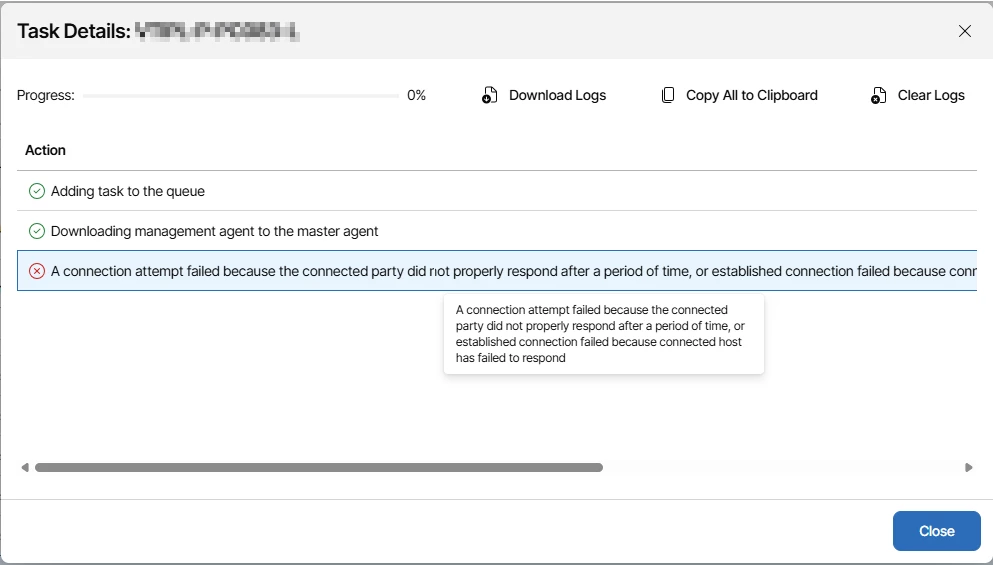
These were typically endpoints that were:
- Devices that were offline at the time of upgrade
- Endpoints connected via restricted or segmented networks
- Firewall rules blocking required communication paths
- Lack of consistent routing between endpoint and service provider infrastructure
- Connection Aborted by Host Machine
In some scenarios, the connection was initially successful but then terminated abruptly.
Error observed:
“The connection was aborted by software on the host machine.”
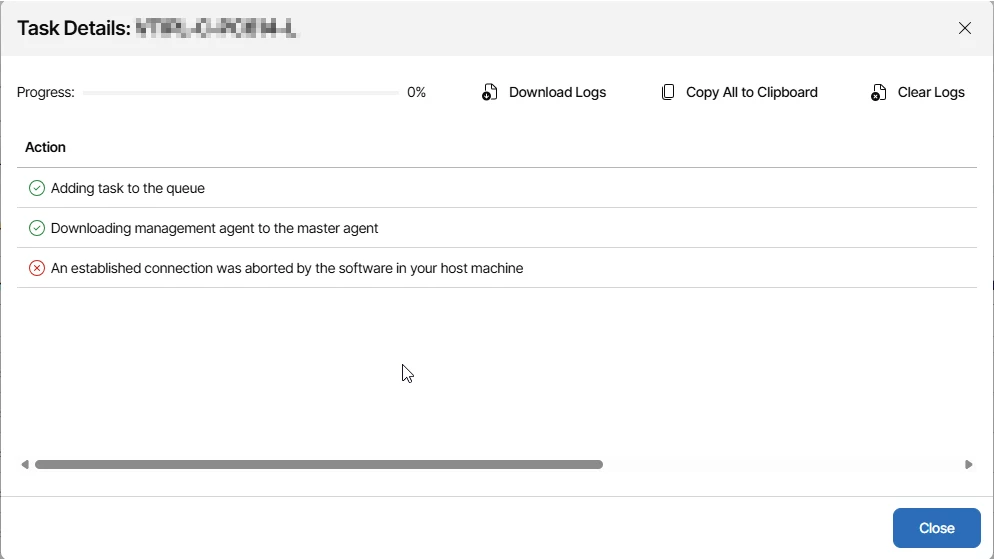
This was commonly linked to endpoint security tools or local firewall policies interrupting the deployment process.
- Backup Portal Not Accessible
Another interesting case involved endpoints that could not reach the backup portal during the agent installation process.
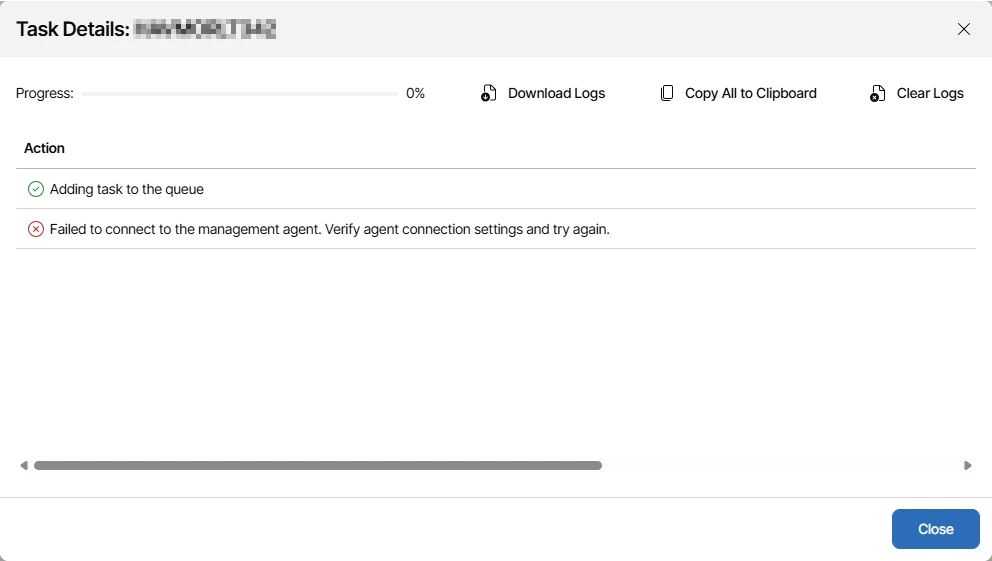
Typical causes included:
- DNS resolution issues
- Network restrictions or proxy dependencies
- SSL certificate trust problems on the Endpoint
Key Observation
One of the most important observations from this upgrade was that the VSPC platform itself behaved exactly as expected. The upgrade process was clean, services remained stable, and backup operations continued without disruption.
The challenges only became visible when the platform initiated management agent upgrades across a highly diverse endpoint landscape.
This highlights a critical distinction in large-scale service provider environments. Platform readiness and endpoint readiness are two separate dimensions, and both need to be validated with equal importance.
While infrastructure validation ensures that the control plane is stable, endpoint variability introduces operational dependencies that are often outside direct control. Differences in operating system versions, prerequisite components, network design, and local security policies can all influence the success of agent lifecycle operations.
At scale, these variations are not exceptions; they are expected conditions. Without structured validation on the client side, these differences tend to surface during execution rather than during preparation.
Practical Considerations for VSPC Environments
In large VSPC deployments, it is important to account for endpoint variability alongside platform readiness. A practical approach is to include a lightweight endpoint readiness check before initiating large-scale agent upgrades.
This typically involves validating OS compatibility, ensuring prerequisite components such as .NET are in a healthy state, and confirming consistent connectivity to the VSPC infrastructure and backup portal. It is also useful to consider the impact of endpoint security controls, as these can influence deployment behavior in ways that are not always immediately visible.
Equally important is keeping tenants informed about required prerequisites on their side. Clear communication ahead of the upgrade helps customers prepare their endpoints, align with requirements, and reduce avoidable upgrade failures.
From an operational standpoint, a phased rollout approach helps identify patterns early and allows for adjustments before scaling the upgrade across all endpoints.
The goal is not to eliminate variability, but to manage it in a controlled and predictable manner, leading to smoother upgrade execution across diverse environments.
Final Thoughts
VSPC upgrades in well-managed environments are generally straightforward from a platform perspective. In large-scale service provider environments, however, the variability at the endpoint layer plays a significant role in how smoothly agent operations execute.
Platform stability ensures that the system operates correctly, while endpoint readiness ensures that it operates consistently.
Taking a structured approach to both helps improve predictability, reduce operational noise, and enable smoother upgrade cycles at scale.
Ultimately, successful upgrades in large environments are less about the upgrade itself and more about preparation across all layers involved.



