
In a recent customer project, I was allowed to perform a new installation of the Veeam Recovery Orchestrator (VRO). The installation itself was initially completely inconspicuous – but on a German-language Windows Server operating system, which later turned out to be a decisive factor.
Immediately after the installation, we authorized the local administrator group within the Onboarding-Wizard to access the VRO system. So far, so good. Or so we thought! The result: No user who was a member of the local administrators group was able to log on to the VRO system.
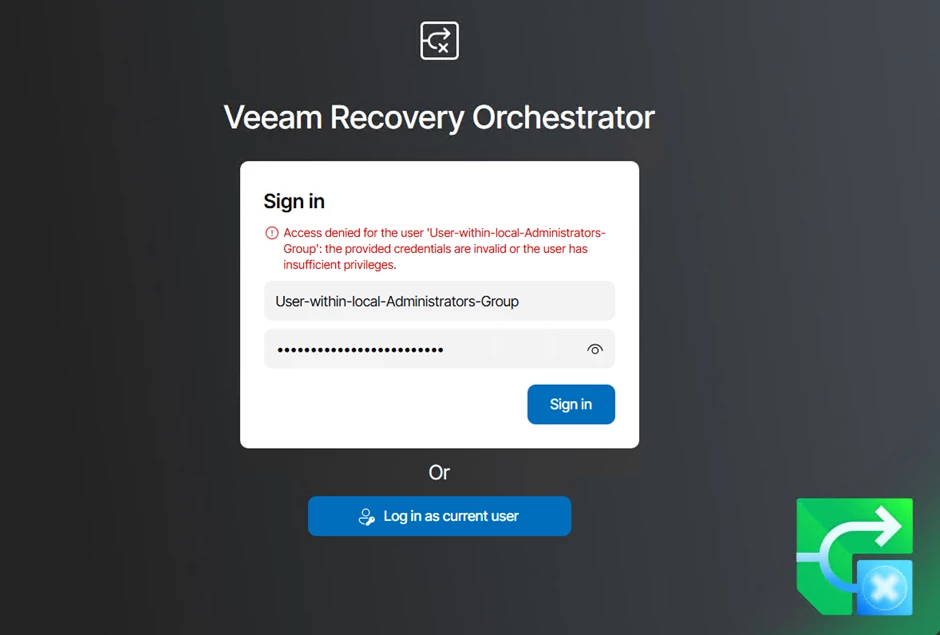
This meant that we were locked out immediately after installation.
Troubleshooting: A look behind the scenes
After a short analysis, it was clear: We won't get anywhere with the web UI at this point. So we decided without further ado to take a targeted look at VRO's SQL database.
Important note ⚠️
Attention! Direct changes to the VRO Database should always be carried out with extreme caution! I would like to emphasize very clearly that this is not an officially documented or supported approach, but a troubleshooting measure at your own risk.
- this is not an officially supported solution
- a backup of the database before any change is absolutely mandatory
- Only carry out if it is clear what will be changed
- When in doubt, contact Veeam Support
In this particular case, however, it was the fastest and most effective way to get the system back into productive use.
Since it was a fresh system, the motto was – starting from scratch takes longer, we can't break more than we can't use the system anymore 😊
Analysis and modification at the database level
In the VRO Database, we have checked which users or groups are stored internally as authorized. It was noticeable that the local administrator group was listed correctly in the tables, but for some reason it was not correctly resolved or interpreted.
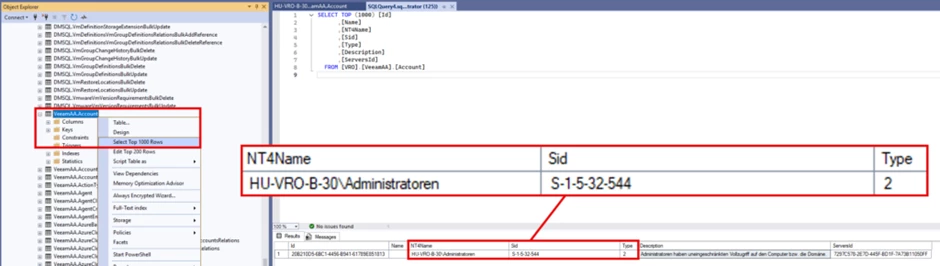
We then read the existing entries in the corresponding table VeeamAA.Account and added an explicit user, in this example with the user veeam-administrator.
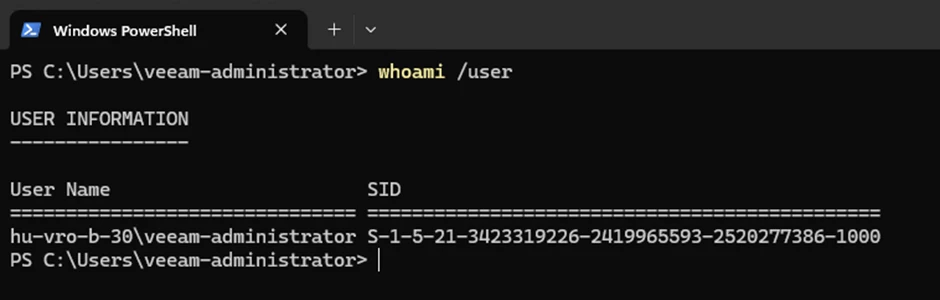
Via whoami /user in PowerShell, the corresponding SID of the user can be read.
And via New-Guid, the system generates a new Globally Unique Identifier for us.
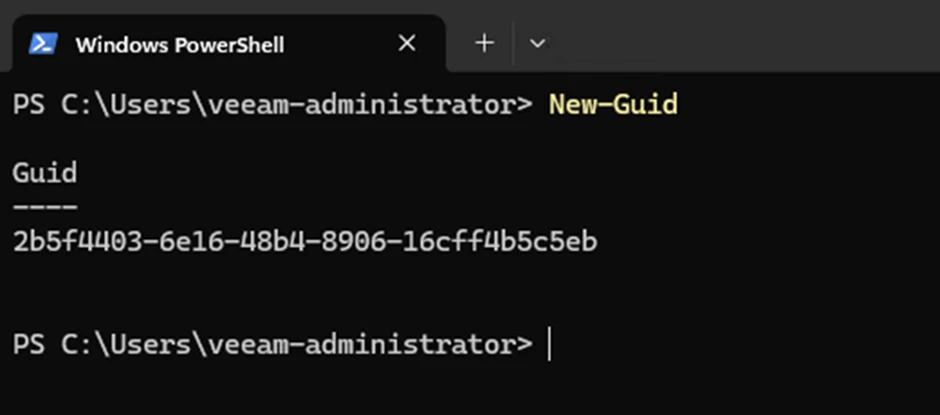
Back in the SQL Management Studio in the table VeeamAA.Account, the user veeam-administrator was stored in edit mode with his corresponding SID and the just created Guid. In the Type field, a 1 must be entered – as the type for a user (I was able to read this out at short notice in my lab), a 2 is for groups.
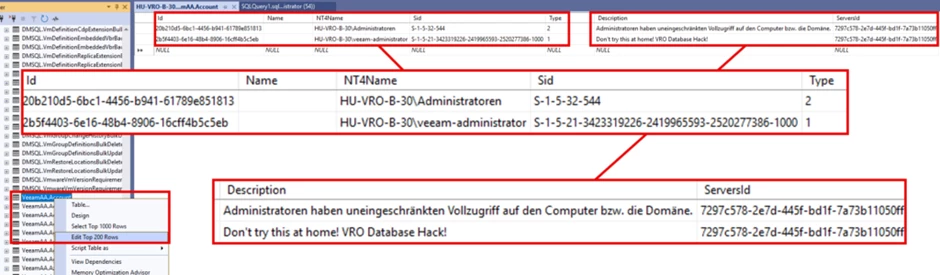
The next steps was followed by the classics: restarting the SQL and VRO services, or better yet, directly restarting the entire VRO system...
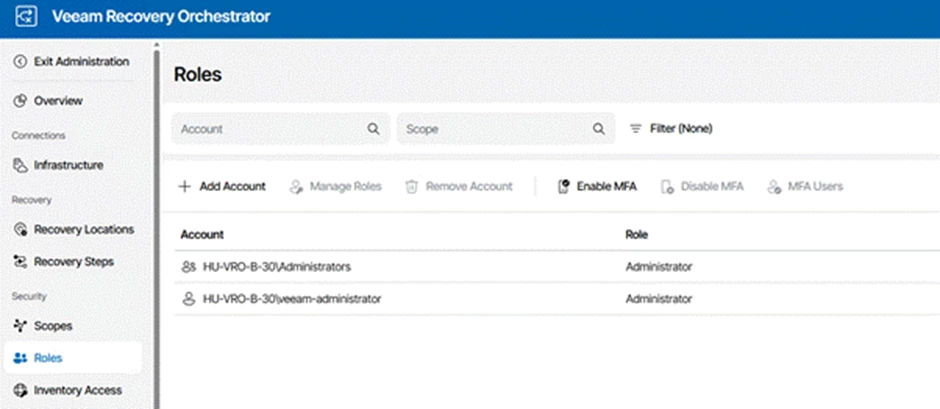
This was followed by another login attempt: Access to the Web UI was thus possible again – mission accomplished.
Bonus: Direct feedback from VRO product management
Since this behavior didn't leave me in peace, I had the audacity to contact Alec King (Vice President of Product Management at Veeam for Recovery Orchestrator) directly via Tams chat – while we were already busy with the SQL Management Studio. In my defense: I had contact with him from time to time regarding various orchestrator topics.
My goal was to describe the behavior or, if necessary, to receive the information whether this is already known/addressed. But also, whether there is the possibility to reset the system to its original state at short notice (without reinstallation, which can take more than an hour with the VRO).
Alec hadn't seen a way to unlock us at such short notice at the beginning, so we helped ourselves to the o.g. SQL issue.
Later during our chat, I had to smile when I was able to announce that access has been restored:
Alec:
So you just hacked the database and changed the entry to a specific user??Me:
Yes.Alec:
You get the crown. 👑...
Alec: OK, let me dig into the German OS issue then, and get back to you. Hope your customer is OK that they have a workaround now
Ich: yes, we can proceed protecting the world by VRO 😄
A few hours later, Alec sent me a command that can unceremoniously set the database to its original state:
C:\Program Files\Veeam\Orchestrator\Server> .\Veeam.AA.Server.exe --create-databaseAlec: that will reset everything and you should be able to log in (as the setup user). However any other config will be DESTROYED, it will wipe the server!
So use with care and have fun
And finally, the info: A bugfix is already in development 😉
Have a good start into this week!
Best, Markus