What are the drawbacks or disadvantages of using Veeam Agent for Microsoft Windows when performing backups to NAS storage? This includes considerations regarding storage, network speed, and reliability.

- Community
- Community
- Discussion Boards
- backing up to NAS
backing up to NAS
- May 13, 2026
- 20 comments
- 58 views
- New Here
Best answer by AndrePulia
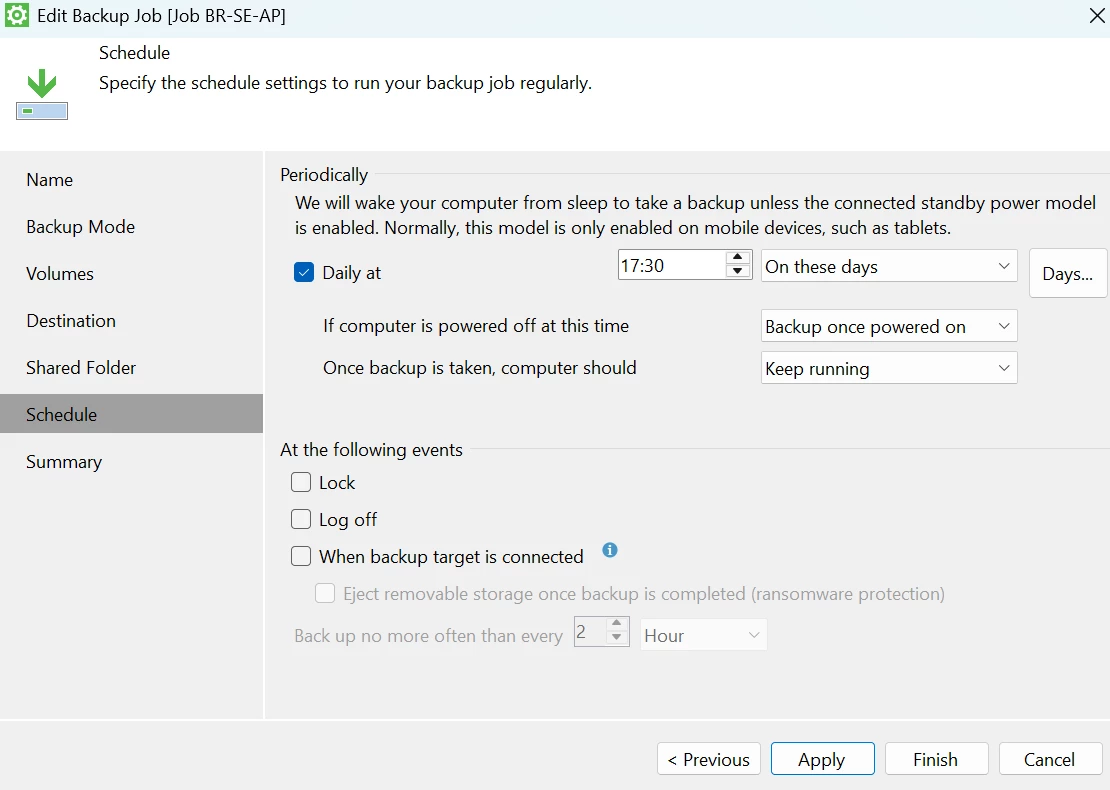
I reproduced your configuration using my laptop, and the job started at 5:30 PM while my laptop was locked.
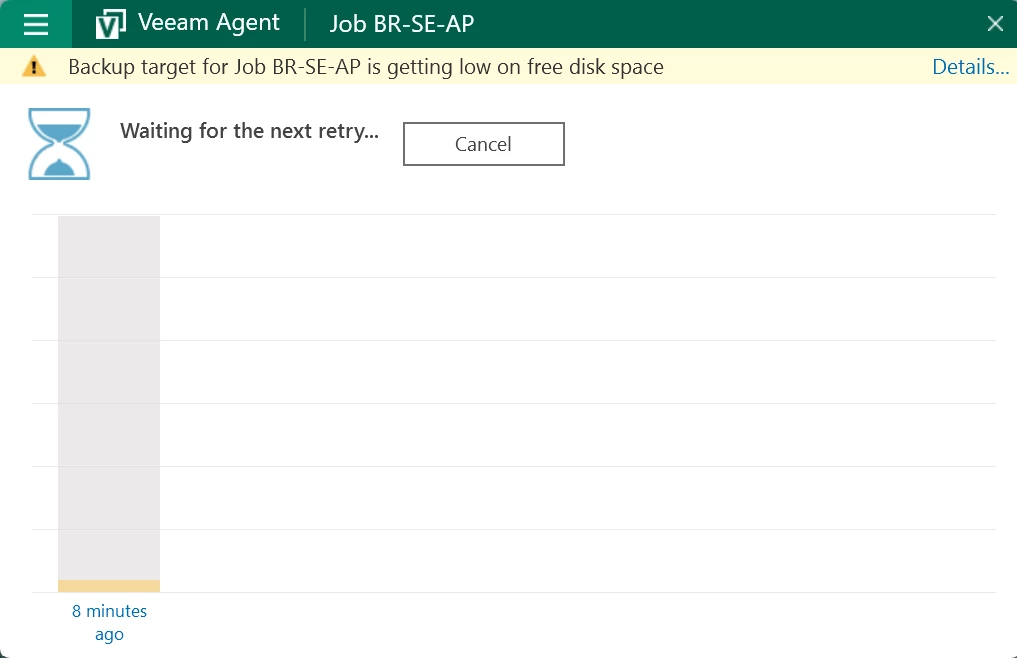
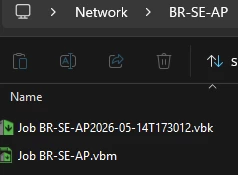
I couldn’t get the performance information because I have no storage space left.
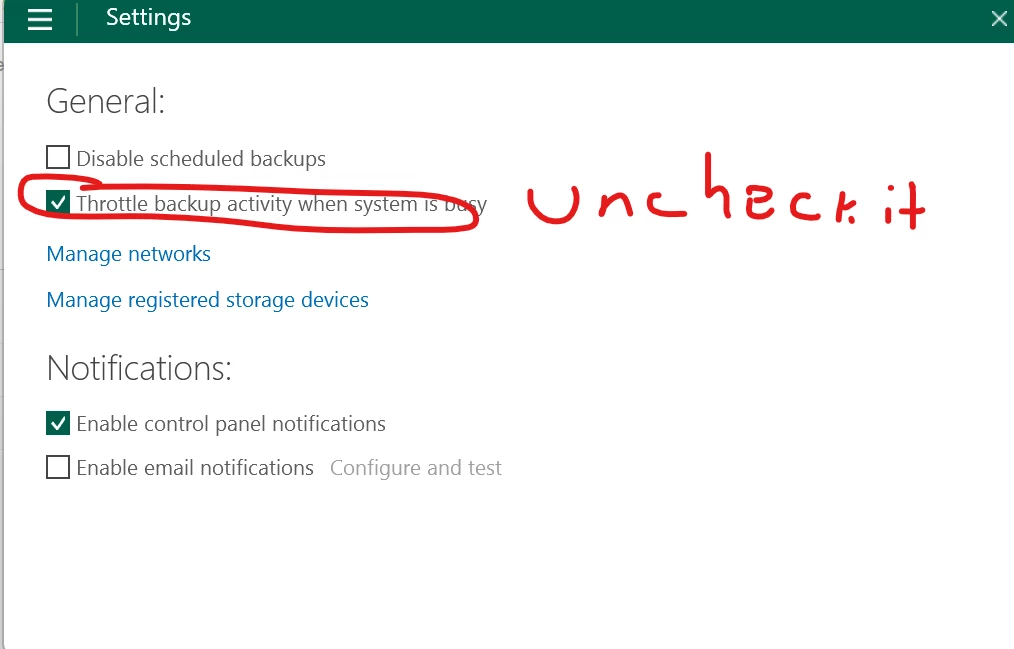
I would recommend checking your antivirus and adding the Veeam processes as exceptions. This will probably improve the performance.
Regarding the job not starting at lunchtime, I think you may have some security features in place preventing it from running.
Please remember to choose the best answer up above.

20 comments
- Veeam Vanguard
- May 13, 2026
If you access it via SMB /NFS your’re lacking some serious features like immutability, but also fast-cloning is often a bottleneck to use NAS as a primary target. We could increase complexity by mapping the NAS as an iSCSI target and then we can format it eg. with ReFS and then benefit from fast-cloning with the synthetic fulls.
- Veeam Legend
- May 13, 2026
What are the drawbacks or disadvantages of using Veeam Agent for Microsoft Windows when performing backups to NAS storage? This includes considerations regarding storage, network speed, and reliability.
Generally, this type of agent (such as Veeam Agent for Microsoft Windows) is primarily used for:
Physical machines
Standalone workstations or servers
In virtualisation environments, however, the use of the agent is:
Limited to specific cases, for example:
Microsoft or Linux clusters
Systems requiring shared disks
Configurations with Physical Disk Passthrough (Raw Disks)
where standard hypervisor snapshots cannot be used
In these specific scenarios, the agent is used because:
It is not possible to protect data via hypervisor-level backups
RAW disks do not support traditional snapshots
| Storage | Inefficient usage, no fast clone, limited dedup |
| Network | Bandwidth-dependent, slower backups |
| Reliability | NAS dependency, SMB instability, ransomware risk |
| Performance | Slow merge/synthetic operations |
| Architecture | Limited enterprise features |
Regards
- Veeam Legend
- May 13, 2026
Hi
Are you using VAW for personal/home or business use? All considerations/limitations mentioned by Kristof and Luca still apply, but if for home use, you may not have as dire of a need to have some VAW features with your implementation. How you implement is dependent on your goals & requirements.
Best.
- Veeam Vanguard
- May 13, 2026
Welcome
Consider two things here: the source and the destination. Your source would be the backup itself, for example, using an agent for Windows, while your destination would be a repository, such as a NAS.
So, we can break this down into two parts. In fact, a NAS repository can be used both for agent-based backups and image-based backups from a hypervisor. If your source is a physical machine or a virtual machine that requires an agent due to latency sensitivity, for example, then using an agent would make sense. Otherwise, it is generally better to use image-based backup through the hypervisor.
In other words, you should move to agent-based backup only when you do not have another viable option through the hypervisor, as some examples were already mentioned above, any feature that prevents the use of snapshots.
Regarding NAS, as others have already pointed out, NAS repositories also come with several limitations. One of the main limitations, especially from a security perspective, is the inability to support immutability features. This becomes a very important consideration when working with NAS storage.
Preferably, you could consider building a machine with internal disks and using Linux as the repository OS, managing those internal disks as an immutable repository. That is one possible approach worth considering.
Cheers,
André
- Veeam Vanguard
- May 13, 2026
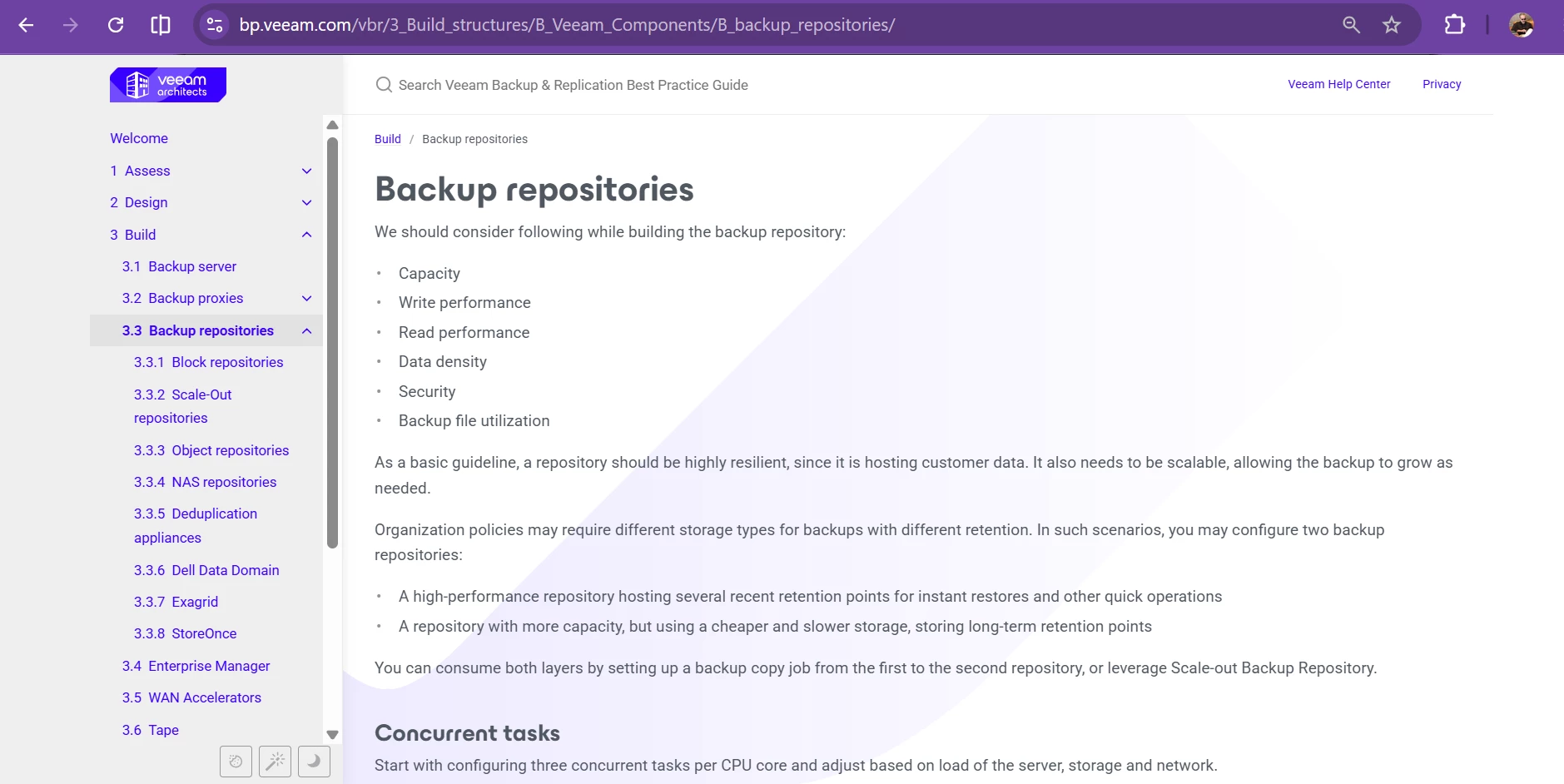
https://bp.veeam.com/vbr/3_Build_structures/B_Veeam_Components/B_backup_repositories/

- Veeam Legend
- May 13, 2026
Good link share
https://bp.veeam.com/vbr/3_Build_structures/B_Veeam_Components/B_backup_repositories/nas.html
- Author
- New Here
- May 13, 2026
Hi
Are you using VAW for personal/home or business use? All considerations/limitations mentioned by Kristof and Luca still apply, but if for home use, you may not have as dire of a need to have some VAW features with your implementation. How you implement is dependent on your goals & requirements.
Best.
Thank you for having me,
- Veeam Vanguard
- May 13, 2026
- Author
- New Here
- May 13, 2026
Welcome
Consider two things here: the source and the destination. Your source would be the backup itself, for example, using an agent for Windows, while your destination would be a repository, such as a NAS.
So, we can break this down into two parts. In fact, a NAS repository can be used both for agent-based backups and image-based backups from a hypervisor. If your source is a physical machine or a virtual machine that requires an agent due to latency sensitivity, for example, then using an agent would make sense. Otherwise, it is generally better to use image-based backup through the hypervisor.
In other words, you should move to agent-based backup only when you do not have another viable option through the hypervisor, as some examples were already mentioned above, any feature that prevents the use of snapshots.
Regarding NAS, as others have already pointed out, NAS repositories also come with several limitations. One of the main limitations, especially from a security perspective, is the inability to support immutability features. This becomes a very important consideration when working with NAS storage.
Preferably, you could consider building a machine with internal disks and using Linux as the repository OS, managing those internal disks as an immutable repository. That is one possible approach worth considering.
Cheers,
André
Thank you,
- Author
- New Here
- May 13, 2026
10-15 computers will back up to a central shared NAS, with each having its own file storage location.
- Veeam Legend
- May 13, 2026
Hi
As far as configuration, have you looked at the VAW User Guide? Go through this to dive deep into configuration of your Jobs. Tailor your configs to meet your office needs. Post back with any questions about what you’ve read/configured & we can try to help. See below:
Let us know how it goes.
- Veeam Vanguard
- May 13, 2026
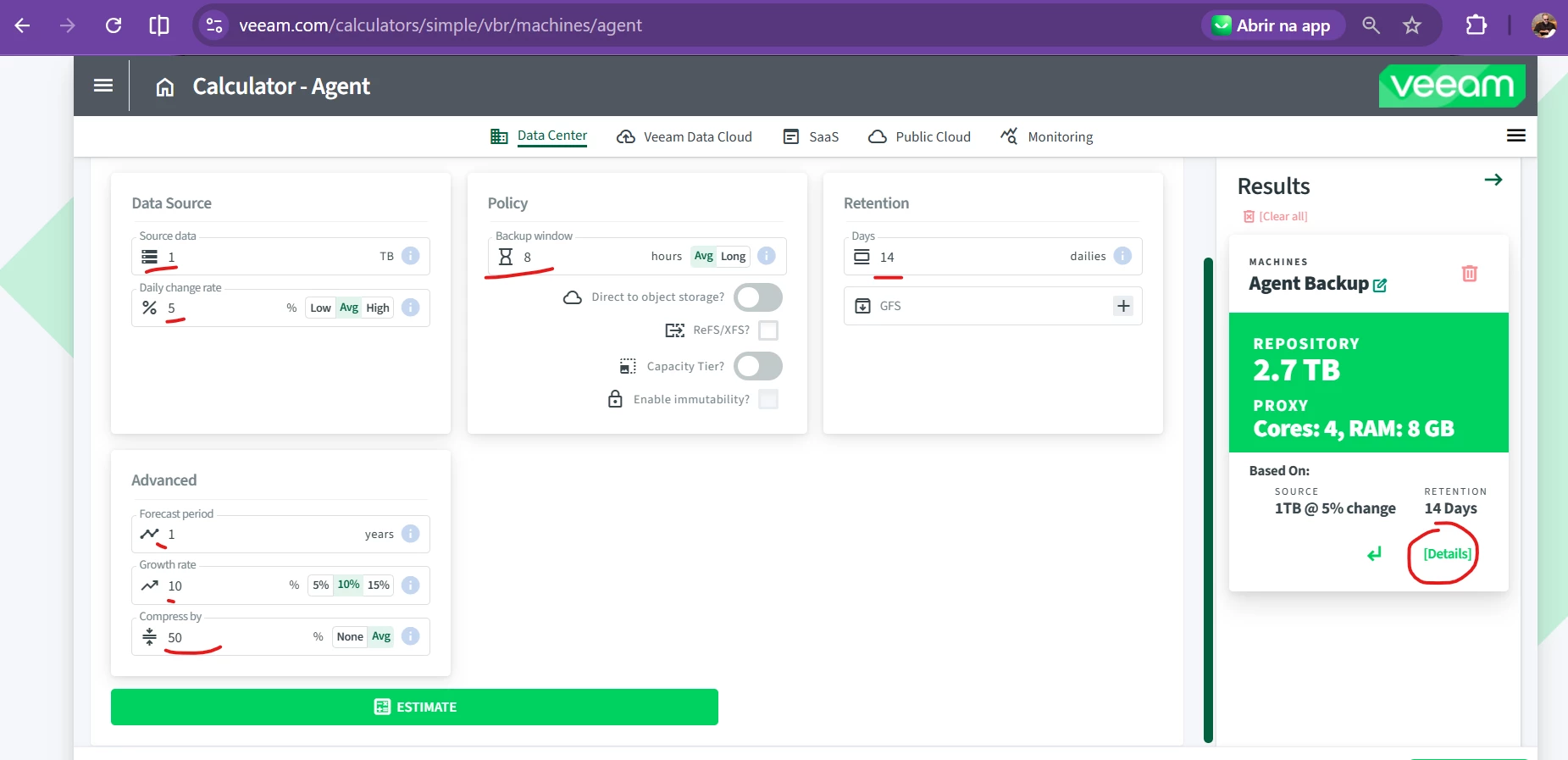
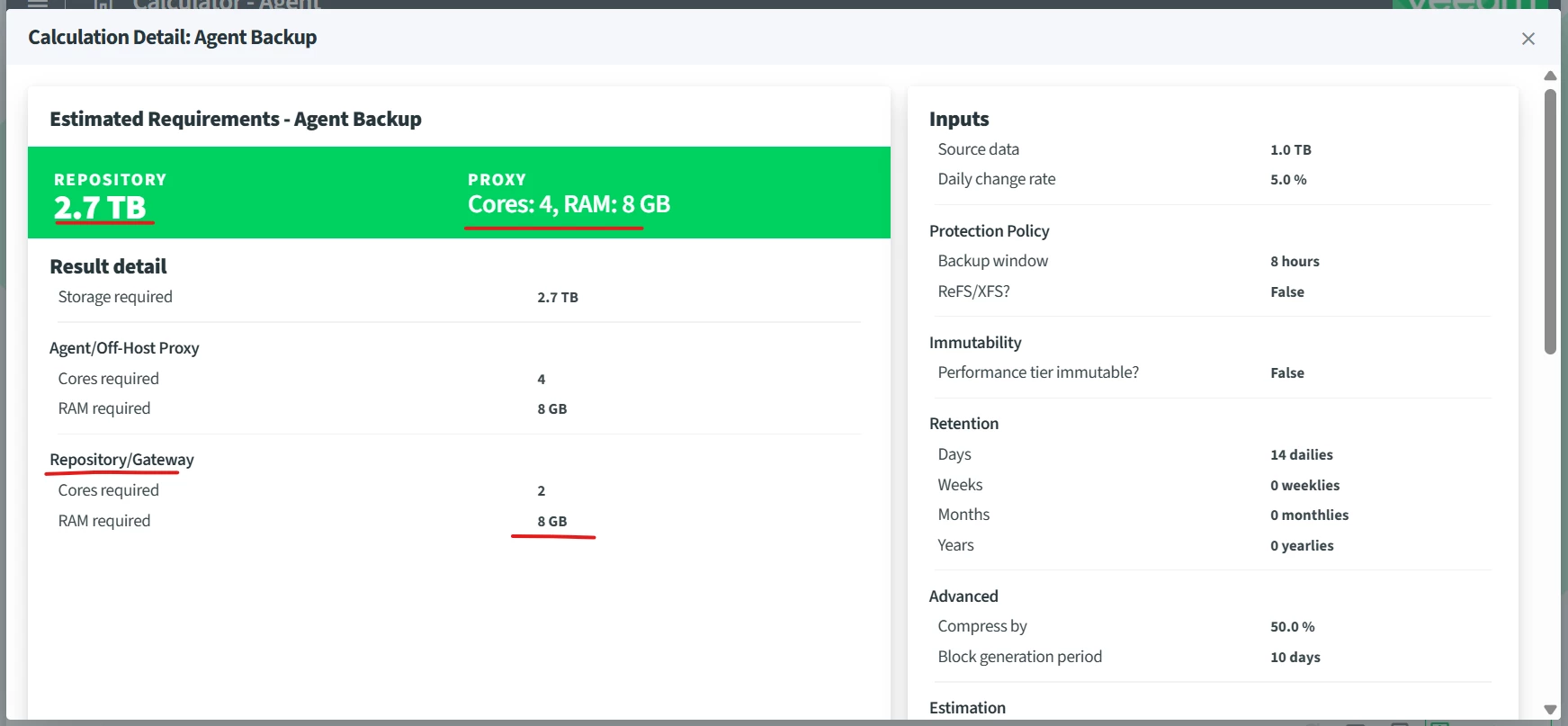
If you mean 15 users, 15 workstations for example, plus one server, you would need to calculate the size of your repository based on the total amount of data that will be read, considering the daily change rate, annual growth rate, and how many years you want to retain your backups. In addition, you also need to determine the required retention period (number of protection days).
I’m sharing this link with you for a quick reference. If you have any questions, feel free to send us the information you would need to fill out in the form from the link, and we can also help you estimate the appropriate size of your repository.
It is somewhat difficult to explain all the parameters and information we obtain from this screen through the community alone. As much as possible, we can address your questions here.
In your case, if you are going to use agent-based backup, for example, the proxy would be the agent itself. This means you would not need a dedicated proxy server to back up your server using an installed agent.
Regarding the repository, you would typically consider using a gateway server to provide access to your NAS, which would be used as the backup repository.
https://www.veeam.com/calculators/simple/vbr/machines/agent


- Veeam Legend
- May 13, 2026
Welcome
Consider two things here: the source and the destination. Your source would be the backup itself, for example, using an agent for Windows, while your destination would be a repository, such as a NAS.
So, we can break this down into two parts. In fact, a NAS repository can be used both for agent-based backups and image-based backups from a hypervisor. If your source is a physical machine or a virtual machine that requires an agent due to latency sensitivity, for example, then using an agent would make sense. Otherwise, it is generally better to use image-based backup through the hypervisor.
In other words, you should move to agent-based backup only when you do not have another viable option through the hypervisor, as some examples were already mentioned above, any feature that prevents the use of snapshots.
Regarding NAS, as others have already pointed out, NAS repositories also come with several limitations. One of the main limitations, especially from a security perspective, is the inability to support immutability features. This becomes a very important consideration when working with NAS storage.
Preferably, you could consider building a machine with internal disks and using Linux as the repository OS, managing those internal disks as an immutable repository. That is one possible approach worth considering.
Cheers,
André
Thank you,
check
Computer Wake Up from Sleep - Veeam Agent for Microsoft Windows User Guide
Backup on Specific Events - Veeam Agent for Microsoft Windows User Guide
- Veeam Vanguard
- May 13, 2026
The equipments are LAN or WAN connected?
- Influencer
- May 13, 2026
Perf gets ugly fast. It used to be we would tell people to cut a iSCSI vol and mount it if you were going to use a Synology or like device. CIFS is almost 30 yrs old now, NFS is even older :) If the agent writes directly to say \\NAS\Backups\ , then anything with those credentials, or anything that compromises that endpoint, may be able to delete, encrypt, or corrupt the backup files. It would be my least favorite option if I had to choose.
- Author
- New Here
- May 14, 2026
- Veeam Vanguard
- Answer
- May 14, 2026
I reproduced your configuration using my laptop, and the job started at 5:30 PM while my laptop was locked.
I couldn’t get the performance information because I have no storage space left.
I would recommend checking your antivirus and adding the Veeam processes as exceptions. This will probably improve the performance.
Regarding the job not starting at lunchtime, I think you may have some security features in place preventing it from running.
Please remember to choose the best answer up above.



- Author
- New Here
- May 15, 2026

- Veeam Vanguard
- May 15, 2026
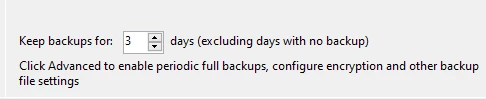
the second question is too difficult to answer, it is very related to your business, did you see the calculator link that I sent you before? the amount of days is one of the parametes needed to size the repository, so, you ned to know the number of the days to keep yur backup according to your business and also for sizing.
- Veeam Vanguard
- May 15, 2026
Enter your E-mail address. We'll send you an e-mail with instructions to reset your password.
Scanning file for viruses.
Sorry, we're still checking this file's contents to make sure it's safe to download. Please try again in a few minutes.
OKThis file cannot be downloaded
Sorry, our virus scanner detected that this file isn't safe to download.
OK