



Testing new backup technologies in a lab is one of the best ways to understand how they will behave in a production environment. Recently, I deployed another use case for Ootbi (Out-of-the-Box-Immutability) from Object First and integrated it with Veeam Backup & Replication in a small lab environment. This environment will also be used as a use case for my customer demos.
The goal was simple:
- Deploy immutable object storage
- Configure it as a Veeam backup repository
- Run backup and restore tests
- Understand the operational experience
What stood out most was how quickly immutable object storage can be integrated into a Veeam data protection architecture.
Lab Environment Overview
For this deployment, the lab environment consisted of the following components:
| Component | Purpose |
| Veeam Backup & Replication | Backup platform |
| Ootbi (Out-of-the-Box-Immutability) | Immutable S3 object storage |
| VMware virtual machines | Protected workloads |
| Dedicated backup network | Backup data traffic |
This setup allowed me to simulate a typical small-to-medium backup environment and validate the integration workflow.
Why Immutable Storage Matters
Backup infrastructure is increasingly targeted by ransomware attackers. In many incidents, attackers attempt to delete or encrypt backups before launching their main attack.
Immutable storage protects against this by ensuring backup data cannot be modified or deleted during a defined retention period.
This aligns with the 3-2-1-1-0 Rule of modern data protection:
- 3 copies of your data
- 2 different storage types
- 1 offsite copy
- 1 immutable copy
- 0 errors verified with recovery testing
Testing immutable repositories in a lab environment is an excellent way to validate this protection before deploying it in production.
Step 1: Deploying the Ootbi Appliance
The first step was bringing the Ootbi (Out-of-the-Box-Immutability) appliance online.
Initial setup included:
Assigning IP addresses
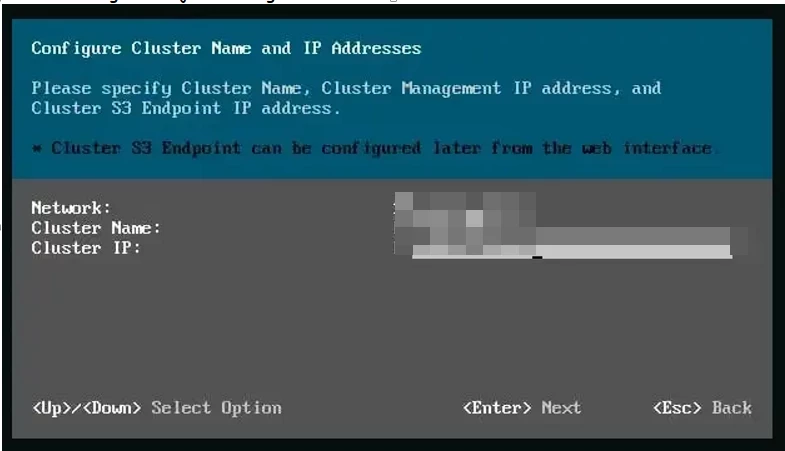
Configuring management access
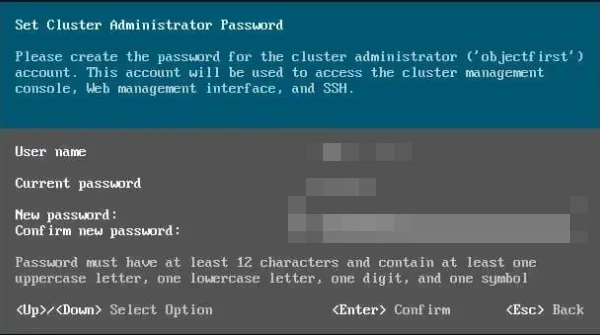
Verifying Connectivity with the Ootbi appliance
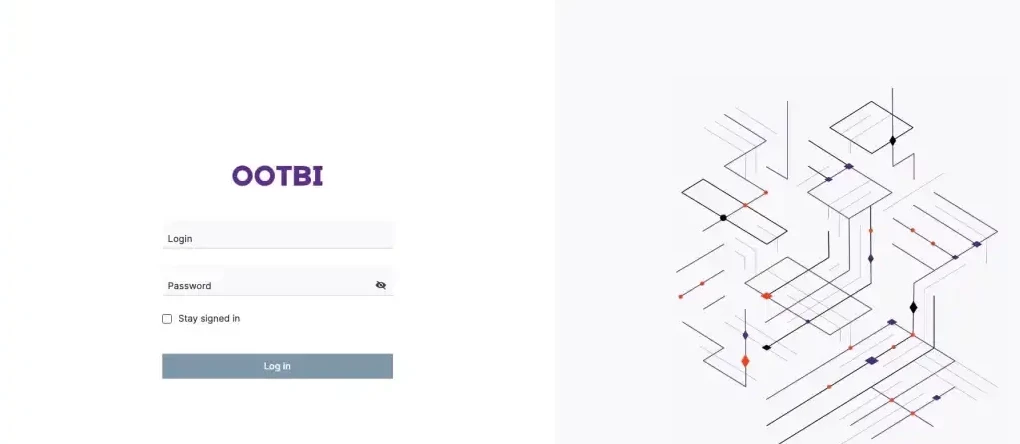
Creating the object storage bucket
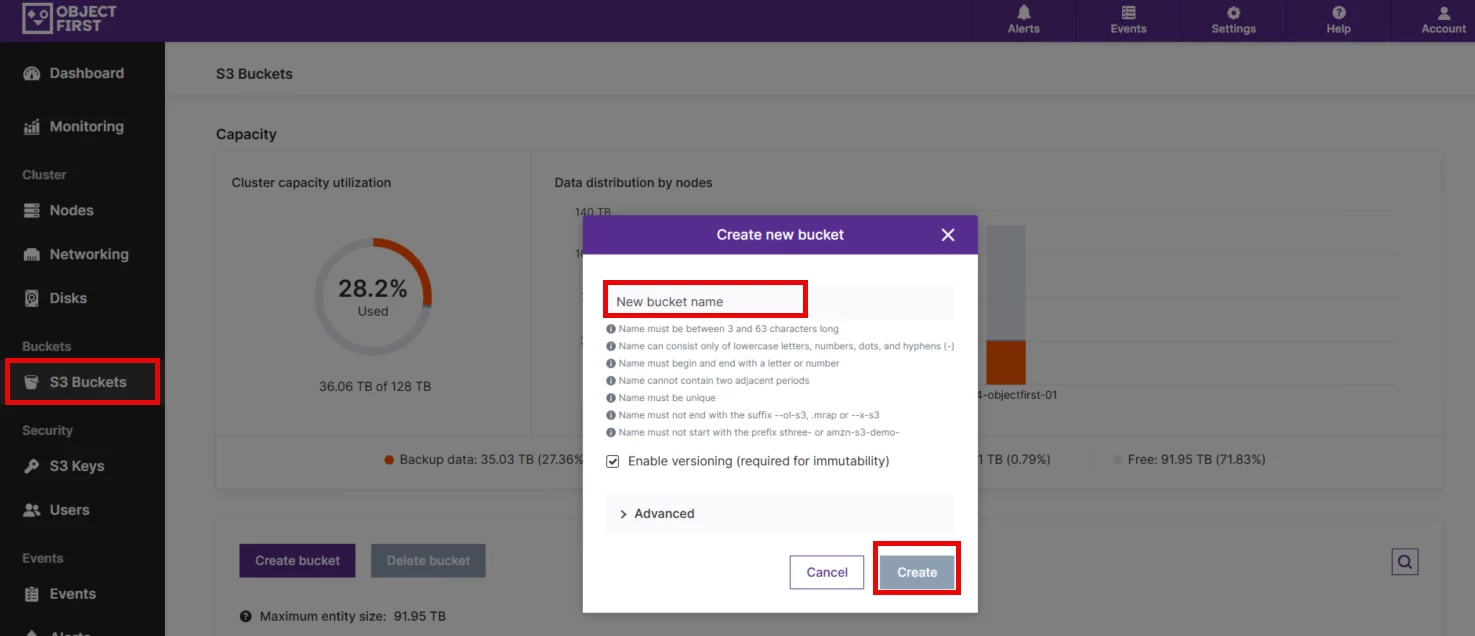
Step 2: Adding the Object Storage Repository in Veeam
Next, the object storage repository was added to Veeam Backup & Replication.
Steps:
Open Backup Infrastructure
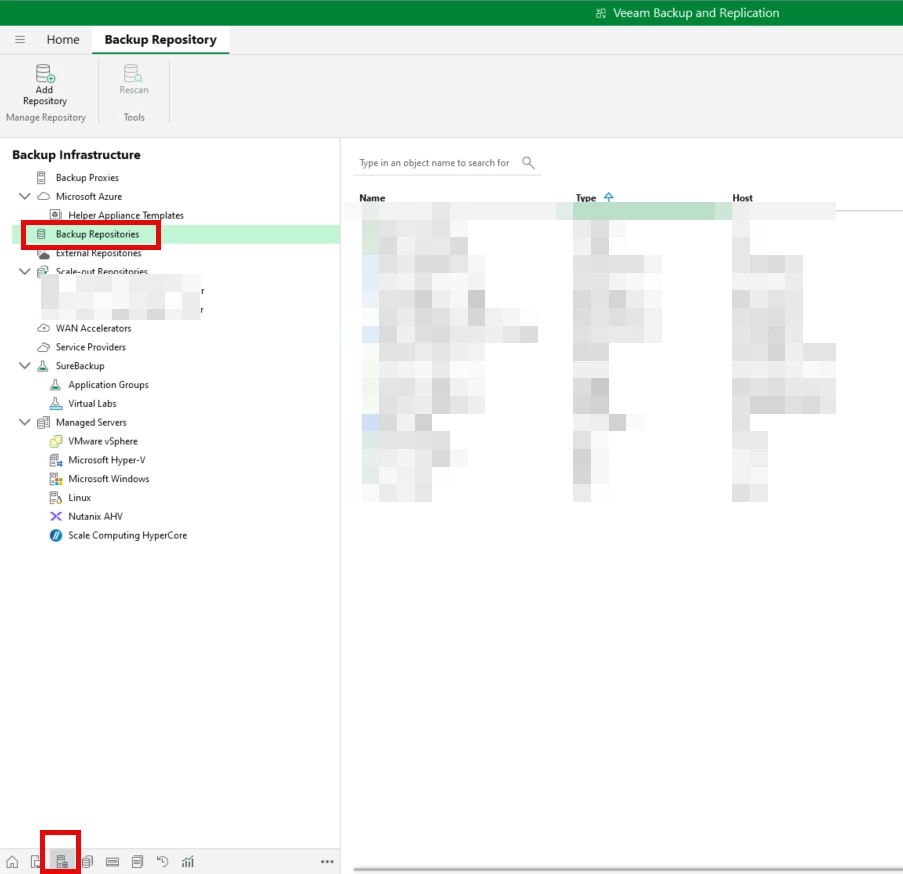
Select Backup Repositories
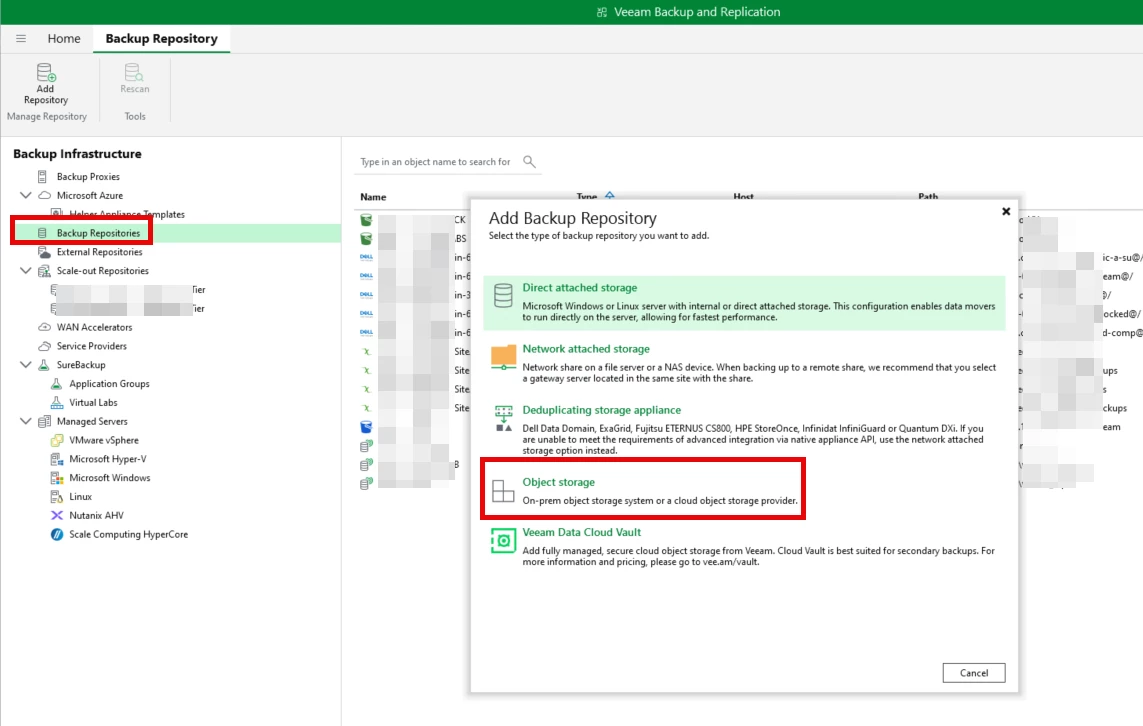
Click Add Repository ==> Choose Object Storage Repository
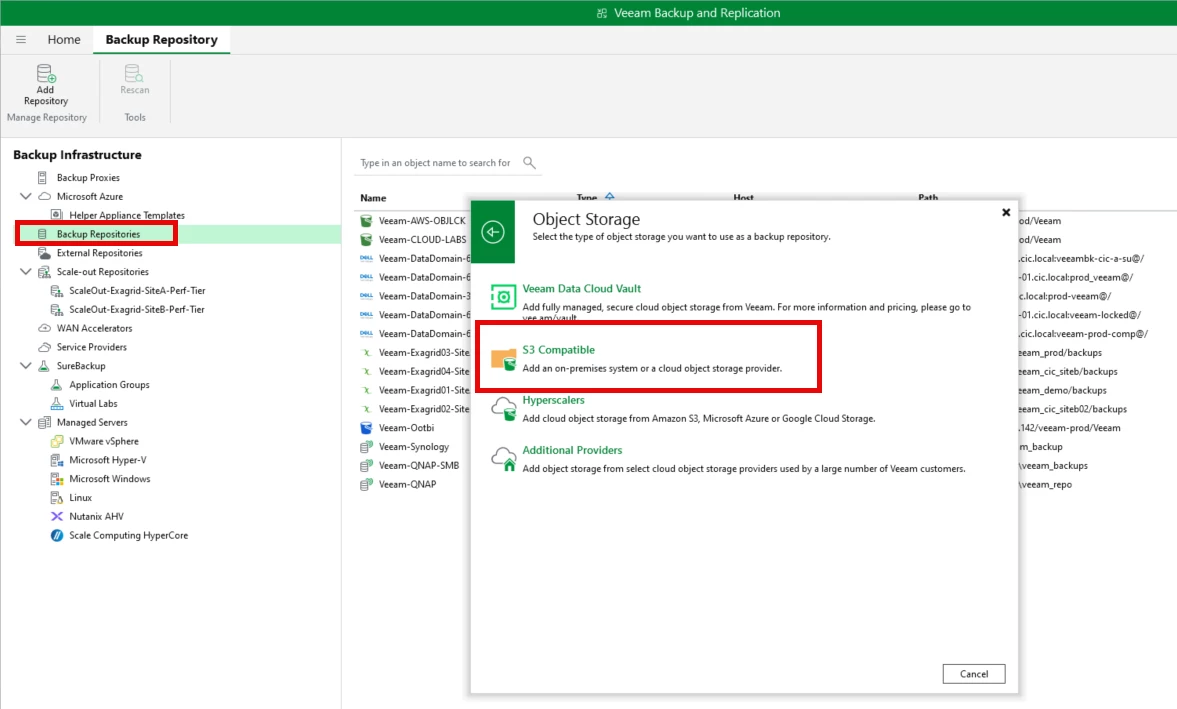
Select S3 Compatible Storage
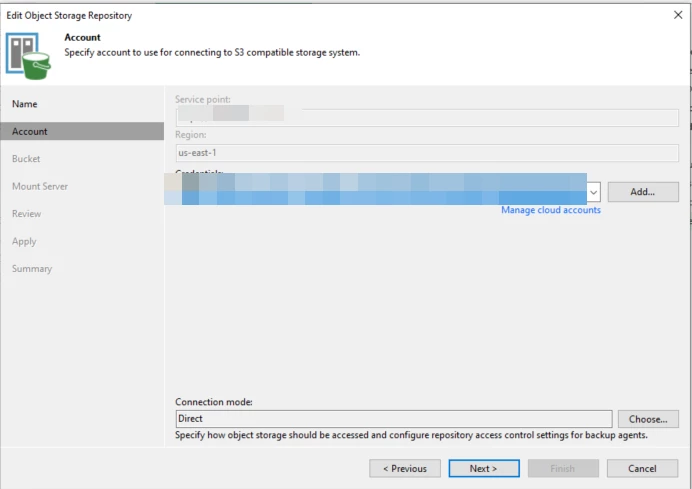
Enter the Service point name, Region, and Access/Secret key
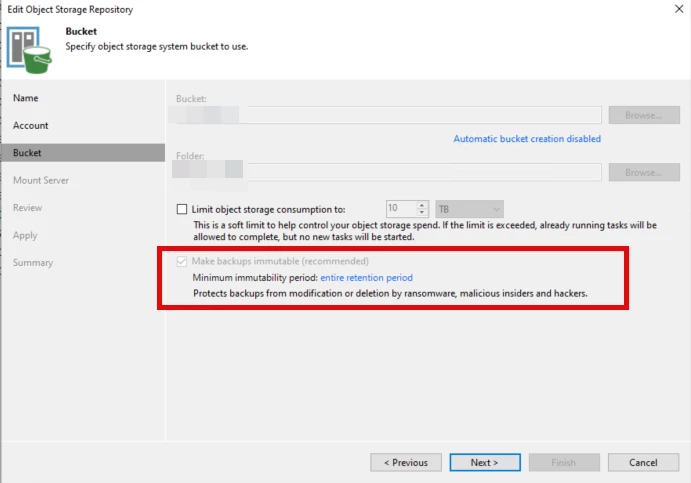
Select the bucket/folder that was created in previous step, and check "Make backups Immutable"
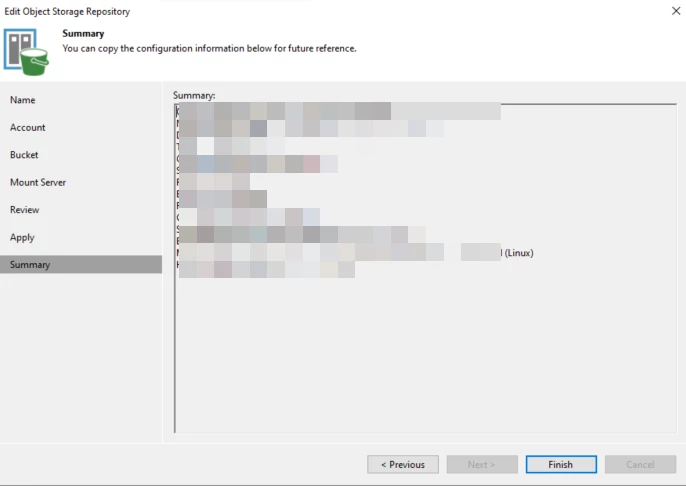
When completed, a summary screen of the bucket creation will be displayed.
Step 3: Enabling Backup Immutability
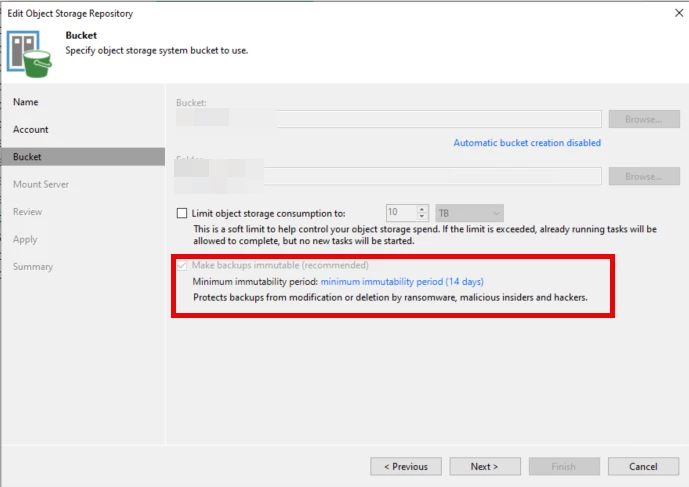
During repository configuration, immutability can be enabled directly in Veeam Backup & Replication.
This allows administrators to define a retention window during which backups cannot be deleted or modified.
Example configuration:
- Immutability period: 14 days
This ensures that even if an attacker gains administrative access, the protected backups remain safe.
Running Backup and Restore Tests
Once the repository was configured, I created several test backup jobs targeting the immutable object storage repository.
The tests included:
Synthetic/Full backups
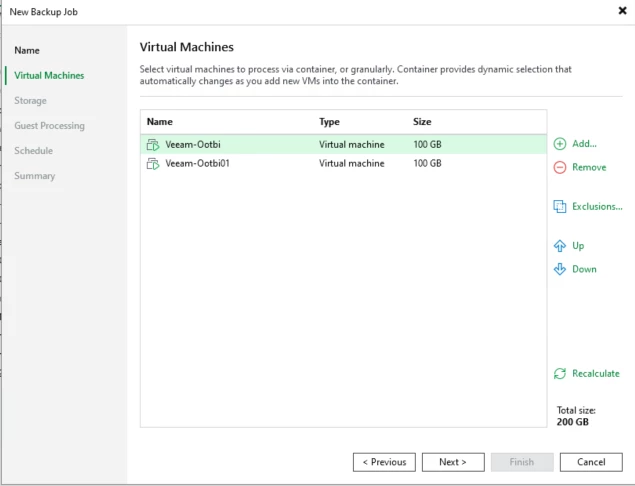
Here is the backup job creation
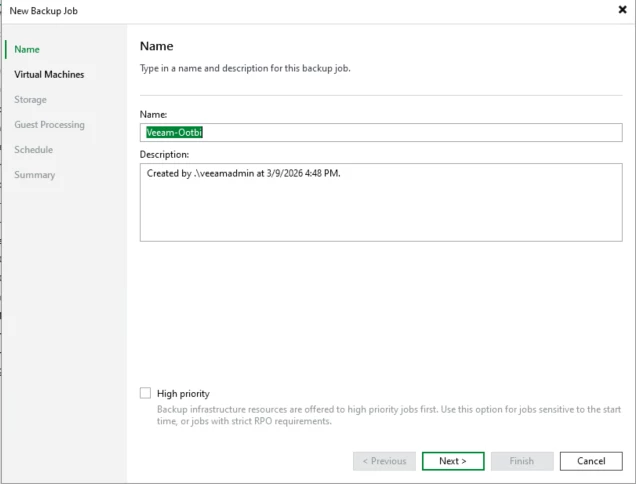
The 2 test VMs that were created for the use case
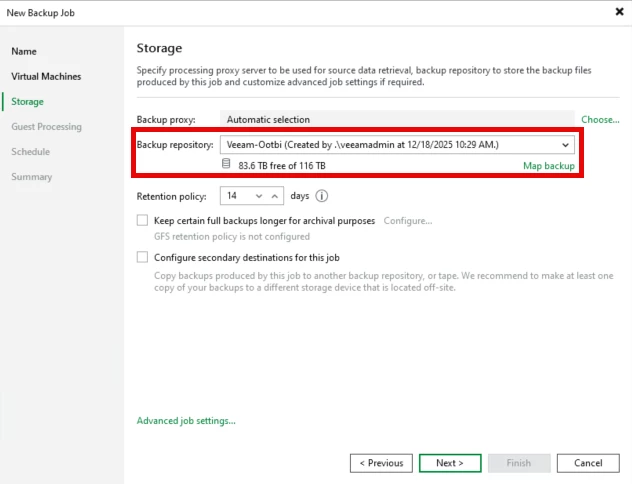
Here, we'll point the backups to the Ootbi repository that was created earlier
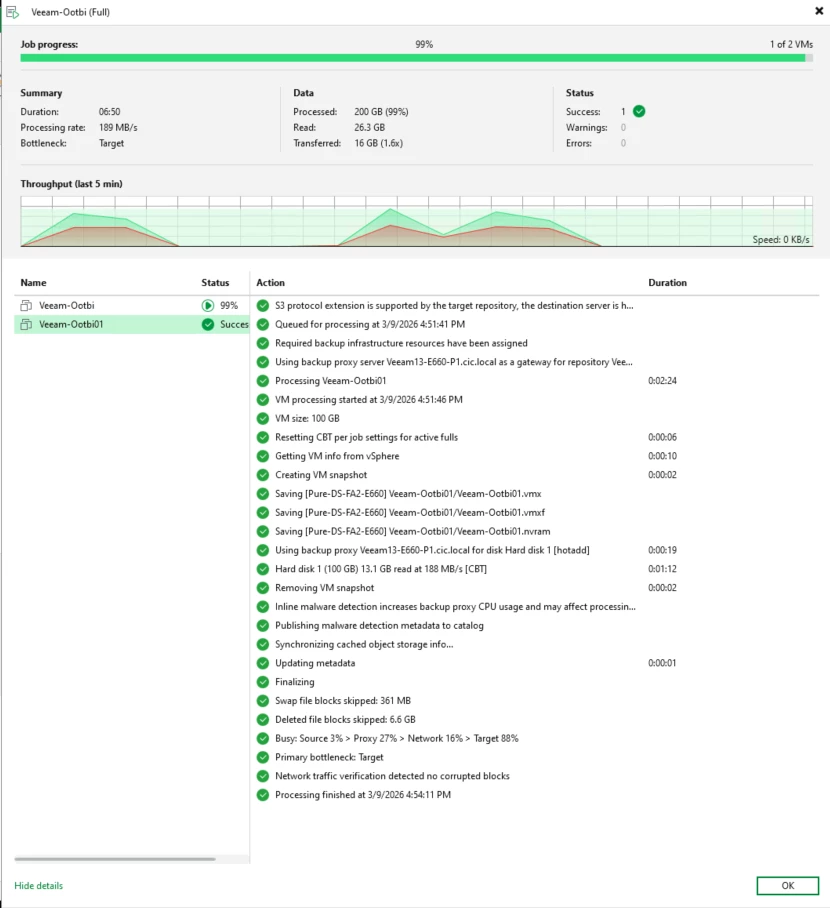
Here are the details of the completed Full backup
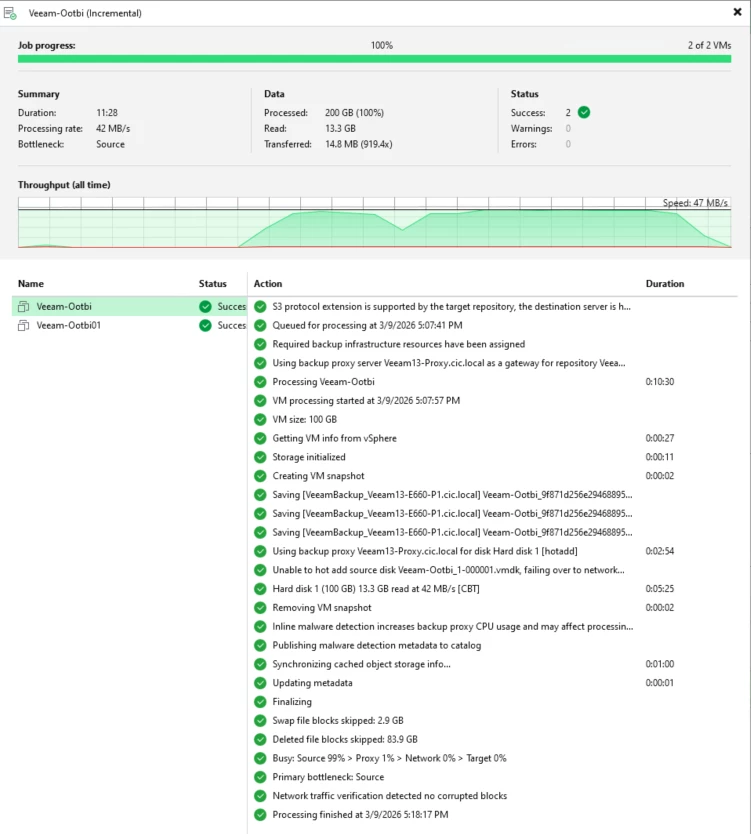
Incremental backups
I ran a second backup test which was incremental
Restore testing
Here is the restore process
Navigate to Backups and find the backup job name ==> select one of the clients for restore
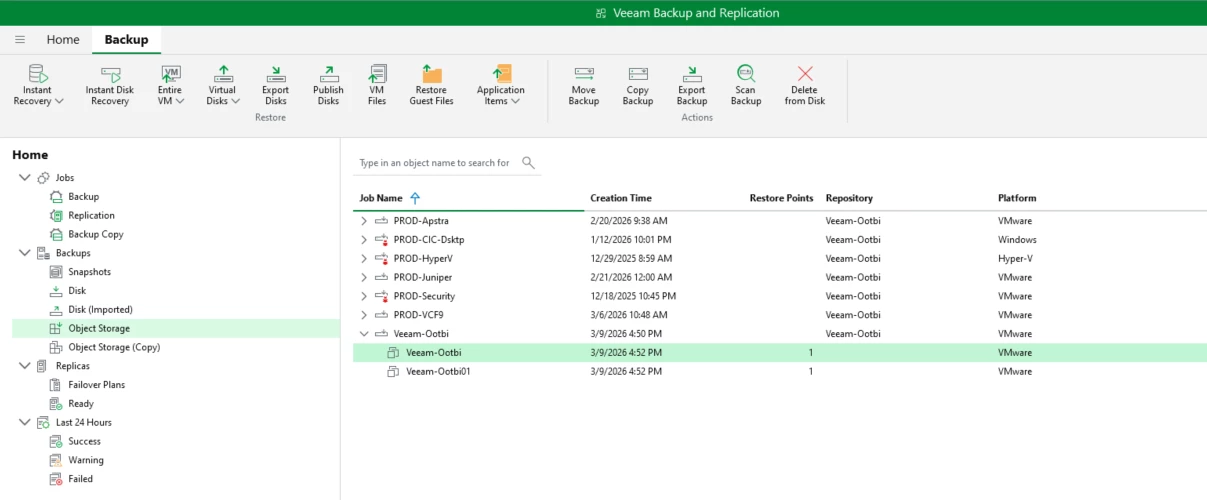
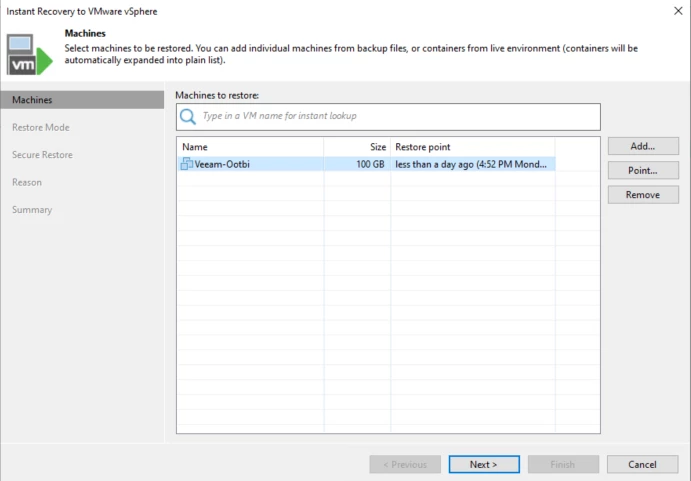
Right-click the client ==> Instant Recovery ==> VMware vSphere
Select the latest back or choose a point-in-time. For this test, we'll use the latest backup.
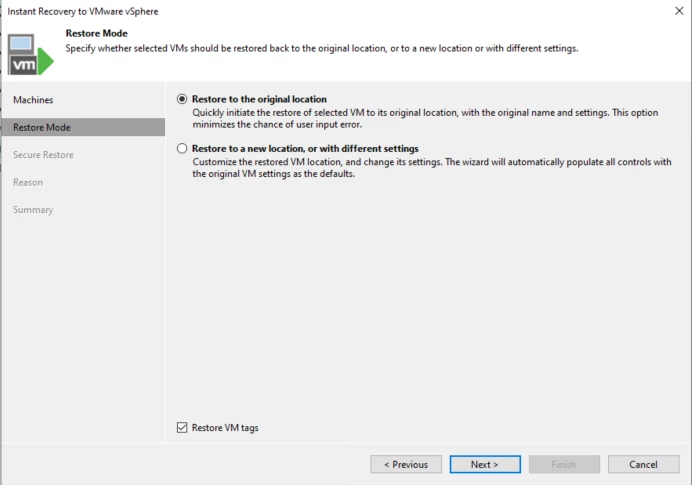
We're going to restore the original location
We're not going to do any scanning
We'll connect the VM to network and perform a manual power on
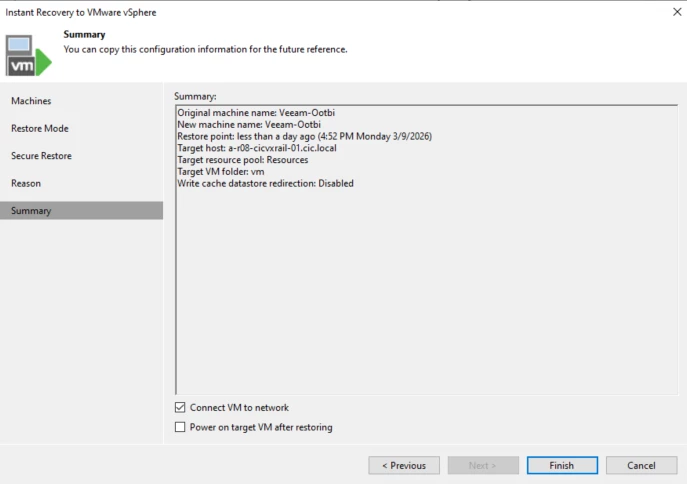
The restore ran successful, below is the summary.
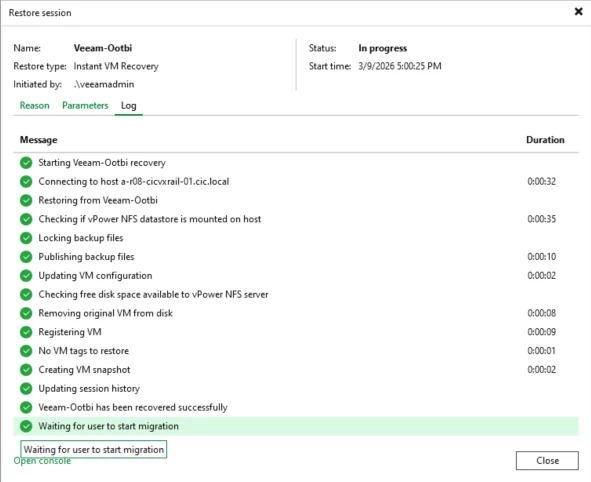
At this point its mounted as an instant Recovery and waiting for the migration. No further testing will be done here.

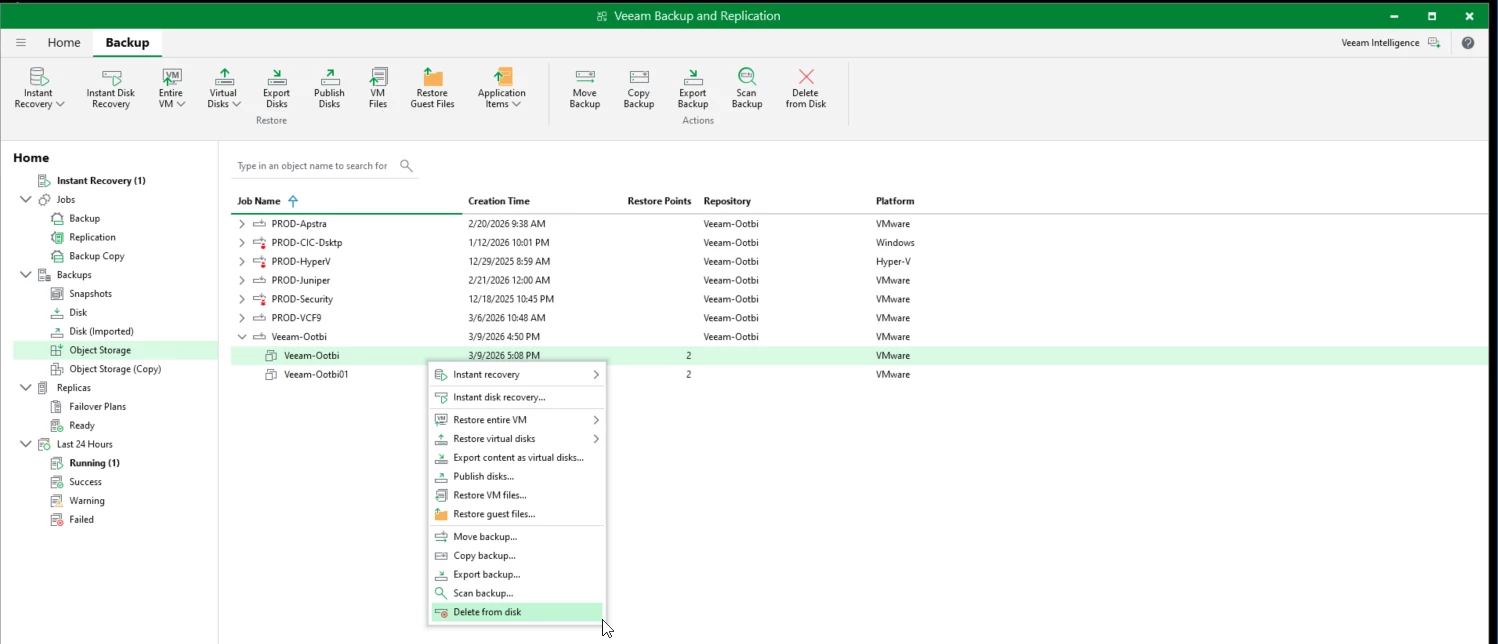
Here is the final test. We're going to test deleting the backup from Veeam and show how it's protected and cannot be deleted.
Here is the backup, right-click and Delete from Disk
Veeam will start the deletion job and attempt to delete the backup. As you can see the job failed with an error that it's used by Veeam-ootbi repository, and unable to delete locked backups.
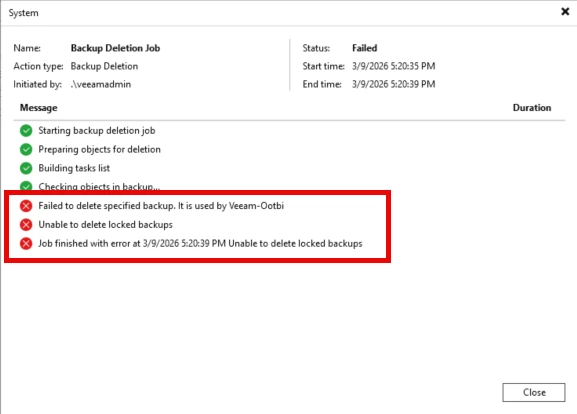
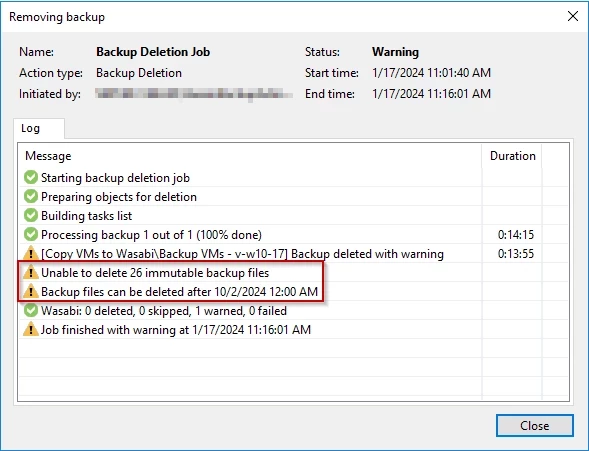
NOTE: They updated the failure message and removed the date backups would be available for deletion
Here is the previous delete message where shows backups can be deleted after the retention date has passed
Key Lessons from the Lab Deployment
After completing the deployment and testing, several takeaways stood out.
Deployment Is Very Straightforward
Because Ootbi (Out-of-the-Box-Immutability) is designed specifically for Veeam Backup & Replication, the setup process is simple compared to traditional storage deployments.
There is no need to configure complex storage arrays or file systems.
Object Storage Simplifies Repository Management
Traditional backup repositories often require:
- Windows or Linux servers
- Disk volumes
- Storage management
Object storage simplifies this model by storing backups as objects inside buckets, improving scalability and reducing administrative overhead.
Immutability Provides Strong Ransomware Protection
Testing immutability in the lab reinforced how powerful this feature is.
Once backup data was written to the repository:
- It could not be deleted
- It could not be modified
- It remained protected until the immutability window expired
This protection is critical in environments where ransomware attackers target backup systems.
Monitoring Remains Important
Even with immutable storage, monitoring backup infrastructure is essential.
Using tools such as Veeam ONE can provide visibility into:
- Backup job success rates
- Repository capacity
- Performance metrics
- Infrastructure health
This ensures backup systems remain reliable over time.
Final Thoughts
Deploying Ootbi (Out-of-the-Box-Immutability) from Object First in a lab environment provided a great opportunity to explore how immutable object storage integrates with Veeam Backup & Replication.
The deployment was straightforward, the integration was seamless, and the immutability features provide a strong layer of protection against modern ransomware threats.
For anyone looking to strengthen their backup security posture, testing immutable object storage in a lab environment is an excellent first step before moving into production.