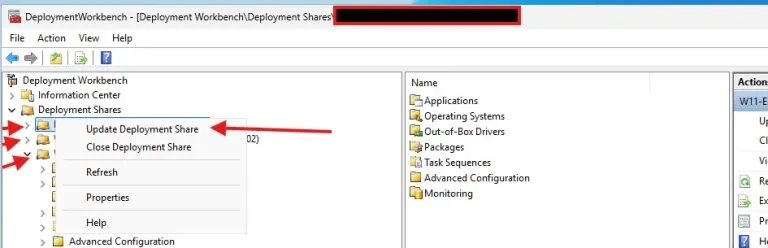
Given the complexity and critical nature of this transition, I have created Part 2 of this guide to focus specifically on updating WinPE boot images to support the Windows UEFI CA 2023 Secure Boot certificates.
The previous guide was published nine months ago and continues to generate significant traffic. This follow-up article addresses the missing component: updating WinPE boot images to ensure compatibility with Windows Deployment and the Windows UEFI CA 2023 Secure Boot trust chain.
The complete Part 1 guide is available here, followed by Part 2 covering “Update WinPE Boot Images with Windows UEFI CA Certificates”
WinPE boot media relies on the same Secure Boot trust chain as full Windows. That trust is validated against the UEFI db (allowed certificates) and dbx (revoked certificates) stored in firmware.
Microsoft recommends enabling automatic management of Windows Updates to ensure timely delivery of these updates. In addition, Microsoft is working closely with original equipment manufacturers (OEMs) to provide Secure Boot firmware updates. These updates are already available and can be managed through vendor-specific utilities or Windows Updates.
In the referenced guide, we discussed the close collaboration between OEM vendors and Microsoft, focusing on Lenovo and Dell and how each supports a seamless transition to the Windows UEFI CA 2023 Secure Boot certificate chain.
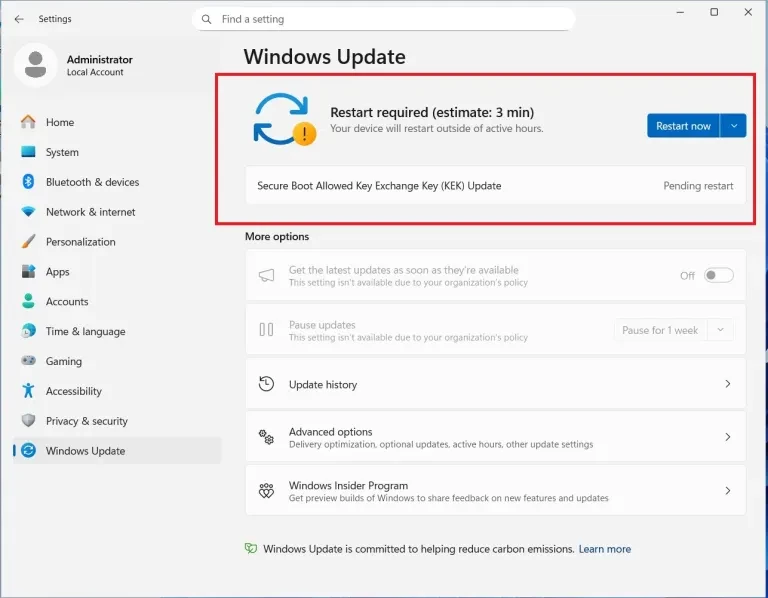
For example, with DELL, the appearance of the ‘Secure Boot Allowed Key Exchange Key (KEK) Update’ in Windows Update as shown in the image below demonstrates the active collaboration between Microsoft and Dell to programmatically enroll 2023 certificates. This ensures systems maintain boot integrity and security compliance ahead of the 2026 legacy expiration.
Comparing Dell and Lenovo Secure Boot Deployment Models
This transition table illustrates the critical migration from legacy CA 2011 certificates to the new 2023 trust hierarchy. Thereby, mapping each replacement to its specific role and storage location within the UEFI firmware databases.
| Feature | Lenovo Approach | Dell Approach |
| Strategy | Proactive Firmware Injection | BIOS + Windows Update Staging |
| Old Cert Status | Replaced via Factory Reset/BIOS Update | Retained for Dual-Trust (Compatibility) |
| 2023 Cert Store | Default DB updated in Firmware | Active DB updated via OS/Script |
| Manual Action | Minimal (Seamless) | Required for older/EoSL devices |
To perform a proper check, administrators must examine the EFI bootloader files such as bootx64.efi or bootmgfw.efi deployed. Then verify the digital signature of these files using PowerShell, MMC, or signature validation tools to confirm whether the binaries are signed with the Microsoft Windows UEFI CA 2023 certificate.
This approach ensures accurate validation of Secure Boot trust because firmware enforcement occurs at the EFI bootloader level. To mounts the EFI System Partition to drive Z. Please use the command below.
mountvol Z: /s

To list the EFI contents as shown below. Please run this command below.
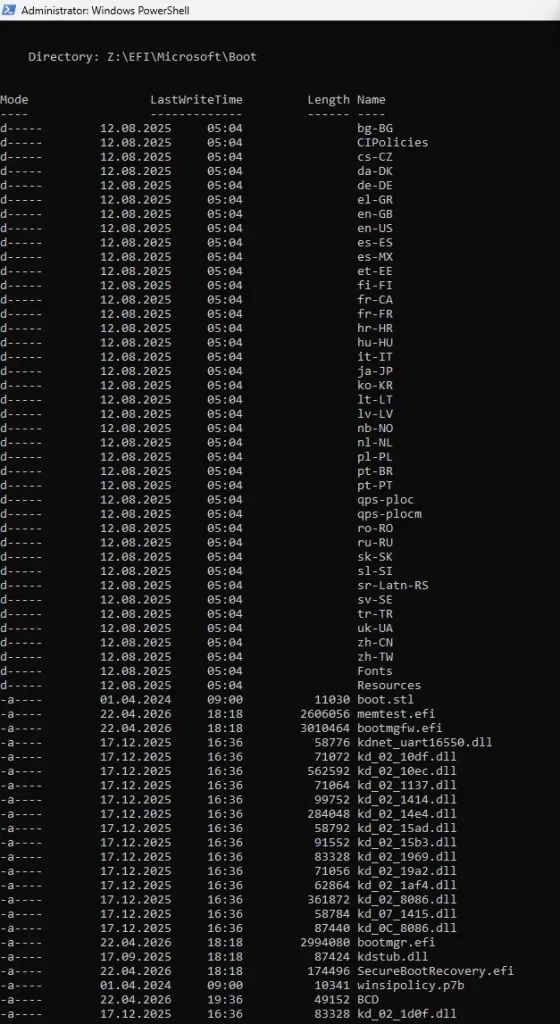
You will have to perform these checks before proceeding. They ensure you have installed firmware release that supports the 2023 CA.
You will have to perform these checks before proceeding. They ensure you have installed firmware release that supports the 2023 CA.

[System.Text.Encoding]::ASCII.GetString((Get-SecureBootUEFI DB).Bytes) -match ‘Windows UEFI CA 2023’
[System.Text.Encoding]::ASCII.GetString((Get-SecureBootUEFI DB).Bytes) -match ‘Microsoft UEFI CA 2023’
[System.Text.Encoding]::ASCII.GetString((Get-SecureBootUEFI KEK).Bytes) -match ‘Microsoft Corporation KEK 2K CA 2023’
Note that it returned false, we need to ensure that secure boot is enabled. And we have to manually trigger the new certificate enrollment.
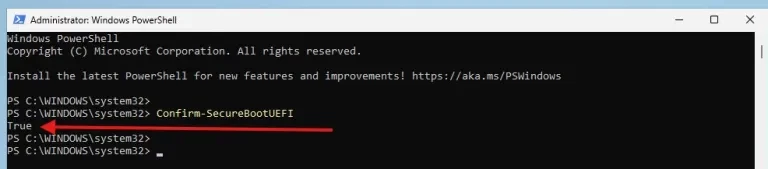
If you have secure boot disabled, the command below will also return false.
Confirm-SecureBootUEFI
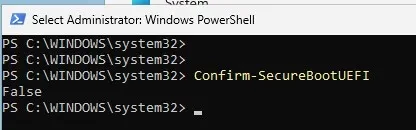
Proceed and enable secure boot. Secure boot has been enabled as shown below
Trigger the Certificate Enrollment
Note: Yo have to configure the
AvailableUpdatesregistry value to enable Secure Boot update readiness in Windows. The0x5944value places the system into a coordinated update mode that allows Windows to participate in future Secure Boot certificate and Boot Manager update operations when supported firmware and servicing conditions are met
Run the following command in an Administrator Command Prompt to instruct Windows to stage the 2023 certificates for the next boot. We will use the 0x5944 value as it is the most comprehensive for initial enrollment.
reg add "HKEY_LOCAL_MACHINE\SYSTEM\CurrentControlSet\Control\Secureboot" /v AvailableUpdates /t REG_DWORD /d 0x5944 /f
During the boot process, the Windows Boot Manager will detect the registry flag and request the UEFI firmware to update the DB and KEK variables with the new Microsoft 2023 certificates.
Update the Boot Manager on your Server
Once Secure Boot is enabled in UEFI/BIOS, administrators can configure the Windows Secure Boot servicing behavior using the AvailableUpdates registry value with the command below.
This settings instructs the Windows Secure Boot update servicing stack to enable a coordinated update mode, which allows the system to prepare for Secure Boot certificate and Boot Manager updates as part of the Microsoft rollout process.
reg add "HKLM\SYSTEM\CurrentControlSet\Control\Secureboot" /v AvailableUpdates /t REG_DWORD /d 0x5944 /f
After the reboot, log back in and run your PowerShell verification commands again. They should now return True.

Next, run the scheduled task. The hardware is ready, but the boot file is still the old version. This command will ensure that the Windows UEFI CA 2023 certificate is added to the UEFI Secure Boot Signature Database (DB)

Alternatively, if the Scheduled Task is not available at a glance after creation. Instead of searching UI, use PowerShell:
Get-ScheduledTask | Where-Object {$_.TaskPath -like "*PI*"}
Get-ScheduledTask | Where-Object {$_.TaskName -like "*Secure*"}
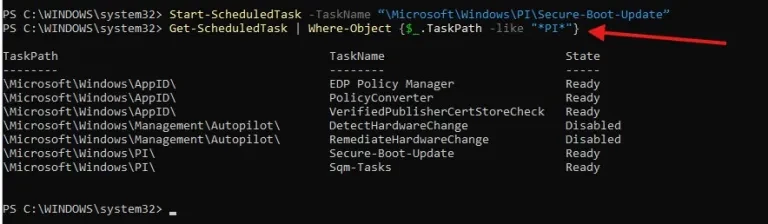
To verify that the AvailableUpdates registry key is set to 0x5944 and perform a full system restart. Windows stages these binary replacements during the shutdown/boot sequence to bypass file-system locks on the EFI partition.
Note: Do not use the physical power button. Use the command line to ensure a clean hand-off to the UEFI firmware.
Note: Reboot the machine twice after running these commands to confirm that the machine is booting with the updated DB.
Check the digital signature of the boot manager
$cert = Get-PfxCertificate -FilePath "Z:\EFI\Microsoft\Boot\bootmgfw.efi"
$cert.GetExpirationDateString()
$cert.Issuer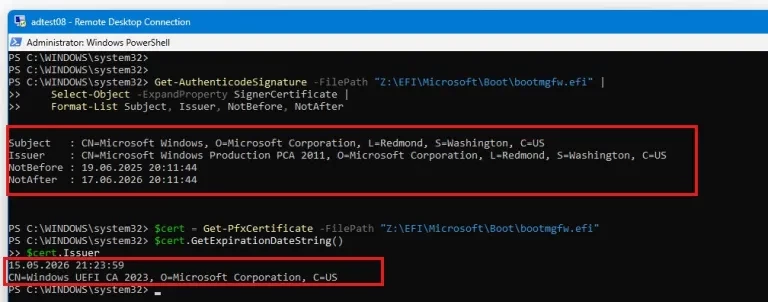
The two certificates appear because Windows uses the 2011 Microsoft PCA for signing the bootloader itself (Authenticode), while Secure Boot separately uses the UEFI CA 2023 in firmware to control whether that bootloader is allowed to run (trust validation).
Updating WinPE Boot Files for Secure Boot Compatibility
The Windows 11 24H2 ADK provides the necessary 2023-signed binaries, but it maintains the 2011 PCA signatures in the default template folders for backward compatibility. To ensure WinPE media is compliant with the 2023 CA, administrators must manually refresh the ADK Media boot files (bootx64.efi, bootmgfw.efi) using updated files from a patched Windows installation or via the bcdboot command.”
WinPE is a minimal preinstallation environment that includes only the essential boot components required to start the system. As a result, its EFI bootloader files must be explicitly updated or replaced to align with the Windows UEFI CA 2023 trust chain.
WinPE boot media must be updated separately, as older boot images may fail to boot on systems that have transitioned to the Windows UEFI CA 2023 trust chain. To proceed, first create a backup of the WinPE backup as shown below.
Verify the Bootx64.efi Signing Certificate
(Get-PfxCertificate -FilePath "C:\Program Files (x86)\Windows Kits\10\Assessment and Deployment Kit\Windows Preinstallation Environment\amd64\Media\EFI\Boot\bootx64.efi").Issuer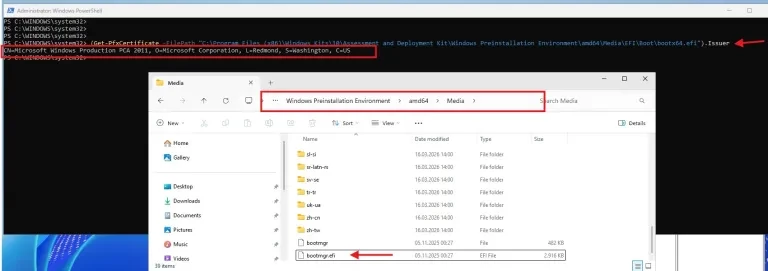
Replacing WinPE EFI Boot Files with CA 2023–Signed Binaries
We are now rebuilidng the boot media from the latest ADK WinPE. The Windows bootloader binaries (bootmgfw.efi, bootmgr.efi, bootx64.efi). The UEFI CA in firmware and updates. And ships these updated EFI binaries in new Windows ISOs and new ADK/WinPE releases.
# Update primary UEFI boot entry (CRITICAL)
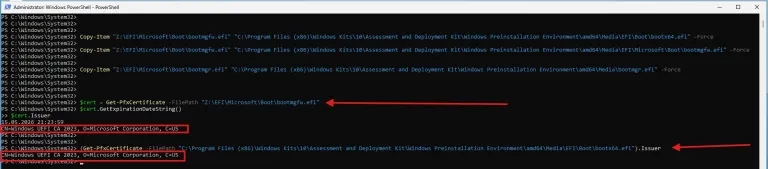
copy “Z:\EFI\Microsoft\Boot\bootmgfw.efi” “C:\Program Files (x86)\Windows Kits\10\Assessment and Deployment Kit\Windows Preinstallation Environment\amd64\Media\EFI\Boot\bootx64.efi” /Y

# Update actual Boot Manager (CRITICAL)
copy “Z:\EFI\Microsoft\Boot\bootmgfw.efi” “C:\Program Files (x86)\Windows Kits\10\Assessment and Deployment Kit\Windows Preinstallation Environment\amd64\Media\EFI\Microsoft\Boot\bootmgfw.efi” /Y

# Optional: update secondary loader
copy “Z:\EFI\Microsoft\Boot\bootmgr.efi” “C:\Program Files (x86)\Windows Kits\10\Assessment and Deployment Kit\Windows Preinstallation Environment\amd64\Media\bootmgr.efi” /Y
After the copy operation as you can see below, we can now verify the presence of the Boot File Signing Certificate.
Regenerate LiteTouchPE.wim Image
Updating the WinPE base alone is not sufficient for MDT environments. The LiteTouch boot image must be regenerated to incorporate the updated EFI boot components, and the refreshed image must be redistributed to WDS
MDT boot images are regenerated from the ADK WinPE base image, and any changes applied to LiteTouchPE.wim only persist until the next update cycle or regeneration. Secure Boot certificate validation is not controlled by MDT but by the UEFI firmware and the signing of EFI boot binaries in the underlying WinPE media.